
Vizard Review, Pricing & Alternatives (2026)
Turn long recordings into social clips with AI-assisted editing.
Last updated: October 26, 2026
What is Vizard?
Vizard is a browser-based video repurposing platform for creators, marketers, podcasters, agencies, and teams. It identifies clips, transcribes footage, reframes video, adds captions, and supports social publishing. The Free plan costs $0/month, while Creator starts at $29/month or $14.50/month billed yearly.
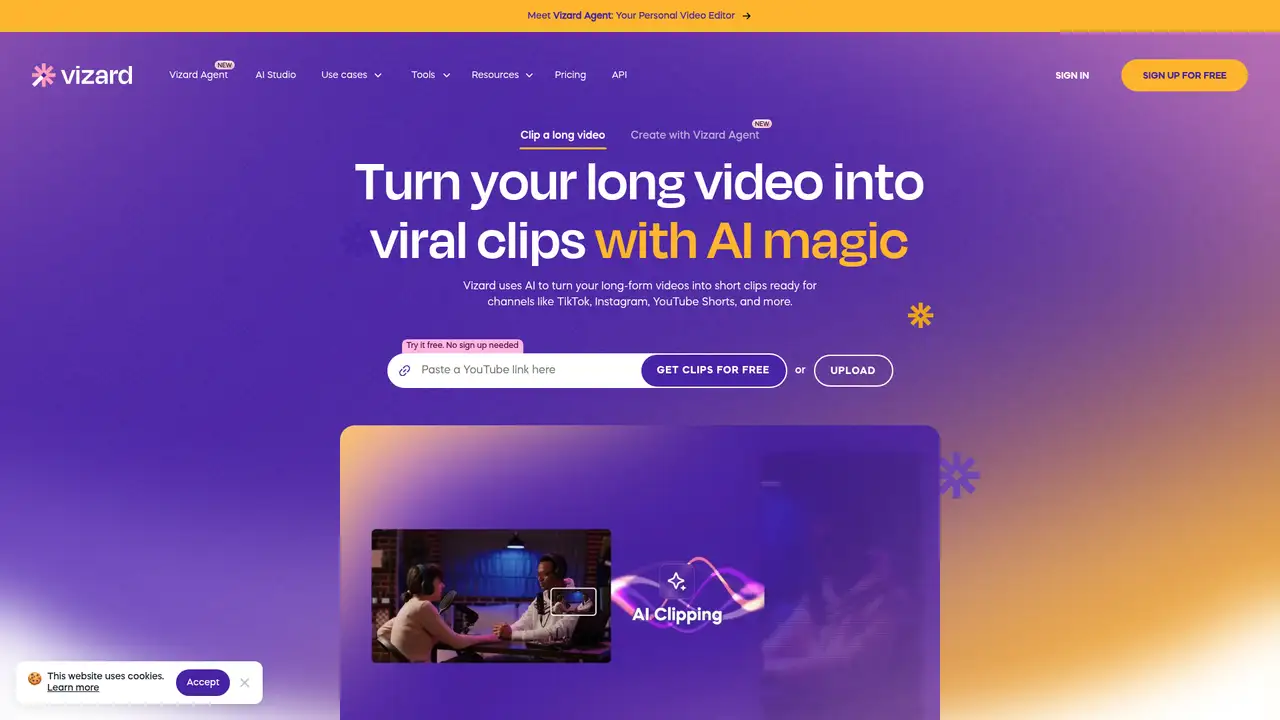
Vizard is a browser-based video repurposing platform for creators, podcasters, coaches, marketers, agencies, and teams. It turns long recordings into short clips for TikTok, Instagram, YouTube Shorts, and other channels. The company also offers mobile access and an API service. Its homepage says more than 10 million creators and businesses use Vizard, though that is a company-reported figure rather than an independently audited count. Vizard provides AI clipping, transcription, automatic reframing, captions, templates, brand controls, link sharing, direct publishing, and workspace collaboration. The company does not publish a reliable founding year or funding figure on the cited pages, so those details are not included. The core product is repurposing existing recordings rather than generating an entire film from a written prompt.
A typical workflow begins when a user uploads a recording and lets Vizard transcribe it. AI clipping then identifies possible highlights, while automatic reframing places speakers in vertical formats. Users can edit from the transcript or timeline, change aspect ratios, add captions, emojis, B-roll, templates, and custom fonts, then download, share, or publish the result. Caption translation supports more than 100 languages. The editor includes link sharing and second-level timeline adjustments. Paid plans add scheduling, while Business adds shared workspaces, project sharing, brand kits, and team members. This setup suits teams that need many channel-specific versions from one source recording, while users seeking frame-by-frame production controls may find it less suitable.
Vizard says its facial recognition, speech-to-text, and screen-sharing segmentation models were trained exclusively on publicly available YouTube data. The company also says customer data is not used to train its models and that some functionality uses ChatGPT. Recent help documentation published in 2025 explains credit accounting and the Free plan. One credit equals one minute of processed video for AI clipping or transcription, and using both features on one project does not charge twice. A 2026 help article documents plan changes, credit rollover rules, and higher usage tiers. A 2026 article also describes an API with the web app's abilities, giving teams a route to connect repurposing with their own workflows.
The Free plan costs $0/month and includes 60 upload credits, a private workspace, one social account, 720p exports, AI-generated clips, and three-day project storage. Free exports carry a Vizard watermark, so the tier works better for evaluation than regular branded publishing. Creator costs $29/month or $14.50/month billed yearly and includes 600 credits, 4K exports without a watermark, six social accounts, scheduling, and 100 GB of storage. Business costs $39/month or $19.50/month billed yearly and adds shared workspaces, 20 social accounts, project sharing, a brand kit, and unlimited storage. Additional Business seats cost $5/month each. Credits roll over for 60 days on monthly plans and 13 months on yearly plans.
Vizard is a strong fit for repeated social repurposing, but its credit system ties AI processing to uploaded video duration. The Free plan works for evaluation, although the watermark and three-day project expiry limit ongoing use. Opus Clip is the closest alternative for automated highlight generation, Descript is stronger for transcript-centered editing, and Kapwing offers broader browser-based design tools. Vizard also does not grant permission to reuse copyrighted footage or music, so users must handle those rights themselves. A useful evaluation starts with a representative recording and checks the selected passages, caption accuracy, framing, and export settings against the intended publishing format. Choose Vizard when publishing many channel-specific clips matters more than advanced manual editing.
Who is Vizard best for?
- Creators repurposing podcasts, interviews, webinars, and courses into short clips.
- Marketers publishing resized and captioned videos across several social accounts.
- Agencies that need repeatable templates, exports, and client sharing.
- Teams that want shared workspaces, brand kits, and project collaboration.
Vizard Pricing (2026)
Pricing model: Freemium. All prices in USD.
| Plan | Price | What you get |
|---|---|---|
| Free | $0/month | 60 upload credits, one social account, 720p exports with watermark, and three-day project storage. |
| Creator | $29/month or $14.50/month billed yearly | From 600 credits, 4K exports without watermark, six social accounts, scheduling, and 100 GB storage. |
| Business | $39/month or $19.50/month billed yearly | From 600 credits, shared workspace, 20 social accounts, project sharing, brand kit, and unlimited storage. Added seats cost $5/month each. |
Pros and Cons
Pros
- AI clipping and automatic reframing reduce repetitive social video editing.
- Transcript editing, captions, translation, and timeline controls share one workflow.
- Paid plans provide 4K exports without a Vizard watermark.
- Business adds shared projects, brand kits, and team workspaces.
Cons
- AI credits are consumed according to processed video duration.
- Free projects expire after three days and exports carry a watermark.
- Users remain responsible for rights to uploaded footage and music.
Who should look elsewhere?
- Editors requiring advanced compositing, color grading, and detailed audio mixing.
- Users needing permanent free storage for active video projects.
- Businesses seeking copyright permission for uploaded footage or music.
Technical Details
Frequently Asked Questions
How much does Vizard cost?
Vizard has a Free plan costing $0/month with 60 upload credits. Creator costs $29/month or $14.50/month billed yearly. Business costs $39/month or $19.50/month billed yearly. Additional Business seats cost $5/month each. The pricing page currently displays placeholder dollar values for some plan prices, so review the checkout total before subscribing.
What does Vizard's free plan include?
The Free plan includes 60 upload credits, a private workspace, one social account, AI-generated clips, the video editor, and 720p exports. Free exports include a Vizard watermark, and each project expires after three days. One credit equals one minute of video processed for AI clipping or transcription. Using both features on one project does not deduct credits twice.
How does Vizard compare with Opus Clip?
Both tools identify short clips in longer recordings and prepare them for social publishing. Vizard combines clipping with transcript editing, caption translation, direct publishing, scheduling, and shared workspaces. Opus Clip is a close alternative focused on automated clipping. Compare current credit allowances, export limits, supported formats, and publishing features before deciding.
Does Vizard train its models on customer videos?
Vizard says its facial recognition, speech-to-text, and screen-sharing segmentation models were trained on publicly available YouTube data. It also says customer data is not used to train its models. The company says videos are stored on AWS servers in California with AES-256 encryption. Free user videos are automatically deleted seven days after upload.
Can I use Vizard exports commercially?
Vizard can support commercial publishing, but it does not grant permission to use footage, music, or other material owned by someone else. Its copyright guidance recommends permission or properly licensed content for commercial distribution. Users should also review platform music policies and retain licenses for client, advertising, educational, or branded work.
Best Vizard Alternatives in 2026
These tools do the same job as Vizard, with different pricing, limits and trade-offs.

Turn long videos into short, publishable social clips
Transcript-based audio and video editing with an AI co-editor

Browser video creation with collaboration, captions, and generative tools

Turns long recordings into short social videos with AI editing

Short-form video editing with captions, cuts, b-roll, and publishing tools.