
Submagic Review, Pricing & Alternatives (2026)
Short-form video editing with captions, cuts, b-roll, and publishing tools.
Last updated: October 26, 2026
What is Submagic?
Submagic is a browser-based short-form video editor for creators, agencies, and teams making social clips. It combines automatic captions, text-based trimming, effects, b-roll, publishing, analytics, and API access. Starter costs $19 per member monthly, or $12 per member monthly with annual billing, and includes 45 monthly credits. A free trial is available without a credit card.
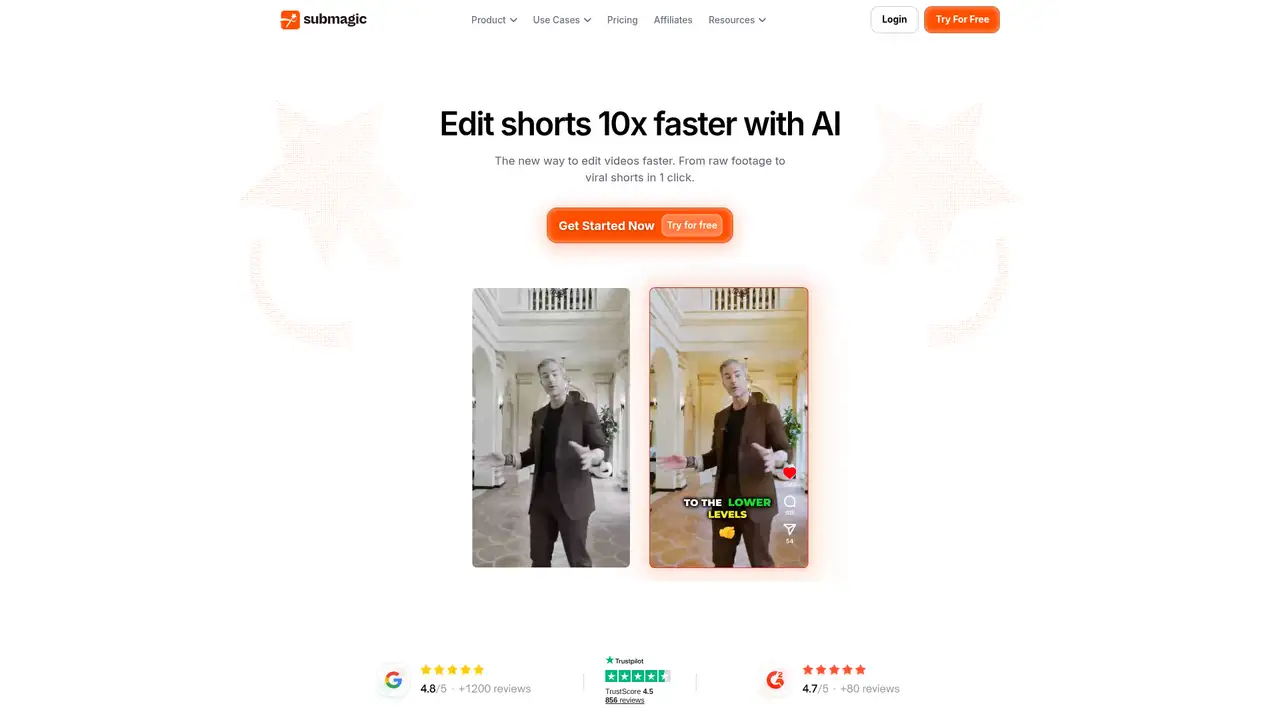
Submagic is a browser-based short-form video editor made by Turbo Studio, a French company founded in 2023 by David Zitoun and Tsi Fei. The company reported $8 million in annual recurring revenue, 13 team members, and no outside funding in a June 2025 founder interview. Those figures describe that interview period rather than current performance. Submagic targets creators, small businesses, agencies, and marketing teams that need branded social clips without a conventional desktop editing suite. Its browser delivery works across computers and smartphones with an internet connection. Subscription access is organized per member, and account sharing is prohibited under the terms. The product began with caption-focused editing and now includes generation, automation, publishing, and analytics features. That combination makes it more suitable for repeat social production than for detailed film or broadcast work.
A typical project begins when you upload spoken footage and Submagic generates captions. The editor can then apply caption templates, animations, text-based trimming, hooks, emojis, transitions, clean audio, automatic zooms, and b-roll. AI captions are free, while an upload costs three credits and additional AI features cost one to three credits. Magic Clips costs eight credits per clip. Pro adds Storyblocks media, silence and bad-take removal, translation, brand tools, and publishing. Business adds longer videos, 4K at 60 FPS export, custom templates, brand assets, custom vocabulary, multiple social accounts, and 100 API minutes monthly. The service also supports scheduling and analytics for TikTok, Instagram, YouTube, LinkedIn, X, and Facebook. Users should estimate uploads and AI actions together before choosing a tier.
Submagic describes a combination of speech transcription, generative media, automated editing, and social publishing rather than identifying one underlying foundation model. Its 2026 changelog lists several meaningful additions. AI Auto Edit arrived in January, applying captions, cuts, pacing, and effects from a template. Custom caption animations followed that month. B-Rolls 2.0 launched in April with more than 10 million new clips, while Multirow Editing enabled bulk caption changes. Find Ideas, released in May, searches by keyword, language, or country and creates scripts. The MCP Server connects Claude to Submagic through an existing API key. Publish plus Analytics, released in June, added scheduling and reporting across six social platforms. These releases broaden the workflow beyond caption styling and reduce manual work between editing and distribution.
Submagic uses a monthly credit balance for uploads and AI features. Starter costs $19 per member monthly, or $144 per member annually, equivalent to $12 monthly, and includes 45 credits, 15 captioned videos, a two-minute duration limit, 1080p at 30 FPS, no watermark, and 10 API minutes. Pro costs $39 monthly or $276 annually, equivalent to $23 monthly, with 120 credits, 40 captioned videos, a five-minute limit, and 10 API minutes. Business costs $69 monthly or $492 annually, equivalent to $41 monthly, with 300 credits, 100 captioned videos, a 30-minute limit, 4K at 60 FPS, and 100 API minutes. Custom plans use tailored allowances. API packs begin at $57 monthly for 250 minutes. The advertised video counts are estimates because uploads and AI actions consume credits.
Submagic's credit system makes its headline video counts conditional, because uploads consume credits before other AI features are applied. Per-member billing can also become expensive for agencies with larger teams. Compared with OpusClip, Submagic puts more weight on caption presentation, branded styling, and publishing, while OpusClip focuses more directly on finding short clips from long videos. CapCut offers a broader consumer editor, and Descript remains stronger for transcript-led editing and podcasts. Submagic is a sensible choice for creators and marketing teams that prioritize fast branded captions, social exports, and distribution controls over deep timeline editing. Choose Submagic if that production pattern matches your work.
Who is Submagic best for?
- Creators publishing captioned short videos several times each week.
- Agencies producing branded clips for multiple clients.
- Teams scheduling content across several social platforms.
- Developers automating video workflows through API integrations.
Submagic Pricing (2026)
Pricing model: Freemium. All prices in USD.
| Plan | Price | What you get |
|---|---|---|
| Starter | $19/member/month, or $144/member/year ($12/month equivalent) | 45 credits monthly, about 15 captioned videos, two-minute videos, 1080p at 30 FPS, no watermark, and 10 API minutes. |
| Pro | $39/member/month, or $276/member/year ($23/month equivalent) | 120 credits monthly, about 40 captioned videos, five-minute videos, Storyblocks media, and 10 API minutes. |
| Business | $69/member/month, or $492/member/year ($41/month equivalent) | 300 credits monthly, about 100 captioned videos, 30-minute videos, 4K at 60 FPS, and 100 API minutes. |
| Custom | Custom | Custom video, minute, member, Magic Clips, template, API, security, SSO, and customer-success allowances. |
| API credit pack 250 minutes | $57/month | 250 API minutes at $0.23 per minute. |
| API credit pack 500 minutes | $75/month | 500 API minutes at $0.15 per minute. |
| API credit pack 1,000 minutes | $150/month | 1,000 API minutes at $0.15 per minute. |
| API credit pack 2,000 minutes | $300/month | 2,000 API minutes at $0.15 per minute. |
| API credit pack 5,000 minutes | $500/month | 5,000 API minutes at $0.10 per minute. |
| API credit pack 10,000 minutes | $1,000/month | 10,000 API minutes at $0.10 per minute. |
Pros and Cons
Pros
- Animated captions, text trimming, and social tools suit fast short-form production.
- Business supports 30-minute inputs and 4K at 60 FPS exports.
- Publishing covers TikTok, Instagram, YouTube, LinkedIn, X, and Facebook.
- API minutes and MCP support extend the product beyond manual editing.
Cons
- Uploads and AI actions draw from credit balances, complicating usage forecasts.
- Agency costs rise because subscription prices are charged per member.
- The terms grant Turbo Studio a license to use submitted content on the platform.
Who should look elsewhere?
- Editors needing a professional timeline and compositing suite.
- Users seeking a permanent free plan with recurring credits.
- Teams that cannot accept per-member billing and usage credits.
Technical Details
Frequently Asked Questions
How much does Submagic cost?
Starter costs $19 per member monthly or $144 per member annually. Pro costs $39 monthly or $276 annually. Business costs $69 monthly or $492 annually. Annual billing equals $12, $23, and $41 per member monthly when paid upfront. Custom plans use tailored pricing. API packs are separate additions, beginning at $57 monthly for 250 minutes.
Does Submagic have a free plan?
Submagic offers a free trial without requiring a credit card. Its terms identify this access as a free trial, while the pricing page lists Starter, Pro, Business, and Custom subscriptions. The published plan information does not describe a permanent free tier with recurring monthly credits and unrestricted commercial exports.
Is Submagic better than OpusClip?
Submagic is better suited to animated captions, branded styling, text trimming, and social publishing. OpusClip focuses more directly on finding multiple short clips from long recordings. Submagic also offers API and MCP automation. The stronger option depends on whether caption presentation or high-volume long-video repurposing matters more to your workflow.
Does Submagic train on uploaded videos?
Submagic's privacy notice describes service processing, vendors, retention, and international transfers. Its terms say customers retain rights to submitted content but grant Turbo Studio a worldwide license to use, modify, reproduce, and distribute that content on and through the platform. The published documents do not provide a blanket promise that uploaded media and transcripts are never used for model training.
Can I use Submagic videos commercially?
The terms say customers retain rights to submitted content and remain responsible for permissions covering footage, likenesses, music, and other inputs. AI results may not be unique, and customers assume responsibility for generated results. Paid users should also review the rights attached to stock media and obtain clarification for sensitive client or commercial projects.
Best Submagic Alternatives in 2026
These tools do the same job as Submagic, with different pricing, limits and trade-offs.

Turn long videos into short, publishable social clips
Transcript-based audio and video editing with an AI co-editor

Turn long recordings into social clips with AI-assisted editing.

Fast social video editing across mobile, desktop, and web

Turns long recordings into short social videos with AI editing