
OpusClip Review, Pricing & Alternatives (2026)
Turn long videos into short, publishable social clips
Last updated: October 22, 2026
What is OpusClip?
OpusClip is a web-based AI video editor for creators, marketers, educators, and teams that turns long recordings into short social clips. A free plan is available, while paid subscriptions start at $15/month for 150 credits, faster processing, watermark-free exports, and a 30-day export window.
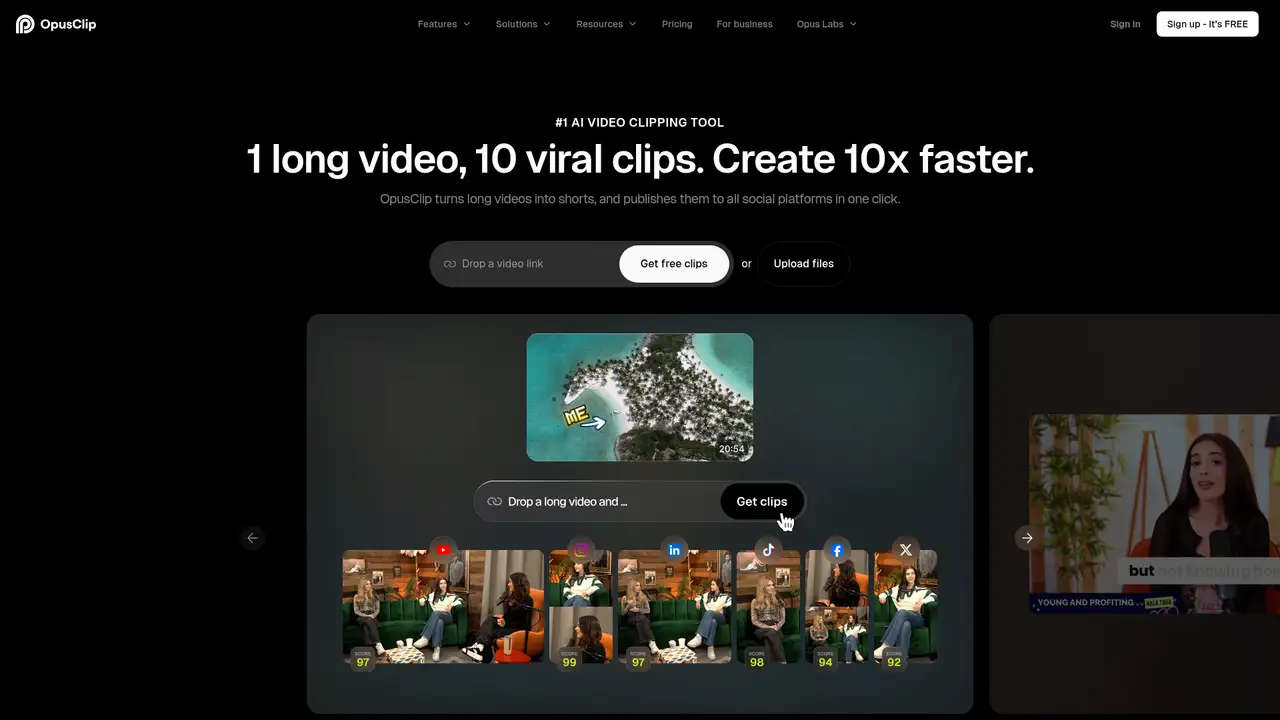
OpusClip is a web-based AI video editing service that turns long recordings into short social clips. Business Insider reported that the startup launched in 2022, while OpusClip’s anniversary material dates the product launch to June 2023. This distinction separates the company’s startup launch from the product’s public release. Business Insider also reported a $20 million SoftBank Vision Fund 2 round in March 2025 at a $215 million valuation. In its 2025 anniversary announcement, OpusClip said it had reached 10 million creators and brands and 172 million clips during the preceding year. The company presents OpusSearch and Agent Opus as product additions. Its main audience includes creators, marketers, educators, and teams that repeatedly turn longer recordings into short-form video.
OpusClip’s workflow begins with an uploaded recording or a public video URL. ClipAnything analyzes audio, speech, visual activity, and action to identify segments suited to short-form publishing. Users can edit selected clips, generate captions, add AI B-roll, improve audio, create thumbnails, and change framing for 9:16, 1:1, and 16:9 formats. ReframeAnything tracks moving subjects for vertical video and also supports manual tracking. The service includes auto-import and publishing features, extending the workflow beyond initial clip selection. This design makes OpusClip better suited to batch repurposing than detailed, frame-by-frame editing. A podcast, webinar, interview, stream, or lecture can become several social clips without requiring an editor to inspect every moment manually. The result is a workflow centered on repeated short-form production from existing material.
The company says ClipAnything and ReframeAnything are proprietary systems. Its 2025 anniversary update says ClipAnything selected 32.5% more relevant clips after an upgrade and expanded coverage to gaming, vlogs, documentaries, and music. The same update describes a redesigned editor that was 50% faster and 60% smoother, together with AI captions, AI B-roll, audio enhancement, thumbnail generation, auto-import, and OpusSearch. According to the pricing page, Agent Opus powers AI video B-roll. OpusClip’s terms prohibit reverse engineering model components and using outputs to develop competing models. The company does not publish a model card or detailed technical account of training data. Buyers should therefore evaluate the service through its workflow, editing features, and output controls.
The free plan costs $0 and includes free clips each month, regular processing, local uploads up to 10GB, 9:16 output, and animated captions with a watermark. Media expires after three days, while MP4 export is limited to three days and up to 1080p. Starter costs $15/month and includes 150 credits, faster processing, one brand template, watermark-free exports, and a 30-day export and storage window. Pro costs $29/month and includes 300 credits per pack, 100GB of storage, larger uploads, three aspect ratios, AI B-roll, voiceover, speech enhancement, team features, and watermark-free unlimited export. Imported video generally costs one credit per minute. X posting costs three credits per clip and account, so publishing activity can affect credit planning.
OpusClip is less suitable for editors who need detailed timeline control, self-hosted deployment, or permanent high-resolution exports on a free plan. Captions is a closer choice for people who record inside an app, use teleprompter tools, create dubbing, or generate AI actors and twins. Descript is stronger for transcript-based editing and audio production, while Vizard also targets long-form video repurposing with social publishing tools. OpusClip’s advantage is its focused combination of highlight selection, subject reframing, captions, and distribution. Choose it when the main job is converting existing long videos into many social-ready clips. It is particularly suited to recurring podcasts, interviews, webinars, and streams where the same repurposing workflow is needed repeatedly by creators, marketers, educators, or teams.
Who is OpusClip best for?
- Creators repurposing podcasts, interviews, webinars, and streams into short social videos.
- Marketing teams producing recurring clips in several aspect ratios.
- Users wanting automated subject tracking and contextual highlight selection.
- Teams needing brand templates, shared storage, and publishing workflows.
OpusClip Pricing (2026)
Pricing model: Freemium. All prices in USD.
| Plan | Price | What you get |
|---|---|---|
| Free | $0 | Includes free clips each month, regular processing, local uploads up to 10GB, 9:16 output, animated captions with a watermark, and media that expires after three days. MP4 export is limited to three days and up to 1080p. |
| Starter | $15/month | Includes 150 credits monthly, faster processing, uploads up to 10GB, one brand template, watermark-free export, a 30-day export and storage window, and the highest available resolution. |
| Pro | $29/month | Includes 300 credits per pack, uploads up to 30GB plus public MP4 URLs, 100GB storage, 9:16, 1:1 and 16:9 formats, AI B-roll, voiceover, speech enhancement, team features, and watermark-free unlimited export. |
| Business | Custom | Provides customized storage and queues, unlimited member seats, enterprise support, security options, and API options. OpusClip does not publish a fixed public price for this plan. |
Pros and Cons
Pros
- ClipAnything considers visual and audio context instead of relying only on transcript keywords.
- ReframeAnything tracks moving subjects and supports manual tracking for vertical outputs.
- Pro supports three aspect ratios, AI B-roll, voiceover, and 100GB of storage.
- Paid users receive commercial-use rights subject to OpusClip’s terms and applicable law.
Cons
- Free exports have restrictions on watermarks, resolution, storage duration, and commercial use.
- Credits are consumed by imported video minutes and some publishing actions, complicating cost forecasting.
- Business pricing and exact free monthly clip allowances are not fixed publicly.
Who should look elsewhere?
- Editors needing detailed timeline control over every cut and transition.
- Users requiring an open-source or self-hosted video processing stack.
- Free users needing permanent, high-resolution, commercial exports without watermarks.
Technical Details
Frequently Asked Questions
How much does OpusClip cost?
OpusClip has a free plan, Starter at $15/month, Pro at $29/month, and Business with custom pricing. Starter includes 150 monthly credits. Pro includes 300 credits per pack, 100GB of storage, larger uploads, several aspect ratios, AI B-roll, voiceover, and team features. Annual prices are not published in the cited plan details.
Does OpusClip have a free plan?
Yes. The free plan includes free clips each month, regular processing, local uploads up to 10GB, 9:16 output, and animated captions with a watermark. Media expires after three days, and MP4 export is limited to three days and up to 1080p. Free use is restricted to personal, internal, non-commercial activity under OpusClip’s terms.
OpusClip vs Captions: which is better for short videos?
OpusClip is the stronger fit for turning long videos into multiple highlights, reframing subjects, and preparing social formats. Captions is broader for recording and editing inside the app, generating captions or dubbing, and using AI actors or twins. Choose OpusClip for existing recordings, and Captions for camera-led creation and generative editing.
Does OpusClip train AI models on user videos?
OpusClip’s terms describe privacy, security, analytics, content rights, and restrictions on using outputs to develop competing models. They do not say that uploaded videos train its models. Users remain responsible for permissions involving footage, music, names, voices, and likenesses. Teams should review the applicable agreement before uploading sensitive or confidential material.
Can I use OpusClip videos commercially?
Paid-service users receive commercial-use rights subject to OpusClip’s agreement and applicable law. Free users are limited to internal, personal, non-commercial use. Commercial permission does not cover copyrighted music, footage, trademarks, names, voices, or likenesses, so users must obtain the rights required for each publication.
Best OpusClip Alternatives in 2026
These tools do the same job as OpusClip, with different pricing, limits and trade-offs.