
Klap Review, Pricing & Alternatives (2026)
Turns long recordings into short social videos with AI editing
Last updated: October 26, 2026
What is Klap?
Klap is an AI video repurposing service from Paris-based ZIGG for creators, agencies, and teams converting long recordings or YouTube links into short social videos. It identifies topics, reframes scenes, generates captions, and offers an API for automated workflows. A free trial covers one video, while paid plans start at $14 per month when billed annually.
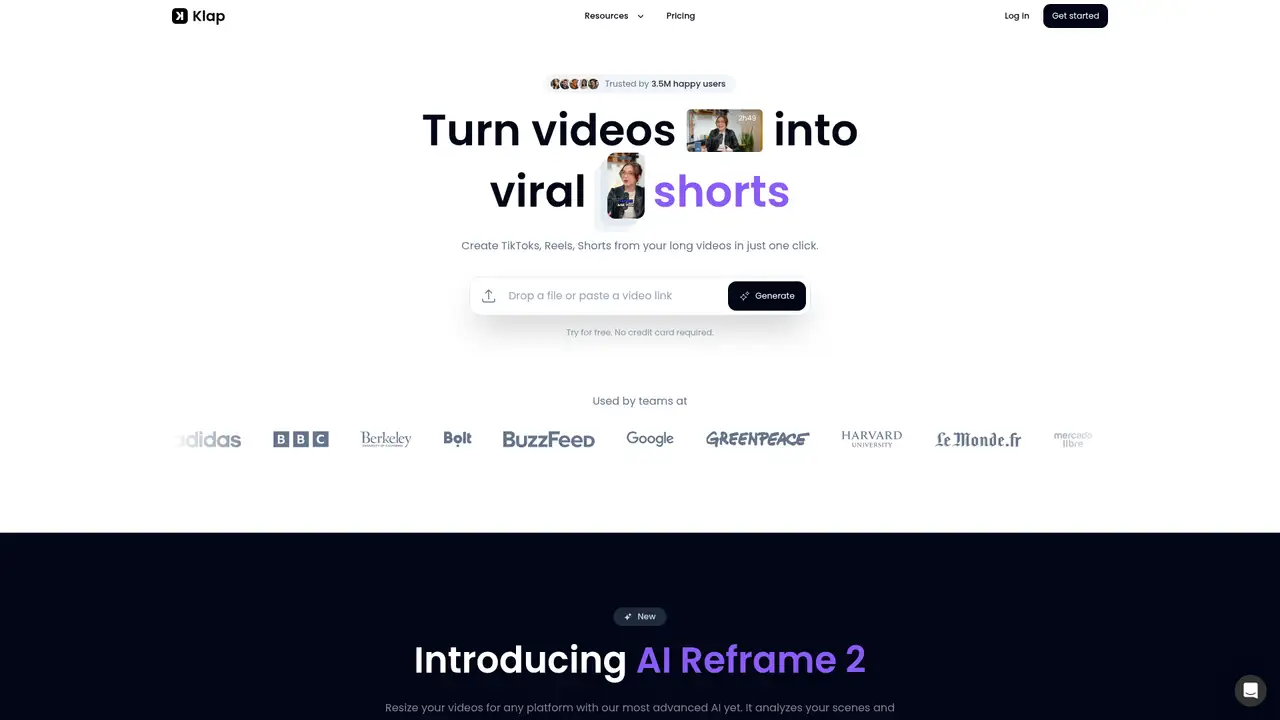
Klap is an AI video repurposing product from Paris-based ZIGG, launched in 2023. Google Cloud identifies Théo Champion as president and Victor Timsit as general manager, with Champion leading backend and infrastructure work and Timsit directing frontend and design. The same case study says Klap has passed 2 million users, operates with a two-person core team, records 7% month-on-month growth, and reached 99.99% uptime after consolidating infrastructure on Google Cloud. Product Hunt records Klap’s 2023 launch, while its initial focus was converting longer videos into shorter social clips. Klap’s public positioning targets TikTok, Instagram Reels, and YouTube Shorts. It is therefore narrower than a general-purpose video editor, and its identity remains tied to automated repurposing rather than full desktop production.
A typical Klap workflow starts with a video upload or public YouTube URL. The service transcribes speech, identifies topics, detects faces, selects sections, reframes footage, and adds responsive subtitles. AI Reframe 2 analyzes scenes and chooses layouts for split-screen footage, screencasts, and gaming videos. Users can review generated clips, edit captions, adjust the framing, and export versions for TikTok, Instagram Reels, or YouTube Shorts. Klap says transcription and editing support 52 languages, while its API documents captions in more than 100 languages. The API also offers word-level transcripts, smart reframing, managed users, and an embeddable editor. Supported inputs include MP4, MOV, WebM, and public YouTube URLs. This workflow fits interviews, podcasts, webinars, and other recordings containing several publishable moments.
Klap’s technology stack combines AI Reframe 2 with video-to-shorts generation, word-level transcripts, smart reframing, managed users, and an embeddable editor. Its API accepts MP4, MOV, and WebM files, plus public YouTube URLs, and uses bearer API-key authentication. Captions are documented in more than 100 languages, while Klap’s consumer product says transcription and editing support 52 languages. Google Cloud identifies Compute Engine, Cloud Storage, Pub/Sub, and Vertex AI as part of Klap’s infrastructure. A June 2025 review found that one source could produce five to seven usable clips in under 10 minutes, with better results on speech-heavy footage. AI Reframe 2 also targets split-screen videos, screencasts, and gaming content. Klap says its planned direction includes multimodal audio and visual understanding, extending analysis beyond speech and facial framing.
Klap’s annual plans cost $14 per month for Basic, $39 for Pro, and $94 for Pro+, covering 100, 300, and 1,000 clips respectively. The separately displayed monthly checkout lists $23, $63, and $151, with 10, 30, and 100 uploads. Source-video limits rise from 45 minutes on Basic to two hours on Pro and three hours on Pro+. Basic includes HD output, while higher tiers add 4K export and dubbing or translation into 29 languages. Klap also offers one free video without requiring a credit card, although it does not publish further free-tier limits. API customers pay separately by operation: Generate Short costs $0.32, Video Input costs $0.44, and Export costs $0.48. The split between annual clip allowances and monthly upload limits makes plan comparison less direct, especially for teams processing large source files.
Klap works best when a source has clear spoken content, while visually driven footage can produce less useful clips. Its privacy policy lists external model providers, including OpenAI, Google Gemini, OpenRouter, and RunPod-hosted models, and says contractors may review video-frame samples to improve reframing. The Master Service Agreement leaves customers with rights to submitted content and generated outputs, but grants ZIGG permission to process material for service delivery and improvement. That is different from a blanket no-training commitment. Opus Clip is the closest direct rival for automated clip creation. Rask AI concentrates on dubbing, translation, and lip-sync, while Runway targets broader generative video work. Klap’s $0.32 Generate Short, $0.44 Video Input, and $0.48 Export API charges suit recurring production, and its workflow suits teams turning long recordings into social clips.
Who is Klap best for?
- Creators repurposing interviews, podcasts, and webinars into social clips.
- Agencies producing recurring TikTok, Reels, and Shorts packages.
- Teams needing automated captions and scene reframing.
- Developers integrating clip generation through an API.
Klap Pricing (2026)
Pricing model: Freemium. All prices in USD.
| Plan | Price | What you get |
|---|---|---|
| Free | $0 | One video without a credit card. Klap does not publish further free-tier limits. |
| Basic | $14/month billed annually | 100 clips monthly. Monthly billing lists $23, 10 uploads, and source videos up to 45 minutes. |
| Pro | $39/month billed annually | 300 clips monthly. Monthly billing lists $63, 30 uploads, and source videos up to two hours. |
| Pro+ | $94/month billed annually | 1,000 clips monthly. Monthly billing lists $151, 100 uploads, and source videos up to three hours. |
| API Generate Short | $0.32 | Usage-based API operation billed monthly. |
| API Video Input | $0.44 | Usage-based API operation billed monthly. |
| API Export | $0.48 | Usage-based API operation billed monthly. |
Pros and Cons
Pros
- Converts long videos into multiple social clips.
- Supports YouTube links, uploads, captions, and reframing.
- AI Reframe 2 supports split-screen and screencast layouts.
- The API documents video-to-shorts generation.
Cons
- Results are stronger for speech-heavy footage.
- Free-plan limits beyond one video are unpublished.
- Privacy terms permit processing for service improvement.
Who should look elsewhere?
- Editors requiring precise manual control over every cut.
- Teams requiring an unconditional no-training commitment.
- Projects centered on cinematic footage rather than spoken content.
Technical Details
Frequently Asked Questions
How much does Klap cost?
Klap offers one free video. Annual billing costs $14 per month for Basic, $39 per month for Pro, and $94 per month for Pro+. The monthly checkout lists $23, $63, and $151. API operations are priced separately at $0.32 for Generate Short, $0.44 for Video Input, and $0.48 for Export.
Does Klap have a free plan?
Yes. Klap lets users try one video without entering a credit card. It does not publish additional free-tier details such as source duration, export resolution, or caption limits. Paid plans increase the monthly clip allowance, upload count, source-video length, and available output features.
How does Klap compare with Opus Clip?
Opus Clip is Klap’s closest direct competitor for converting long videos into short social clips. Klap’s comparison page lists its annual-billed Starter price at $14 per month versus $15 for Opus Starter. Klap also highlights AI Reframe 2, layouts for several video types, and an API without an application queue.
Does Klap train AI models on user videos?
Klap does not make an unconditional no-training promise. Its agreement says customers retain rights to submitted content and generated outputs, while ZIGG may host, reproduce, process, transmit, and improve the service. The privacy policy names external model providers and permits contractor review of video-frame samples for reframing improvements.
Can Klap videos be used commercially?
Klap’s agreement says customers retain rights, title, and interest in submitted content and generated outputs, and it does not prohibit commercial use. Customers remain responsible for rights to source footage, music, images, voices, and other uploaded material. The agreement also permits Klap to process content for service delivery and improvement.
Best Klap Alternatives in 2026
These tools do the same job as Klap, with different pricing, limits and trade-offs.

Turn long videos into short, publishable social clips
Generative media tools for video, images, audio, and production workflows
Transcript-based audio and video editing with an AI co-editor

Turn scripts, URLs, presentations, and recordings into branded videos

Turn long videos into short, captioned clips for social platforms