
Kapwing Review, Pricing & Alternatives (2026)
Browser video creation with collaboration, captions, and generative tools
Last updated: October 26, 2026
What is Kapwing?
Kapwing is a browser-based creative platform for creators, educators, marketers, and distributed teams. It combines timeline editing, captions, translation, collaboration, and AI generation in one workspace, with cloud projects that support shared review. A Free plan costs $0, while Pro starts at $16 per member monthly with annual billing, or $24 monthly.
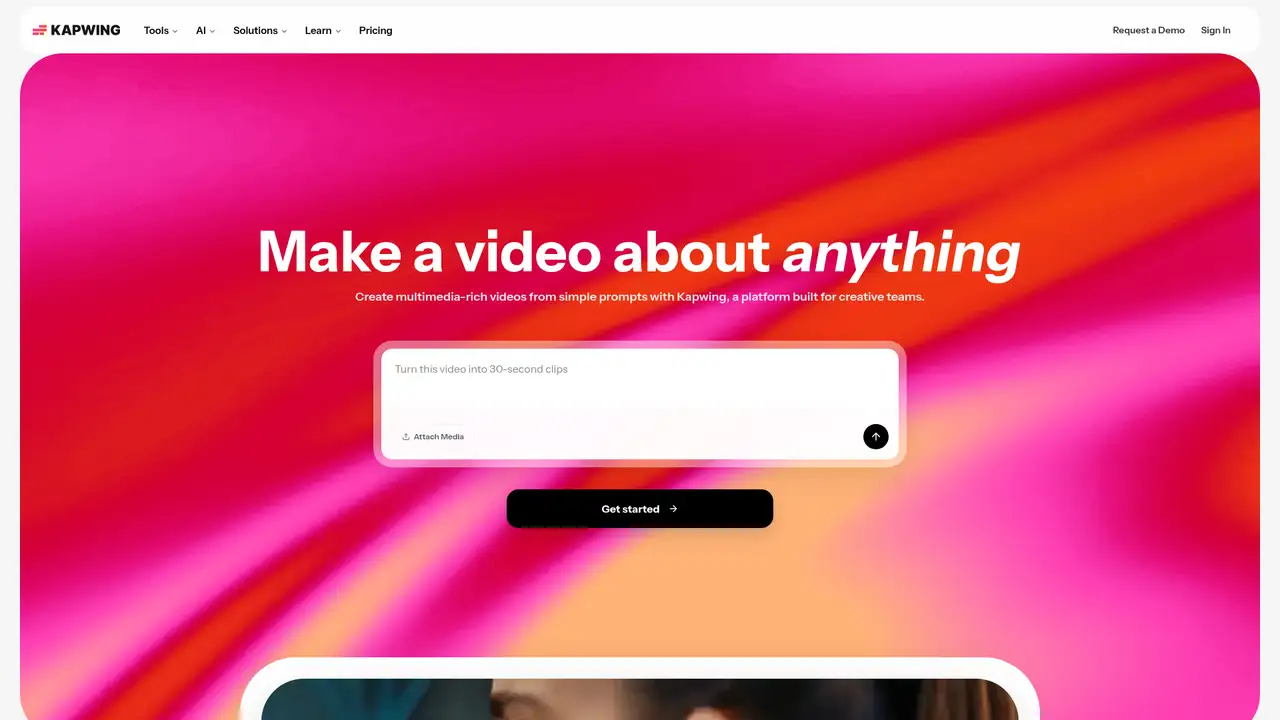
Kapwing is a browser-based creative platform founded by Julia Enthoven and Eric Lu in October 2017. The company says more than 35 million creators use Kapwing, with over 100,000 videos created daily across more than 190 countries and regions. A 2019 Series A raised $11 million led by CRV, with participation from Village Global, Sinai, Shasta Ventures, Jane VC, and other investors. Kapwing serves creators, marketing teams, educators, media organizations, and internal communications groups that need publishable video without installing traditional editing software. Projects save to the cloud, making them accessible across supported devices. This setup suits distributed production and review, while editing still depends on a stable internet connection and suitable browser performance.
A normal Kapwing workflow begins with uploading video, audio, images, or documents into a project. Users arrange material on a timeline, then trim clips, add text and graphics, resize the canvas, clean audio, remove backgrounds, apply transitions, and add captions or voiceover. Auto-subtitles, translation, dubbing, and text-to-speech address repetitive production tasks. Shared workspaces support comments, folders, brand assets, and collaborative editing, with features varying by plan. Templates help users start social posts and other common formats. Kapwing AI can turn prompts, scripts, articles, or uploaded media into drafts, while Studio provides manual control over layers, timing, captions, audio, and export settings. Teams can therefore move from rough concept to reviewable edit without changing applications.
Kapwing AI is a suite of generation and editing tools built into the browser editor, with access to multiple video, image, and audio models. The company lists models and tools including Veo, Seedance, Kling, MiniMax, Nano Banana, GPT Image, and ElevenLabs, although availability can change. In September 2025, Kapwing announced MiniMax Hailuo 2 and MiniMax Music integrations for video generation. On November 18, 2025, the company announced Kai, a conversational assistant that creates images, video, and audio from prompts and uploads inside editable projects. Kapwing says Kai uses insights from more than 25 million creators. Output quality can vary by model, prompt, input, and plan, so users producing important work should review generated media before export.
The Free plan costs $0 and includes 10 credits, unlimited watermarked exports, four-minute export limits, 720p video, and 5 GB of cloud storage. Free credits cover limited auto-subtitling and text-to-speech use. Pro costs $16 per member monthly with annual billing, or $24 monthly, and includes 1,000 credits per month, watermark-free exports, projects up to 120 minutes, 4K export, Brand Kit features, collaboration, and 200 GB of storage. Business costs $50 per member monthly with annual billing, or $64 monthly, and includes 4,000 credits, lip sync, extra-credit purchases, and 800 GB of storage. Enterprise pricing is custom. Credit usage varies by tool, model, duration, quality, and settings, making heavier AI workloads harder to budget.
Kapwing is strongest when speed, captions, localization, and review matter more than advanced finishing. Its browser workflow is less suitable for offline editing, demanding post-production, or teams that want unlimited AI generation for one flat fee. Adobe Premiere Pro offers deeper professional timeline control, Canva covers broader design work, and CapCut remains compelling for mobile-first social editing and effects. Kapwing offers a more unified mix of editing, AI generation, dubbing, and team review than those alternatives, though its credit system makes heavier AI use harder to forecast. It suits marketers, educators, creators, and distributed teams that want collaborative browser editing with integrated AI.
Who is Kapwing best for?
- Marketing teams producing branded social videos together.
- Educators creating captioned lessons and explainers.
- Creators repurposing long recordings into short clips.
- Distributed teams needing browser-based editing and review.
Kapwing Pricing (2026)
Pricing model: Freemium. All prices in USD.
| Plan | Price | What you get |
|---|---|---|
| Free | $0/month | 10 credits, watermarked exports, four-minute exports, 720p video, and 5 GB storage. |
| Pro | $16/member/month billed annually, or $24/member/month billed monthly | 1,000 credits monthly, watermark-free exports, 120-minute exports, 4K video, Brand Kit, collaboration, and 200 GB storage. |
| Business | $50/member/month billed annually, or $64/member/month billed monthly | 4,000 credits monthly, lip sync, additional-credit purchases, and 800 GB storage. |
| Enterprise | Custom | Custom billing, storage, credits, SAML SSO, account management, onboarding, and priority support. |
Pros and Cons
Pros
- Automatic captions and translation support frequent localization work.
- Shared workspaces and Brand Kits support repeatable team production.
- AI outputs remain editable inside Kapwing projects.
- The Free plan supports meaningful short-form experiments.
Cons
- Free exports include a Kapwing watermark.
- AI credits make heavier usage costs less predictable.
- Complex projects depend on browser and upload performance.
Who should look elsewhere?
- Editors needing advanced broadcast finishing tools.
- Users working without reliable internet access.
- Teams seeking unlimited AI generation under one flat fee.
Technical Details
Frequently Asked Questions
How much does Kapwing cost?
Kapwing has a $0 Free plan. Pro costs $16 per member monthly with annual billing or $24 monthly. Business costs $50 per member monthly with annual billing or $64 monthly. Enterprise pricing is custom. Member counts and AI credit purchases can affect spending, so teams should compare expected seats and generation volume before selecting a plan.
Is Kapwing free without a watermark?
The Free plan costs $0, but exports include a Kapwing watermark and are limited to four minutes and 720p. Free accounts receive 10 credits and 5 GB of storage. Pro and Business remove the watermark and provide longer exports, higher resolution, more storage, and additional credits for recurring production.
Is Kapwing better than CapCut?
Kapwing focuses on browser collaboration, shared workspaces, captions, translation, brand assets, and marketing workflows. CapCut is strong for mobile and desktop social editing, effects, and templates. Kapwing fits distributed teams and review-heavy work better, while CapCut may suit creators prioritizing mobile-first editing and social effects.
Does Kapwing train AI on uploaded content?
Kapwing's privacy policy describes collection and processing for service delivery, improvement, research, and development. Voice recordings used for Voice Cloning may be stored for research and development, quality assurance, and technical support. Project visibility depends on account, workspace, and privacy settings, so teams should configure access carefully before uploading sensitive material.
Can Kapwing exports be used commercially?
Kapwing says AI-generated exports can be used commercially, subject to rights in uploaded material, permissions for depicted people, applicable law, platform rules, and its terms. Stock, music, and third-party assets may carry separate restrictions. Confirm that every input and included asset has suitable rights before client delivery, advertising, or resale.
Best Kapwing Alternatives in 2026
These tools do the same job as Kapwing, with different pricing, limits and trade-offs.
A visual suite for design, documents, video, and brand work
Transcript-based audio and video editing with an AI co-editor

Browser video editing with captions, AI creation, avatars, and team collaboration.

Fast social video editing across mobile, desktop, and web
Professional timeline editor with Generative Extend, AI search and object masking