
Augment Code Review, Pricing & Alternatives (2026)
Agentic software development for codebases and engineering teams
Last updated: October 22, 2026
What is Augment Code?
Augment Code is an AI coding platform for developers and engineering teams, combining repository context, IDE assistance, terminal agents, and Cosmos workflow automation. Standard costs $20 per month for a team of up to 50 seats and includes $20 of pooled usage. Business costs $100 per month, while Enterprise uses custom pricing and limits.
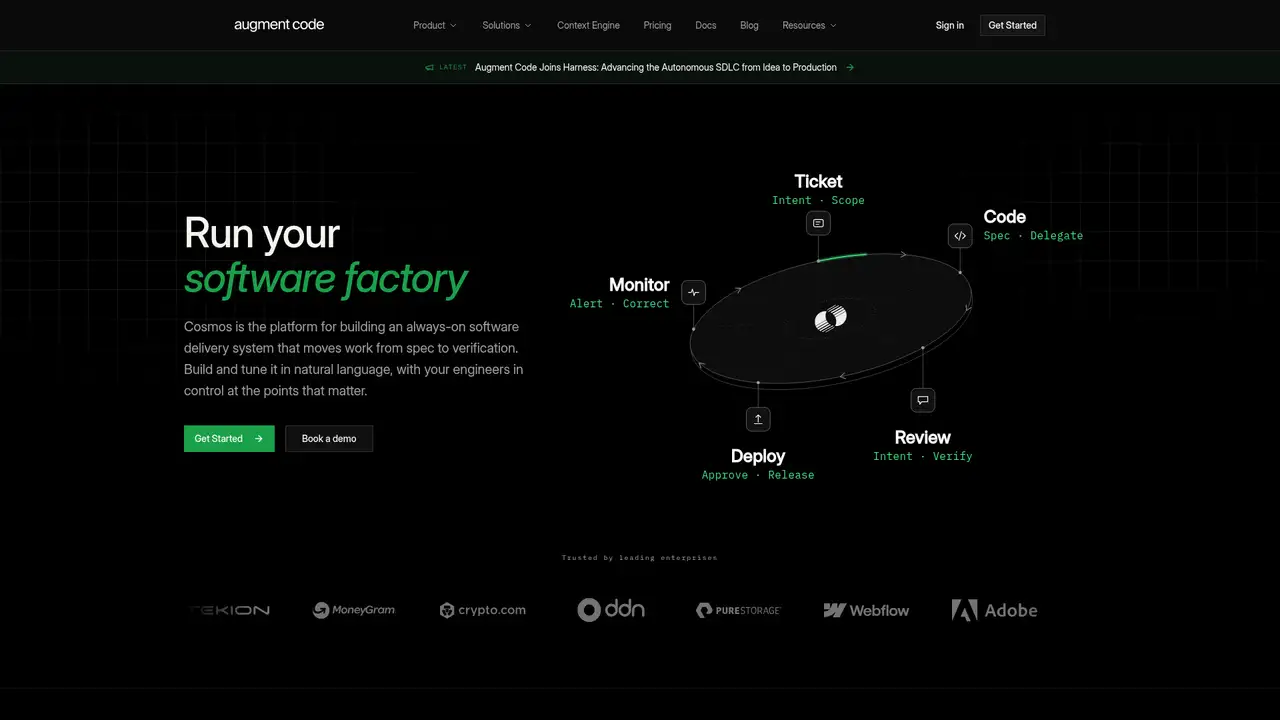
Augment Code is an AI-native coding platform made by Augment Computing, Inc. The company says it was founded in 2022, and its April 2024 announcement says it emerged from stealth with a $227 million Series B at a $977 million post-money valuation. That announcement also reported $252 million in total funding, including a $25 million Series A. Augment targets software teams working with large and complex codebases. Its product line includes an IDE extension, Auggie CLI, and Cosmos. The company describes Cosmos as a way to combine specialized agents and custom triggers for software development automations. The platform is therefore aimed at team workflows as well as individual coding assistance, with repository context as its central differentiator.
A typical workflow starts with Augment’s IDE extension, available for VS Code and JetBrains products. Developers can ask questions about a codebase, investigate bugs, create implementation plans, edit files, and use code completion or suggested edits. Auggie CLI brings the agent, Context Engine, and tools to the terminal. Cosmos adds specialized agents, triggers, and automations for software development tasks, including pull request review. The introduction page says Cosmos can automate building, reviewing, and shipping code, while the changelog lists connectors for services such as Azure DevOps, GitHub Enterprise Server, and Linear. Administrators should define permissions and review practices before allowing agents to change repositories or respond to development events.
Augment combines its Context Engine with a catalog of third-party and proprietary models. The available-models documentation lists Claude, Gemini, GLM, GPT, Grok, Kimi, and Prism options. Prism routes requests among a curated model family based on the task, context, and current system conditions. Augment says models support code understanding, tool use, file edits, and multi-step planning, although availability can vary during staged rollouts. Recent changelog entries cover the October 7, 2026 VS Code release, Azure DevOps access, GitHub Enterprise Server, service accounts, fleet model management, and continuing Auggie CLI releases. The October update improved chat-history saving and loading, retry behavior, diagnostics handling, and migration-command visibility. Model selection is available in Cosmos and through Auggie CLI.
Augment’s public pricing has three plans. Standard costs $20 per month for up to 50 seats and includes $20 of pooled monthly usage across LLMs, Context Engine, and compute. Business costs $100 per month with the same seat limit and $100 of included usage. Enterprise has custom users, usage limits, and pricing. After included usage, top-ups use pay-as-you-go billing. LLM usage is charged at the model provider’s public API price plus a 40 percent service fee. Cosmos compute costs $0.19 per hour in five-minute increments. Paid plans exclude AI training on customer data. Top-ups expire 12 months after purchase. The public pricing page lists no permanent free plan, although trials or beta access may use separate terms and do not receive the same SLA coverage.
Augment is best suited to teams that need repository-aware agents, terminal access, model selection, and workflow automation in one service. Its usage billing can make spending vary with model choice, context size, and Cosmos runtime, and Standard and Business stop at 50 seats. The company’s public pages describe a cloud service rather than a self-hosted deployment. GitHub Copilot is a closer fit for teams prioritizing familiar inline completion and GitHub-centered workflows. Sourcegraph Cody is another alternative for repository search and code context, while Amazon Q Developer suits AWS-focused organizations. Choose Augment when multi-step repository work and Cosmos automation justify usage-based costs. Choose a simpler assistant when predictable per-seat budgeting and lightweight editor suggestions matter more.
Who is Augment Code best for?
- Engineering teams maintaining large and complex repositories.
- Teams automating repository review and software delivery tasks.
- Developers using one agent across an IDE and terminal.
- Organizations needing model selection and enterprise identity controls.
Augment Code Pricing (2026)
Pricing model: Usage-based. All prices in USD.
| Plan | Price | What you get |
|---|---|---|
| Standard | $20/month | Up to 50 seats and $20 pooled monthly usage. Top-ups are pay as you go. |
| Business | $100/month | Up to 50 seats and $100 pooled monthly usage. Top-ups are pay as you go. |
| Enterprise | Custom | Custom users, usage limits, compute, and top-up terms. Includes enterprise identity, security, compliance, and support options. |
Pros and Cons
Pros
- The Context Engine supports repository-aware coding work.
- Auggie CLI supports terminal development and automation.
- Cosmos connects agents to software development workflows.
- Paid plans exclude AI training on customer data.
Cons
- Standard and Business plans limit teams to 50 seats.
- Usage costs vary by model tokens, service fees, and compute.
- The public product pages describe a cloud service, not self-hosting.
Who should look elsewhere?
- Individuals seeking a permanently free coding assistant.
- Teams requiring a self-hosted coding service.
- Users requiring fixed per-seat pricing without usage charges.
Technical Details
Frequently Asked Questions
How much does Augment Code cost?
Standard costs $20 per month and Business costs $100 per month. Each plan includes up to 50 seats and pooled usage equal to the plan price. Usage covers LLMs, Context Engine, and compute. After included usage is consumed, top-ups continue at pay-as-you-go rates. Enterprise pricing, users, and limits are custom.
Does Augment Code have a free plan?
The public pricing page lists Standard, Business, and Enterprise, not a permanent free plan. Trials or beta access may be offered under separate terms, and the pricing page says SLA coverage does not apply to trials or beta usage. Standard is the paid entry plan at $20 per month, with $20 of shared usage for up to 50 seats.
How does Augment Code compare with GitHub Copilot?
Augment emphasizes repository context, multi-step work, Auggie CLI, and Cosmos automation. GitHub Copilot is a closer fit for teams prioritizing inline completion and GitHub-centered workflows. Augment is better suited to teams that need persistent agents and repository workflows, while Copilot suits a simpler assistant rollout focused on editor suggestions and common GitHub development tasks.
Does Augment Code train on customer code?
The pricing and security pages say paid plans exclude AI training on customer data and that Augment does not train on customer proprietary data. The privacy policy says Augment processes information such as account, communications, user-generated content, device, and activity data. These statements concern training and personal-information processing, not a blanket claim that no service data is ever processed.
Can I use Augment Code for commercial software?
Augment publishes Professional, Community, and Enterprise terms of service, and its pricing page markets paid plans to software teams. Commercial use is governed by the applicable order and terms, including provisions covering intellectual property, confidentiality, payment, and termination. Organizations should review the current agreement for ownership, warranties, indemnities, and restrictions before deploying generated code or agent workflows.
Best Augment Code Alternatives in 2026
These tools do the same job as Augment Code, with different pricing, limits and trade-offs.
AI coding assistance across editors, terminals, and GitHub

Permission-aware AI coding assistance for large software organizations

AWS-integrated coding help for IDEs, terminals, and cloud operations

Private AI coding assistance with optional agentic development

Open coding agent for editors, terminals, desktops, and custom apps