
Cline Review, Pricing & Alternatives (2026)
Open coding agent for editors, terminals, desktops, and custom apps
Last updated: October 22, 2026
What is Cline?
Cline is an open source coding agent from Cline Bot Inc. It runs in editors, a desktop app, the terminal, and SDK projects for developers who want approval-based changes and broad model choice. The client is free, inference is usage-based, ClinePass costs $9.99/month, and enterprise pricing is Custom.
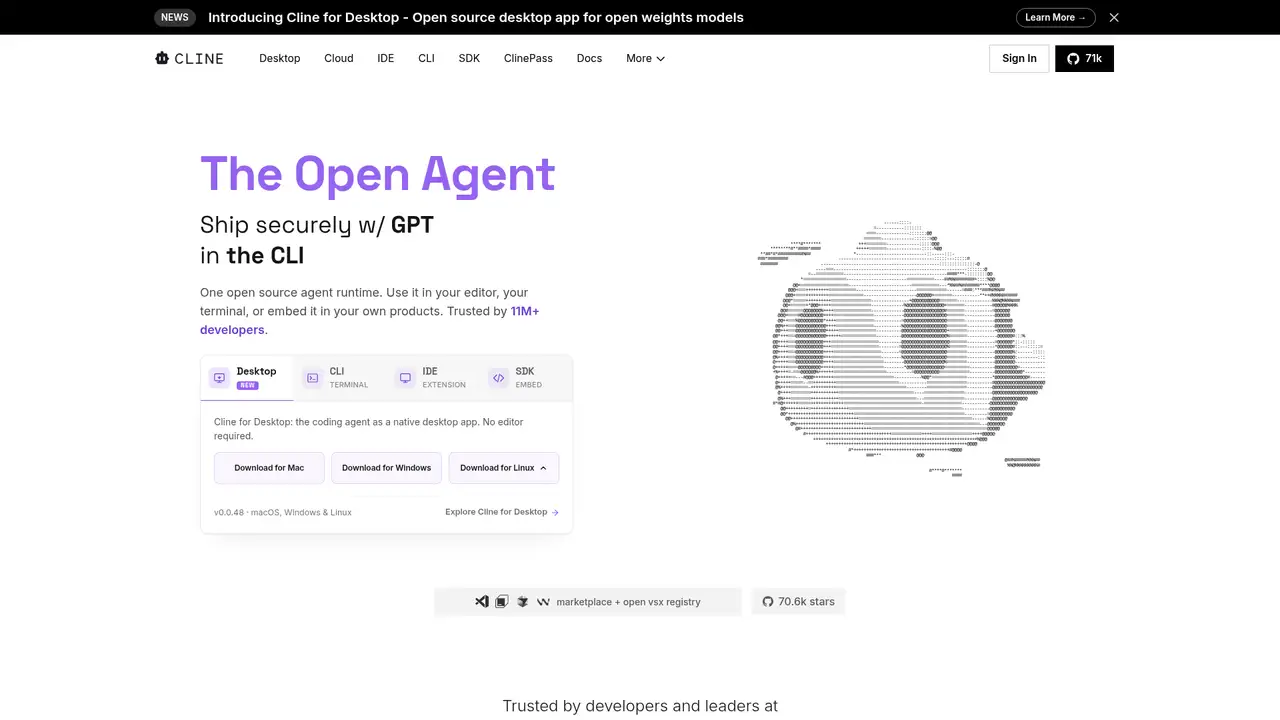
Cline is an open source coding agent from Cline Bot Inc. The project was created in July 2024 and is distributed through a VS Code extension, CLI, desktop app, JetBrains plugin, and SDK. Its GitHub repository lists the Apache License 2.0 and more than 70,000 stars. Cline’s July 2025 funding announcement says the company raised $32 million across seed and Series A rounds. The agent is built for developers who want to inspect code, edit files, run commands, and choose model providers. The same core supports editor work, terminal sessions, desktop use, and embedded applications. The client is free for individual developers, while AI inference can use Cline credits, ClinePass, or a developer’s own provider credentials.
Cline reads project files, writes code, runs terminal commands, uses a browser, and works with external tools. A typical task can begin in Plan mode, where the developer reviews an approach, then move to Act mode for implementation. The interface asks for approval before actions, while auto-approve can reduce interruptions. File edits appear as diffs, and checkpoints support undoing agent changes. Project rules in .clinerules files describe coding standards, architecture, testing, and deployment conventions. MCP servers add tools for databases, APIs, and infrastructure. Cline also supports plugins, skills, messaging connections, scheduled tasks, headless automation, and multi-agent workflows. The CLI supports interactive and headless operation, making the same agent available for local development, scripting, and CI work.
Cline supports several model-access paths rather than requiring one model provider. Its documentation lists Anthropic, OpenAI, Google, Ollama, LM Studio, OpenAI-compatible endpoints, OpenRouter, AWS Bedrock, and Google Vertex. Developers can use provider keys, local runtimes, or Cline’s own usage-billing provider. Recent October 2026 releases added handling for GPT-6-style OpenAI and Azure requests, refreshed the catalog from 6,952 to 7,041 models, and added CommandCode and Reflection providers. SDK 0.0.95 again recommended Claude Sonnet 5.5 through the Cline provider. The desktop release also updated model defaults and provider support. Because catalogs and defaults change, teams that need repeatable behavior should select and test specific models rather than rely on changing recommendations.
Cline’s open source extension, CLI, desktop app, and SDK are free for individual developers. The pricing page says there are no subscriptions or seat fees for the open source version, but model inference is separate. Cline usage billing uses credits on a pay-as-you-go basis, supports more than 100 models, and includes some free options. Developers can instead bring their own keys and pay providers directly. ClinePass costs $9.99 per month and offers two to five times the usage of selected open coding models compared with standard API rates. Enterprise pricing is Custom and adds centralized billing, team management, role-based access control, SSO, SCIM, audit logs, VPC deployments, SLA, support, and provider controls. Total cost therefore depends on provider, model, context, and task volume.
Cline still requires review of generated edits, shell commands, model output, checkpoints, and provider availability. Telemetry is enabled by default in the VS Code and JetBrains extensions, desktop app, and CLI, although users can turn it off. Requests made through Cline or ClinePass can include prompts and model responses in Cline’s handling of those providers, while requests using other providers go to those providers under their policies. Cursor is a closer commercial editor competitor, GitHub Copilot is closely tied to GitHub workflows, and Windsurf is another agentic coding product. Cline suits developers who want Apache-licensed code, provider choice, local runtimes, and explicit action approval. Teams wanting a managed editor subscription with bundled model access may prefer Cursor, Copilot, or Windsurf.
Who is Cline best for?
- Developers who want an agent in both an editor and terminal.
- Teams that need provider choice or bring-your-own-key support.
- Engineers who prefer reviewable edits and restorable checkpoints.
- Builders embedding an agent through the SDK.
Cline Pricing (2026)
Pricing model: Usage-based. All prices in USD.
| Plan | Price | What you get |
|---|---|---|
| Open Source Free | Free | Includes the VS Code extension, CLI, desktop app, SDK, MCP, checkpoints, and BYOK. AI inference is separate. |
| Cline usage billing | Pay as you go | Buy Cline credits and pay by model usage. More than 100 models are available, including some free options. |
| ClinePass | $9.99/month | Selected open coding models offer two to five times standard API usage across rolling five-hour, weekly, and monthly windows. |
| Enterprise | Custom | Custom pricing adds centralized billing, team management, RBAC, SSO, SCIM, audit logs, VPC deployments, SLA, support, and provider controls. |
Pros and Cons
Pros
- Apache 2.0 licensing permits commercial use, modification, and redistribution under its terms.
- The agent spans IDE, CLI, desktop, JetBrains, and SDK applications.
- BYOK and local runtimes reduce dependence on one inference provider.
- Approval gates, diffs, and checkpoints support review and undo.
Cons
- Inference costs vary by model, context, and provider.
- Telemetry is enabled by default and requires an opt-out.
- Third-party provider policies govern content sent through those providers.
Who should look elsewhere?
- Teams seeking a fixed, all-inclusive inference bill.
- Users uncomfortable approving shell commands or generated edits.
- Organizations requiring prompts never to reach third-party model providers.
Technical Details
Frequently Asked Questions
How much does Cline cost?
The open source client is free for individual developers. AI inference is billed through Cline credits on a pay-as-you-go basis, or directly by a provider when you use your own keys. ClinePass costs $9.99 per month and offers two to five times standard API usage on selected open coding models. Enterprise pricing is Custom.
Is Cline free to use?
The extension, CLI, desktop app, SDK, and core client are free for individual developers under Apache 2.0. Some free model options are available through Cline usage billing, but paid models consume credits or incur provider charges. BYOK sends requests through your selected provider and remains subject to that provider’s pricing.
How does Cline compare with Cursor?
Cline offers editor, CLI, desktop, JetBrains, and SDK applications, along with local runtimes and broad BYOK support. Cursor is a commercial editor product with its own subscription structure and hosted workflow. Choose Cline for open source control and provider flexibility. Choose Cursor for a focused editor experience with bundled product features.
Does Cline train on my code or prompts?
Cline’s privacy notice says that when you use your own API keys, your content goes directly to the selected third-party provider and Cline does not collect it. When you use Cline-provided keys, Cline collects content to facilitate requests to AI providers. Cline’s telemetry documentation says telemetry can include prompts and responses for Cline and ClinePass requests.
Can I use Cline commercially, and what license applies?
The Cline repository uses Apache License 2.0. Its terms grant rights to reproduce, modify, distribute, and use the work commercially, subject to the license conditions. Hosted Cline services have separate terms. Third-party model licenses and provider terms can also apply to generated code, model access, and redistribution.
Best Cline Alternatives in 2026
These tools do the same job as Cline, with different pricing, limits and trade-offs.
AI coding workspace with repository context and software agents
AI coding assistance across editors, terminals, and GitHub
An agent-native code editor unified with Cognition's Devin platform

AWS-integrated coding help for IDEs, terminals, and cloud operations

Open source coding agents for editors, terminals, and pull requests