
Picsart Review, Pricing & Alternatives (2026)
AI image, video, design, and campaign production for creators and teams
Last updated: October 26, 2026
What is Picsart?
Picsart is a web, mobile, and Windows creative platform for photo and video editing, templates, stock assets, generative AI, and campaign production. It serves creators, marketers, small businesses, teams, and developers. Pro starts at $15 per month, or $10.50 per month billed yearly, while Ultra starts at $75 per month.
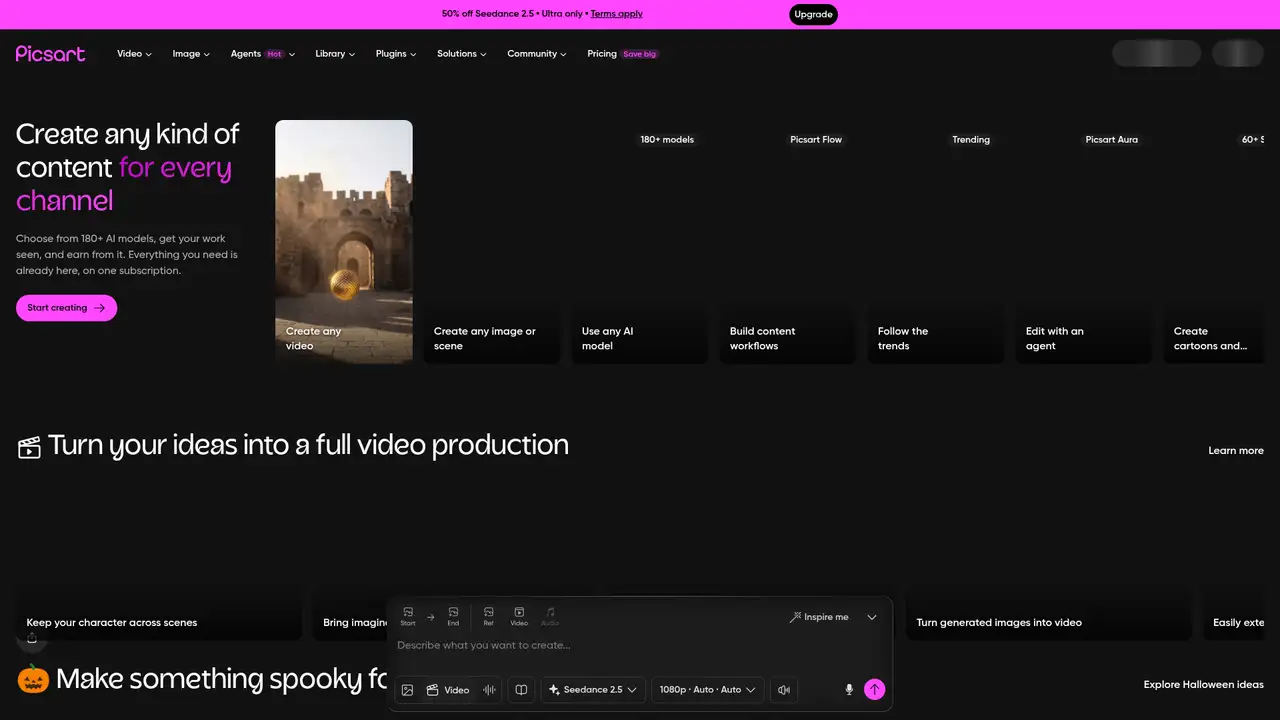
Picsart is a creative platform founded in Armenia in 2011 by Hovhannes Avoyan, who remains its founder and CEO. Picsart, Inc. is headquartered in Miami and operates across web, iOS, Android, and Windows. The company reports more than 100 million creators and businesses, over 2.5 billion downloads, and four platforms. Its 2021 Series C announcement reported $130 million in new funding, a valuation above $1 billion, and $195 million in total capital. Picsart began with mobile photo editing and now presents itself as an AI media production and distribution platform for independent creators, small businesses, marketing teams, and developers building connected creative workflows.
The typical Picsart workflow starts with a prompt, product image, rough video clip, or existing design. Users can generate images or video, remove backgrounds, retouch photos, expand scenes, add motion, assemble video, and export channel-ready media. Templates, stock images, Getty video clips, fonts, stickers, brand kits, cloud storage, and batch editing support recurring production. Pro bulk-edits up to 50 images, while Ultra handles up to 100. Flow turns successful sequences into reusable workflows, AI Agents handle delegated creative tasks, Video Studio finishes video, and the command-line interface plus Model Context Protocol server connect Picsart to developer and agent workflows.
Picsart combines its own editing models with a catalog of third-party image, video, audio, and text models. Its API platform lists 236 models from 31 providers and uses one API key across the catalog. Examples include Nano Banana Pro, Seedance 2.5, MiniMax H3, Kling 3.0, GPT Image 2.5, Flux models, Ideogram, ElevenLabs, and Picsart background-removal and enhancement models. Product expansion in 2026 emphasizes video production, creative AI agents, Flow, CLI access, MCP connections, and a model playground. The API supports TypeScript, JavaScript, REST, CLI, and MCP workflows, with generation and editing calls using the same platform.
Picsart has a free tier with basic editing and community access, while paid plans add premium content, storage, credits, brand tools, batch editing, and broader AI access. Pro costs $15 monthly or $10.50 monthly billed yearly, includes 100GB of cloud storage, unlimited Flex.2 Klein image generations, fixed monthly credits, and bulk editing for up to 50 images. Ultra costs $75 monthly or $60 monthly billed yearly per seat, includes 300GB per seat, more than 200 models, add-on credits that do not expire, and bulk editing for up to 100 images. API calls are metered by model, with published rates such as $0.0011 per background-removal generation and $0.132 per minute for Eleven Dialogue v4.
Picsart’s main limitation is budgeting because subscription credits vary by tool and model, while the catalog and rates can change. Fotor focuses more on photo correction, portraits, templates, and batch editing. Canva emphasizes templates, brand content, and broader business design workflows. Adobe Express centers on Adobe-connected design, document, photo, and video creation. Picsart offers a wider mix of community content, editing, generation, video, and developer access than these category neighbors, although that breadth adds plan complexity. Its privacy policy permits using content and usage data to improve AI, while its GenAI terms say input and output are not used for AI training. Pick Picsart for connected image, video, and AI production.
Who is Picsart best for?
- Creators producing images, short videos, and social content.
- Marketers making campaign variations, ads, and localized assets.
- Small businesses needing templates, stock, and brand kits.
- Developers connecting creative models to applications and agents.
Picsart Pricing (2026)
Pricing model: Freemium. All prices in USD.
| Plan | Price | What you get |
|---|---|---|
| Free | Free | Basic editing and community access, with restricted premium tools and AI use. |
| Pro | $15/month or $10.50/month billed yearly | Fixed monthly credits, 100GB storage, premium content, unlimited Flex.2 Klein image generations, and bulk editing for up to 50 images. |
| Ultra | $75/month or $60/month billed yearly per seat | Higher credit allowance, 300GB storage per seat, 200-plus models, add-on credits, team seats, and bulk editing for up to 100 images. |
| API | Usage based | Model-specific generation rates apply across image, video, audio, and text calls. |
Pros and Cons
Pros
- It combines photo editing, video, templates, stock, and generative AI.
- Ultra includes access to more than 200 image, video, and audio models.
- Bulk editing and brand kits support recurring marketing production.
- The API covers generation and first-party image editing models.
Cons
- AI actions consume credits that vary by tool and model.
- The privacy policy permits AI improvement using content and usage data.
- Model access, rates, and plan allowances can change.
Who should look elsewhere?
- Users requiring local-only image or video processing.
- Teams needing unlimited AI usage at a fixed price.
- Buyers seeking an open-source or self-hosted editor.
Technical Details
Frequently Asked Questions
How much does Picsart cost?
Picsart has a free tier with basic editing and community access. Pro costs $15 per month, or $10.50 per month billed yearly. Ultra costs $75 per month, or $60 per month billed yearly per seat. Both paid plans use monthly credits. Ultra also permits add-on credit purchases, and API calls use model-specific rates.
Is Picsart free?
Yes. Picsart’s free tier includes basic editing and community access, but premium assets, advanced tools, broader model access, and AI usage have restrictions. Pro and Ultra add credits, storage, premium content, brand kits, and batch editing. The exact allowance depends on the tool, plan, and current account terms.
Picsart or Fotor, which is better?
Picsart is the broader choice for video, community content, creative agents, model variety, APIs, and connected campaign production. Fotor concentrates more on photo correction, portraits, templates, batch editing, and marketing visuals. Choose Picsart for mixed image and video work, and Fotor for a narrower photo-focused workflow with fewer production surfaces.
Does Picsart train on user content?
Picsart’s general privacy policy says it may use user-provided content and usage data to train and improve its AI models and tools. Its separate GenAI terms say submitted input and generated output will not be used by Picsart for AI training. Those terms also grant Picsart licenses needed to provide and improve the service.
Can Picsart outputs be used commercially?
Picsart’s GenAI terms allow output use for any legal purpose, but they do not guarantee copyright ownership or non-infringement. Users remain responsible for their inputs, outputs, permissions, and legal compliance. Stock, community, and third-party assets can carry separate licenses, so commercial use depends on the applicable asset terms.
Best Picsart Alternatives in 2026
These tools do the same job as Picsart, with different pricing, limits and trade-offs.
A visual suite for design, documents, video, and brand work

Photo editing, graphic design, and AI production in one service

Template-led creation for social, marketing, video, and documents.

Product visuals, background removal, and generative editing for commerce

Browser-based editing and generative media tools for fast visual work