
Adobe Express Review, Pricing & Alternatives (2026)
Template-led creation for social, marketing, video, and documents.
Last updated: October 26, 2026
What is Adobe Express?
Adobe Express is Adobe’s browser and mobile app for creating social posts, videos, flyers, presentations, PDFs, webpages, and branded marketing content. It suits individuals, small businesses, schools, nonprofits, and teams that need fast publishing without specialist design software. A free plan is available, while Premium costs $9.99/month; qualified K-12 institutions and nonprofits can receive Premium at no cost.
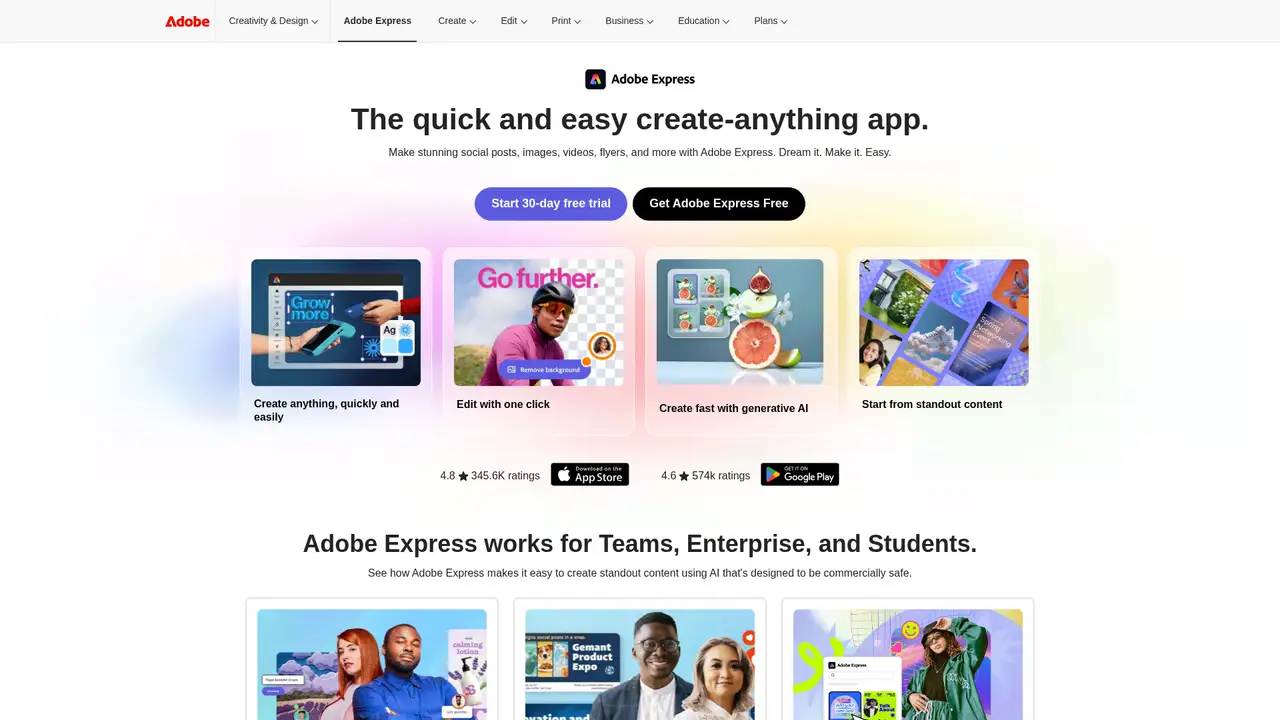
Adobe Express is Adobe’s template-based visual content app, reintroduced under the Express name in 2021 after Adobe Spark. It serves people creating graphics, short videos, PDFs, webpages, presentations, flyers, and social assets without opening Photoshop or Illustrator for every assignment. The service runs in desktop browsers and mobile apps, although some capabilities are desktop-only. Eligible Creative Cloud memberships can include Express Premium, which may reduce the need for a separate purchase. Adobe does not publish a standalone Express user count or funding figure. Links to Adobe Stock, Fonts, Photoshop, Illustrator, and Creative Cloud Libraries connect projects with existing Adobe files and assets. Its audience includes non-specialist creators, educators, nonprofits, small businesses, and teams that need recurring branded content.
A project can start with template search or a blank canvas, so a buyer can choose speed or more control. Users replace text and media, import Photoshop, Illustrator, PowerPoint, or PDF files, adjust layers, apply effects, animate elements, and export for digital channels or print. Video tools include drag-and-drop editing, captions, Clip Maker, self-recording, audio features, background removal, and format conversion. Quick Actions cover PDF conversion, page organization, image resizing, and background removal, reducing repeated manual steps. Brand Kits store logos, colors, fonts, and approved elements. Projects, Libraries, comments, real-time co-editing, locked elements, shared templates, and Content Scheduler support team production. Add-ons and integrations include Slack, Figma, Hootsuite, Sprout Social, and Microsoft Copilot.
Adobe Firefly supplies Express’s generative capabilities. Adobe says current Firefly models use licensed material such as Adobe Stock, openly licensed content, and public-domain content where copyright has expired. Within Express, users can access generative images, Generate Similar, object insertion and removal, image expansion, text effects, presentations, webpages, video generation, sound effects, and AI Assistant features. Adobe’s April 2025 release added Clip Maker, Generate Video, Enhance Speech, Scene View, Dynamic Animation, self-recording, and Photoshop-powered filters. Adobe says Firefly Video can generate clips up to five seconds, at resolutions up to 1080p and with multiple aspect ratios. These tools can reduce separate-app purchases for simple production, but availability and usable capacity vary by plan, device, account, and region.
The Free plan costs $0 and includes 25 monthly generative credits, more than 155,000 templates, basic photo effects, background removal, drag-and-drop video, PDF editing, limited Adobe Stock, Photoshop and Illustrator import, QR codes, and 5GB storage. Premium costs $9.99 per month and adds 250 monthly generative credits, more than 220,000 premium templates, broader Stock access, resize, erase, video-background removal, Brand Kits, scheduling, 100GB storage, and more than 25,000 Adobe Fonts. Teams pricing is Custom, and Adobe lists a two-seat minimum, so organizations must request current terms. Enterprise pricing is Custom. Qualified K-12 institutions receive Express Premium free, while higher education depends on the institution. Qualified nonprofits receive Premium at no cost, potentially changing the purchase decision.
Express is easier to start than Photoshop, but template-based work can constrain complex layouts, detailed retouching, and long-form editing. Canva is the closest alternative for broad templates and collaboration, while Express has stronger connections to Adobe files, Stock, Fonts, and Firefly. Microsoft Designer is a lighter option for Microsoft users, and Figma is better suited to interface systems and product design. VistaCreate is another template-focused alternative, while Photoshop remains stronger for advanced image work. Cloud access, account entitlements, generative-credit limits, and asset licenses affect practical use. Premium Stock does not cover every asset or use case, and specialist Adobe apps remain better for advanced production. Pick Adobe Express if you need fast cross-format content tied to Adobe assets, files, brand controls, and Firefly tools.
Who is Adobe Express best for?
- Small businesses producing recurring social and marketing content.
- Teachers and students making visual class materials.
- Creative Cloud subscribers needing quick publishing tools.
- Teams managing branded templates and shared assets.
Adobe Express Pricing (2026)
Pricing model: Freemium. All prices in USD.
| Plan | Price | What you get |
|---|---|---|
| Free | $0/month | 25 generative credits monthly, 5GB storage, more than 155,000 templates, basic editing, limited Adobe Stock, and limited premium features. |
| Premium | $9.99/month | 250 generative credits monthly, 100GB storage, premium templates and Stock, Brand Kits, scheduling, resize, erase, and video-background removal. |
| Teams | Custom | Adobe lists a two-seat minimum. Consult Adobe’s business pricing for current per-user pricing and commitment terms. |
| Enterprise | Custom | Includes enterprise administration, security, support, brand controls, asset management, and user management APIs. |
| K-12 Education | $0/month | Eligible K-12 schools and districts can receive Express Premium at no cost, with account administration, safe search, and school login options. |
| Higher Education | Custom | Access and pricing depend on the institution. Adobe lists premium templates, generative credits, collaboration, libraries, and PDF tools. |
| Nonprofits | $0/month | Qualified nonprofits receive Adobe Express Premium at no cost, including premium templates, Brand Kits, scheduling, PDF tools, and generative credits. |
Pros and Cons
Pros
- Connects templates and quick actions to Adobe Stock, Fonts, Photoshop, and Illustrator assets.
- The Free plan includes design, video, PDF, and generative features.
- Firefly tools cover image, video, audio, text, presentation, and webpage creation.
- Teams and education plans add administration, collaboration, and account controls.
Cons
- Generative credits limit repeated Firefly use.
- Complex layouts and advanced retouching remain better suited to specialist apps.
- Teams, enterprise, and higher education pricing is not publicly itemized.
Who should look elsewhere?
- Professional retouchers requiring Photoshop’s full toolset.
- Product designers building complex interface systems.
- Teams requiring local-only editing or self-hosted storage.
Technical Details
Frequently Asked Questions
How much does Adobe Express cost?
Adobe Express has a free plan. Premium costs $9.99 per month and includes 250 monthly generative credits, premium templates and Stock, Brand Kits, scheduling, and 100GB storage. Teams pricing is Custom, with Adobe listing a two-seat minimum. Enterprise and higher education plans require a quote or institution-specific arrangement. Qualified K-12 institutions and nonprofits can receive Premium at no cost.
Is Adobe Express free?
Yes. The Free plan is available indefinitely and includes 25 monthly generative credits, more than 155,000 templates, basic photo and video editing, PDF editing, limited Adobe Stock, Photoshop and Illustrator import, QR codes, and 5GB storage. Premium access is needed for features such as resize, erase, broader premium assets, Brand Kits, scheduling, and larger storage.
Adobe Express or Canva: which is better?
Canva is often the quicker choice for broad template exploration and general collaboration. Adobe Express fits users who already work with Photoshop, Illustrator, Adobe Stock, Adobe Fonts, or Firefly. Both support social graphics, presentations, and short video. Express also includes Adobe file connections, PDF tools, and Firefly features, while Canva may suit users wanting a more self-contained design workspace.
Does Adobe Express train AI on user content?
Adobe says it does not train Firefly generative AI models on customer content. Adobe says Firefly training uses permitted material such as licensed Adobe Stock, openly licensed content, and public-domain content. Adobe may analyze server-hosted content for product improvement under its terms and settings. Users remain responsible for rights in prompts, uploads, and outputs.
Can Adobe Express designs be used commercially?
Adobe says Firefly outputs in Express can generally be used commercially, unless Adobe identifies a feature as noncommercial or beta. Stock, fonts, templates, and third-party assets have separate license conditions. Users must have rights to uploaded material. Adobe does not guarantee that every output avoids third-party claims, so asset terms and feature restrictions still matter.
Best Adobe Express Alternatives in 2026
These tools do the same job as Adobe Express, with different pricing, limits and trade-offs.
A visual suite for design, documents, video, and brand work

AI-assisted image creation and editing for personal Microsoft accounts

AI features for design, prototyping, content, and code
Template-based graphic design for small teams, with AI tools and one price for 10 seats
Pixel-level photo editor with Firefly and partner models built into Generative Fill