
VEED Review, Pricing & Alternatives (2026)
Browser video editing with captions, AI creation, avatars, and team collaboration.
Last updated: October 22, 2026
What is VEED?
VEED is a browser-first editor for social, marketing, education, and team video. Paid plans start at $20 per user monthly, while checkout prices vary by region and billing view. Free access includes export and feature restrictions. Its pricing and usage limits depend on the selected subscription and production workflow.
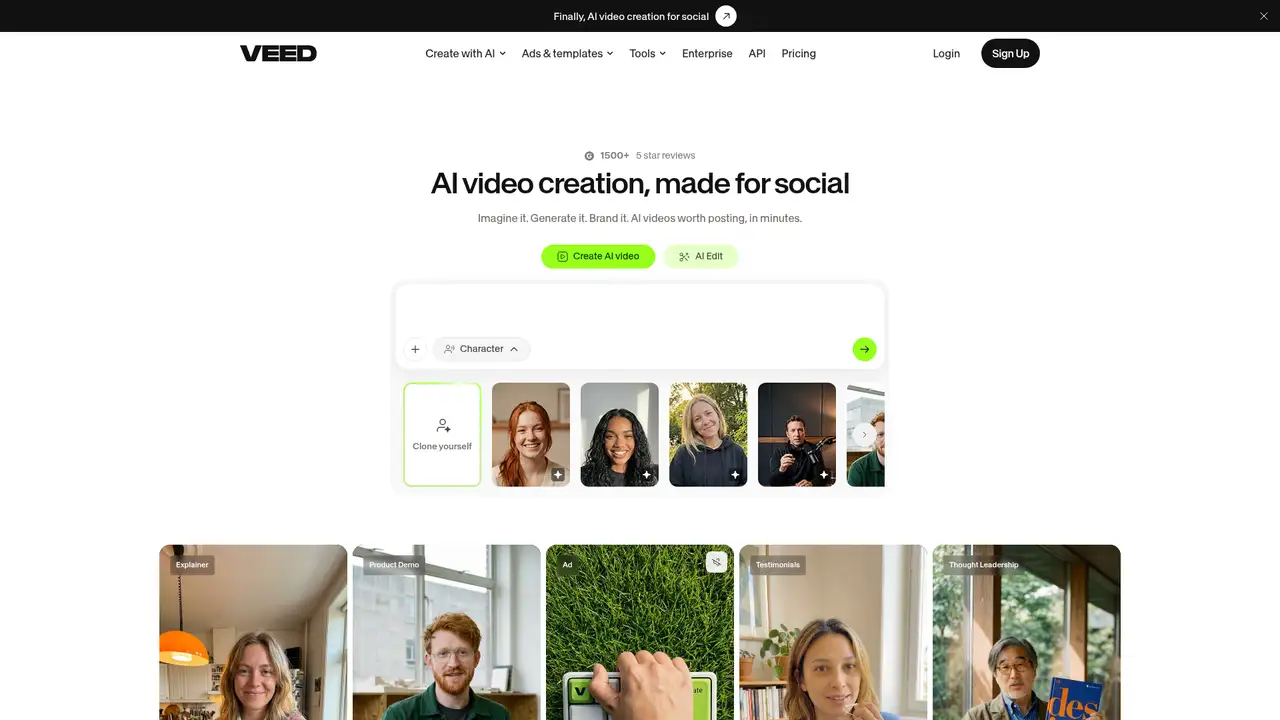
VEED’s browser video platform serves creators, marketers, educators, and teams, with customers or users including Amazon, Google, Netflix, Meta, BBC, and Visa. VEED Limited provides the service through free and paid plans. Paid workspaces charge per editor, while Enterprise pricing is custom and requires at least three users for a trial. VEED also offers usage-priced APIs for media processing without stated subscription minimums. Its AI offering became available to all accounts after an August 21 rollout, extending the product beyond conventional browser editing into prompt-based video creation. The service combines general-purpose editing with collaboration, captions, translation, recording, hosting, brand controls, templates, stock assets, and artificial intelligence features across web, mobile, and developer workflows.
A typical VEED workflow starts by uploading footage, recording a screen, choosing a template, or generating an AI-assisted draft. Editors arrange clips in the browser, resize projects for social channels, add music or stock media, and apply brand assets. Automatic subtitles can be generated and translated, while audio tools remove filler and silence. Teams review drafts in shared workspaces before exporting or sharing hosted videos. AI creation uses plan-specific credits, with estimated costs displayed before generation; allowances refresh at renewal and unused credits do not roll over. Paid subtitle generation is unlimited within a 50-hour monthly fair-use limit. Developers create an API key, install the SDK, send media and parameters, then track asynchronous processing through a job ID or webhook.
VEED’s AI stack combines named models with production APIs. Its API catalog identifies Fabric 1.0 for image-to-video generation and Lip Sync 2.0 for video-to-video synchronization, alongside subtitle, green-screen, and background-removal services. Fabric 1.0 outputs 480p or 720p video, while Lip Sync 2.0 retains the input resolution. The AI workflow supports avatars, characters, voices, music, scripts, and subtitles in prompt-driven creation. The company says its Android support followed on September 21, 2026, and that the workflow supports 30 languages. REST APIs process jobs asynchronously and support webhooks for completion notifications, allowing developers to integrate media generation and processing into external applications.
VEED uses a freemium model, with Free access and paid plans billed per editor. Paid plans start at $20 per user monthly, while exact prices depend on currency, region, billing view, and renewal term shown at checkout. Creator includes 500 AI credits per month, with higher allowances on Pro and Studio; credits refresh at renewal and do not carry over. Paid subtitle generation is unlimited subject to a 50-hour monthly fair-use limit, while translations consume minute-based allowances that expire. Adding editors multiplies subscription cost, so a team’s bill can exceed the headline price. Enterprise pricing is custom, and an enterprise trial requires at least three users. The separate API uses usage-based charges by seconds, minutes, or frames, without subscription minimums.
VEED’s main limitations are cost and control: paid plans charge per editor, AI credits expire at renewal, and paid subtitles carry a 50-hour monthly fair-use limit. Its Free plan adds watermarks and restricted output, while Free uploads may support product and AI development unless users opt out by leaving the tier. Compared with CapCut, VEED suits browser collaboration, captions, and branded team workflows, whereas CapCut favors mobile-first creator editing. Kapwing is a closer browser rival for collaborative social content, but VEED adds broader AI, translation, and hosting options. Descript is preferable for text-based podcast and dialogue editing, while VEED offers a wider general-purpose workflow. Choose VEED for browser-based production across social, marketing, education, and distributed teams, rather than advanced desktop post-production or local-only privacy.
Who is VEED best for?
- Creators producing short social videos quickly.
- Marketing teams making branded campaign assets.
- Educators needing captions and translations.
- Teams wanting browser collaboration and shared workspaces.
VEED Pricing (2026)
Pricing model: Freemium. All prices in USD.
| Plan | Price | What you get |
|---|---|---|
| Free | $0 | Watermarked exports and limited output, storage, subtitles, and AI features. |
| Creator | From $20/user/month | Paid per editor; 500 monthly AI credits; verify current checkout allowances. |
| Pro | See checkout | Paid per editor; higher AI, brand, translation, and collaboration allowances. |
| Studio | See checkout | Paid per editor; higher AI, brand, analytics, and template allowances. |
| Enterprise | Custom | Sales-led plan; enterprise trial requires at least three users. |
| VEED API | Usage-based | Media jobs priced by seconds, minutes, or frames; no subscription minimums stated. |
Pros and Cons
Pros
- VEED combines editing, captions, translation, recording, stock assets, templates, and AI tools in one browser workflow.
- Free accounts can be used without an expiration date, subject to export and feature restrictions.
- AI credits, subtitle tools, avatars, voices, brand kits, and collaboration support varied content teams.
- The service provides web, mobile, and API options for different production needs.
Cons
- The Free plan exports with a watermark and has restricted quality and feature allowances.
- AI credits refresh each billing cycle, do not carry over, and plan pricing varies by currency and billing term.
- VEED’s privacy policy permits development and AI improvement processing for some Free-plan uploads.
Who should look elsewhere?
- Filmmakers needing advanced color and timeline tools.
- Users handling confidential media who require local editing.
- Teams needing predictable AI usage without credit limits.
Technical Details
Frequently Asked Questions
What does VEED cost?
VEED offers Free, Creator, Pro, Studio, and Enterprise plans. Paid plans start at $20 monthly, while exact checkout pricing depends on region, currency, billing view, and workspace seats. Paid plans are billed per editor, AI credits refresh at renewal without rollover, and Enterprise pricing is custom. The separate API uses usage-based pricing by seconds, minutes, or frames.
Is VEED free?
Yes. VEED provides a Free plan without an expiration date. Free exports have restrictions, including watermarking and lower output quality, and the plan has limited feature, storage, subtitle, and AI allowances. Paid plans add watermark-free exports, larger AI allowances, broader brand controls, and collaboration features. Free-plan uploads may also be used for product and AI development unless users opt out.
What is VEED’s closest competitor?
Kapwing is a close browser-based competitor for social content and collaborative editing. CapCut is stronger for mobile-first creator work, while Descript is closer for text-based podcast and dialogue editing. Adobe Premiere Pro is better suited to detailed desktop timelines, effects, color work, and local project control. VEED fits users seeking browser access, captions, translation, hosting, and team workflows.
How does VEED handle privacy?
VEED’s privacy policy states that content uploaded under a Free subscription may be used to develop and improve products, including artificial intelligence models. The policy excludes content submitted through mobile applications from that described processing. Free users may opt out, but VEED says they must delete the account or upgrade from Free. Users handling confidential media should review applicable terms before uploading.
Can businesses use VEED commercially?
Yes. VEED markets paid plans and Enterprise to teams producing branded marketing, training, education, and social content. Enterprise materials describe centralized team and data management, review features, multiple brand kits, security, single sign-on, support, customer success, and analytics. Businesses should confirm plan-specific commercial and data terms at checkout or with VEED before purchase, especially for regulated or confidential material.
Best VEED Alternatives in 2026
These tools do the same job as VEED, with different pricing, limits and trade-offs.