
Humata Review, Pricing & Alternatives (2026)
Ask questions across PDFs with page-based pricing and team controls
Last updated: October 26, 2026
What is Humata?
Humata is a hosted document knowledge-base service for researchers, analysts, legal teams, and other knowledge workers. It supports PDF questions, shared workspaces, citations, OCR on higher plans, and an API. A free tier includes 60 pages monthly, while paid access starts at $9.99 per month for Expert.
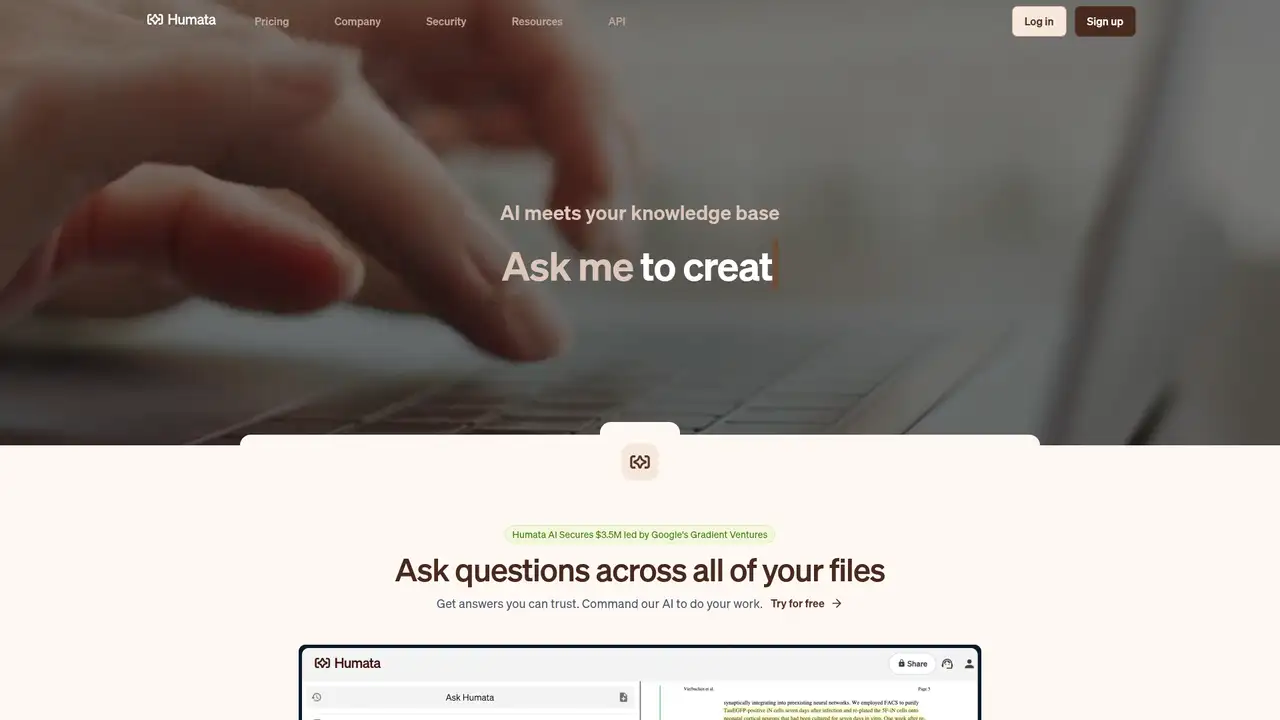
Humata is a hosted document knowledge-base service from Tilda Technologies Inc., the company identified as Humata. The product launched in 2023, while ARK Invest describes the company as founded in 2022. Founders Cyrus Khajvandi and Dan Rasmuson lead the business. Humata announced a $3.5 million seed round on October 2, 2023, led by Google Gradient Ventures with ARK Invest, M13, and angel investors. TechCrunch reported that the service had reached millions of users and was being used in legal, oil and gas, and support work. Humata is aimed at people who need answers from their own documents rather than a general-purpose chatbot. The company should be distinguished from Humata Health, a separate healthcare business.
Humata begins with document uploads and turns those files into a searchable knowledge base for research, legal, and technical teams. Users can ask questions across one or multiple files, request summaries, and inspect answers linked to source pages. Shared workspaces support collaboration, while Team and Enterprise plans add department and folder permissions, OCR, and response personalization. Its API provides programmatic access to documents, conversations, and answers for embedding document question answering in another application. A typical workflow covers uploading papers, contracts, reports, or business files, asking for a fact, reviewing the cited page, and continuing with follow-up questions. Because Humata is hosted, customers do not install a local document-processing server. Usage is measured through monthly page allowances and paid overage on eligible plans.
Humata's current pricing table names GPT-5 support, but the cited product material does not give a dated 2025 or 2026 model release announcement. The service is therefore best described through its documented workflow and controls: document knowledge bases, API access, shared workspaces, page metering, OCR, and higher-tier permissions. Humata's security page says user input is not used to train AI models. It also says document data used for the model is not retained beyond 30 days, while dashboard data remains until deletion is requested. The company says data is encrypted at rest and in transit. These statements describe Humata's current operating policies, while GPT-5 identifies a listed capability rather than a dated product launch.
Humata's Free plan costs $0 and includes one user with 60 free pages per month. Expert costs $9.99 per month for three users and 500 pages, with $0.02 per extra page. Team costs $49 per user monthly for up to 10 users and 5,000 pages, with $0.01 per extra page. Enterprise uses custom pricing and custom page allowances. The current table shows monthly billing and no annual rate. Free excludes additional pages, chat support, enterprise support, OCR, permissions, personalization, SOC 2 certification, and an uptime SLA. Expert also excludes enterprise support, department and folder permissions, OCR, personalization, SOC 2 certification, and an uptime SLA. Older FAQ text mentions a Student plan, but the visible table lists Free, Expert, Team, and Enterprise.
Humata's page-based billing is its main drawback, especially for large archives or repeated uploads. Free includes 60 pages monthly, while Expert raises that to 500 and charges $0.02 per extra page. Team provides 5,000 pages at $49 per user monthly, plus OCR, folder permissions, and response personalization. Free and Expert lack several administrative controls, and Enterprise pricing is custom. ChatPDF is better for fast single-PDF conversations, with related Writer, YouTube chat, flashcard, slide, and research features. NotebookLM fits notebook-centered source collections, while AskYourPDF provides another document-chat and API workflow. Humata suits research, legal, and technical teams that need shared workspaces, page controls, OCR, and higher-tier administration. Choose it if those controls matter more than predictable costs for heavy document use.
Who is Humata best for?
- Research teams sharing PDF-based knowledge bases.
- Legal and technical groups reviewing large document collections.
- Organizations needing page-based usage controls.
- Developers embedding document answers through an API.
Humata Pricing (2026)
Pricing model: Freemium. All prices in USD.
| Plan | Price | What you get |
|---|---|---|
| Free | $0/month | One user and 60 free pages monthly. No additional pages, OCR, permissions, personalization, SOC 2 certification, or uptime SLA. |
| Expert | $9.99/month | Three users and 500 free pages monthly. Additional pages cost $0.02 each. |
| Team | $49/user/month | Up to 10 users and 5,000 free pages monthly. Additional pages cost $0.01 each. |
| Enterprise | Custom | Unlimited users with custom page allowances and overage terms. Includes permissions, OCR, personalization, SOC 2 certification, and an uptime SLA. |
Pros and Cons
Pros
- Humata supports questions across multiple uploaded documents.
- Higher plans add OCR, permissions, and response personalization.
- The API supports documents, conversations, and answers.
- Humata says customer input is not used to train models.
Cons
- Usage costs rise with uploaded page volume.
- The free plan lacks OCR, permissions, and support.
- Humata does not publish an annual price in the current table.
Who should look elsewhere?
- People needing a fully local document assistant.
- Casual users processing only occasional PDFs.
- Teams requiring advanced controls on the free plan.
Technical Details
Frequently Asked Questions
How much does Humata cost?
Humata's Free plan costs $0 and includes one user with 60 pages monthly. Expert costs $9.99 per month for three users and 500 pages, with $0.02 per extra page. Team costs $49 per user monthly and includes 5,000 pages. Enterprise pricing is custom. The current public table shows monthly billing, not an annual price.
Does Humata have a free plan?
Yes. Humata's Free plan includes one user and 60 free pages per month. It does not include additional pages, OCR, department or folder permissions, response personalization, chat support, enterprise support, SOC 2 certification, or an uptime SLA. Users who exceed the included allowance need a paid plan because the Free plan does not list additional page purchases.
How does Humata compare with ChatPDF?
Humata is stronger for shared document workspaces, page-based administration, and team permissions on higher plans. ChatPDF is better suited to quick PDF conversations and offers adjacent features including Writer, YouTube chat, flashcards, slides, and research tools. Choose Humata for team document management, or ChatPDF for a broader consumer feature set around individual PDF work.
Does Humata train its models on uploaded documents?
Humata says user input is confidential and is not used to train AI models. Its security page says document data used for the model is not retained beyond 30 days, while dashboard data remains until the user requests deletion. The company also says data is encrypted at rest and in transit and that customers control and can permanently delete their data.
Can businesses use Humata commercially?
Humata supports commercial work through its Team and Enterprise plans, which add collaboration and administrative features. Its terms prohibit reverse engineering and using Humata to study or aid a competitor or potential competitor. Organizations should review the terms, privacy policy, and Enterprise agreement for their intended data, user, and licensing requirements before deployment.
Best Humata Alternatives in 2026
These tools do the same job as Humata, with different pricing, limits and trade-offs.

Source-grounded research, study aids, and multimedia summaries

Ask questions across PDFs with citations beside the original document.
Chat with PDFs and other documents using GPT-5, Claude and Gemini, with page citations
Chat with PDFs, including scans, plus a developer API to parse, extract and split files
Document chat built on a layout-aware PDF parser for tables, formulas and cited answers
Generative AI inside Acrobat for PDF summaries, cited answers and shared PDF Spaces