
Capacities Review, Pricing & Alternatives (2026)
Typed notes and linked knowledge for individual work
Last updated: October 26, 2026
What is Capacities?
Capacities is an EU-hosted personal knowledge-management app from Capacities Labs GmbH. It is built for individuals who want typed objects, backlinks, daily notes, tasks, calendars, offline access and optional AI in one workspace. Basic is free, while Pro costs $9.99 per month. A free Pro trial is available in the app without a credit card.
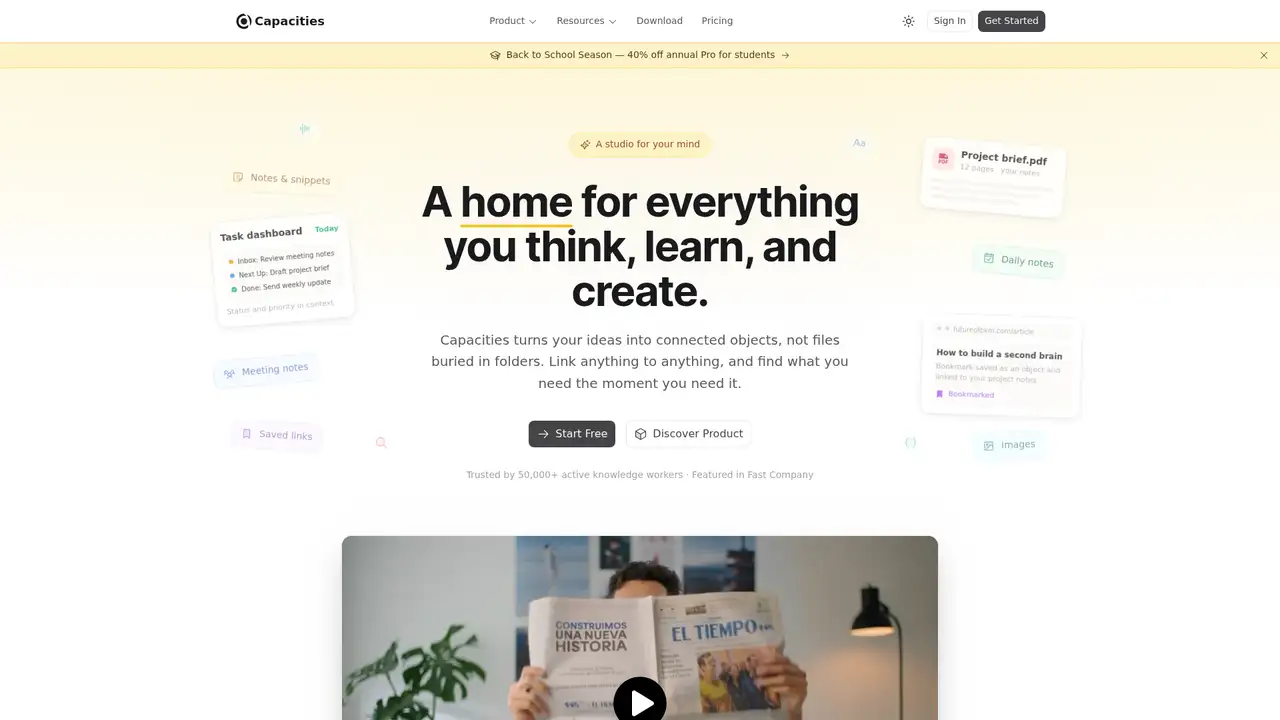
Capacities is a personal knowledge-management and note-taking app made by Capacities Labs GmbH in Germany. Steffen Bleher and Michael von Hohnhorst started the company in 2020, and the product entered public beta in 2022. It runs on the web, Windows, macOS, Linux, iOS and Android. The company describes itself as bootstrapped with no outside investors, while CB Insights records a different funding history involving Media Lab Bayern. Capacities reports more than 50,000 active knowledge workers and a six-person remote European team. Its defining choice is to treat notes as typed objects, such as people, books, projects and meetings, rather than as unstructured pages.
A typical workflow starts in daily notes, imported material, or captured media. Users turn that material into typed objects, add properties, connect entries with backlinks, then retrieve information through full-text search, smart queries, related content and the graph view. Tasks, whiteboards and calendar integration extend the workspace beyond notes. The in-app assistant can use selected notes or search context, and saved conversations become searchable objects. AI Chat Connectors use MCP, allowing supported clients such as ChatGPT, Claude and Cursor to search, read, create and update objects, append content and work with media. Capacities recommends searching or listing first instead of asking an external client to read an entire workspace.
Capacities routes its AI features through enterprise APIs from OpenAI, Anthropic, Google Gemini, xAI, Mistral, DeepSeek and Moonshot. Users can choose a provider or Auto, and the model picker marks EU-hosted options. Local and custom models are not supported inside Capacities, while the earlier bring-your-own-key option was removed in release 69. In May 2026, the service added provider selection and recurring tasks. The July release added API 2.0 with REST CRUD, OAuth 2.1 with PKCE, a TypeScript SDK and weblink analysis. September brought PDF analysis, version history and more CalDAV calendars. October releases added early-access audio recording, transcription and summaries for Believer subscribers.
Basic is free and includes unlimited spaces, objects, blocks and custom object types, synchronization, import and export, full-text search, offline use and view-only sharing. Media uploads cover 5 GB total, then 100 MB per month. Pro costs $9.99 per month and adds AI, whiteboards, tasks, smart queries, calendar integration, media analysis, Readwise and Kindle imports, version history, connectors, public API access and unlimited media under fair use. Believer starts at $12.49 per month and adds beta access. Pro and Believer include a light monthly AI budget. Plus is an optional add-on with a larger budget and top-ups, priced at $8.33 per month when billed annually.
Capacities is cloud-only, lacks end-to-end encryption, and does not offer team accounts or realtime collaboration. Its object model can take time to learn, while regular AI use requires Plus or additional top-ups. Notion offers broader shared workspaces, pages and databases. Obsidian stores local Markdown files and supports plugins, while Capacities provides hosted sync and structured objects. Anytype takes a local-first, open-source-oriented approach, unlike Capacities' hosted service. Tana focuses on structured outliner workflows and team use, whereas Capacities is more explicitly personal. Pick Capacities if you want an individual knowledge base built around typed objects, linked notes and optional AI.
Who is Capacities best for?
- Individuals who organize knowledge as linked typed objects.
- Researchers who need notes, media analysis and saved AI conversations.
- Users who want offline access across desktop and mobile platforms.
- People seeking a personal alternative to team-oriented workspaces.
Capacities Pricing (2026)
Pricing model: Freemium. All prices in USD.
| Plan | Price | What you get |
|---|---|---|
| Basic | $0/month | Includes unlimited spaces, objects, blocks and custom object types, plus sync, import, export, search, offline use and view-only sharing. Media covers 5 GB total, then 100 MB/month; paid AI is excluded. |
| Pro | $9.99/month | Adds AI, whiteboards, tasks, smart queries, calendar integration, media analysis, Readwise and Kindle imports, version history, connectors and public API access. AI allowance is intended for light use. |
| Believer | From $12.49/month | Includes Pro features, beta access to major new features and support for the independent team. The included AI budget is intended for light use. |
| Plus | $8.33/month annual | Optional add-on for Pro or Believer. Adds a larger monthly AI budget, top-ups and auto-top-up; top-ups do not expire, while included monthly budget resets. |
Pros and Cons
Pros
- Typed objects give people, projects and books reusable structure.
- Basic includes offline use and unlimited core objects.
- MCP connectors can read and update Capacities objects.
- The app supports web, desktop and mobile platforms.
Cons
- There is no team plan or realtime collaboration.
- Regular AI use requires Plus or top-ups.
- Capacities is cloud-only and lacks end-to-end encryption.
Who should look elsewhere?
- Teams needing realtime collaboration or organization billing.
- Users requiring self-hosting or end-to-end encryption.
- People who need local or custom AI models inside their notes.
Technical Details
Frequently Asked Questions
How much does Capacities cost?
Capacities Basic is free. Pro costs $9.99 per month, while Believer starts at $12.49 per month. Plus is an optional AI add-on priced at $8.33 per month when billed annually. Capacities also offers a free Pro trial inside the app without a credit card. Annual Pro and Believer prices can vary by the checkout display.
Does Capacities have a free plan?
Yes. Basic includes unlimited spaces, objects, blocks and custom object types, along with sync, import and export, full-text search, offline use and view-only sharing. Media uploads cover 5 GB total, followed by 100 MB per month. Paid AI features, whiteboards, tasks, smart queries and the public API require Pro or Believer.
How does Capacities compare with Notion?
Notion is better suited to shared workspaces, team collaboration, pages, databases and per-seat administration. Capacities is designed for individual use and organizes information as typed objects connected by backlinks. Capacities also supports offline use. Its lack of realtime collaboration and organization plans makes Notion the stronger choice for teams.
Does Capacities train AI models on user data?
Capacities says AI use is opt-in and that its providers do not train or fine-tune models on submitted content or build datasets from it. Relevant notes, prompts and media are sent to the selected provider when AI is used. Users can deactivate AI or exclude spaces. Transfers may leave the EU under standard contractual clauses.
Can I use Capacities content commercially?
Capacities does not publish a special prohibition on using generated content in ordinary commercial work. Users remain responsible for accuracy, permissions and other rights connected with their material and outputs. AI content is generated through selected providers, while conversations are stored as Capacities objects under the service's retention practices.
Best Capacities Alternatives in 2026
These tools do the same job as Capacities, with different pricing, limits and trade-offs.
Connected docs, projects, databases, and AI for teams
AI assistance for pages, search, meetings, and recurring work

Meeting intelligence that turns conversation into reviewed, connected work

Visual research workspace for cards, PDFs, whiteboards, and AI
Local Markdown notes with backlinks, Bases and plugins that add AI on your terms
Local-first, encrypted workspace for notes, databases and chat, with an MCP server for AI