
Beautiful.ai Review, Pricing & Alternatives (2026)
AI assisted presentations with layout rules that handle formatting
Last updated: October 26, 2026
What is Beautiful.ai?
Beautiful.ai is a browser based presentation editor for individuals, teams, and organizations creating branded decks. Smart Slides adjust layouts as content changes, while AI can draft, rewrite, translate, and generate images. The main pricing page lists Pro at $14.50 per user per month when billed annually, with Team and Enterprise options for larger groups.
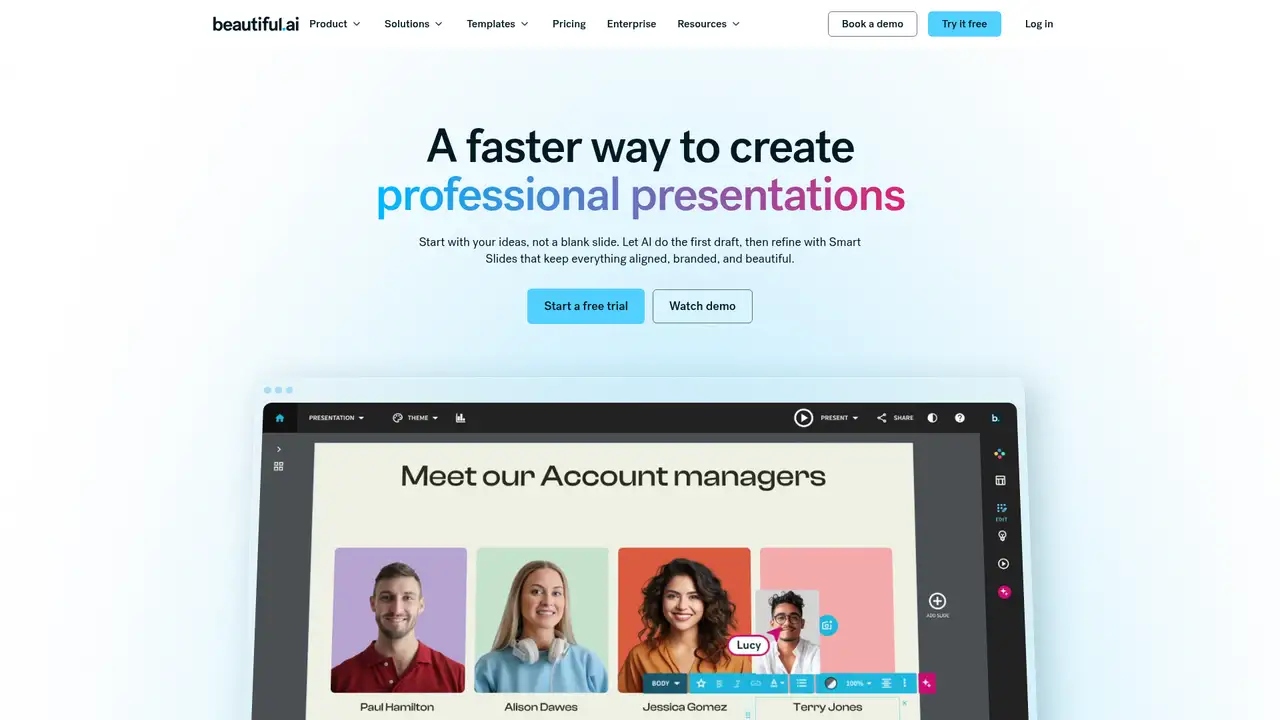
Beautiful.ai is a browser-based presentation tool made by Beautiful.ai, a company founded by Mitch Grasso in 2015 and launched publicly on February 6, 2018. Its defining idea is to automate slide layout through Smart Slides, which adjust arrangement and styling as users add content, reducing the formatting work that conventional presentation software leaves to the author. The company raised $5 million from First Round Capital and Shasta Ventures at launch, then announced an $11 million Series B in May 2018. In March 2026, Beautiful.ai announced a context-aware Create with AI workflow, an early-access API, a ChatGPT app, and localization in 15 languages. The company said that announcement brought its business customer count above 100,000 and included a $45 million non-dilutive investment from General Catalyst.
Beautiful.ai’s workflow begins with a prompt, outline, or attached document, then produces a draft through its Create with AI tool. Users can supply file or link context, review the generated outline, and iterate conversationally while preserving context. The system can regenerate individual slides, rewrite text, and apply more than 300 Smart Slide layouts that automatically format content. Smart Slides suit structured charts, timelines, funnels, and other business visuals, while Classic Slides allow freer positioning. AI writing, translation, image generation, data visualizations, and custom themes support the finishing pass. Teams can collaborate in real time, use shared libraries and locked slides, and link live data to charts and tables. A completed deck can be imported from or exported to PowerPoint, shared by link, or presented from Beautiful.ai.
Beautiful.ai’s generative layer combines Gemini, Claude, Imagen, and DALL-E through business-tier APIs, while its Smart Slides system controls layout rather than exposing a proprietary model. The company says inputs are not used to train public LLMs, and its security documentation says generative AI can be disabled for a company. Create with AI 3.0, announced in March 2026, replaced Generate with AI with an outline-first workflow that accepts prompts, documents, or links, maintains conversational context, and regenerates individual slides. The release also added a ChatGPT app, an early-access API, mobile improvements, and localization in 15 languages. The API supports presentation generation, structured outlines, template interpolation, exports, and presentation management, but Beautiful.ai publishes neither an API price nor a usage schedule. Further 2026 updates added sequence, funnel, ROI, map, and connection-diagram Smart Slides.
Beautiful.ai has no permanent free tier, only a 14-day Pro or Team trial that requires a credit card and converts to paid service unless canceled. The company’s main pricing page lists Pro at $14.50 per user monthly when billed annually, while its separate pricing-plans page shows $12, so checkout should settle the discrepancy. Team costs $40 per user monthly with annual billing, or $50 monthly, for two to 20 seats, and Enterprise pricing is custom. Pro includes unlimited slides and AI content generation, Smart Slide layouts, custom branding, image generation, translation, analytics, and PowerPoint import and export. Team adds live collaboration, shared libraries, version control, locked slides, live data links, and engagement analytics. A single presentation costs $45. There are no published AI quotas on paid plans, but trial access ends after 14 days.
Beautiful.ai has no permanent free tier, and its structured Smart Slides can restrict unusual layouts more than PowerPoint or Google Slides. The company’s main pricing page lists Pro at $14.50 per user monthly when billed annually, while another current pricing page lists $12, so buyers should verify checkout. Team costs $40 per user annually or $50 monthly, and the 14-day trial requires a card. Gamma is more flexible for prompt-driven decks, documents, websites, and research, with a free plan, but meters generation through credits. Canva offers broader design and media tools, while PowerPoint remains the safer choice for maximum editing control and compatibility. Beautiful.ai’s API is early access, with no public usage price, and its terms limit general output use to internal business or personal, noncommercial purposes. It suits teams that prioritize consistent branded decks over unrestricted design control.
Who is Beautiful.ai best for?
- Marketing teams producing recurring branded decks.
- Consultants creating polished client presentations quickly.
- Non designers who prefer automatic slide layout.
- Organizations standardizing presentation themes and assets.
Beautiful.ai Pricing (2026)
Pricing model: Paid. All prices in USD.
| Plan | Price | What you get |
|---|---|---|
| Pro | $14.50/month billed annually | Individuals get unlimited slides, unlimited AI content generation, Smart Slides, custom themes, AI images, translations, and PowerPoint import and export. The pricing plans page displays $12/month annually instead. |
| Team | $40/user/month billed annually or $50/user/month monthly | Teams cover 2 to 20 seats and add live collaboration, shared libraries, version control, locked slides, live data links, analytics, and multi language features. |
| Enterprise | Custom | Enterprise adds onboarding, SSO, SCIM, advanced permissions, audit logs, configurable brand controls, priority support, and listed security certifications. |
| Single presentation | $45 one time | The pricing plans page lists a one off purchase for a single presentation. |
| 14 day trial | $0 for 14 days | Pro or Team trials provide plan access, require a card, and auto charge unless canceled before the trial ends. |
Pros and Cons
Pros
- Smart Slides adjust layouts as content changes.
- Pro includes unlimited AI content generation.
- Team supports shared libraries and locked slides.
- PowerPoint import and export support existing workflows.
Cons
- There is no permanent free tier.
- Current annual Pro pricing differs across official pages.
- The public API remains early access without published pricing.
Who should look elsewhere?
- Users wanting a permanent free presentation editor.
- Designers requiring unrestricted canvas level control.
- Teams needing a fully documented, priced public API.
Technical Details
Frequently Asked Questions
How much does Beautiful.ai cost?
The main pricing page lists Pro at $14.50 per user per month billed annually. A separate pricing plans page displays $12 per month billed annually, so checkout should determine the applicable rate. Team costs $40 per user per month annually or $50 monthly for 2 to 20 seats. Enterprise pricing is custom, and a single presentation costs $45.
Does Beautiful.ai have a free plan?
Beautiful.ai does not offer a permanent free tier on its current pricing pages. It offers a 14 day Pro or Team trial with access to the selected plan. A payment card is required, and the company says it charges the card automatically unless the trial is canceled before it ends. A separate FAQ describes a Basic plan with a 100 slide limit where available.
How does Beautiful.ai compare with Gamma?
Beautiful.ai centers on Smart Slides, brand controls, reusable layouts, and presentation workflows. Gamma generates visual cards and can also create documents, webpages, and social content, with Agent research and broader multi format publishing. Beautiful.ai is the more structured choice for repeatable branded decks, while Gamma suits users wanting one prompt to produce several types of visual content.
Does Beautiful.ai train AI models on user data?
Beautiful.ai says customer inputs are not used to train public large language models and that AI subprocessors are barred from using customer data for training. Its security material says business APIs retain data for a maximum of 30 days, and generative AI can be disabled for a company on request. The applicable privacy policy and enterprise agreement govern processing details.
Can I use Beautiful.ai presentations commercially?
Beautiful.ai supports business presentation workflows, but its general terms state that Beautiful.ai Materials are for internal business or personal, non commercial use. The terms also require users to review AI output and prohibit using that output to train another AI system. Commercial presentation use and output rights should therefore be checked under the applicable subscription, order form, or enterprise terms.
Best Beautiful.ai Alternatives in 2026
These tools do the same job as Beautiful.ai, with different pricing, limits and trade-offs.
A visual suite for design, documents, video, and brand work

AI-powered decks, documents, webpages, and visual stories

Collaborative presentations with AI drafting and engagement analytics
The standard slide app, with Copilot drafting, editing and restyling decks for you
Free browser presentation app, with Gemini generating editable, on-brand decks