
Banani Review, Pricing & Alternatives (2026)
Generate editable UI prototypes from prompts and references
Last updated: October 26, 2026
What is Banani?
Banani is a web-based AI UI design tool for founders, product managers, engineers, designers, and small teams. It turns prompts, screenshots, images, Figma links, or PRDs into editable, multi-screen prototypes that users can refine and export. A free plan is available, while paid plans start at $12/month with annual billing or $20/month monthly.
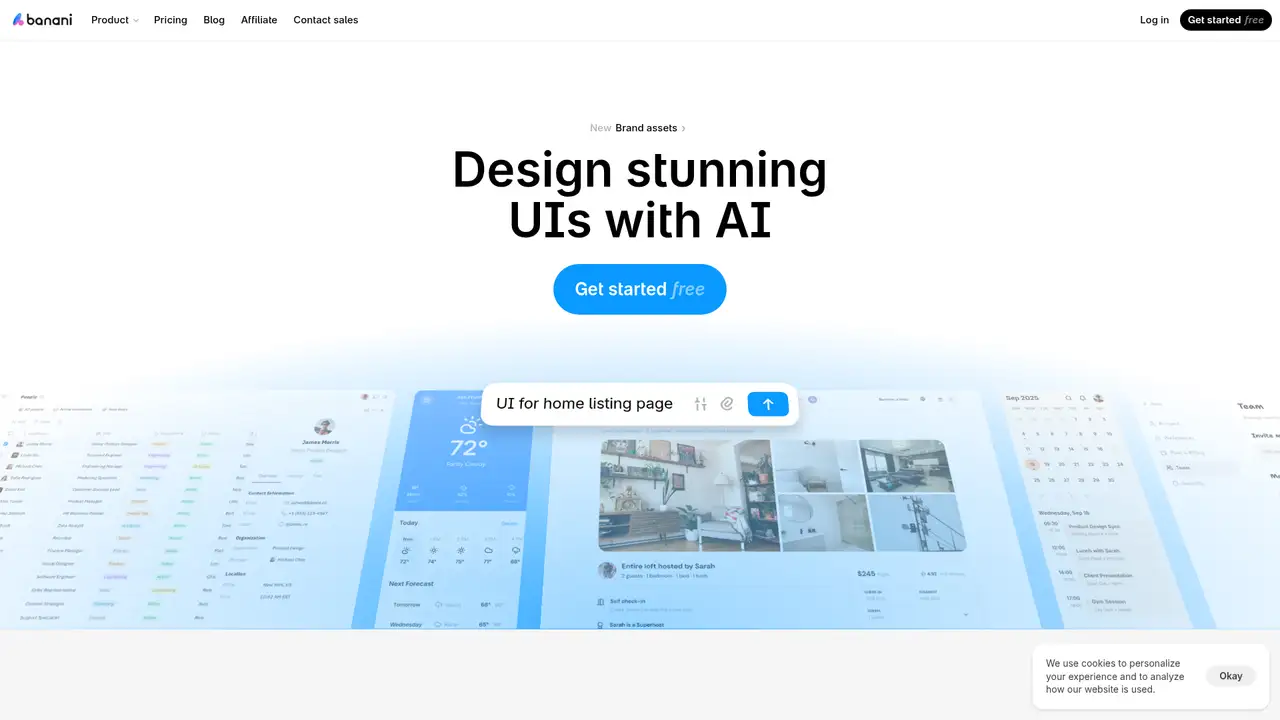
Banani is a web-based AI UI design tool founded in 2024 by Vlad Solomakha and Vova Parkhomchuk, whose small multidisciplinary team is based in Ukraine. It turns prompts, product requirements, screenshots, images, or Figma links into editable, multi-screen prototypes for web and mobile products. Users can refine layouts, colors, components, and content through chat or direct canvas edits, then share projects or export them to Figma, images, HTML, or code through MCP. The company says more than 100,000 people use Banani, while Tech.eu reported over 50,000 users, 14,000 monthly active users, and nearly 350,000 generated designs in May 2025. A €850,000 pre-seed round will support design generation, flow prediction, collaboration, and user-insight features. Its free tier offers limited credits, while paid plans add faster generation, Figma export, unlimited credits, or enterprise controls.
Banani turns a product idea, screenshot, image, Figma link, or PRD into editable, clickable screens on a shared canvas. Users can compare variants, select elements, and request natural language changes to layouts, colors, components, content, and typography. Uploaded logos and colors can guide brand-aware output, while shared links support review with teammates. Designs can be exported as images, editable Figma layers, HTML/CSS, or code through MCP, making handoff faster than rebuilding a concept manually. Its canvas shows mobile and desktop screens together, and Agent mode uses shared components to keep related screens more consistent. The practical tradeoff is that generated structure still requires design judgment, so Banani fits early exploration, wireframes, and prototype discussions better than final production design. Paid plans add larger credit allowances, faster generation, and broader export features, while free-plan content may support model improvement.
Banani’s model policy has practical consequences for teams handling sensitive product work. The service may send prompts, generated layouts, uploaded references, and interaction data to OpenAI, Google, or Anthropic to produce requested designs, although its stated configuration and enterprise terms prohibit those providers from training on the data. Banani may also use de-identified content from eligible free accounts to improve its own models, while paid-plan content is excluded. This makes plan selection important when projects contain confidential requirements, proprietary screens, or personal information. The product is also expanding beyond basic screen generation: brand-asset uploads, clarifying questions, bulk Figma export, image creation, and MCP connections can reduce handoff work. However, users still need to review generated results and confirm that their organization’s privacy, procurement, and export requirements fit Banani’s terms.
Banani’s pricing has an important documentation conflict. The pricing page presents Free at $0 with 12 monthly credits, three daily refills, and private projects. Plus costs $12 monthly with annual billing or $20 month to month, adding 100 monthly credits, 10 daily refills, unlimited editable Figma export, faster generation, agent mode, and code or MCP export. Pro costs $30 annually billed or $50 monthly, with unlimited credits, the highest speed, priority support, and Plus features. Enterprise pricing is custom and includes unlimited access, SSO, design-system import, integrations, tailored infrastructure, and custom AI models. However, a July 2026 help article describes Free credits as a one-time bundle and Pro as 600 monthly credits plus daily credits. Buyers should confirm current allowances before subscribing, especially if regular generation is central to their workflow.
Banani’s main limitation is conflicting credit information. Its pricing page lists 12 monthly credits plus three daily credits for Free users and unlimited credits for Pro, while a July 2026 help article describes a one-time Free bundle and 600 monthly Pro credits. Teams should confirm current limits before budgeting. Banani also sends prompts and generated content to external model providers, including OpenAI, Google, and Anthropic. Paid-plan content is excluded from Banani model training, but de-identified free-plan content may be used for improvement. Figma provides a broader manual design and collaboration environment, Framer is stronger for website creation and publishing, and Uizard is aimed at rapid interface prototyping. Banani best suits teams exploring multi-screen product concepts that need editable Figma or code output quickly. Choose Banani for fast exploration with a conventional design handoff.
Who is Banani best for?
- Founders turning product ideas into clickable flows.
- Product managers exploring several interface directions quickly.
- Engineers needing Figma, code, or MCP handoff.
- Small teams with limited design resources.
Banani Pricing (2026)
Pricing model: Freemium. All prices in USD.
| Plan | Price | What you get |
|---|---|---|
| Free | $0/month | The pricing page lists 12 monthly credits, three daily credits, and private projects. A July 2026 help article says Free provides a one-time 12-credit bundle with no refills. |
| Plus | $12/month annual billing, $20/month monthly | Includes 100 monthly credits, 10 daily credits, agent mode, unlimited Figma export, three-times generation speed, and MCP or code export. |
| Pro | $30/month annual billing, $50/month monthly | The pricing page says unlimited credits, highest speed, priority support, and Plus features. A July 2026 help article lists 600 monthly credits plus 10 daily credits. |
| Enterprise | Custom | Banani lists unlimited access, SSO using SAML/SCIM, design-system import, custom integrations, tailored infrastructure, and custom AI models. |
Pros and Cons
Pros
- Prompts and references produce editable multi-screen prototypes.
- Paid plans offer unlimited Figma export.
- Agent mode uses shared components for consistent designs.
- Enterprise includes SSO and design-system import.
Cons
- Published Free and Pro credit terms conflict.
- Generation credit use varies with request complexity.
- Generated interfaces still need human design review.
Who should look elsewhere?
- Teams requiring fully manual, pixel-level design systems.
- Free users handling confidential designs subject to strict training restrictions.
- Organizations requiring a formal SOC 2 audit today.
Technical Details
Frequently Asked Questions
How much does Banani cost?
Banani has a $0/month Free plan. Plus costs $12/month with annual billing or $20/month monthly. Pro costs $30/month with annual billing or $50/month monthly. Enterprise pricing is quoted by Banani. The pricing page says annual billing saves 40%. Credits are based on the work a request requires, so plan prices do not represent a fixed number of screens.
Is Banani free to use?
Yes. Banani’s pricing page advertises a Free plan with no credit card requirement, private projects, 12 monthly credits, and three daily credits. Its July 2026 help article gives different terms, describing a one-time 12-credit bundle with no daily or monthly refills. Users should check the current credit balance and plan terms before relying on recurring free generations.
How does Banani compare with Uizard?
Both products target rapid interface prototyping from prompts and references. Banani emphasizes multi-screen generation, natural-language editing, brand-aware designs, Figma export, code export, and MCP. Uizard is another interface-prototyping product with templates and collaboration features. A practical comparison should focus on export fidelity, generation allowances, privacy terms, and the manual work required after generation.
Does Banani train AI models on user designs?
Banani says prompts and generated content may be sent to OpenAI, Google, and Anthropic to fulfill requests, and that those providers are not permitted to train on the data under its configuration and enterprise terms. Banani says paid-plan content is never used to train its own models. De-identified content from eligible Free accounts may improve Banani models.
Can Banani designs be used commercially?
Banani provides product-design features for founders, product teams, developers, and designers, and paid plans include Figma and code export. Its published pages do not state a complete commercial-licensing policy for generated designs. Commercial users should review Banani’s Terms of Service and ownership provisions before using output in paid work or uploading third-party data.
Best Banani Alternatives in 2026
These tools do the same job as Banani, with different pricing, limits and trade-offs.

Turn prompts, screenshots, and sketches into editable interface prototypes

Design, publish, and host responsive websites from one visual workspace

AI wireframing and prototyping for product teams before its October 31 closure

AI-assisted site planning, design systems, and publishing for web teams

AI features for design, prototyping, content, and code