
Figma AI Review, Pricing & Alternatives (2026)
AI features for design, prototyping, content, and code
Last updated: October 22, 2026
What is Figma AI?
Figma AI is a set of generative and agentic features built into Figma Design, FigJam, Slides, Make, and related products. It is aimed at product designers, developers, and teams already working in Figma. Starter is free, while paid access starts at $16 per full Professional seat per month with monthly billing.
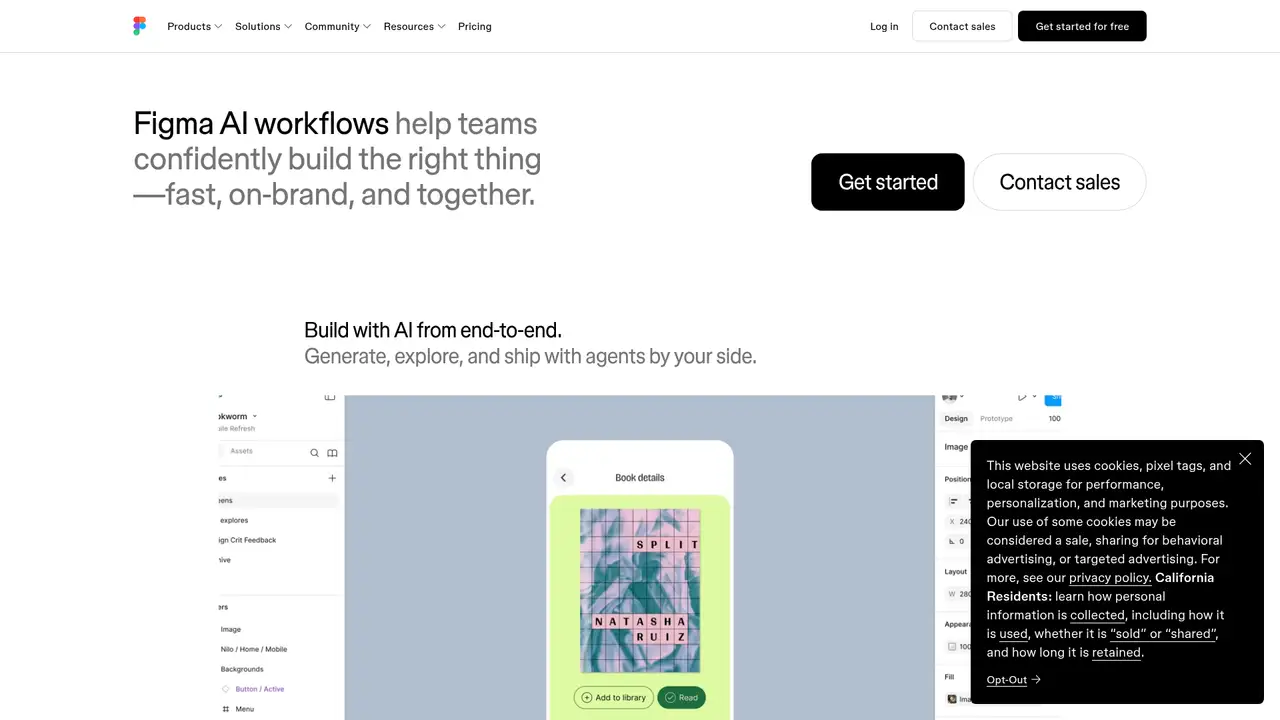
Figma AI is a collection of artificial intelligence features built into Figma, the design and collaboration company founded by Dylan Field and Evan Wallace. Figma AI became generally available on July 24, 2025. It spans Figma Design, FigJam, Slides, Make, and connected workflows instead of operating as a separate editor. Features include image generation and editing, copy rewriting, translation, layer renaming, summaries, diagrams, visual search, prototypes, and web apps. Figma does not publish a user or funding figure for Figma AI itself. The company positions the service around existing files, design systems, components, prototypes, and developer handoff. That context separates it from standalone generators because prompts can work alongside editable design material.
A typical workflow begins with an existing file, selected layers, attached context, or a written prompt. A designer can ask Figma AI to generate design directions, create a Figma Make prototype or web app, remove an image background, edit an image, rewrite interface copy, summarize FigJam stickies, create diagrams, or find assets with visual search. Results remain in the Figma workspace, where teammates can review layers, components, interactions, and copy before handoff through Dev Mode. Figma’s MCP Server lets external AI agents read, reference, and act on designs. AI search, layer renaming, and some FigJam summaries are free actions, while many image, interaction, template, and agent actions consume credits. Output is not verified, making human review necessary.
Figma AI uses multiple models, including off-the-shelf foundation models and fine-tuned models, with vendors such as OpenAI. The company does not present one universal model name for the product. Current credit documentation names ChatGPT Images 2.0, Nano Banana 2 Lite, Nano Banana, and Nano Banana 2 for image actions. Figma Make offers selectable underlying models, and usage depends on model, task complexity, and context. In 2026, the Figma agent in Figma Design and Weave tools moved from open beta to general availability and began consuming credits. Figma also lists generative plugins, shader effects, code-to-canvas workflows, and local-codebase Make support in beta. These releases broaden Figma AI beyond copy and image assistance.
Starter is free and includes 500 AI credits per month with a 150-credit daily limit. Professional costs $16 per month for a Full seat with monthly billing and includes 3,000 monthly credits. Dev and Collab seats cost $12 and $3 per month with 500 credits each. Organization is billed annually at $55 per month for Full, $25 for Dev, and $5 for Collab. Enterprise is billed annually at $90, $35, and $5. Credits reset monthly and do not roll over. Image actions have fixed ranges, including 1 to 5 credits for background removal and 2 to 16 credits for image generation, while agentic actions vary. Admins can add subscription credits or enable pay-as-you-go billing.
Figma AI is strongest when a team’s source files, libraries, prototypes, and handoff already live in Figma. It is less suitable for local model hosting, a dedicated image-generation workflow, or predictable unlimited usage because credits expire monthly and agentic costs vary by model, task, and context. Uizard focuses on rapid interface generation from prompts, screenshots, and sketches. Galileo AI centers on generated product-interface concepts, while Adobe Firefly covers broader image and creative generation across Adobe products. Figma offers deeper file context, seat types, libraries, Dev Mode, and an MCP Server, but model choice is less central. Pick Figma AI when shared editable design context and developer handoff matter most.
Who is Figma AI best for?
- Product teams working in Figma files and shared design systems.
- Designers needing copy, image, layout, and prototype assistance.
- Developers using Figma Make, Dev Mode, or the MCP Server.
- Organizations needing administrative controls for AI training and usage.
Figma AI Pricing (2026)
Pricing model: Freemium. All prices in USD.
| Plan | Price | What you get |
|---|---|---|
| Starter | $0 | 500 monthly AI credits and a 150-credit daily limit. |
| Professional Full seat | $16/month | 3,000 AI credits per month; monthly billing. |
| Professional Dev seat | $12/month | 500 AI credits per month; monthly billing. |
| Professional Collab seat | $3/month | 500 AI credits per month; monthly billing. |
| Organization Full seat | $55/month, billed annually | 3,500 AI credits per month. |
| Organization Dev seat | $25/month, billed annually | 500 AI credits per month. |
| Organization Collab seat | $5/month, billed annually | 500 AI credits per month. |
| Enterprise Full seat | $90/month, billed annually | 4,250 AI credits per month. |
| Enterprise Dev seat | $35/month, billed annually | 500 AI credits per month. |
| Enterprise Collab seat | $5/month, billed annually | 500 AI credits per month. |
Pros and Cons
Pros
- AI works inside existing files, layers, components, and prototypes.
- Every seat includes a monthly AI credit allocation.
- Admins can control content training and paid credit access.
- Organization and Enterprise customers can request AI copyright protection.
Cons
- Credit costs vary by feature, complexity, and model.
- Starter and Professional content training is on by default.
- Generated output requires accuracy, design, and rights review.
Who should look elsewhere?
- Teams needing local or self-hosted generative models.
- Users seeking a dedicated image-generation product.
- Projects requiring predictable unlimited AI usage.
Technical Details
Frequently Asked Questions
How much does Figma AI cost?
Starter is free. Professional Full seats cost $16 per month with monthly billing, Organization Full seats cost $55 per month billed annually, and Enterprise Full seats cost $90 per month billed annually. Professional Dev and Collab seats cost $12 and $3 monthly. Organization Dev and Collab seats cost $25 and $5 monthly, while Enterprise Dev and Collab seats cost $35 and $5 monthly. Additional credits are available through subscription or pay-as-you-go billing.
Is Figma AI free?
Yes. Starter users receive 500 AI credits per month and a 150-credit daily limit. Paid plans include larger Full-seat allocations and additional Figma features. Credit use depends on the action, model, task complexity, and context. AI search, layer renaming, and some FigJam summaries are free actions, while many image, interaction, template, and agent actions consume credits.
Figma AI or Uizard?
Figma AI is a better fit for teams whose editable files, libraries, prototypes, Dev Mode workflow, and handoff already live in Figma. Uizard focuses on rapid interface creation from prompts, screenshots, and sketches. Figma provides multiple seat types, shared libraries, an MCP Server, and organization controls. Uizard may suit users who want a focused interface-generation tool without adopting Figma’s broader platform.
Does Figma train AI on user files?
Figma’s Content Training setting controls whether customer content may be used to train its models. The setting is on by default for Starter and Professional, and off by default for Organization and Enterprise. Admins can change it. Figma says third-party model providers cannot use customer-uploaded or created data to train their own models, and Education and Government data is excluded from Figma model training.
Can Figma AI output be used commercially?
Figma’s AI Terms say customers retain rights in their inputs and outputs as between the customer and Figma. The terms also say output is not verified and may lack accuracy, completeness, originality, or legal clearance. Customers must review results and obtain relevant permissions. Organization and Enterprise customers can request optional AI copyright protection under an addendum.
Best Figma AI Alternatives in 2026
These tools do the same job as Figma AI, with different pricing, limits and trade-offs.