
Vizcom Review, Pricing & Alternatives (2026)
Turn industrial design sketches into rendered product concepts
Last updated: October 26, 2026
What is Vizcom?
Vizcom is an AI design workspace for industrial designers who turn sketches, CAD assets and references into product concepts. Jordan Taylor and Kaelan Richards founded it in 2021, and the company says more than 700,000 designers use it. Starter is free, while Professional costs $49 per user monthly or $40 per seat monthly when billed annually.
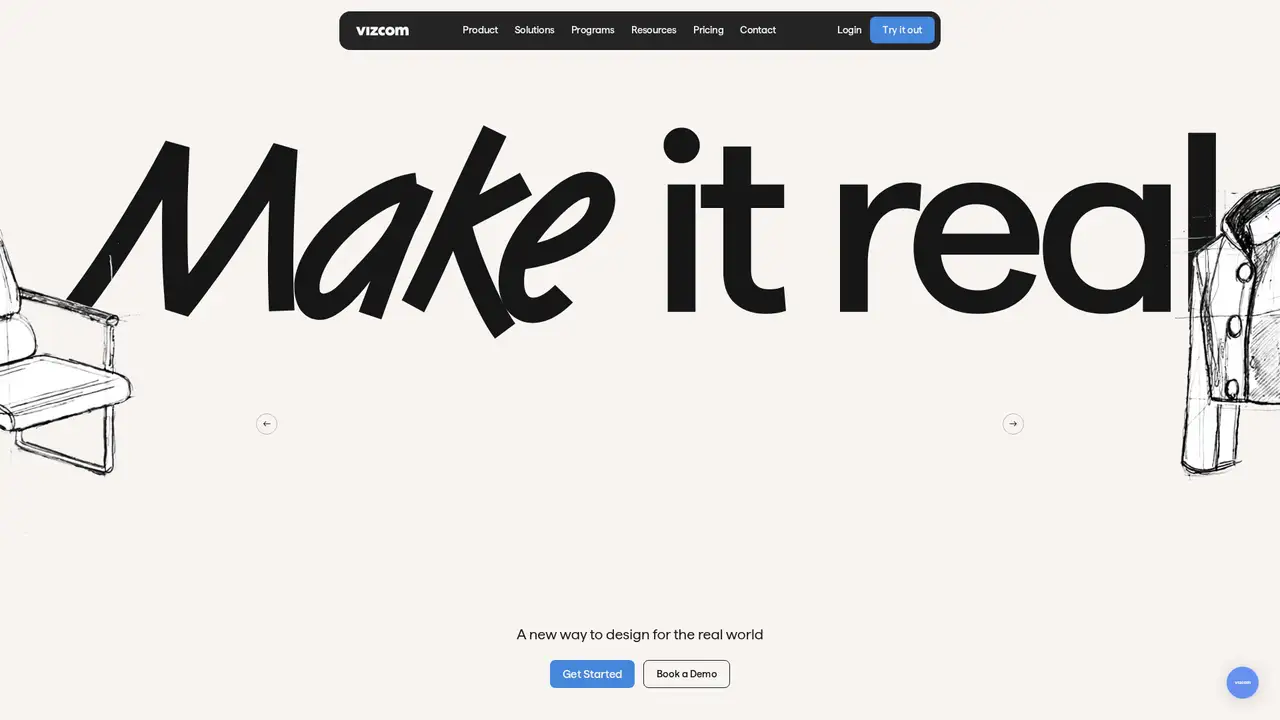
Vizcom is a browser-based design workspace for physical products such as vehicles, footwear, apparel, furniture and consumer goods. Jordan Taylor, a former Honda and NVIDIA industrial designer, started the project in 2021 with software engineer Kaelan Richards. Forbes reported that the founders had customers including Ford and New Balance by 2024. Vizcom announced a $20 million Series A in March 2024 and a $27 million Series B led by Radical Ventures in October 2025. The company said the Series B would support domain-specific tools and that more than 700,000 designers used the product. Vizcom is aimed at industrial design rather than general-purpose image generation, which gives its workflow a narrower focus.
A typical project starts with a hand sketch, imported image, CAD asset or 3D file. Users can render or refine the design with a text prompt, alter forms and materials, create variations, add reference images, and organize results on a canvas or in Workbench. The product includes background removal, enhancement, upscaling, palette tools, color matching, SVG export, 3D generation and virtual try-on. Its credits documentation groups actions into Generate and Iterate, Transform and Realize, and Finish. The workflow is built around repeated concept development: preserve the drawing's structure, explore alternatives, then prepare visuals for review or presentation. That makes Vizcom more useful for product iteration than for isolated prompt experiments.
Vizcom does not publish a named foundation model or a public API model catalog on its product and documentation pages. It presents the technology as an integrated generative design system. Releases during 2025 included Animate, which adds motion to concepts, and an upgraded Modify tool for natural-language edits to materials, lighting, environments and context. Color Variations added palette extraction and one-click remixes. The updates page listed Unify in December 2025 for compositing designs into environments with matched lighting and shadows, followed by animation and image-upscaling updates. These additions extend Vizcom beyond still rendering into presentation and validation work. The company publishes product capabilities rather than model benchmarks or named model versions.
Starter costs $0 per user monthly and includes 800 monthly credits, 10 files, about 200 images, 14 animations or 20 3D models. Professional costs $49 per user monthly, or $40 per seat monthly when billed annually, and includes 20,000 monthly credits, 50 files, about 5,000 images, 360 animations or 500 3D models. Education costs $0 for qualified students and educators and includes 15,000 credits. Enterprise pricing is custom. Base credits reset each billing cycle, while purchased add-on credits roll over for Professional and Education users. Free users receive one Modify or Color Variations result at a time; paid plans support parallel generation. Enterprise includes unlimited seats and teams, with negotiated usage and security features.
Credit consumption is the main cost constraint. High-value actions such as 3D generation, animation, upscaling and export can use a Starter balance quickly. Vizcom says free-plan content may be used under a broad license to improve services with anonymized data, while paid content is used to provide the service unless the customer opts in. Compared with Adobe Firefly, Vizcom is more specialized for product sketches. Midjourney offers broader image styling with less product workflow structure, while Figma Make targets interface creation. The company does not publish a public model catalog or general image API. Industrial designers should pick Vizcom when sketch fidelity and product iteration matter more than broad image generation.
Who is Vizcom best for?
- Industrial designers iterating from hand sketches to product renders.
- Footwear, automotive and apparel teams exploring color and material variations.
- Teams needing shared workspaces, role controls and private paid-plan files.
- Designers presenting concepts with animation, compositing and 3D outputs.
Vizcom Pricing (2026)
Pricing model: Freemium. All prices in USD.
| Plan | Price | What you get |
|---|---|---|
| Starter | $0/user/month | 800 credits monthly, 10 files, about 200 images, 14 animations or 20 3D models. |
| Professional | $49/user/month | 20,000 credits monthly, 50 files, about 5,000 images, 360 animations or 500 3D models; add-on credits available. |
| Professional annual | $40/user/month billed annually | Same Professional features and credit allocation, billed annually. |
| Education | $0/user/month | For qualified students and educators; 15,000 credits monthly, with add-on credits available. |
| Enterprise | Custom | Unlimited seats and teams, custom billing, SSO, audit logs, dedicated onboarding and priority support. |
Pros and Cons
Pros
- Preserves sketch structure while generating product concepts.
- Supports workflows across 2D, 3D, color and motion.
- Paid plans keep work private unless users opt in.
- Credits make major operations easier to budget.
Cons
- Credit usage can make heavy 3D work expensive.
- The company does not publish a public model catalog.
- Free-plan content may support anonymized service improvement.
Who should look elsewhere?
- Users seeking a general image generator with broad artistic styles.
- Teams requiring a public, documented generative-image API.
- Professionals needing predictable unlimited generation at a fixed price.
Technical Details
Frequently Asked Questions
How much does Vizcom cost?
Starter is free. Professional costs $49 per user monthly, or $40 per seat monthly when billed annually. Education is free for qualified students and educators. Enterprise pricing is custom. Plans use monthly credits, and Professional or Education users can purchase additional credits after using the included balance.
Does Vizcom have a free plan?
Yes. Starter costs $0 per user monthly and includes 800 credits, 10 files, about 200 images, 14 animations or 20 3D models. It requires no credit card. Free users can explore the product, but free-plan content may be used in anonymized form to improve services.
Vizcom vs Adobe Firefly: which is better?
Vizcom is the closer fit for industrial design because it combines sketch-preserving renders with product variations, materials, palettes and 3D workflows. Firefly covers broader image, video and design-generation tasks and fits Adobe Creative Cloud users. Choose Vizcom for product-concept iteration; choose Firefly for general creative production inside Adobe applications.
Does Vizcom train on user data?
Vizcom says paid-plan files remain private and are used to deliver the service, not to train models, unless the customer opts in. Its terms guide says free users grant a broader license that can include anonymized data for service improvement. Users retain ownership of uploads and generated designs, but free and paid data rights differ.
Can I use Vizcom designs commercially?
Vizcom says users own uploads and generated designs, and paid plans provide a service license. Commercial users should review the current Terms of Service because Vizcom does not guarantee that an output is free of third-party intellectual-property claims. Paid or Enterprise plans suit confidential commercial work because paid content is not used for model training without permission.
Sources
Best Vizcom Alternatives in 2026
These tools do the same job as Vizcom, with different pricing, limits and trade-offs.
A multi-model studio for generating and editing creative assets
High-control image generation for visual development and concept work
Flexible image generation for local, API, and hosted workflows

AI features for design, prototyping, content, and code