
Topaz Video AI Review, Pricing & Alternatives (2026)
AI restoration and enhancement for demanding video work
rebranded: Topaz Video AI was discontinued in September 2025. Version 7.1.5, released October 2, 2025, is the final legacy release. Topaz Video is the subscription-only replacement.
Last updated: October 26, 2026
What is Topaz Video AI?
Topaz Video is Topaz Labs' desktop application for enlarging, denoising, stabilizing, interpolating, and restoring footage. It suits filmmakers, archivists, and editors who need specialized enhancement rather than a complete timeline editor. Topaz Video starts at $59 per month, with a $299 annual option, while legacy Video AI owners can continue using version 7.1.5.
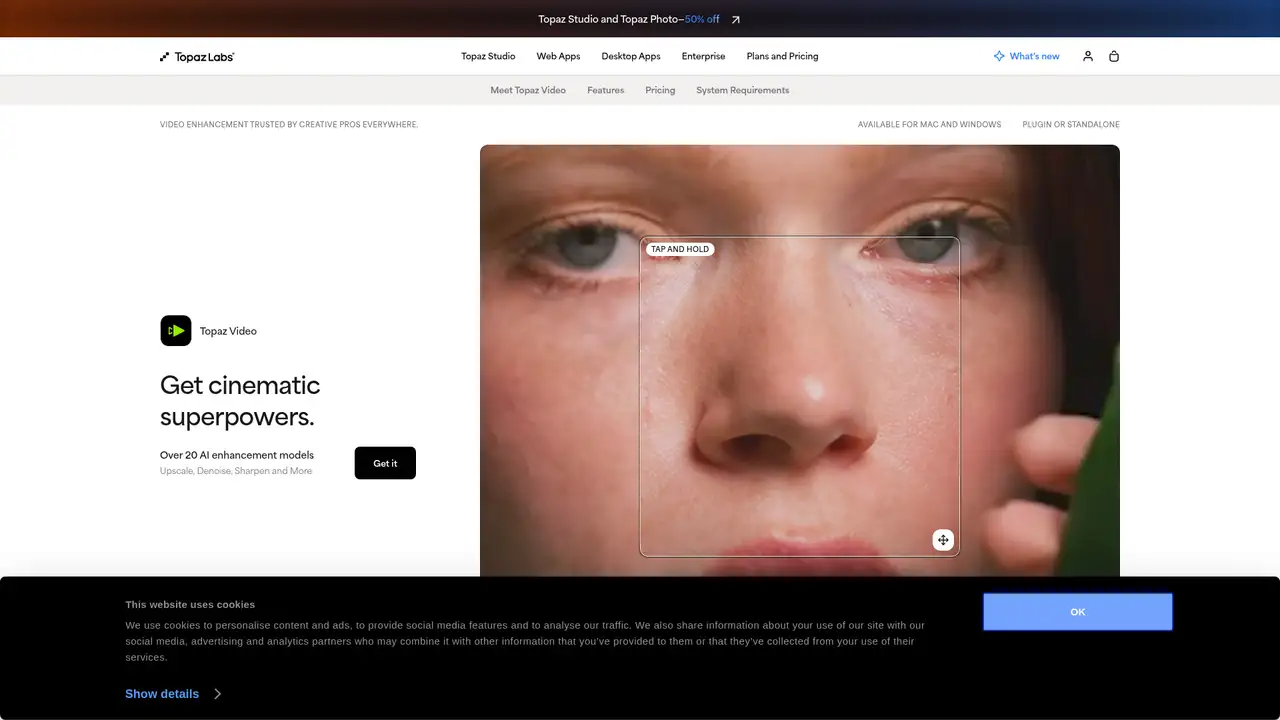
Topaz Video is a Windows and macOS desktop application from Topaz Labs for improving existing footage rather than replacing a general video editor. Its predecessor, Video AI, became a discontinued legacy product in September 2025, when Topaz introduced the new application through Topaz Studio. The change affects branding and licensing. Existing Video AI customers retain their purchased version, while the current application requires a subscription. Topaz does not publish a founding year, funding total, or user count on the cited product pages. The software targets restoration and finishing work, including footage needing enlargement, denoising, stabilization, or frame-rate conversion. It is best treated as a specialist processor before editing, color, sound, and delivery.
A typical workflow starts with importing a clip, choosing an enhancement model, setting the output resolution or frame rate, previewing a section, and rendering the result. Topaz lists workflows for upscaling, denoising, deinterlacing, stabilization, slow motion, frame interpolation, and SDR to HDR conversion. Available models include Proteus, Iris, Nyx, Rhea, Artemis, Gaia, Theia, Apollo, Chronos, Aion, Themis, and Starlight variants. Local rendering keeps source media on the computer, although diffusion models can take a long time with demanding footage. Cloud rendering is available through monthly video credits on listed plans. Editors will usually send rendered clips to Premiere Pro, DaVinci Resolve, or another non-linear editor for cutting, color, sound, and final delivery.
Topaz Video 1.0.0 launched in September 2025 with Nyx XL denoising, Starlight Sharp, a general enhancement preset, and live frame preview. Later documentation describes Starlight Precise 2.6, which replaced 2.5 in release 1.7.0 with three selectable sharpness levels, improved temporal consistency, and claimed local speed improvements of up to 15 percent. The current product page lists Starlight Precise, Starlight Mini, Proteus, Iris, Nyx, Rhea, Rhea XL, Artemis, Gaia, Theia, Apollo, Chronos, Aion, Themis, SDR to HDR, and stabilization. Topaz Video AI 7.1.5 is frozen and receives no new models. Topaz Video requires monthly authentication and one active computer, while the legacy license supports two computers and six months of offline use.
Topaz Video costs $59 per month, and the pricing page also presents a $299 annual payment option. The individual plan includes unlimited local rendering and 25 monthly video cloud credits, giving users a choice between local processing and metered cloud work. Credits expire at the end of each month and do not roll over, so cloud-heavy workflows need regular planning. Personal licensing permits commercial use for organizations below $1 million in annual revenue, while larger organizations require a Professional license. Topaz Studio costs $69 per month after its introductory period and includes all listed Topaz applications, unlimited local rendering, and 300 monthly video cloud credits. The pricing page does not list a free tier for Topaz Video, and legacy Video AI is no longer sold.
Topaz Video is narrower than DaVinci Resolve, Adobe Premiere Pro, or CyberLink PowerDirector because it concentrates on enhancement instead of timeline editing, color, audio, and delivery. It also needs capable hardware for demanding local models, while cloud credits add a separate usage constraint. Subscription access ends when the paid term expires, unlike a qualifying legacy Video AI license, which remains usable at its owned version. Starlight Precise has resolution, hardware, and render-time limits, and diffusion models are unsuitable for every damaged clip. Choose Topaz Video for dedicated restoration and new models, DaVinci Resolve for integrated editing and finishing, Premiere Pro for a broader professional timeline workflow, or PowerDirector for an all-in-one consumer suite.
Who is Topaz Video AI best for?
- Archivists restoring damaged, interlaced, or low-resolution footage.
- Filmmakers enlarging clips before final editing or delivery.
- Editors needing dedicated denoising, stabilization, and frame interpolation.
- Small organizations budgeting for specialized video enhancement.
Topaz Video AI Pricing (2026)
Pricing model: Paid. All prices in USD.
| Plan | Price | What you get |
|---|---|---|
| Topaz Video | $59/month or $299/year | Includes unlimited local rendering and 25 monthly video cloud credits. Credits expire monthly and do not roll over. |
| Topaz Studio | $69/month | Includes all listed Topaz applications, unlimited local rendering, and 300 monthly video cloud credits. |
Pros and Cons
Pros
- Offers specialized models for upscaling, denoising, interpolation, and restoration.
- Supports local rendering, keeping source footage off cloud servers.
- Includes diffusion models and SDR to HDR conversion.
- Legacy owners can continue using Video AI 7.1.5.
Cons
- The current application requires an active subscription.
- Cloud credits expire monthly and do not roll over.
- Advanced models can require long renders and substantial GPU resources.
Who should look elsewhere?
- Editors seeking a complete timeline-based video suite.
- Buyers requiring perpetual ownership of the latest version.
- Users lacking suitable hardware for demanding local models.
Technical Details
Frequently Asked Questions
Is Topaz Video AI still available?
Topaz Video AI is discontinued as a current product. Version 7.1.5, released October 2, 2025, is the final release, and existing perpetual owners can use their owned installer from the legacy section of their account. Topaz Video is the replacement application, but it is a separate subscription product and is not a free upgrade to the old license.
How much does Topaz Video cost?
Topaz Video costs $59 per month or $299 per year. The individual plan includes unlimited local rendering and 25 monthly video cloud credits. Credits expire monthly and do not roll over. Personal commercial use is limited to organizations below $1 million in annual revenue. Larger organizations require a Professional license for commercial use.
Is Topaz Video better than DaVinci Resolve?
They address different jobs. Topaz Video specializes in enhancement models for restoration, denoising, interpolation, enlargement, and HDR conversion. DaVinci Resolve is a complete editor with timeline, color, audio, and delivery tools. Use Topaz when repair quality is the priority, then send the result to Resolve for editing and finishing.
Does Topaz Video train on uploaded footage?
Topaz's privacy policy says it will not use submitted media to train its AI models without prior consent. It may use de-identified, aggregated, or synthetic data derived from media to improve algorithms. Cloud services may cache or store submitted content as needed to provide the service, enforce compliance, or resolve support issues.
Can Topaz Video be used commercially?
Personal licensing allows personal and commercial use for organizations below $1 million in annual revenue, subject to the license terms. Larger organizations need a Professional license. The Professional license permits lawful commercial use during the subscription term. Users remain responsible for rights to footage, music, and other source material.
Best Topaz Video AI Alternatives in 2026
These tools do the same job as Topaz Video AI, with different pricing, limits and trade-offs.