
Tella Review, Pricing & Alternatives (2026)
Screen recording that turns takes into polished, shareable videos
Last updated: October 26, 2026
What is Tella?
Tella is a screen recorder, browser editor, and hosted video service for demos, tutorials, launches, sales updates, and asynchronous communication. Founded in 2020, it joined Y Combinator’s Summer 2020 batch. Tella offers a seven-day Pro trial, then paid Pro, Premium, or custom Enterprise plans, with annual prices of $13 and $19 per user monthly respectively.
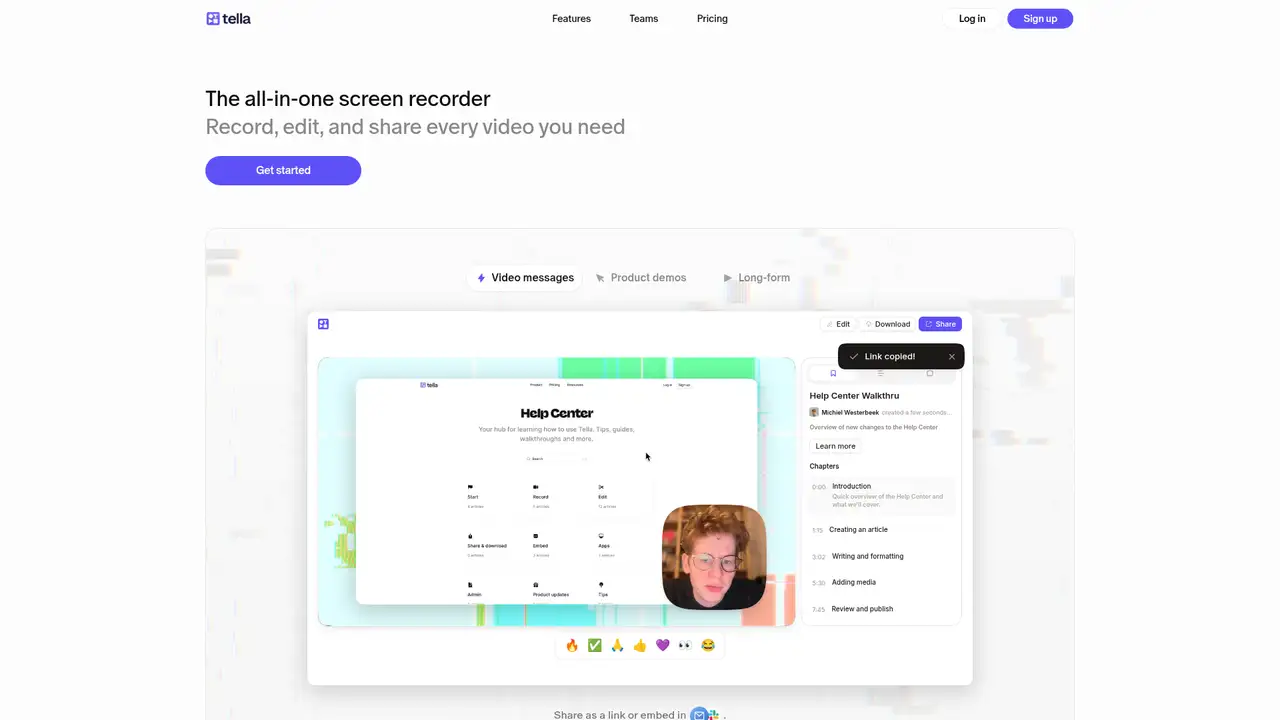
Tella is a screen recorder, hosted video service, and editor from an Amsterdam startup founded by Grant Shaddick and Michiel Westerbeek in 2020. The founders joined Y Combinator’s Summer 2020 batch, and YC lists seven team members. In April 2025, Shaddick announced a $2.1 million seed round led by Gradient, following earlier funding. Tella started as a collaborative browser video editor and now includes native Mac and Windows apps, a Chrome extension, and a web recorder. Its users include founders, marketers, educators, sales teams, and remote companies that need edited, shareable videos rather than raw captures. A seven-day free trial requires no card; afterward, existing videos remain viewable and shareable, but recording, editing, and exporting stop. Paid plans add storage, transcription, analytics, and advanced controls.
A typical workflow starts with a screen, camera, microphone, system audio, or multi-clip recording. Tella keeps screen and camera material adjustable in the editor, which supports trimming, splitting, transcript editing, captions, layouts, backgrounds, overlays, zooms, cursor effects, blur, highlights, and AI audio cleanup. Auto Cut removes silences, filler words, recording buffers, and detected mistakes. Auto Layouts changes screen and camera arrangements, while Auto Zoom creates editable zooms from clicks and cursor movement. Finished videos receive a hosted link and embeddable player, with analytics for views, unique viewers, watch time, and engagement. MP4 export reaches 4K, and Tella Transfer imports Loom libraries. A seven-day free trial needs no card; after expiry, existing videos remain viewable and shareable, but recording, editing, and exporting stop.
Tella uses a proprietary rendering engine intended to publish high-quality videos close to real time, according to reporting on its 2025 funding. Its product includes transcript-based editing, Studio Voice, automatic captions, an MCP server, and a public API, while the company says transcription supports 106 languages. September 2026 releases listed on Tella’s site added color filters,.cube LUT support, and a Blob camera style. AI agents use credits: Pro includes 3,000 monthly credits and Premium includes 6,000. The company publishes no claim that customer recordings train a general-purpose model. A seven-day trial requires no card, but recording, editing, and exporting stop after expiry. Pro costs $13 per user monthly when billed annually; Premium costs $19, and Enterprise pricing is custom.
Tella has no permanent free tier. Each new account receives a seven-day Pro trial without requiring a card. During the trial, most Pro features are available; after it expires, existing videos remain viewable and shareable, but recording, editing, and exporting stop unless you subscribe. Pro costs $26 per user monthly, or $13 per user monthly when billed annually, and includes unlimited recordings and storage, clips up to six hours, up to 4K recording, transcription in 106 languages, editing, sharing, analytics, and collaboration. Premium costs $39 monthly, or $19 annually, and adds features such as 4K playback, domain restriction, white-labeling, 60 FPS export, advanced analytics, and priority support. Enterprise pricing is custom and includes options such as SSO, SAML, SCIM, onboarding, volume discounts, and a SOC 2 Type II report under NDA.
The main limitation is the absence of a permanent free plan, alongside a six-hour limit per clip and no mobile app. A seven-day trial costs $0 and requires no card, but recording, editing, and exporting stop after expiry, while existing videos remain viewable and shareable. Pro costs $13 per user monthly when billed annually and includes unlimited recordings and storage, editing, hosting, analytics, and up to 4K recording. Loom is better for quick internal updates and Atlassian integrations, while Tella offers deeper visual editing and branded sharing. Screen Studio produces polished Mac-only recordings, and Descript suits broader text-led media editing. Regulated teams should review Tella’s privacy materials before recording sensitive content because hosted links and collaboration involve cloud processing.
Who is Tella best for?
- Product teams making polished demos without a conventional editor.
- Sales teams sharing hosted videos with viewer analytics.
- Educators producing tutorials with captions and layouts.
- Remote teams creating asynchronous video updates.
Tella Pricing (2026)
Pricing model: Freemium. All prices in USD.
| Plan | Price | What you get |
|---|---|---|
| Free trial | $0 for 7 days | Most Pro features for 7 days. No card is required. Existing videos remain viewable and shareable after expiry, but recording, editing, and exporting stop. |
| Pro | $13 per user/month billed annually; monthly amount not stated | Unlimited recordings and storage, up to six hours per clip, up to 4K recording, 106-language transcription, editing, sharing, and analytics. |
| Premium | $19 per user/month billed annually; monthly amount not stated | Advanced features, including items listed on the pricing page such as 4K playback, domain restriction, white-labeling, 60 FPS export, and priority support. |
| Enterprise | Custom | Custom solutions for specific requirements. The pricing page lists SSO, SAML, SCIM, shared Slack support, and a SOC 2 Type II report among enterprise-related options. |
Pros and Cons
Pros
- Screen and camera recordings can be edited together.
- Transcription covers 106 languages.
- Paid plans include unlimited storage.
- Mac, Windows, browser, Slack, MCP, and API options are listed.
Cons
- There is no permanent free plan.
- Each clip is limited to six hours.
- The company do not list a mobile app.
Who should look elsewhere?
- Teams requiring a permanent free plan.
- Creators needing a documented native mobile app.
- Teams requiring self-hosting or open-source licensing.
Technical Details
Frequently Asked Questions
How much does Tella cost?
Annual billing lists Pro at $13 per user monthly and Premium at $19 per user monthly. The published pricing text does not state monthly-billing dollar amounts. Enterprise pricing is custom. New accounts receive a seven-day trial, and Tella states that it has no forever-free plan.
Does Tella have a free plan?
Tella offers a seven-day free trial rather than a forever-free plan. The trial includes most Pro features. After the trial or a subscription ends, existing videos remain safe, viewable, and shareable, but recording, editing, and exporting require an active paid subscription.
Tella or Loom: which is better?
The published comparison presents Loom as stronger for quick internal updates and Atlassian tools. Tella is positioned for videos needing editing, Auto Cut, Auto Zoom, Auto Layouts, hosted sharing, viewer analytics, and cross-platform recording on Windows, Mac, and the web.
Does Tella train on user videos?
The published Tella product, pricing, and comparison texts describe recording, editing, transcription, AI features, and hosting. They do not state that customer recordings train a general-purpose model. Teams handling confidential material should review Tella’s current privacy terms before uploading recordings.
Can I use Tella videos commercially?
Tella’s published materials position the product for demos, launch videos, tutorials, sales updates, customer education, and team communication. Users remain responsible for rights to recorded software, music, images, voices, and other material. The company do not specify separate commercial-use licensing terms.
Best Tella Alternatives in 2026
These tools do the same job as Tella, with different pricing, limits and trade-offs.
Transcript-based audio and video editing with an AI co-editor

Async video messages with transcripts, AI summaries, and team workflows

Open source screen recording with local control and shareable links

Mac screen recordings with automatic zooms, framing, and polish