Petal Review, Pricing & Alternatives (2026)
A sourced AI workspace for researching your own documents.
Last updated: October 26, 2026
What is Petal?
Petal is a cloud workspace for academics and technical teams managing PDFs, references, annotations, citations, and collaborative analysis. It offers document chat, AI comparison tables, metadata tools, and citation export. The Free plan starts at $0 and includes 1 GB of storage, one seat, three guests, and 400 one-time AI credits, while paid tiers add storage and AI capacity.
Hunter Zhao and Chi began exploring knowledge management after Zhao’s graduate school reading overload. Their account says they tested ideas in 2016, built functional demonstrations in 2017, and formally created Petal in 2018, initially as Petal Reference Manager and formerly KaleidoGlobe. The founders’ backgrounds include Caltech and MIT, strategy consulting, full stack development, and computational science research. Petal’s official history presents a cloud based productivity product for academia that later extended toward corporate research and white label document analysis. Petal does not publish figures for funding, customers, employees or current scale. Petal is therefore best understood as an independently operated specialist service with stated academic and corporate research ambitions. Its identity centers on organizing source material, connecting evidence, and supporting analysis in one online workspace.
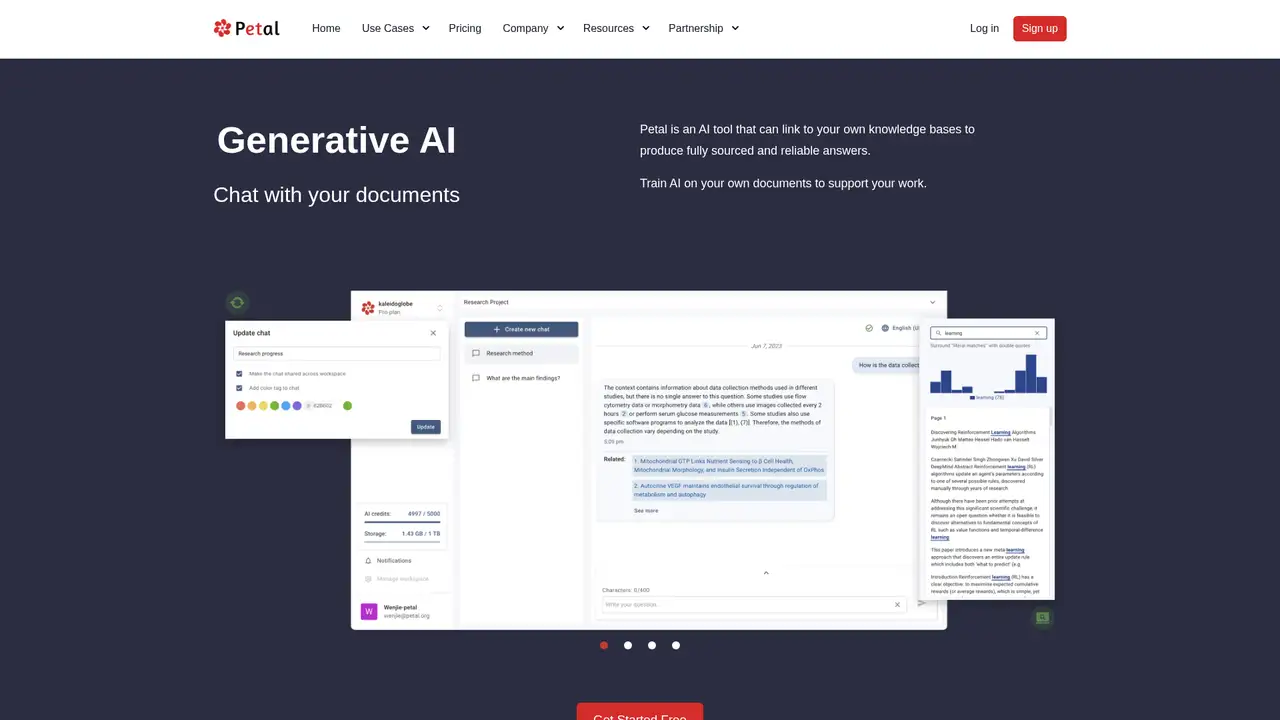
Petal’s workflow starts with uploading PDFs or organizing a library. The service extracts and validates metadata, removes duplicates, supports BibTeX import, and synchronizes documents in the cloud. Users can highlight, annotate, comment, share links, and search full text or metadata. Single document chat can explain or rephrase passages, while multi document AI tables compare papers against criteria users define, including outcomes, influences, or weaknesses. Citation Generator supports more than 10,000 styles and can copy citations or export BibTeX and Word files. Shared workspaces support collaborators, and corporate users can turn technical collections into a sourced internal expert. These features align with literature reviews, technical due diligence, and collaborative reading. The practical tradeoff is that the workflow keeps storage, reading, comparison, and citation tasks together online rather than separating them across tools.
Petal describes its AI as context aware generative AI grounded in uploaded knowledge bases, with answers linked to source documents. Its white label page identifies OpenAI as the language model provider and AWS servers for hosted storage and computation. The official reference manager page says there are no ads and no training. Product pages list AI Table, AI Create, single document chat, and multi document chat, although availability varies by plan. Petal also provides metadata extraction, deduplication, citation tools, cloud synchronization, and scientific document support. Petal names no current model version, general public API or dated 2025 or 2026 product update. Capability descriptions should therefore be read as product page claims. The hosted design supports synchronized research, while its cloud basis may matter to teams evaluating private, local, or offline work.
The Free plan costs $0 and includes 1 GB of storage, one seat, three guests, 400 one time AI credits, unlimited citation lists, two collections, three annotations per document, and single document chat. Multi document chat, AI Create, and AI Table have seven day trials, while citation export is excluded. Plus is listed at $2.55 per month with 2 GB, 400 monthly credits, citation export, unlimited collections and annotations, and AI Table. Advanced is listed at $8.49 per month with 10 GB, 1,200 monthly credits, priority support, and listed AI features. Premium is custom, with 25 GB and 2,000 monthly credits, while enterprise terms are custom. Petal does not publish annual billing terms. Buyers should confirm billing, credits, storage, add ons, and commercial conditions before purchase.
Compared with Zotero, Petal offers hosted AI comparison and document chat, while Zotero provides an open source desktop workflow and broad community extensions. Compared with Elicit, Petal emphasizes uploaded libraries, annotations, and reference management rather than discovery across the research web. Compared with NotebookLM, Petal offers citation manager functions and structured literature review tables, while NotebookLM supports source grounded notebook conversations. Petal is suited to researchers wanting one cloud library with AI assisted comparison and citation work. Zotero may fit users prioritizing local ownership, Elicit those prioritizing research discovery, and NotebookLM those wanting lightweight notebook discussions. Petal is not open source or self hosted, and Petal offers no public API by default. Academic literature reviewers, technical research and development teams, collaborative PDF analysts, and citation conscious researchers should pick Petal.
Who is Petal best for?
- Academic literature reviews
- Technical R&D teams
- Collaborative PDF analysis
- Citation-conscious researchers
Petal Pricing (2026)
Pricing model: Freemium. All prices in USD.
| Plan | Price | What you get |
|---|---|---|
| Free | $0 | 1 GB; 1 seat; 3 guests; 400 one-time credits; 2 collections; 3 annotations per document; advanced AI trials. |
| Plus | $2.55/month displayed rate | 2 GB; 1 seat; 3 guests; 400 monthly credits; unlimited collections and annotations; no multi-document chat or AI Create. |
| Advanced | $8.49/month displayed rate | 10 GB; 1 seat; 3 guests; 1,200 monthly credits; priority support; full listed AI features. |
| Premium | Custom | 25 GB; 1 seat; 3 guests; 2,000 monthly credits; priority support; full listed AI features; price not published. |
| Enterprise/white-label | Custom | Custom storage, seats, credits, access controls, hosting, and API terms; commercial installation options differ. |
Pros and Cons
Pros
- It combines reference management, document chat, annotations, and AI comparison.
- Answers are designed to remain tied to user-provided sources.
- The free plan supports meaningful testing without a payment card.
- Citation styles, metadata tools, and shared workspaces support research routines.
Cons
- Advanced AI usage is limited by monthly credit caps.
- Premium pricing is not publicly displayed.
- The hosted architecture may not suit confidential or offline-only work.
Who should look elsewhere?
- Fully local or offline libraries
- Broad web research discovery
- Teams requiring a public API by default
Technical Details
Frequently Asked Questions
How much does Petal cost?
Petal has a $0 Free tier, Plus at a displayed rate of $2.55 per month, Advanced at a displayed rate of $8.49 per month, and Premium with no published price. Enterprise and white-label arrangements are custom. The pricing page shows monthly plan rates but no annual billing terms. Buyers should confirm billing conditions, credits, storage, and add-on costs before purchase.
Is Petal free?
Yes. The Free plan includes 1 GB of cloud storage, one seat, three guests, 400 one-time AI credits, two collections, three annotations per document, unlimited citation lists, and single-document chat. Multi-document chat, AI Create, and AI Table are available as seven-day trials. Citation export is not included, and additional AI use can exceed the listed credit limit through add-ons.
How does Petal compare with Zotero or NotebookLM?
Petal combines cloud PDF storage, metadata, citations, annotations, and AI comparison in one workspace. Zotero offers an open-source desktop workflow and broad community extensions. NotebookLM focuses on source-grounded notebook conversations. Petal fits researchers who want structured reference work and document comparison together, while Zotero or NotebookLM may suit users prioritizing local control or quick notebook discussions.
Does Petal protect private research documents?
Petal’s product pages say documents synchronize securely, and the reference-manager page says there are no ads and no training. Its white-label page identifies AWS hosting and OpenAI as the language-model provider. These statements do not specify every retention, subprocessors, encryption, or residency detail. Organizations should review current contractual and security terms before uploading confidential research.
Can businesses use Petal commercially?
Yes. Petal markets corporate R&D use and offers enterprise and white-label arrangements. The white-label offer includes custom access controls, storage, credits, hosting, and API terms, with customer-facing embedding options. The individual plans do not establish every commercial-use right, service-level commitment, or data-residency option. Business buyers should obtain written terms covering deployment, support, security, and permitted use.
Best Petal Alternatives in 2026
These tools do the same job as Petal, with different pricing, limits and trade-offs.