
Microsoft Loop Review, Pricing & Alternatives (2026)
Shared Microsoft 365 pages with portable, synchronized components
Last updated: October 26, 2026
What is Microsoft Loop?
Microsoft Loop is a collaborative workspace and page app for teams using Microsoft 365, with pages, live components, and real-time editing across supported applications. Personal web access is free during public preview, while work access comes through eligible subscriptions. The lowest listed work entry is Microsoft 365 Business Basic at $7/user/month paid yearly from July 2026, although Loop workspace creation depends on storage and administrator policy.
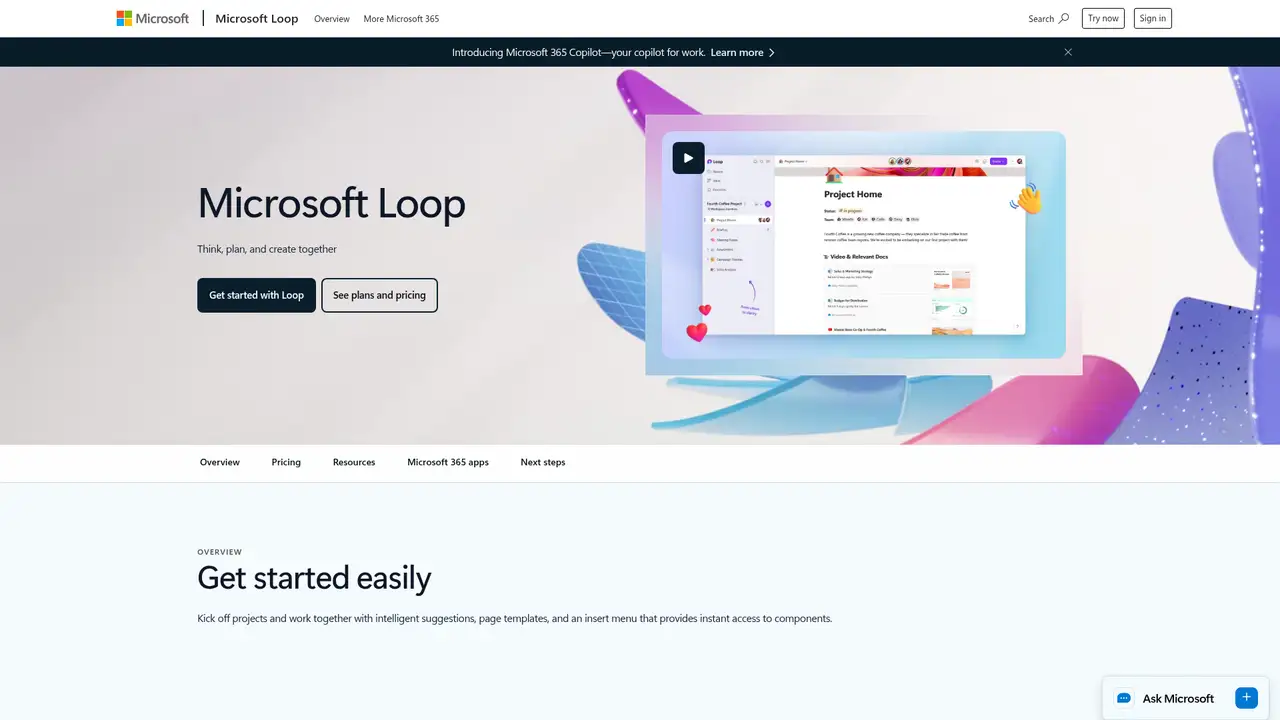
Microsoft Loop is a collaborative canvas from Microsoft, announced in public preview on March 22, 2023, and made generally available for commercial work accounts on November 15, 2023. It combines pages, workspaces, and synchronized components that can appear across Microsoft 365 applications. Users can create content in Loop and share components into supported Teams, Outlook, OneNote, Word, and Whiteboard contexts. Files and workspace content use Microsoft storage services, including OneDrive, SharePoint, or SharePoint Embedded, depending on the feature. Loop is better understood as a Microsoft 365 collaboration layer than as a standalone database or project-management suite. Its central distinction is portable content governed by surrounding Microsoft 365 permissions and tenant controls.
Loop begins with a workspace or page, then builds content from blocks such as text, lists, tables, tasks, dates, and mentions. People co-edit in real time and share individual components into supported Microsoft 365 locations. A typical meeting workflow starts with a shared page, adds an agenda, notes, decisions, and assigned tasks, then posts a synchronized component in Teams or Outlook. Copilot can draft, brainstorm, summarize, and generate or recap meeting notes, but it requires a separate license. Administrators manage creation and integrations through Cloud Policy and SharePoint PowerShell. This workflow suits teams that already use Microsoft 365 and want the same live content to appear in several applications without maintaining separate copies.
Copilot in Loop uses Microsoft 365 Copilot's hosted model stack, which Microsoft describes as evolving and incorporating current OpenAI models for Copilot offerings. Loop does not provide a user-selectable model or fixed model-version guarantee. Responses are grounded in permitted Microsoft 365, web, and work data according to the license and tenant permissions. Microsoft's late-2025 Copilot guidance says some integrations were removed from the Loop app while experiences were aligned with Copilot Pages, with restoration and upgrades planned. From February 2026, eligible work and school users can create workspaces when storage requirements are met, unless an administrator disables creation. OneNote for the web began retiring live Loop component insertion in September 2026, while Windows desktop retains the full component experience.
Personal Loop access is free while personal web access remains in public preview, and Microsoft publishes no Loop-only monthly or annual subscription. Personal users can create up to 250 workspaces, create up to 50 workspaces per day, and add up to 1,000 members to a workspace. Loop content counts against Microsoft cloud storage, and the former 5GB workspace cap was removed. Work and school access is bundled with eligible Microsoft 365 subscriptions, with availability depending on storage, license, environment, and administrator policy. From July 2026, Microsoft lists Business Basic at $7/user/month, Business Standard at $14, Business Premium at $22, Microsoft 365 E3 at $39, and Microsoft 365 E5 at $60, all paid yearly. These are suite prices, not Loop prices. Copilot requires a separate license.
Loop has fewer mature database views, formulas, relations, templates, embeds, and automation tools than Notion, while Coda offers deeper document databases and cross-application workflows. Google Docs and Drive provide mature document collaboration, and Confluence is stronger for structured knowledge management and Atlassian administration. Asana, Trello, and ClickUp offer deeper project controls, reporting, custom fields, dependencies, and automation. Loop also depends on Microsoft's cloud, tenant licensing, storage quotas, and administrator policies. Its integration story is narrower after the Word web retirement in 2025 and the OneNote web change in 2026. AI output requires review, especially when shared content crosses permission boundaries. Pick Loop if your team already uses Microsoft 365 and values synchronized collaboration over advanced databases or project management.
Who is Microsoft Loop best for?
- Microsoft 365 teams sharing live notes across Teams and Outlook.
- Meeting groups needing synchronized pages, tasks, and components.
- Organizations applying Microsoft 365 permissions and administration.
- Individuals wanting free personal collaborative pages during preview.
Microsoft Loop Pricing (2026)
Pricing model: Freemium. All prices in USD.
| Plan | Price | What you get |
|---|---|---|
| Personal | Free | Personal users can create up to 250 workspaces, create 50 workspaces per day, and add 1,000 members per workspace. |
| Microsoft 365 Business Basic | $7/user/month | Listed from July 2026 for annual payment. Loop access depends on storage requirements, account eligibility, and administrator policy. |
| Microsoft 365 Business Standard | $14/user/month | Listed from July 2026 for annual payment. The suite includes Microsoft Loop, with storage and tenant controls applying. |
| Microsoft 365 Business Premium | $22/user/month | Listed from July 2026 for annual payment. The suite includes Microsoft Loop, with storage and tenant controls applying. |
| Microsoft 365 E3 | $39/user/month | Listed from July 2026 for annual payment. Loop access and workspace creation remain subject to storage and tenant policy. |
| Microsoft 365 E5 | $60/user/month | Listed from July 2026 for annual payment. Loop access and workspace creation remain subject to storage and tenant policy. |
| Copilot in Loop | Separate Microsoft Copilot license | Microsoft publishes suite and Copilot prices rather than a Loop-specific price or per-prompt quota. |
Pros and Cons
Pros
- Components stay synchronized across supported Microsoft 365 applications.
- Real-time pages combine notes, tasks, lists, dates, and mentions.
- Microsoft 365 permissions and administration apply to stored content.
- Personal access is available at no cost during public preview.
Cons
- Loop has fewer database views, formulas, templates, and embeds than Notion.
- Copilot requires a separate Microsoft license and has changing integrations.
- Cloud storage, tenant policy, and Microsoft 365 licensing shape access.
Who should look elsewhere?
- Teams needing mature relational databases, formulas, and many views.
- Organizations seeking self-hosted collaboration software.
- Project groups requiring advanced reporting, automation, and dependencies.
Technical Details
Frequently Asked Questions
How much does Microsoft Loop cost?
Microsoft Loop has no separately published Loop-only annual or monthly price. Personal web access is free while it remains in public preview. Work access comes through eligible Microsoft 365 subscriptions, including Business Basic at $7/user/month paid yearly from July 2026. Copilot in Loop requires a separate Microsoft Copilot license. Subscription pricing can vary by commitment, market, and renewal date.
Is Microsoft Loop free?
Personal Loop access is free while personal web access remains in public preview. Personal limits include 250 workspaces per user, 50 workspace creations per day, and 1,000 members per workspace. Work and school users need an eligible Microsoft 365 subscription, and administrators can control workspace creation. Personal Microsoft 365 subscriptions do not provide Copilot in Loop.
Microsoft Loop vs Notion: which is better?
Loop fits teams already using Microsoft 365 because components can be shared across supported Teams, Outlook, OneNote, Word, and Whiteboard contexts. Notion offers richer databases, views, formulas, templates, community resources, and third-party embeds. Choose Loop for Microsoft-native collaboration and Notion for broader workspace structure, database features, and independent product administration.
Does Microsoft use Loop content to train its AI models?
Microsoft says Copilot prompts, responses, and citations are stored as interaction history, encrypted at rest, and handled under Microsoft 365 controls. It also says these interactions are not used to train foundation language models. Existing permissions, sensitivity labels, retention, data-loss prevention, and tenant policies still apply. Customers remain responsible for access settings and reviewing AI output.
Can businesses use Microsoft Loop commercially?
Commercial work-account use is an intended Microsoft Loop scenario through eligible Microsoft 365 subscriptions. Organizations can apply tenant permissions, Cloud Policy, SharePoint administration, retention, data-loss prevention, and related Microsoft 365 controls. Microsoft says customers remain responsible for permissions and compliance decisions. Personal Loop access has separate preview and storage terms, so business users should use work accounts.
Best Microsoft Loop Alternatives in 2026
These tools do the same job as Microsoft Loop, with different pricing, limits and trade-offs.
Connected docs, projects, databases, and AI for teams
AI assistance for pages, search, meetings, and recurring work

Collaborative docs that combine writing, tables, formulas, and automation
Team wiki and documentation space with Rovo AI, databases and whiteboards

AI assistance across tasks, docs, projects, search, and meetings