Meshy Review, Pricing & Alternatives (2026)
Hosted AI tools for turning text and images into usable 3D assets.
Last updated: October 26, 2026
What is Meshy?
Meshy is a hosted 3D generation workspace for artists, game developers, and 3D printing hobbyists. It turns text and images into downloadable assets, then adds texturing, rigging, animation, plugins, and API workflows. The free plan includes 100 monthly credits, while the published pricing page lists Pro at $20 and Studio at $70.
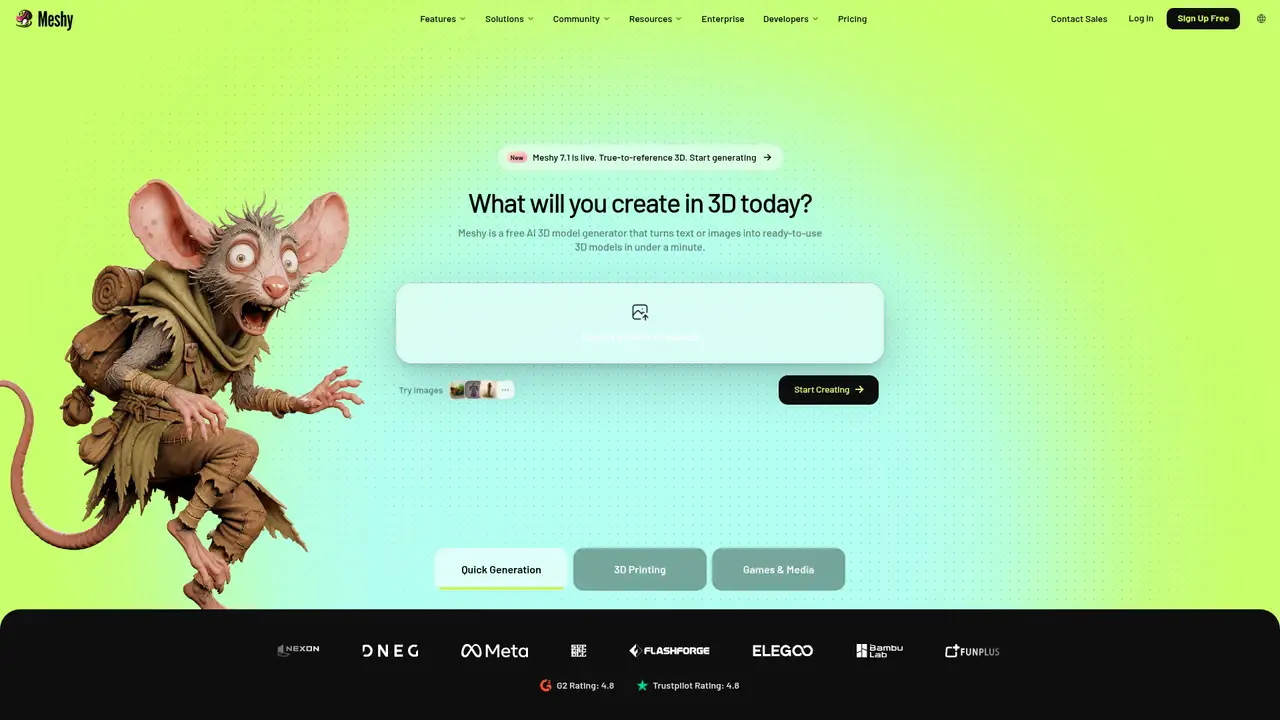
Meshy is a hosted 3D generative AI toolbox for artists, game developers, and 3D printing hobbyists. Its web app turns text, single images, or multi-view images into assets, then adds AI texturing, remeshing, smart topology, rigging, animation, text-to-motion, and printing support. Texturing accepts one FBX, OBJ, STL, GLTF, or GLB model up to 100 MB, while generated models can be downloaded in FBX, OBJ, USDZ, GLB, STL, or BLEND formats. Paid plans connect to Roblox, Blender, Godot, Unity, Unreal, Maya, and 3ds Max, while the developer platform adds keys, logs, webhooks, monitoring, and JSON responses. For users needing browser-based creation, exports, plugins, and API access, Meshy is worth considering, but credit limits, unclear higher-tier pricing, and licensing differences warrant review before subscribing.
A typical Meshy job starts with a text prompt or reference image, and generation uses credits once processing begins. Text-to-3D and image-to-3D models can be downloaded as FBX, OBJ, USDZ, GLB, STL, or BLEND files. AI Texturing accepts one FBX, OBJ, STL, GLTF, or GLB model per upload, with a 100 MB limit in the web app. After creating or uploading a model, users can apply remeshing, Smart Topology, rigging, animation, texturing, or 3D-printing workflows. Credit use varies by model and settings, while failed generations are not charged and canceled tasks receive refunds. Meshy’s Developer Platform includes a Playground, request monitoring, logs, API-key controls, raw JSON responses, and copied cURL, Python, and JavaScript examples. Webhooks report status changes without repeated polling, moving tasks from PENDING to SUCCEEDED.
Meshy 7.1 launched on September 10, 2026, as an upgrade to Meshy 7, adding Ultra 4K geometry generation at 4096³ rather than 2048³. Meshy says this setting can produce raw meshes with up to 80 million triangles before simplification, which gives the release a clear focus on fine geometric detail. In Meshy’s published Detail Richness benchmark, the model scored higher than Tripo 3.1, Hunyuan3D 3.1, Rodin 2.5, and Hi3D 3.0 at 1024, 2048, and 4096 render resolutions. Those results come from Meshy’s own testing and are not independent verification. Documentation also shows a capability difference: the web app does not list Meshy 7.1 for Text to 3D, while API pricing lists it for Text to 3D Preview. Developers should also note that the legacy lowpoly API model is scheduled for retirement on October 30, 2026.
Meshy uses credits rather than unlimited generation, so output volume depends on both the plan and the selected model or options. The Free plan provides 100 credits per month, one concurrent task, low queue priority, basic AI features, and a CC BY 4.0 license permitting commercial use with attribution. Pro is listed at $20 and provides 1,000 monthly credits, up to 100 assets, high queue priority, 60% faster generation, four free retries per web-app task, unlimited model downloads, animation with more than 600 motions, and full DCC Bridge access. Premium lists 3,000 monthly credits, while Ultra lists 8,000, but their numeric prices and billing periods are not clearly preserved. Studio is listed at $70 with 5,500 shared credits and up to 550 assets. Generation examples range from 10 to 25 credits, and failed tasks are not charged.
Meshy’s main constraints are hosted processing, credit consumption, free-plan attribution, and a 100 MB web texturing upload limit that applies to one model at a time. Free accounts receive 100 monthly credits, one concurrent task, low queue priority, and access to basic features, while paid tiers add higher limits, downloads, animation, DCC Bridge support, and commercial ownership without attribution. Free API access is restricted to Image to 3D through a built-in testing key, whereas paid plans provide keys, dashboards, logs, and monitoring tools. Meshy does not document open-source models, self-hosting, or on-premises deployment. Tripo, Rodin, Hunyuan3D, and Hi3D are named alternatives in Meshy’s internal comparison, though those results are not independently verified. Choose Meshy if one hosted workspace should take a concept through texturing, animation, plugins, export, or automated API production.
Who is Meshy best for?
- Game teams generating and refining 3D assets.
- Artists moving from reference images to downloadable models.
- Creators needing Blender, Unity, or other DCC bridges.
- Teams automating generation through asynchronous API tasks.
Meshy Pricing (2026)
Pricing model: Freemium. All prices in USD.
| Plan | Price | What you get |
|---|---|---|
| Free | $0/month | 100 monthly credits, one concurrent task, low queue priority, basic AI features, and CC BY 4.0 attribution licensing. |
| Pro | $20 | 1,000 monthly credits, up to 100 assets, faster generation, retries, unlimited downloads, animation, and DCC Bridge access. |
| Premium | Custom | 3,000 monthly credits, paid-plan commercial use, and private output ownership. |
| Ultra | Custom | 8,000 monthly credits, paid-plan commercial use, and private output ownership. |
| Studio | $70 | 5,500 shared credits, team management, centralized billing, 14-day API asset retention, usage console, and 3D Agent access. |
| Enterprise | Custom | Custom credits, 100 concurrent tasks, full API access, SAML SSO, support, and configurable data retention. |
Pros and Cons
Pros
- Meshy covers generation, texturing, rigging, animation, and export.
- Meshy 7.1 adds an Ultra 4K image-to-3D mode.
- Paid plans include DCC bridges and commercial output ownership.
- The API supports webhooks, logs, keys, and request monitoring.
Cons
- Free outputs require CC BY 4.0 attribution.
- Premium and Ultra prices are not clearly published.
- Generation credits can disappear across separate workflows.
Who should look elsewhere?
- CAD workflows requiring exact engineering dimensions.
- Organizations requiring local or self-hosted processing.
- Teams expecting production-ready topology without review.
Technical Details
Frequently Asked Questions
How much does Meshy cost?
Meshy has a free plan with 100 monthly credits. The pricing page lists Pro at $20 and Studio at $70, while Premium and Ultra do not have clear numeric prices in the published plan details. Enterprise uses a custom contract. Generation also consumes credits according to the selected model and options, with documented examples ranging from 10 to 25 credits.
Does Meshy have a free plan?
Yes. Free includes 100 credits per month, one concurrent task, low queue priority, and basic AI features. Outputs use a CC BY 4.0 license, which allows commercial use when attribution is provided. Free API access is limited to Image to 3D through a built-in testing key. Free users cannot create or manage their own API keys, usage dashboards, or request logs.
How does Meshy compare with Tripo?
Both services generate 3D assets from prompts or images. Meshy adds texturing, remeshing, rigging, animation, printing workflows, DCC bridges, and an asynchronous API in the same product. Meshy reports stronger Detail Richness for Meshy 7.1 than Tripo 3.1 in its own benchmark. That comparison reflects Meshy's testing method rather than an independent assessment.
Does Meshy train on user data?
Meshy says web-app data is stored with Amazon Web Services in the United States and will not be shared or used for training without user consent. Paid plans describe outputs as private, while Studio and Enterprise publish specific API retention terms. Studio lists 14-day API asset retention, and Enterprise lists forever API asset retention. Those terms apply to their stated workflows.
Can Meshy assets be used commercially?
Yes, with different licensing conditions. Free outputs use CC BY 4.0, so commercial use requires attribution. Pro, Premium, Ultra, Studio, and Enterprise outputs are described as private and include commercial use with user ownership. API credits, model availability, output settings, and plan terms can affect a project, so commercial teams should retain the terms associated with their subscription.
Best Meshy Alternatives in 2026
These tools do the same job as Meshy, with different pricing, limits and trade-offs.