
Lex Review, Pricing & Alternatives (2026)
An AI word processor for drafting, editing, and context-aware feedback
Last updated: October 22, 2026
What is Lex?
Lex is a browser-based AI word processor combining documents, collaboration, chat, inline Checks, model selection, and reusable context tags. It fits writers who want editorial help inside drafts, especially researchers, academics, and content teams. Existing accounts continue working, but Lex is not accepting new customers; published Pro prices were $18 monthly or $12 monthly annually.
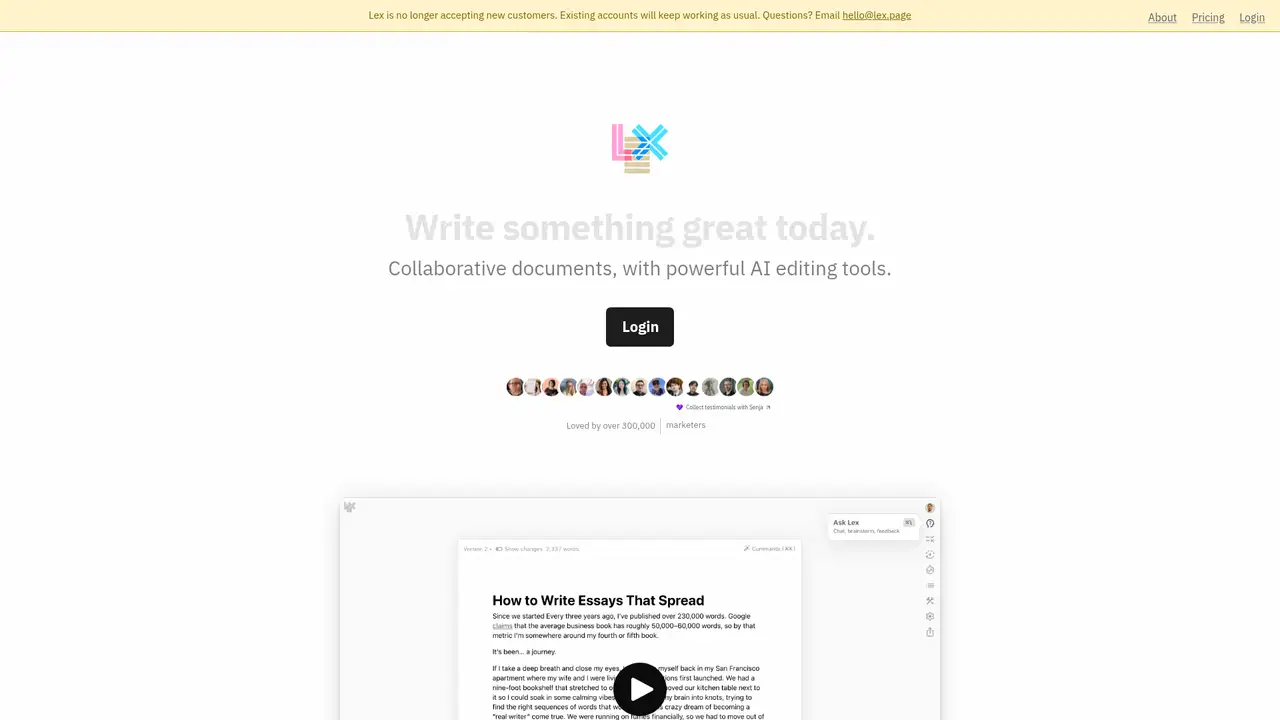
Lex is an AI-focused word processor founded by Nathan Baschez and spun out of Every. TechCrunch reported a $2.75 million seed round led by True Ventures on August 23, 2023, after Lex attracted about 25,000 sign-ups during its first day. Lex’s 2024 annual letter reported 47,000 users making 15 million edits across 400,000 documents, alongside more than 14 trillion language-model tokens processed. The product targets substantial writing and revision rather than standalone text generation. It combines a document editor with AI assistance, comments, shared documents, folders, and model selection. Its current pricing page says Lex is no longer accepting new customers, which materially changes its usefulness for new buyers while existing accounts continue working. Lex remains positioned around AI-assisted writing inside an integrated word-processing workspace.
Lex’s workflow keeps drafting, reference material, conversation, and revision in one browser-based writing environment. Users can write documents, collaborate through comments and sharing, open Ask Lex, attach files or PDFs, and request ideas, counterarguments, rewrites, summaries, or feedback on selected text. Context tags collect reusable background information from files, URLs, Lex documents, and folders, then let users add that material to chats when needed. The 2024 annual letter describes context tags as buckets of reusable information that can be shared across teams, allowing one person to maintain reference material for others. Checks provide inline suggestions, including a Brevity Check, while folders organize documents and shared work. The workflow is aimed at writers who want AI to support judgment, editing, research, and iteration rather than replace authorship.
Lex’s model selector supports models from OpenAI, Anthropic, TogetherAI, Perplexity, Google, Mistral, and Meta according to its model guide, with availability varying by account and tier. The guide dated April 24, 2025 lists GPT-4.1 as the Pro recommendation and GPT-4.1 mini as the free recommendation, while Lex’s token guide describes context limits and usage costs by model. Lex announced Lex V2 on April 3, 2025, describing five major releases and showing a redesigned start page; the same announcement references voice-to-text in Ask Lex. The pricing page says Pro includes premium models, early feature access, the iOS app, and priority email support. Lex also says it uses enterprise APIs and does not train language models on user writing.
Lex published a Free tier at $0 with free models and limits on Ask Lex messages, Checks, and custom prompts, although the current page does not publish a complete numerical quota. Lex Pro was published at $18 per month when paid monthly or $12 per month when billed annually. Pro includes premium models, early feature access, priority support, and high usage limits; Lex says overage credits may be available at cost. Lex Teams was published at $8 per user per month when paid monthly or $5 per user per month when billed annually. Teams adds unlimited group folders, shared templates, shared prompts, and team collaboration. These prices are for existing accounts because Lex says it is no longer accepting new customers.
Lex’s main caveat is availability: new customers cannot subscribe according to the current pricing page, while existing accounts continue working. The free plan’s complete numerical limits are not publicly stated, and Pro usage limits are described as generous rather than given as a fixed quota. Lex’s privacy notice says it collects documents, comments, chat inputs, assistant outputs, account information, usage information, and related metadata. Its terms grant Lex a license to operate the service and provide personalized suggestions, while stating that uploaded content is not used to train its models. Google Docs, ChatGPT, and Grammarly are named direct competitors, with Notion AI, Hemingway Editor, and Writer also relevant alternatives. Existing Lex users should pick it when integrated document editing and reusable context matter most.
Who is Lex best for?
- Existing Lex users who want model-assisted editing inside documents.
- Researchers who reuse style guides, notes, links, and reference files.
- Writers who prefer chat and inline feedback over generic text generation.
- Small groups sharing documents, folders, templates, and prompts.
Lex Pricing (2026)
Pricing model: Freemium. All prices in USD.
| Plan | Price | What you get |
|---|---|---|
| Free | $0 | Free models with limited Ask Lex messages, Checks, and custom prompts. The current pricing page does not publish a complete numerical quota. |
| Lex Pro | $18/month month to month, or $12/month billed annually | For existing accounts. Includes premium models, early feature access, priority email support, and high usage limits; overage credits may be available at cost. |
| Lex Teams | $8/user/month month to month, or $5/user/month billed annually | For existing accounts. Adds unlimited group folders, shared templates, shared prompts, and team collaboration. |
Pros and Cons
Pros
- Context tags let recurring research and style instructions follow a project.
- Ask Lex combines document-aware chat with inline Checks.
- The model selector offers providers beyond a single AI vendor.
- Lex says user content is not used to train its models.
Cons
- Lex is no longer accepting new customers.
- The current free quotas are not fully published numerically.
- The privacy notice permits collection of documents and AI conversations.
Who should look elsewhere?
- New customers seeking an available subscription today.
- Writers who need a documented public API.
- Teams requiring a full enterprise administration and compliance suite.
Technical Details
Frequently Asked Questions
How much did Lex Pro cost?
Lex published Pro at $18 per month when paid monthly, or $12 per month when billed annually. The current pricing page says Lex is no longer accepting new customers and describes the pricing information as applying to existing users. Teams was published separately at $8 per user monthly or $5 per user monthly when billed annually.
Does Lex have a free plan?
Yes. Lex published a free account with free AI models and limits on Ask Lex messages, Checks, and custom prompts. The current pricing page does not give a complete numerical free quota. Existing accounts continue working, but the same page says Lex is no longer accepting new customers.
What is Lex’s closest competitor?
Google Docs is a close alternative for browser-based document creation and collaboration, while ChatGPT is a close alternative for general AI writing assistance. Lex’s editorial fit comes from placing AI chat, inline Checks, folders, and reusable context tags in one writing workspace. The closest choice depends on whether document workflow or general conversation matters more.
Does Lex train on user writing?
Lex’s pricing FAQ says it uses OpenAI, Anthropic, and TogetherAI through enterprise APIs and does not train language models on user writing. Its terms say uploaded User Content is not used to train its models. Its privacy notice still says Lex collects uploaded content and AI conversations to operate the service and may share prompts with an AI provider.
Can I use Lex output commercially?
Lex’s terms say that, between the user and Lex, the user retains rights in generated Output and Lex assigns its rights in that Output to the user, subject to the terms. The user remains responsible for rights in uploaded material and compliance with applicable law. Model-provider restrictions and third-party rights can still affect a particular project.
Best Lex Alternatives in 2026
These tools do the same job as Lex, with different pricing, limits and trade-offs.
General-purpose AI assistance for writing, research, coding, and work

Writing assistance across the apps you use every day

Readability-focused editing with optional AI rewrites and grammar fixes
AI assistance for pages, search, meetings, and recurring work

Enterprise AI agents built around Palmyra models and governed workflows