
Grammarly Review, Pricing & Alternatives (2026)
Writing assistance across the apps you use every day
Last updated: October 22, 2026
What is Grammarly?
Grammarly is an AI writing assistant for individuals, teams, and organizations. It checks grammar and tone, rewrites sentences, detects plagiarism and AI-generated text, and adds team controls. The Free plan costs $0, while Pro starts at $12 per member per month with annual billing. Enterprise pricing is available through sales.
Grammarly is a writing-assistance product made by Superhuman, the company formerly known as Grammarly. The company says Grammarly was founded in 2009 and serves more than 40 million people and 50,000 organizations. On October 29, 2025, it announced a name change to Superhuman while retaining Grammarly, Coda, Mail, and Superhuman Go as products in the broader suite. Grammarly therefore remains focused on writing support rather than becoming a separate foundation-model vendor. In May 2025, the company announced $1 billion in growth financing from General Catalyst and said revenue had exceeded $700 million. It also announced Coda’s acquisition in January 2025 and an agreement to acquire Superhuman in July 2025, placing Grammarly inside a larger product family.
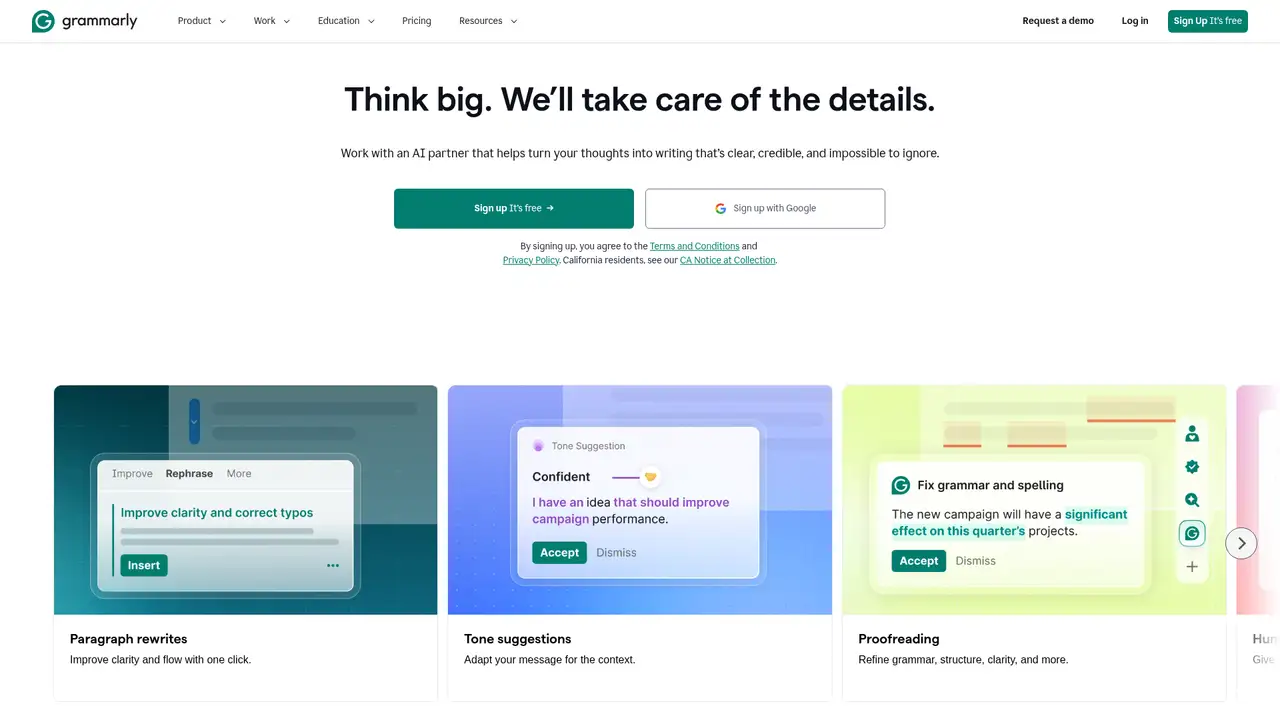
Grammarly works inside supported applications, websites, browsers, and documents. A typical session involves writing text, reviewing inline spelling and grammar suggestions, and applying recommendations for tone, clarity, fluency, inclusive language, or citation consistency when the plan supports those capabilities. Pro adds full-sentence rewrites, tone adjustment, plagiarism detection, and AI-generated-text detection. Team features include style guides, brand tones, knowledge sharing, snippets, and analytics, helping organizations make writing more consistent. Grammarly says the product works across more than 1 million applications and websites. Docs provides a dedicated writing space, while newer agents can help users draft, revise, research, and receive audience feedback without opening a separate application. This broad coverage is central to its everyday writing-assistance approach.
Grammarly does not identify one foundation model as the product’s underlying engine. Instead, it describes a platform combining its writing systems with proprietary and third-party AI agents. The 2025 rebrand introduced Superhuman Go, context-aware agents, and an agent store, followed by specialized writing agents in August 2025. The company’s 2026 release feed lists an AI Rewriter Agent update on January 6, an AI Detector Agent update on February 23, partner agents for Go on March 10, and expanded Authorship on April 30. Grammarly also lists Docs, paragraph rewrites in Spanish, French, Portuguese, German, and Italian, plus translation support for Mandarin, Japanese, Indonesian, and Turkish. These details describe a growing collection of writing and language capabilities rather than one disclosed model.
The Free plan costs $0 and includes spelling and grammar assistance, tone visibility, and 100 AI prompts per month. Pro costs $12 per member per month with annual billing, or $144 per member per year, provides 2,000 prompts per member each month, and supports up to 149 seats. Monthly billing costs $30 per member, while quarterly billing costs $60 per member every three months. Pro adds rewriting, tone adjustment, fluency assistance, plagiarism detection, AI-generated-text detection, and selected team features. Enterprise uses sales-based pricing and includes unlimited prompts per member, unlimited members, dedicated support, BYOK encryption, confidential mode, data loss prevention, SSO, and administrative controls. The tier structure therefore ranges from basic assistance to broader organizational governance and security.
The main limitation is the need to allow an AI service into many writing contexts. For individual accounts, Product Improvement and Training is enabled by default, although users can opt out. Microsoft Editor and Copilot fit organizations centered on Microsoft 365, while Google Docs with Gemini fits teams working mainly in Google Workspace. LanguageTool and ProWritingAid focus more narrowly on correction and style assistance. Grammarly is a strong choice for people who want correction, rewriting, tone guidance, detection features, and broad application coverage in one service. However, organizations should review account controls and content policies before using it for confidential work. Users seeking an open-source or self-hosted checker may also find Grammarly unsuitable, since the profile identifies it as neither.
Who is Grammarly best for?
- Writers who want grammar and tone help across many applications.
- Teams that need shared style guides, brand tones, snippets, and analytics.
- Professionals who want full-sentence rewrites alongside proofreading.
- Organizations that need administrative controls for a widely used writing assistant.
Grammarly Pricing (2026)
Pricing model: Freemium. All prices in USD.
| Plan | Price | What you get |
|---|---|---|
| Free | $0 | Includes spelling and grammar assistance, tone visibility, and 100 AI prompts per month. |
| Pro | $12/member/month annual; $30/member/month monthly; $60/member/3 months quarterly | Includes 2,000 AI prompts per member per month and supports 1 to 149 seats. Annual billing costs $144 per member per year. |
| Enterprise | Contact sales | Includes unlimited prompts per member and unlimited members, plus enterprise security, administrative controls, dedicated support, and confidential mode. |
Pros and Cons
Pros
- Grammarly provides writing assistance across more than 1 million applications and websites.
- Pro combines rewriting, tone adjustment, plagiarism detection, and AI-generated-text detection.
- Team features include style guides, brand tones, knowledge sharing, snippets, and analytics.
- Enterprise includes BYOK encryption, confidential mode, DLP, SSO, and administrative controls.
Cons
- Pro limits AI generation to 2,000 prompts per member per month.
- Individual training and product-improvement use is enabled by default until the user opts out.
- Grammarly offers no broad standalone warranty for copyright ownership of AI-generated text.
Who should look elsewhere?
- Organizations that prohibit default product-improvement and training settings for individual accounts.
- Users seeking an open-source or self-hosted writing checker.
- Teams working exclusively inside Microsoft 365 or Google Workspace.
Technical Details
Frequently Asked Questions
How much does Grammarly cost?
Grammarly Free costs $0. Pro costs $30 per member per month with monthly billing, $60 per member every three months with quarterly billing, or $144 per member per year with annual billing. The annual price averages $12 monthly. Enterprise pricing is available through sales. Regional checkout prices can appear in euros, pounds, or rupees.
Does Grammarly have a free plan?
Yes. Grammarly Free costs $0 and includes spelling and grammar assistance, tone visibility, and 100 AI prompts per month. It excludes Pro features such as full-sentence rewrites, plagiarism detection, AI-generated-text detection, and the 2,000-prompt allowance. Grammarly also sells Pro and Enterprise plans for more advanced writing and organizational controls.
How does Grammarly compare with Microsoft Editor?
Grammarly works across more than 1 million applications and websites and combines correction with rewriting, tone adjustment, plagiarism detection, AI-generated-text detection, and team style controls. Microsoft Editor and Copilot fit organizations centered on Microsoft 365. The better choice depends on application coverage, existing subscriptions, and administrative requirements.
Does Grammarly train on user content?
For individual accounts, Product Improvement and Training is enabled by default, but users can opt out. After it is disabled, Grammarly says content is not used for model training or product improvement, although non-content usage statistics may still be used. Vetted language-model providers can process prompts to provide features and are not allowed to train on user content. Enterprise training is off by default.
Can Grammarly-generated text be used commercially?
Grammarly supports professional and organizational writing, including workplace use of Pro and Enterprise accounts. Its published information does not provide a broad standalone copyright warranty or general AI-output indemnity. Users remain responsible for reviewing generated text, respecting third-party rights, protecting confidential information, and following applicable customer or enterprise terms before commercial use.
Best Grammarly Alternatives in 2026
These tools do the same job as Grammarly, with different pricing, limits and trade-offs.