
Formula Bot Review, Pricing & Alternatives (2026)
AI data analysis for spreadsheets, files, dashboards, and recurring workflows
rebranded: Renamed Better Analyst, public transition visible by September 30, 2026; old Formula Bot URLs redirect.
Last updated: October 26, 2026
What is Formula Bot?
Formula Bot, now Better Analyst, is an AI data-analysis workspace for individuals and teams working with spreadsheets, files, connected sources, dashboards, and recurring reports. It has a free plan, while paid access starts at $20 per month or $14 per month with annual billing. The service is better suited to broader analysis workflows than formula generation alone.
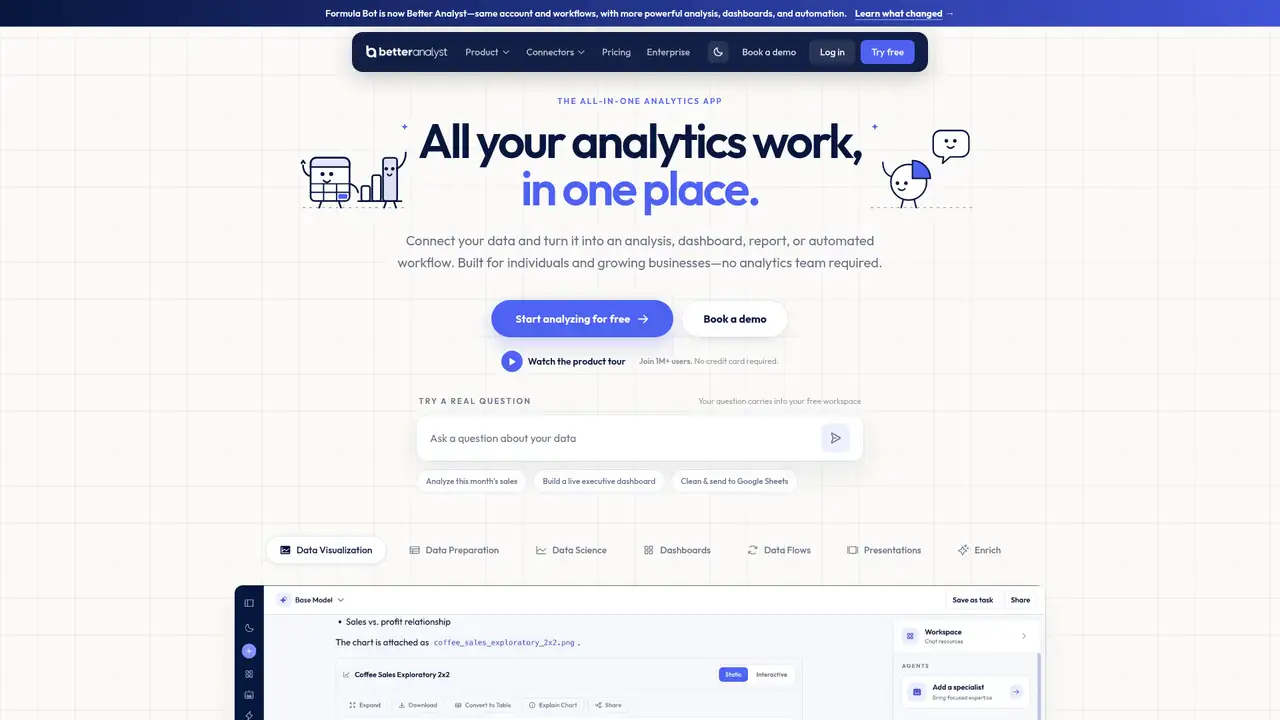
Formula Bot was the historical name of an AI spreadsheet assistant operated by Datasetmatch LLC. It has been rebranded as Better Analyst, with the public transition visible by September 30, 2026, and old Formula Bot links redirecting to the newer service. Accounts, files, conversations, dashboards, and workflows remain available after the transition. The product has expanded beyond formula creation into an AI data-analysis workspace for individuals and growing businesses. Its published positioning covers spreadsheet work, reports, dashboards, data preparation, data science, presentations, and automated workflows. The company says the service has a spreadsheet-focused user base. Formula Bot should therefore be understood as the former product name, while Better Analyst is the current operating brand and destination.
A typical workflow begins with a question about an uploaded file or connected source. Better Analyst can return written analysis and charts, show the SQL or Python behind an answer, and support follow-up questions. Users can build dashboards, reports, presentations, spreadsheet formulas, and data enrichments that classify, extract, translate, or score table rows. The service also supports PDF-to-Excel extraction, knowledge bases, projects, scheduled tasks, alerts, and Data Flows. Connectors listed by the company include Google Analytics, Google Search Console, Google Sheets, BigQuery, Snowflake, PostgreSQL, Microsoft SQL Server, Airtable, Power BI, Tableau, Google Drive, Dropbox, OneDrive, SharePoint, MySQL, Supabase, and Excel. Data Flows can refresh data and write results to Google Sheets or supported databases.
Better Analyst publishes a workflow built around conversational analysis, generated charts, isolated code execution, dashboards, scheduled reports, alerts, and connected data. Its current privacy materials identify OpenAI, Anthropic, and Google as AI providers, E2B isolated sandboxes for code execution, and AWS, Supabase, Render, and Exa among infrastructure or web-search providers. The company says analysis code runs in an environment separated from other chats and customers. It also says user data is not used to train its AI models or provider models, with provider no-training settings requested where available. The published materials do not identify a specific 2025 or 2026 model release. The dated March 1, 2026 comparison article documents the product's recent spreadsheet positioning, while the late 2026 materials document the Better Analyst rename.
The current public plans are Free at $0, Starter at $20 per month or $14 per month billed annually at $168, Max at $40 per seat per month or $28 per seat billed annually at $336, and Business at $80 per seat per month or $56 per seat billed annually at $672. Free includes 10 messages, 25 AI Actions, 5MB files, one file per chat, five total uploads, a basic model, and a five-minute code timeout each month. Starter includes 250 messages, 2,500 AI Actions, 200MB files, premium models, two scheduled tasks, and one weekly Data Flow. Max adds unlimited messages, 5,000 AI Actions per seat, 500MB files, shared connectors, ten scheduled tasks, and five daily Data Flows. Business adds 15,000 AI Actions, 1GB files, white-label embeds, and advanced administration.
The main limitation is that capacity is split across messages, AI Actions, file sizes, scheduled tasks, connectors, Data Flows, and plan-specific controls. Formula generation costs one AI Action, table PDF extraction costs five, and AI PDF extraction costs ten per selected page. Allowances reset on the billing date and unused amounts do not roll over. Microsoft Copilot for Excel is the closest spreadsheet-first rival, with deeper Microsoft 365 integration. ChatGPT and Claude are broader general-purpose assistants, while Numerous.ai remains focused on spreadsheet workflows. Better Analyst differentiates itself with connected sources, dashboards, scheduled reporting, explicit quotas, and no overage billing, but its third-party model dependence and quota complexity matter. Choose it if you need spreadsheet assistance plus recurring analysis, dashboards, and connected data workflows.
Who is Formula Bot best for?
- Teams that need conversational analysis across files and connected data sources.
- Spreadsheet users who also need dashboards, reports, PDF extraction, or formulas.
- Businesses automating recurring reports, alerts, and Data Flows.
- Organizations needing embeds, role-based access and centralized billing.
Formula Bot Pricing (2026)
Pricing model: Freemium. All prices in USD.
| Plan | Price | What you get |
|---|---|---|
| Free | $0/month | 10 messages and 25 AI Actions monthly. Includes one file per chat, five total uploads, 5MB files, and basic models. |
| Starter | $20/month | $14/month when billed yearly at $168. Includes 250 messages, 2,500 AI Actions monthly, 200MB files, 20 files per chat, and two scheduled tasks. |
| Max | $40/seat/month | $28/seat/month when billed yearly at $336. Includes unlimited messages, 5,000 AI Actions per seat, 500MB files, 25 files per chat, and 10 scheduled tasks. |
| Business | $80/seat/month | $56/seat/month when billed yearly at $672. Includes 15,000 AI Actions per seat, 1GB files, 60 files per chat, 20 scheduled tasks, and white-label embeds. |
Pros and Cons
Pros
- It combines formula generation with file analysis, dashboards, reports, and connected data workflows.
- The free plan supports evaluation without requiring a credit card.
- Business includes white-label embeds, SSO, SCIM, audit logs, and per-member data access.
- The company says customer content is not used to train its AI models.
Cons
- AI Actions and plan-specific limits make usage harder to estimate than a single flat quota.
- Analysis depends on third-party AI providers identified in the privacy materials.
- Older Formula Bot pricing remains visible in stale marketing blocks.
Who should look elsewhere?
- Users seeking a standalone formula generator with no broader analysis features.
- Teams requiring unrestricted AI usage without quotas or provider dependencies.
- Organizations that need a separate public model license for redistribution.
Technical Details
Frequently Asked Questions
How much does Formula Bot cost now?
Formula Bot is now Better Analyst. The current Free plan costs $0. Starter costs $20 monthly or $14 monthly with annual billing, Max costs $40 per seat monthly or $28 annually, and Business costs $80 per seat monthly or $56 annually. Annual prices are billed as $168, $336, and $672 per year respectively.
Does Formula Bot have a free plan?
Yes. Better Analyst retains a Free plan under the former Formula Bot product lineage. It includes 10 messages per month, 25 AI Actions per month, 5MB file uploads, one file per chat, five total uploads, a basic model, and a five-minute code execution timeout. The company says no credit card is required to start.
Is Formula Bot better than Microsoft Copilot for Excel?
Microsoft Copilot for Excel is the closest spreadsheet-first comparison and benefits from Microsoft 365 integration. Better Analyst covers a wider workflow that includes connected data sources, dashboards, PDF-to-Excel extraction, scheduled reports, alerts, and Data Flows. Copilot is the more natural fit for a Microsoft-centered spreadsheet workflow, while Better Analyst suits users who want broader cross-source analysis.
Does Formula Bot train AI models on user data?
Better Analyst says user data is not used to train its AI models or its AI providers' models. Its privacy materials identify OpenAI, Anthropic, and Google as providers, and state that prompts, files, and outputs may be processed by them. The service also says analysis code runs in an isolated sandbox and paid content remains during an active subscription.
Can businesses use Formula Bot commercially?
Businesses can use Better Analyst plans for analysis, dashboards, reports, connected sources, scheduled tasks, and, on Business, white-label embeds. Commercial licensing is governed by Better Analyst's Terms. The published materials do not grant a separate model license or unrestricted redistribution right, so organizations should review the Terms for their intended commercial deployment.
Sources
- Better Analyst homepage and current pricing
- Official Formula Bot rebrand announcement
- Pricing plans documentation
- AI Actions and usage documentation
- Better Analyst privacy policy
- Security and privacy overview
- Better Analyst Terms of Service
- Official subprocessors list
- Historical Formula Bot product documentation
- Formula Bot versus Copilot for Excel
Best Formula Bot Alternatives in 2026
These tools do the same job as Formula Bot, with different pricing, limits and trade-offs.
General-purpose AI assistance for writing, research, coding, and work
Long-context AI assistant for writing, research, and code

Natural language assistance for governed Power BI analysis

Conversational analysis for files, databases, reports, and presentations

AI functions for bulk work in Google Sheets and Microsoft Excel