Designs.ai Review, Pricing & Alternatives (2026)
A broad AI workspace for branded creative production
Last updated: October 26, 2026
What is Designs.ai?
Designs.ai is a hosted AI creative workspace for marketers, agencies, small businesses, and teams producing branded images, videos, slides, audio, and campaigns. Its paid plans are presented through the current checkout flow, but the official pricing page does not show dependable public amounts. Designs Claw adds agent access through WhatsApp and Telegram.
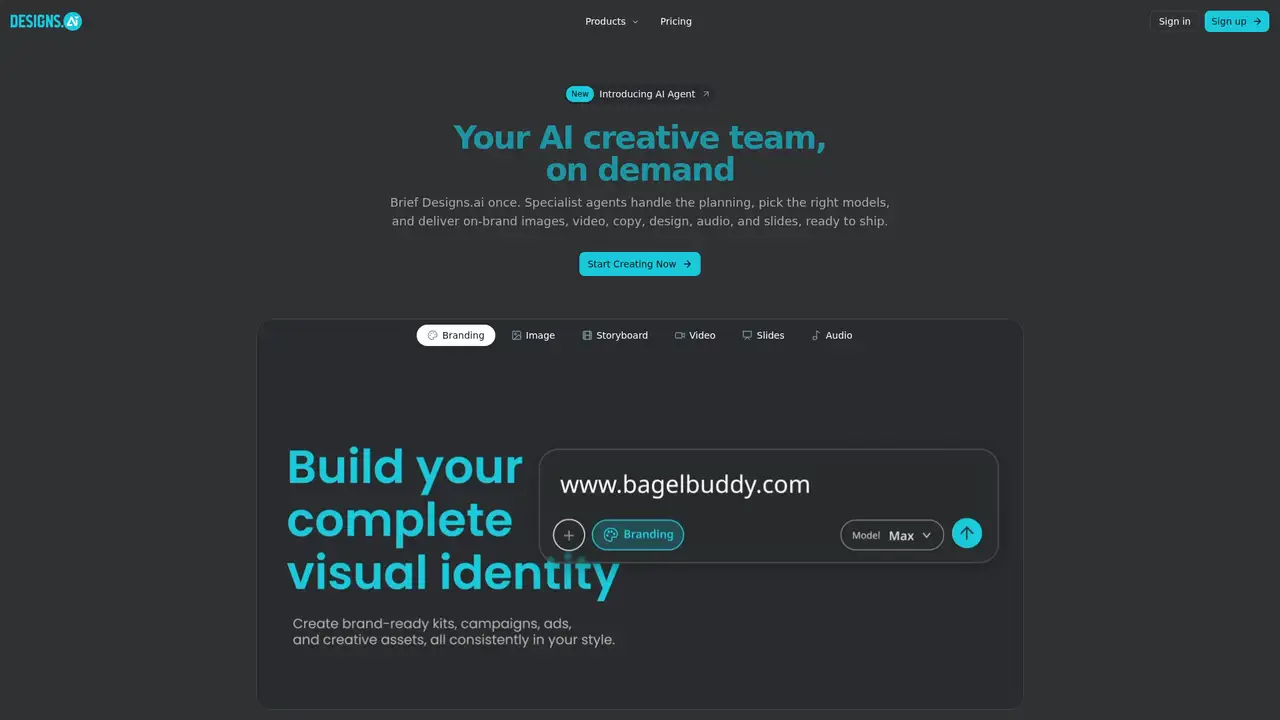
Designs.ai is a hosted creative workspace operated by Pixlr Pte. Ltd., identified in its license agreement and site footer as Designs.ai by Pixlr. It brings branding, image creation, storyboards, video, presentations, audio, research, workflows, chat, and Designs Claw into one account. The current site lists build v0.35.2-986b1d165aa4 and presents specialist agents for brand identities, concept visuals, video plans, presentations, and audio, with Claude, ChatGPT, Gemini, and Grok named among its models. Users can describe a goal, answer clarifying questions, review a generated brief, and receive coordinated assets with brand rules applied across formats. Workflows connect services such as Drive, Gmail, Notion, Slack, Calendar, GitHub, and Sheets, but failed steps require repair before continuation. Designs Claw delivers content through WhatsApp or Telegram, while Designs.ai does not publish its launch history, funding, training practices or public API details.
A typical job begins with a plain-language request. The AI Agent asks clarifying questions, turns the idea into a brief, chooses suitable specialist agents and models such as Claude, ChatGPT, Gemini, or Grok, then produces branded assets. Users can select Brand for a visual identity, Image for concept visuals, Storyboard for video plans, Video for finished videos, Slides for presentations, or Audio for sound. Brand rules become a system prompt that carries across designs, videos, slides, and campaigns. Workflows connect selected services including Drive, Gmail, Notion, Slack, Calendar, GitHub, Linear, Dropbox, LinkedIn, Zoom, Figma, and Sheets. They can prepare meetings, summarize documents, analyze surveys, draft follow-ups, or turn a Notion page into a Pinterest pin or YouTube Short. If a permission issue, empty field, or other step fails, downstream actions stop until the problem is fixed and the run resumes.
The platform names Claude, ChatGPT, Gemini, and Grok among the models used across its agent system, though it does not state which model handles each task. Its current setup centers on specialist agents, approval-based workflows, and Designs Claw instead of a fixed list of standalone generators. Designs Claw is a private agent hosted by Designs.ai and reached through WhatsApp or Telegram after a QR-code connection. It can produce captions, replies, email drafts, translations, product images, thumbnails, banners, mockups, short vertical videos, ads, explainers, voiceovers, narration, and background tracks. It can retain brand and project context, create scheduled posts, news summaries, and reminders, and connect to Gmail or Calendar. Group chats can have separate memory and brand rules for clients or departments. The company cites an isolated sandbox and encrypted access tokens, while offline use and self-hosting remain undocumented.
Designs.ai requires a paid plan, yet its pricing page does not show plan names, prices, billing terms or numeric limits. Designs Claw hosting is included with every plan, and its page states that users spend credits when the agent produces an image, video, or draft. Ordinary chat costs nothing, but the page does not publish the credit rate for each content type. A third-party listing reports Go at $9.90 monthly with 500 credits, Plus at $39 with 2,500 credits, Pro at $79 with 10,000 credits, and Enterprise at $639 with 100,000 credits, but these figures conflict with the current official presentation and remain unverified. Capacity, user counts, Claw allowances, and billing details should therefore be confirmed during checkout before committing.
Designs.ai suits teams that value one brand-aware workspace for coordinated images, videos, slides, audio, workflows, and chat-based production, but its breadth brings important tradeoffs. It depends on hosted access, with Designs Claw delivered through WhatsApp or Telegram rather than offline or self-hosted deployment, and Designs.ai documents no public API. Commercial use also needs care: the license is non-exclusive and non-transferable, Design Resources cannot be used in isolation, and customers must check names, likenesses, trademarks, fonts, symbols, and other third-party rights. The privacy policy does not explain whether prompts, uploads, or outputs train models, while current official pricing and limits are not shown. Canva is stronger for broad template editing, Adobe Express fits Adobe-based teams, and OpenClaw suits self-hosting. Choose Designs.ai when connected creative automation outweighs specialist control and deployment flexibility.
Who is Designs.ai best for?
- Marketing teams producing branded images, video, slides, and audio.
- Agencies coordinating client assets across several content formats.
- Small businesses wanting conversational creative production.
- Teams that prefer WhatsApp or Telegram agent access.
Designs.ai Pricing (2026)
Pricing model: Paid. All prices in USD.
| Plan | Price | What you get |
|---|---|---|
| Current paid plans | Custom | The pricing page does not show plan names, prices, billing intervals or numeric limits. Check the live checkout flow. |
Pros and Cons
Pros
- It covers branding, images, video, slides, audio, and storyboards.
- It applies brand rules across multiple creative asset types.
- It connects workflows to widely used business applications.
- Designs Claw provides hosted access through WhatsApp and Telegram.
Cons
- Current public pricing and credit limits are unclear.
- The privacy policy does not state whether user content trains models.
- Licensing requires review of third-party rights and resource restrictions.
Who should look elsewhere?
- Teams requiring offline or self-hosted creative software.
- Buyers needing a documented public API.
- Projects requiring unrestricted resale of source resources.
Technical Details
Frequently Asked Questions
How much does Designs.ai cost?
Designs.ai uses paid plans, but its pricing page does not show prices or plan limits. Older third-party pages list Go, Plus, Pro, and Enterprise figures, yet those amounts conflict with the current official presentation. Check the live checkout page for the billing interval, credits, seats, and Designs Claw capacity.
Does Designs.ai have a free plan?
The current pricing details do not confirm a free plan, trial, or specific no-cost allowance. Designs.ai presents paid plans and directs capacity decisions through its pricing flow. The Designs Claw page says ordinary chatting costs nothing, but content creation spends credits. Confirm any trial terms, export restrictions, and included credits during signup.
How does Designs.ai compare with Canva?
Designs.ai focuses on agent-led production across images, video, audio, slides, branding, and connected workflows. Canva provides a broader visual editor centered on templates, manual layout, and collaborative design. Designs.ai fits conversational, multi-format production, while Canva is better for users who want hands-on control over templates, page composition, and established design editing tools.
Does Designs.ai train AI models on user data?
The current privacy policy does not say whether prompts, uploads, or generated outputs train AI models. It describes account, billing, browsing, contact, and certain facial-geometry data practices. Facial geometry is described as being used only to create AI output and not stored for other purposes. Teams handling confidential material should review current data-processing terms before uploading it.
Can Designs.ai outputs be used commercially?
The license permits use of purchased End Products outside Designs.ai, including commercial work, under its stated terms. Design Resources cannot be used in isolation, and users remain responsible for names, likenesses, trademarks, fonts, symbols, and other third-party rights. The license is non-exclusive and non-transferable, so commercial projects require rights review before publication or resale.
Best Designs.ai Alternatives in 2026
These tools do the same job as Designs.ai, with different pricing, limits and trade-offs.