
Deepnote Review, Pricing & Alternatives (2026)
An AI-assisted notebook workspace for collaborative data work
Last updated: October 26, 2026
What is Deepnote?
Deepnote is a hosted notebook workspace for analysts, data scientists, and teams using Python, SQL, charts, databases, and AI. Its free plan costs $0, while Team costs $39 per editor monthly when billed yearly, according to Deepnote’s comparison article. Enterprise pricing is custom. A separate Apache 2.0 project supports local notebook editing, but it is not the complete hosted Cloud service.
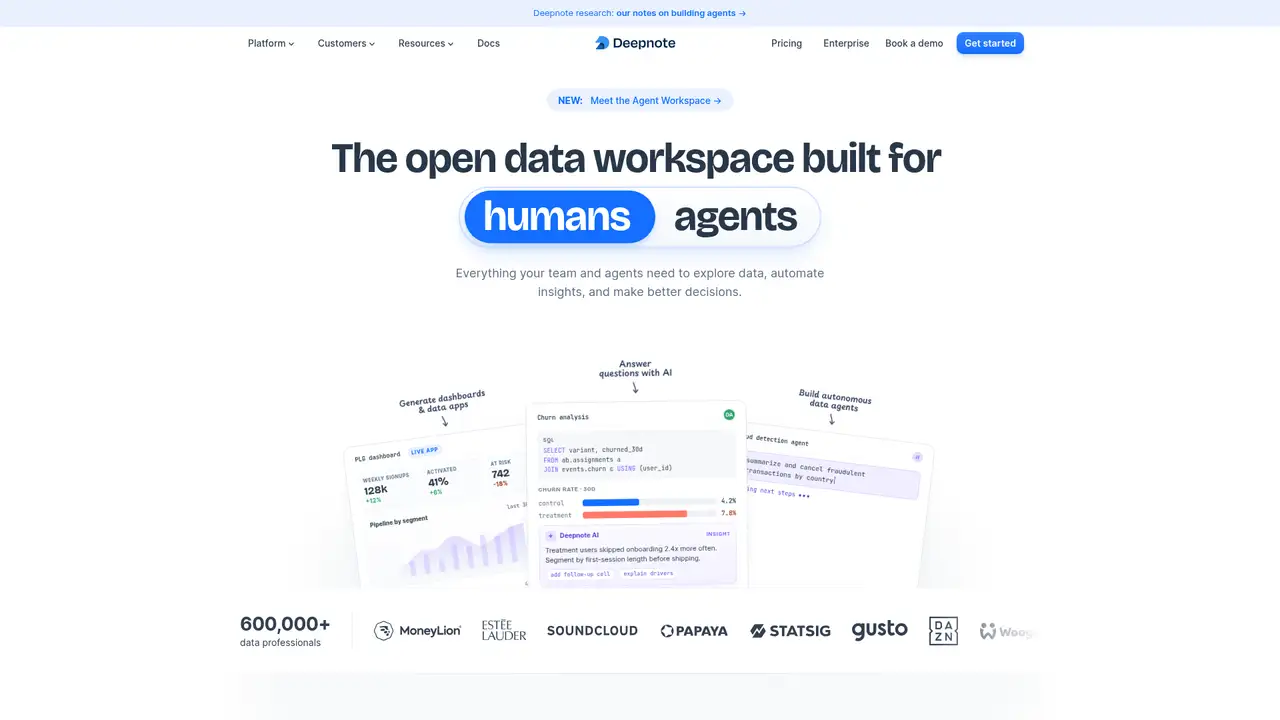
Deepnote is a hosted notebook workspace for analysts, data scientists, and teams, made by Deepnote. It supports Python, SQL, charts, databases, machine learning, collaboration, scheduled runs, and published dashboards or data apps. The company describes it as a drop-in Jupyter replacement with managed cloud compute. Its public beta launched in October 2020, followed by general availability in May 2022. Deepnote’s GitHub repository says more than 500,000 data professionals use the product and identifies Estée Lauder, SoundCloud, Statsig, and Gusto as customers. The current open-source repository was created in September 2025 under the Apache 2.0 license. That local project supports notebook editing and related tooling, but it remains separate from Deepnote Cloud and does not represent the complete hosted service.
A typical Deepnote project combines Python, SQL, text, chart, visualization, and input blocks, with reactive execution rerunning dependent blocks when inputs change. Users connect services such as BigQuery, Snowflake, and PostgreSQL, query live data without copying it locally, and pass SQL results into Python within one notebook. Deepnote AI can generate, explain, edit, and debug code. Deepnote Agent can create and run blocks, inspect outputs, and handle multistep notebook tasks. Teams can share projects, schedule notebook runs, and publish notebooks as dashboards or interactive data apps with inputs. The REST API manages projects, notebooks, and workflows. Streamlit provides another publishing route. The hosted product supports Jupyter notebooks through its Deepnote kernel, while the separate Apache 2.0 local project supports VS Code, Cursor, and Windsurf.
Deepnote’s hosted workspace runs on a Deepnote kernel with backward compatibility for Jupyter notebooks, while its separate Apache 2.0 local project saves notebooks as readable YAML. That project includes block packages, a conversion tool, and integrations for VS Code, Cursor, and Windsurf, but it is not the complete Cloud service. Projects can combine Python, SQL, text, chart, input, and visualization blocks, with reactive execution rerunning dependent blocks after input changes. Deepnote Agent can create and run blocks and inspect outputs across multistep tasks, while AI code completion assists with editing. Recent documentation lists Deepnote Agent, GPT-5.6, Sol, and Sonnet 4.6 access on Team. Deepnote says it does not train models on customer data. However, invoking AI can send notebook code, text, variable metadata, and database schema to external model providers.
Free costs $0 and includes up to three editors, five projects, basic machines with 5 GB of RAM and two vCPUs, seven-day revision history, ten monthly code completions, and five monthly calls for selected AI actions. Education access is also free for eligible students, educators, and researchers. Team costs $39 per editor each month when billed yearly, according to Deepnote’s comparison article. The plan includes unlimited editors, viewers, and notebooks, plus $39 in monthly AI credits, $280 in CPU credits, and $50 in GPU credits. Compute and AI use beyond those allowances is billed separately, so subscription price alone does not cap usage. Enterprise pricing is custom and adds SSO, directory sync, audit logs, private images, bring-your-own LLM, single tenancy, and custom contracting. The pricing page separates allowances from subscription fees, making billing cadence important.
Deepnote adds hosted projects, managed compute, database connections, browser collaboration, revision history, scheduling, publishing, and AI to the Jupyter notebook model. Hex is more focused on warehouse BI, dashboards, and self-service exploration, whereas Deepnote also supports machine learning, local IDEs, and scheduled workflows. Databricks covers a broader production data platform, so its operational scope exceeds a notebook workspace. Google Colab is a closer lightweight alternative, but Deepnote emphasizes team projects, database access, deployable outputs, and an API for managing notebooks and workflows. Its main limitation is the separation between the Apache 2.0 local project and Deepnote Cloud, which is not a complete self-hosted Cloud equivalent. Usage beyond included Team compute or AI credits can also cost extra. Choose Deepnote if your technical team needs shared Python and SQL notebooks with cloud execution, scheduled runs, and published outputs.
Who is Deepnote best for?
- Data teams collaborating on Python and SQL notebooks.
- Analysts publishing interactive dashboards from notebook projects.
- Teams needing managed compute and scheduled notebook runs.
- Jupyter users wanting browser collaboration and AI assistance.
Deepnote Pricing (2026)
Pricing model: Freemium. All prices in USD.
| Plan | Price | What you get |
|---|---|---|
| Free | $0/month | Up to 3 editors, 5 projects, basic machines with 5 GB RAM and 2 vCPUs, limited AI, and 7-day revision history. |
| Team | $39/editor/month billed yearly | Unlimited editors, viewers, and notebooks, plus $39 AI, $280 CPU, and $50 GPU credits monthly; extra usage is billed separately. |
| Enterprise | Custom | Adds custom contracting, priority support, SSO, directory sync, audit logs, private images, bring-your-own LLM, and single tenancy. |
Pros and Cons
Pros
- The free plan includes three editors and five projects.
- Python and SQL can share one notebook workflow.
- Projects can become dashboards or interactive data apps.
- Enterprise includes audit logs and single-tenant deployments.
Cons
- Compute and AI usage can create charges beyond included allowances.
- The open-source project is not the complete hosted Cloud product.
- AI requests can send notebook context to external providers.
Who should look elsewhere?
- Organizations requiring a complete self-hosted Cloud equivalent.
- Users seeking a local notebook without hosted service costs.
- Teams unable to send notebook context to external AI providers.
Technical Details
Frequently Asked Questions
How much does Deepnote cost?
Deepnote’s Free plan costs $0. Team costs $39 per editor monthly when billed yearly, according to Deepnote’s comparison article. Team also includes $39 in monthly AI credits, $280 in CPU credits, and $50 in GPU credits. Enterprise pricing is custom. AI and compute usage beyond included allowances can be billed separately.
Is Deepnote free?
Yes. Free includes up to three editors, five projects, unlimited basic machines with 5 GB RAM and two vCPUs, and seven-day revision history. AI is limited to ten code completions monthly and five calls for several Agent and code-assistance actions. Education access is also free for eligible students, educators, and researchers.
How does Deepnote compare with Jupyter?
Jupyter is primarily a local notebook environment, while Deepnote adds hosted projects, managed compute, database integrations, real-time collaboration, revision history, scheduling, publishing, and native AI. Deepnote’s open-source project retains Jupyter compatibility and supports local editors, but the full Cloud workspace remains a separate hosted service.
Does Deepnote train AI models on customer data?
Deepnote says it does not use customer data to train, fine-tune, or improve AI or machine learning models. When users invoke Deepnote AI, notebook code, text, variable metadata, and database schema may be sent to external providers. Block outputs are shared only when users enable that option, and administrators can disable Deepnote AI.
Can I use Deepnote commercially?
The hosted plans support team and enterprise work, while Deepnote’s local repository uses the Apache 2.0 license. That license permits commercial use of the repository subject to its terms. Cloud features, trademarks, plan conditions, and third-party integrations remain governed by their respective agreements, so commercial users should review those terms before deployment.
Best Deepnote Alternatives in 2026
These tools do the same job as Deepnote, with different pricing, limits and trade-offs.