
Cursor CLI Review, Pricing & Alternatives (2026)
Terminal-based coding agents for interactive work and CI automation
acquired: Cursor introduced Agent CLI on August 7, 2025. SpaceX reportedly acquired Cursor in a deal valued at $60 billion that closed in mid-August 2026. Cursor now operates within The X Subscription, announced October 12, 2026.
Last updated: October 26, 2026
What is Cursor CLI?
Cursor CLI is a proprietary terminal and headless interface for Cursor Agent, built by Anysphere for developers who want repository editing, command execution, and CI automation outside a graphical editor. It suits Cursor subscribers using shells, Neovim, JetBrains, or Windows tools. Entry access costs $0 per month, while the first paid X Subscription tier costs $8 per month.
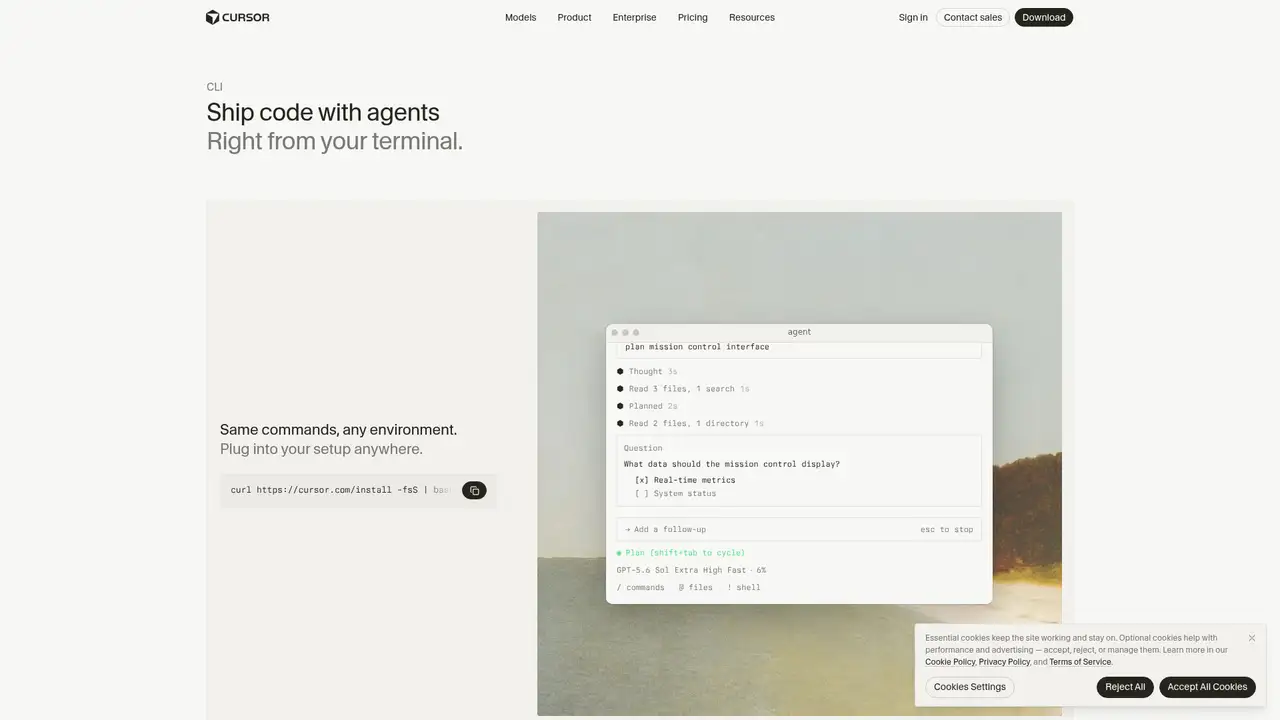
Cursor CLI is a proprietary terminal client for Cursor Agent, built by Anysphere and launched as Agent CLI on August 7, 2025. Its current command is `agent`, with `cursor-agent` retained as a compatibility alias. Installation supports macOS, Linux, Windows Subsystem for Linux, and Windows PowerShell. The client serves developers who prefer Neovim, JetBrains, another editor, or a shell, plus teams running headless coding tasks in scripts and continuous integration. Cursor does not publish a separate CLI user count or standalone company. The service remains active after SpaceX reportedly acquired Cursor in a deal valued at $60 billion that closed in mid-August 2026. Cursor joined The X Subscription, announced October 12, 2026, while existing subscribers can retain older plans for now.
A typical session starts with the `agent` command and a plain-language request. Agent mode can inspect a repository, search files, create or edit files, run terminal tools, and seek approval before commands. Ask mode is read-only, while Plan mode prepares an implementation approach. Print mode supports non-interactive prompts, model selection, text or structured output, and continuous integration automation. Users can resume sessions, edit rules and commands, connect MCP servers, and customize lifecycle events with hooks. Cloud handoff sends a conversation to Cursor Cloud Agent, while self-hosted workers execute commands on a customer machine. These options cover interactive repository work and scripted jobs across macOS, Linux, Windows Subsystem for Linux, and Windows PowerShell, although permissions still need careful control when commands can modify files or call external services.
Cursor CLI uses the models available through a connected Cursor account and does not expose a separate CLI model API. Agent CLI launched on August 7, 2025 with models included in Cursor subscriptions. January 2026 releases added model selection, MCP controls, rules, commands, Plan mode, Ask mode, cloud handoff, word-level diffs, hooks, web tools, and one-click MCP authentication. Current documentation lists Grok 4.7 as a Cursor model jointly trained by Cursor and SpaceXAI. Its standard rates are $2 per million input tokens, $0.50 per million cached input tokens, and $6 per million output tokens, while Fast rates are $4, $1, and $12. The documented long-context limit reaches 500,000 tokens. October 2026 updates added cloud environments, self-hosted workers, subagents, nested AGENTS.md rules, and further MCP work.
Cursor CLI has no separate public price, because access runs through The X Subscription or retained Cursor plans. The current tiers are Free at $0 per month, Plus at $8, Premium at $30, Super at $100, and Ultra at $200, with annual prices of $80, $300, $1,000, and $2,000 for the paid levels. Free provides limited Cursor and Grok chat and agent usage, while paid usage draws from a weekly pool shared across Cursor and Grok. Premium supplies four times Plus usage, Super 15 times, and Ultra 50 times. Cloud agents and automations require Premium or higher. Third-party models are unavailable on Free and incur standard provider API rates from prepaid credit on Premium and above. Teams begin at $30 per seat monthly, with $100 and $200 tiers, while Enterprise pricing is custom.
The main constraints are account dependence, hosted processing, subscription-linked allowances, and a command runner that can alter files or execute shell operations. Cursor says Privacy Mode prevents Cursor and model providers from using code for training, although prompts and context still reach listed providers and subprocessors. Users supplying their own API keys follow the selected provider's policy and may not receive Cursor's zero-retention terms. Claude Code centers on Anthropic accounts and models, Gemini CLI is an open-source Google-oriented alternative, and Aider is more model-provider neutral. Cursor CLI also has no standalone subscription: access draws on the X Subscription, whose paid tiers run from $8 Plus to $200 Ultra, while third-party models on Premium and above use prepaid credit at API list prices. Cursor CLI fits developers who want Cursor's agent, cloud handoff, and repository rules from a shell.
Who is Cursor CLI best for?
- Developers who want Cursor Agent from Neovim, JetBrains, or a shell.
- Teams running approved coding tasks in CI pipelines.
- Users needing Plan, Ask, MCP, hooks, and resumable sessions.
- Cursor users wanting cloud-agent handoff from terminal work.
Cursor CLI Pricing (2026)
Pricing model: Freemium. All prices in USD.
| Plan | Price | What you get |
|---|---|---|
| Free | $0/month | Limited Cursor and Grok chat and agent usage. Third-party models are unavailable. |
| Plus | $8/month | Includes the base shared weekly usage pool and Cursor features. Cloud agents and automations require a higher tier. |
| Premium | $30/month | Provides four times Plus usage and adds cloud agents and automations. Third-party models are charged at API list prices from prepaid credit. |
| Super | $100/month | Provides 15 times Plus usage and higher access allowances. Third-party model calls remain separately billed. |
| Ultra | $200/month | Provides 50 times Plus usage and earliest access to products and models. Third-party model calls remain separately billed. |
| Teams | $30/seat/month | Seats are available at $30, $100, or $200 per month, matching their usage tier. Eligible third-party models add API list price and the Cursor Token Rate. |
| Enterprise | Custom | Custom organization pricing and controls are available. |
Pros and Cons
Pros
- Plan, Ask, Agent, and Print modes cover distinct interactive and automation workflows.
- MCP, hooks, rules, subagents, and cloud handoff extend the terminal client.
- Privacy Mode can prevent submitted code from training model providers.
- The CLI works across macOS, Linux, WSL, and Windows installation paths.
Cons
- Usage allowances depend on an X Subscription tier or retained Cursor plan.
- Third-party model calls cost extra at API list prices.
- The agent can modify files and execute commands, so approval settings matter.
Who should look elsewhere?
- Teams requiring a fully local agent and model stack.
- Users seeking a standalone CLI subscription independent of Cursor.
- Repositories that cannot send code context to hosted model providers.
Technical Details
Frequently Asked Questions
How much does Cursor CLI cost?
Cursor CLI has no separate price. The current X Subscription costs $0 for Free, $8 monthly for Plus, $30 for Premium, $100 for Super, and $200 for Ultra. Teams start at $30 per seat monthly, with $100 and $200 tiers. Third-party models are charged separately at standard API list prices from prepaid credit.
Is Cursor CLI free?
Yes. The Free tier includes limited Cursor and Grok chat and agent usage through the CLI. It does not include third-party models, cloud agents, automations, or the larger allowances on paid tiers. Developers with frequent terminal sessions may need Plus or a higher tier, depending on how much shared weekly usage Cursor and Grok consume.
How does Cursor CLI compare with Claude Code?
Both tools inspect repositories, edit files, run terminal tools, and support agent workflows. Cursor CLI is tied to Cursor or X Subscription access and adds Cursor rules, MCP controls, multiple interaction modes, and Cursor Cloud Agent handoff. Claude Code centers on Anthropic accounts and models. The better choice depends on preferred models, billing, and remote workflow.
Does Cursor CLI train on my code?
Cursor says Privacy Mode prevents Cursor and its model providers from using code for training. Prompts and context still travel to providers needed to answer requests. Enterprise administrators can enforce Privacy Mode. Users supplying their own API keys follow each provider's policy, and those requests may not receive Cursor's zero-retention terms.
Can I use Cursor CLI commercially?
Commercial use follows Cursor's subscription terms and the licenses applying to generated code, dependencies, and models. Cursor CLI is proprietary rather than open source. Teams and Enterprise plans provide organization features and custom arrangements. Organizations remain responsible for reviewing generated code, third-party licenses, secrets, security, and applicable provider conditions.
Best Cursor CLI Alternatives in 2026
These tools do the same job as Cursor CLI, with different pricing, limits and trade-offs.
An agentic coding assistant for terminal, IDE, desktop, and web

An open source Gemini agent for coding and research in the terminal
Open-source AI pair programming in a Git-aware terminal

Terminal coding agent with sandbox controls and OpenAI model access

Open coding agent for editors, terminals, desktops, and custom apps