
OpenAI Codex CLI Review, Pricing & Alternatives (2026)
Terminal coding agent with sandbox controls and OpenAI model access
Last updated: October 22, 2026
What is OpenAI Codex CLI?
OpenAI Codex CLI is a terminal coding agent for developers who want repository inspection, edits, tests, and automation from a command line. The Apache 2.0 client supports ChatGPT accounts and API keys. Hosted access starts at $0 for limited Free access, while ChatGPT Plus costs $20/month. It suits developers already using OpenAI services.
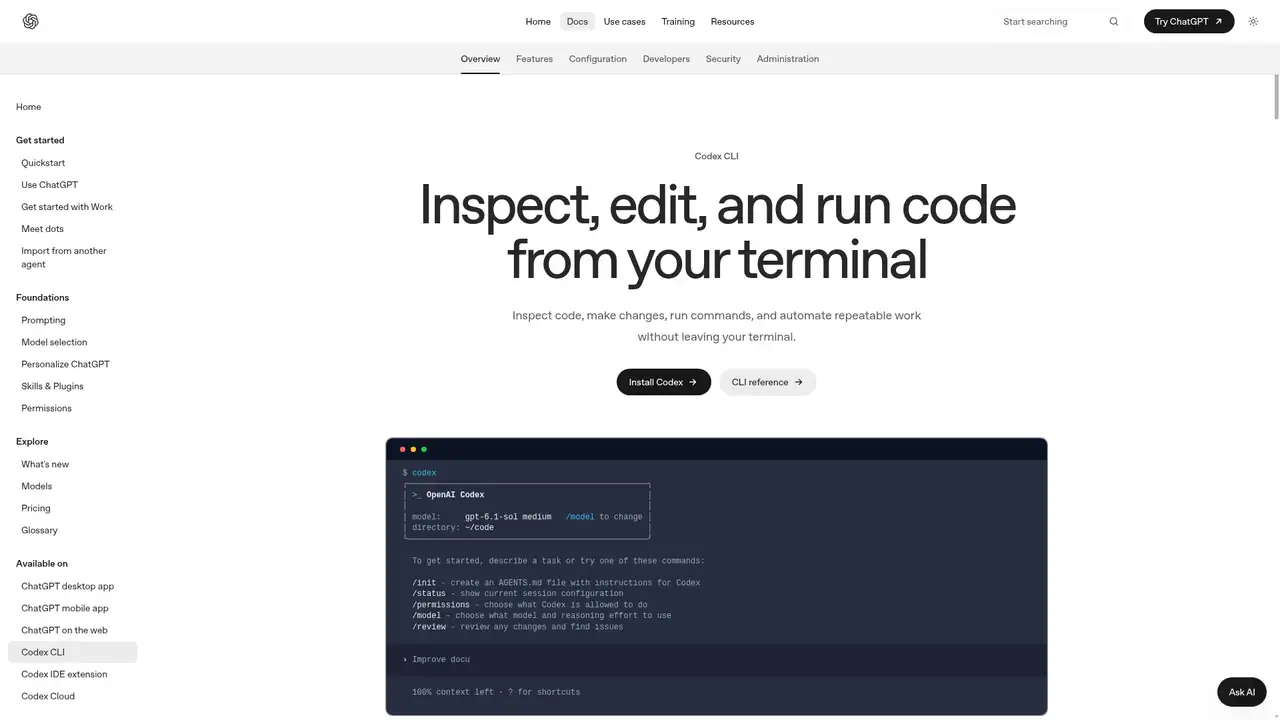
OpenAI Codex CLI is a terminal coding agent maintained by OpenAI. The current project launched in 2025, and its client is licensed under Apache 2.0. It runs on macOS, Linux, and Windows, with authentication through ChatGPT, an API key, or an access token. Codex is also available through OpenAI’s web, IDE, desktop, and mobile experiences, but the CLI is the direct option for developers who prefer a shell. OpenAI does not publish a separate Codex CLI user count, revenue figure, or valuation. The project is active, with installation and release paths documented through npm, Homebrew, OpenAI documentation, and GitHub. The software is open source, while hosted models and account services remain proprietary. It is designed for developers seeking repository work and automation from a command line.
A normal Codex CLI session begins in a project directory with a request such as fixing a failing test or adding a feature. Codex inspects relevant files, proposes or applies changes, runs commands, and reports results. Workspace-write sandboxing, approval prompts, additional directories, JSON output, and unattended execution options provide different levels of control. The reference also documents image attachments, web search, slash commands, usage views, and multi-agent tools. Developers can use interactive sessions for exploration or non-interactive execution in scripts and CI. The app server and plugin paths extend the client to other interfaces. Command approvals remain important because repository edits, package operations, and tests can have side effects. These controls support both hands-on development and automation-oriented workflows.
OpenAI’s Codex pricing page lists GPT-5.4, GPT-5.4-mini, and GPT-5.3-Codex across current Codex access paths. GPT-5.3-Codex-Spark is a research preview for ChatGPT Pro users and is not available in the API at launch. Model availability depends on the account or authentication method. The CLI can use configured providers and an open-source model mode, but ordinary hosted use depends on OpenAI services. Recent documentation covers agent view, multi-agent tools, voice, worktrees, usage statistics, and improved terminal rendering. Context size, reasoning effort, task complexity, speed configuration, and tool calls affect consumption. OpenAI warns that limits and model access can change as capabilities are introduced. The client supports macOS, Linux, and Windows.
The executable is free to install, but hosted access follows account or token pricing. ChatGPT Plus costs $20 per month and includes CLI, IDE extension, web, and iOS access. Pro costs $200 per month, Business costs $30 per user per month, and Enterprise or Edu pricing is custom. OpenAI also lists limited Free and Go access for a limited time, without giving Go a fixed price on the cited pricing page. Plus supports 33 to 168 GPT-5.4 local messages per five hours, while Pro supports 223 to 1,120, with model and task variation. API users pay token rates. GPT-5.3-Codex costs $1.75 input, $0.175 cached input, and $14 output per million tokens at standard rates.
Codex CLI suits developers who want terminal control, Apache 2.0 client code, and explicit boundaries around commands and files. It is less suitable for teams seeking a standalone CLI subscription, a fully local default model, or unrestricted unattended execution. Claude Code is the closest account-based alternative, while Gemini CLI provides a Google-centered terminal agent. Aider emphasizes a lightweight terminal workflow across model providers, and Cline offers an editor-centered approach. Codex’s API path also lacks cloud features such as GitHub code review and Slack integration. Choose Codex CLI when OpenAI models, ChatGPT billing, or an open client matter most, and retain approval prompts for unfamiliar repositories. Its audience is mainly terminal-focused developers, teams using sandbox controls, CI operators, and developers wanting an Apache 2.0 client.
Who is OpenAI Codex CLI best for?
- Developers who work mainly from a terminal.
- Teams that need approval and sandbox controls.
- CI jobs using JSON output and API authentication.
- Developers who want an Apache 2.0 client.
OpenAI Codex CLI Pricing (2026)
Pricing model: Freemium. All prices in USD.
| Plan | Price | What you get |
|---|---|---|
| Free | $0/month | Limited Codex access for a limited time, with limited messages and uploads. |
| ChatGPT Go | Account-specific | Codex access is included for a limited time with more usage than Free; OpenAI does not state a fixed price on the cited Codex pricing page. |
| ChatGPT Plus | $20/month | CLI, IDE extension, web, and iOS access. GPT-5.4 supports 33 to 168 local messages per five hours, depending on model and task. |
| ChatGPT Pro | $200/month | Priority processing, GPT-5.3-Codex-Spark research preview, and about six times Plus local and cloud usage. |
| ChatGPT Business | $30/user/month | Shared workspace, larger cloud-task virtual machines, admin controls, and flexible credits. Usage varies by model and task. |
| Enterprise and Edu | Custom | Enterprise and Edu access uses flexible pricing or seat limits; usage scales with credits where flexible pricing applies. |
| API key | Usage-based | GPT-5.3-Codex costs $1.75 input, $0.175 cached input, and $14 output per million tokens at standard rates. |
Pros and Cons
Pros
- The client is Apache 2.0 licensed and openly developed.
- Sandbox and approval modes limit file and command access.
- ChatGPT plans and API keys support different workflows.
- Interactive and automation-oriented command modes are documented.
Cons
- Usage depends on model, task complexity, and shared limits.
- API authentication excludes Codex cloud features.
- Risky repository changes still require human review.
Who should look elsewhere?
- Users seeking a no-account local model by default.
- Teams requiring a separate CLI subscription price.
- People wanting unrestricted command execution.
Technical Details
Frequently Asked Questions
How much does Codex CLI cost?
The client is free to install. Hosted use is included in eligible ChatGPT plans, including Plus at $20/month, or it can use an API key with token billing. OpenAI also lists limited Free and Go access for a limited time. Plan allowances depend on model, task size, complexity, and local or cloud execution.
Is Codex CLI free?
The software is open source under Apache 2.0, but model service usage is separate. Free access is currently limited and temporary, according to OpenAI's pricing page. Paid ChatGPT plans include different allowances, while API-key use is billed by tokens. API access provides CLI, SDK, or IDE use without Codex cloud features such as GitHub review.
How does Codex CLI compare with Claude Code?
Both are terminal agents that can inspect repositories, edit files, and run development commands. Codex CLI provides an Apache 2.0 client and supports ChatGPT or API authentication. Claude Code uses Anthropic account and model services. The practical choice depends on provider access, usage limits, model preferences, and the data terms your team accepts.
Does OpenAI train on Codex CLI data?
The CLI is client software, so data handling depends on the authentication path and plan. OpenAI states that ChatGPT Business data is not used for training by default. API use follows OpenAI API terms, while other ChatGPT use follows its applicable data controls. Review the current plan terms before sending proprietary code.
Can I use Codex CLI commercially?
The client repository uses the Apache 2.0 license, which permits commercial use subject to its notice and redistribution conditions. Generated code and hosted model use remain subject to OpenAI terms, third-party licenses, and your review of copyright, security, and contractual requirements. The license for the client does not grant ownership of every dependency or output.
Best OpenAI Codex CLI Alternatives in 2026
These tools do the same job as OpenAI Codex CLI, with different pricing, limits and trade-offs.
An agentic coding assistant for terminal, IDE, desktop, and web

An open source Gemini agent for coding and research in the terminal
Open-source AI pair programming in a Git-aware terminal

Open coding agent for editors, terminals, desktops, and custom apps
AI coding workspace with repository context and software agents