
Captions Review, Pricing & Alternatives (2026)
AI video creation for creators, editors, and short-form teams
Last updated: October 22, 2026
What is Captions?
Captions is an AI video creation and editing app for creators, marketers, and small production teams. It combines recording, captions, dubbing, generative video, AI actors, and automated editing across supported mobile and web workflows. A free plan is available, while paid access starts at $4.99 per month on Android Lite or $9.99 per month for Basic.
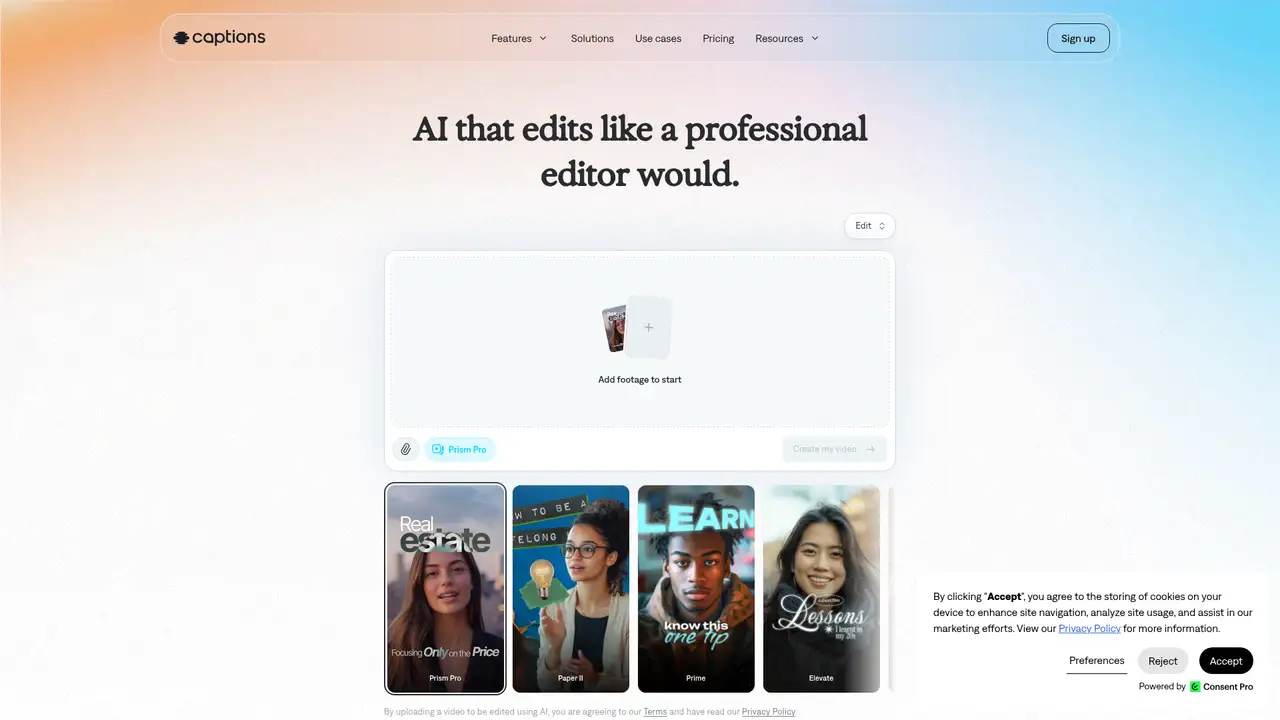
Captions is an AI video creation app made by Mirage, the company formerly presented under the Captions name. It supports recording, manual editing, automatic captions, dubbing, teleprompter tools, script generation, AI editing, generative video, AI actors, and AI Twins. A 2024 company announcement reported a $60 million Series C, more than $100 million in total capital, a $500 million valuation, and a planned $100 million investment in AI video research. A 2026 company announcement reported $75 million in growth financing from General Catalyst, more than $175 million in total funding, 20 million global users, and 250 million videos. Those scale figures come from company announcements. Captions remains the product name after the 2025 corporate rebrand, which changed the parent company presentation rather than the product name.
A typical Captions workflow starts with a camera recording or imported clip. The creator can generate captions, translate or dub speech, use a camera and teleprompter, generate a script, and apply automated editing tools. Higher plans add Chat to Edit, AI Edit, Clips, model selection, Mirage generated actors, and AI Twins. Prompt to video generation can turn a written description into a short scene, while model menus cover image, video, voice, sound, and music systems. Access varies by plan, with some features and generation capacity reserved for higher tiers. The app is aimed at moving from an on camera recording or written idea to a finished short video without switching among separate captioning, dubbing, avatar, and editing products.
Mirage describes its in house Mirage model as a UGC video foundation model for realistic talking video with facial and upper body motion. The company says it accepts audio, video, and script inputs across more than 29 languages. Its September 2025 rebrand described proprietary models trained for short form pacing, framing, and attention dynamics. Captions documentation lists Flux, Imagen, DALL E, GPT 4o, Ray 2, Veo 3, Veo 3.1, Pika 2.2, Kling, MiniMax, Chirp 3, ElevenLabs, Cartesia, MMAudio, and Soundraw. The AI usage page also lists Imagen 4, Nano Banana 2, Sora 2, and Seedance 2.0. Model access depends on plan, region, and credit availability, so the displayed selection may differ among users.
The Free plan costs $0 and includes one time lifetime credits ranging from 60 to 200, one Eclipse template, basic editing and exports, and no watermark. Android Lite costs $4.99 per month and provides essential manual editing, but its entitlement does not extend to desktop or iPhone. Basic costs $9.99 per month for 200 renewing credits, Max costs $24.99 for 500, and Frontier costs $69.99 for 1,400. Frontier 2x costs $139.99 for 2,800 credits, while Frontier 4x costs $279.99 for 5,600. Basic and higher credits can roll over up to three times the monthly allowance. Prompt to video costs 16 credits per six seconds, while other model prices vary by generation type.
Captions suits creators who record themselves, edit speech, dub content, or want AI actors and generated scenes in one product. OpusClip is more focused on finding highlights in long videos, reframing them, and preparing clips for social publishing. CapCut offers a broader general purpose editor, while Descript centers on transcript based editing and screen or podcast workflows. Captions becomes expensive for frequent premium model generation, and Android Lite is restricted by platform, so users should match the plan to their device and workload. Its privacy and training treatment should be checked before uploading sensitive footage. Pick Captions for creator led production and AI assisted editing, especially when dubbing or synthetic presenters matter, rather than for long form workstation editing.
Who is Captions best for?
- Creators who record, caption, dub, and publish short form video.
- Teams that want AI actors, AI Twins, and model selection.
- Users turning scripts or prompts into short talking videos.
- Mobile first creators who need editing and generation in one app.
Captions Pricing (2026)
Pricing model: Freemium. All prices in USD.
| Plan | Price | What you get |
|---|---|---|
| Free | $0 | One time 60 to 200 lifetime credits, one Eclipse template, basic editing and exports, and no watermark. |
| Lite | $4.99/month | Android only, with essential manual editing. The entitlement does not extend to desktop or iPhone. |
| Basic | $9.99/month | 200 renewing credits monthly, no watermark, captions, dubbing, camera and teleprompter tools, script generation, and AI editing. |
| Max | $24.99/month | 500 renewing credits monthly, Chat to Edit, AI Edit, Clips, Mirage actors, up to 30 AI Twins, two concurrent generations, and model selection. |
| Frontier | $69.99/month | 1,400 monthly credits and faster generations. Frontier 2x costs $139.99 for 2,800 credits, and Frontier 4x costs $279.99 for 5,600 credits. |
Pros and Cons
Pros
- Captions combines recording, editing, captions, dubbing, and generation in one product.
- Max and Frontier include AI actors, AI Twins, and broader model access.
- The prompt to video FAQ grants commercial use rights for subscription creations.
- The Mirage model targets talking UGC video in more than 29 languages.
Cons
- Credit costs vary sharply by model and generation type.
- Android Lite entitlements do not carry over to iPhone or desktop.
- Captions does not publish a definitive training data position in the cited product documentation.
Who should look elsewhere?
- Editors seeking a desktop first long form video workstation.
- Users who need predictable costs for heavy AI video generation.
- Android Lite subscribers who need the same entitlement on iPhone or desktop.
Technical Details
Frequently Asked Questions
How much does Captions cost?
Captions has a $0 Free plan, Android Lite at $4.99 per month, Basic at $9.99, Max at $24.99, and Frontier at $69.99. Frontier 2x costs $139.99 per month and Frontier 4x costs $279.99. Taxes, platform differences, and regional checkout conditions can change the final amount.
Is Captions free?
Yes. The Free plan includes one time lifetime credits ranging from 60 to 200, one Eclipse template, basic editing and exports, and no watermark. It is not an unlimited video generation plan. AI actions consume credits, and the number required depends on the model and task.
How does Captions compare with OpusClip?
Captions is broader for recording, captions, dubbing, AI editing, AI actors, AI Twins, and prompt to video creation. OpusClip focuses on finding highlights in long videos, reframing them for social formats, and preparing clips for publishing. Choose Captions for creator led production and OpusClip for automated long video clipping.
Does Captions use user videos or data to train its models?
Captions describes proprietary models and publishes product documentation, but its cited documentation does not give a definitive answer about training on user uploads. Review the current privacy policy before submitting sensitive footage. Users should also check retention, deletion, consent, likeness, and voice provisions for their intended workflow.
Can Captions videos be used commercially?
Captions says a subscription includes full commercial use rights for prompt to video creations. Users remain responsible for permissions covering uploaded material, likenesses, voices, third party assets, and applicable law. Enterprise customers may have additional terms, so teams should review their agreement before publishing client work.
Best Captions Alternatives in 2026
These tools do the same job as Captions, with different pricing, limits and trade-offs.