
Aqua Voice Review, Pricing & Alternatives (2026)
Context-aware dictation for writing into almost any app
Last updated: October 26, 2026
What is Aqua Voice?
Aqua Voice is a cloud dictation app for edited speech across Mac, Windows, iPhone, and Android. It targets writers, developers, and teams with custom instructions, dictionaries, and voice commands. The free plan includes 1,000 words. Paid plans begin at $10 monthly with annual billing, while Business and API options add administration or usage-based billing for larger needs.
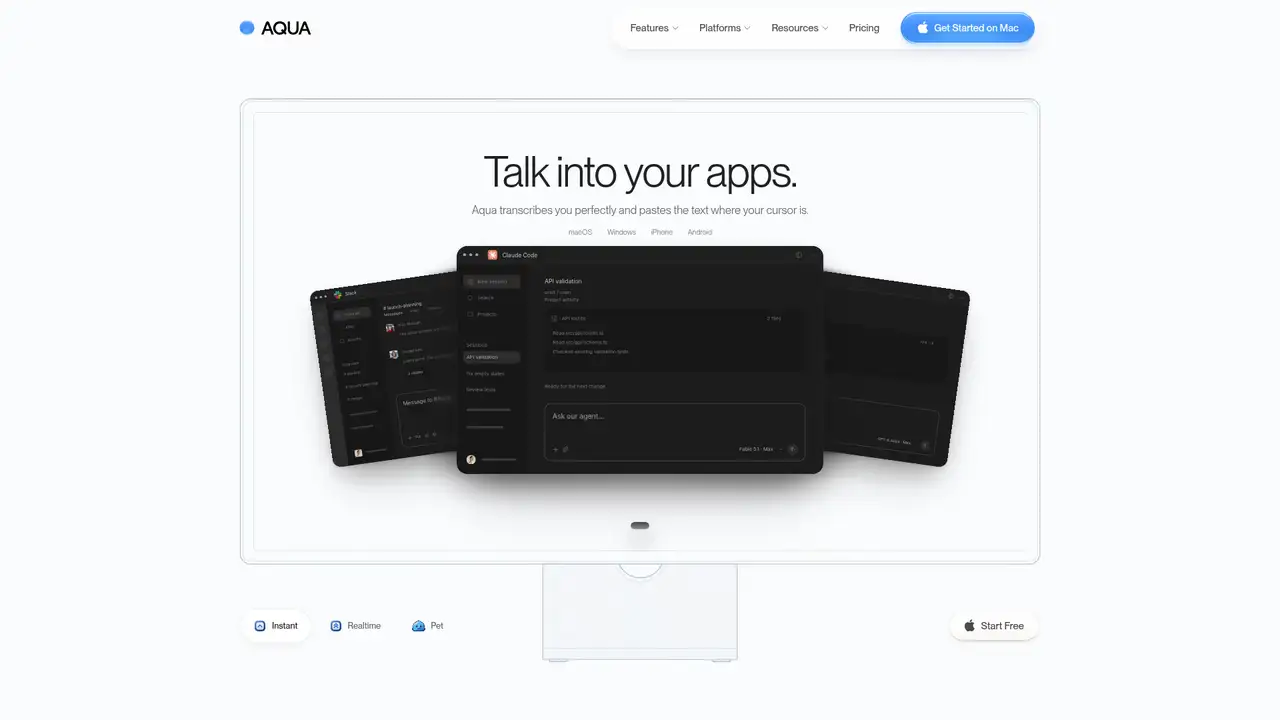
Aqua Voice is a dictation service from New York startup founders Finnian Brown and Jack McIntire. They began working on it in summer 2023, and Y Combinator lists Aqua Voice in its Winter 2024 batch as active. The company first called the product Vienna, then announced Aqua Voice on June 15, 2024. Its apps place dictated text in the field beneath the cursor rather than requiring a proprietary editor. Aqua lists macOS, Windows, iPhone, and Android support. Y Combinator describes startup latency below 50 milliseconds and insertion as fast as 450 milliseconds. Aqua does not publish a funding total or user count, so those details are unavailable for comparison. The Free plan requires no card and includes Avalon 1.5, Deep Context, and MCP or CLI access, while paid plans add personalization features.
Aqua’s workflow is straightforward: hold a key or use another configured trigger, speak, and paste the finished text into the active app. The company names Gmail, Slack, Cursor, terminals, documents, and messaging apps as examples. Its model can correct spoken revisions, interpret punctuation requests, and apply instructions such as adding quotation marks. Pro adds custom instructions and a personal dictionary. Max adds Realtime Mode, which displays words as they arrive, along with voice commands such as “send it.” Aqua also provides an API for creating dictations, applying transcript customizations, reading stored sessions, and transcribing audio with Avalon. This arrangement keeps dictation connected to existing writing and coding tools. Aqua supports Mac, Windows, iPhone, and Android, allowing users to carry its dictation workflow across desktop and mobile devices.
Aqua says its Free plan uses Avalon 1.5 and includes Deep Context plus MCP or CLI access. The product combines speech recognition with language models and contextual processing instead of treating every utterance as literal transcription. Aqua Voice 2, announced in April 2025, described a desktop rebuild, startup below 50 milliseconds, and insertion sometimes as fast as 450 milliseconds. The September and October 2026 changelog lists Android support, improved Japanese dictation, native Windows audio capture, and a microphone startup reduction from 298 milliseconds to 122 milliseconds. The API offers OpenAI-compatible transcription routes and processes requests in the United States. These releases show continued expansion across platforms, languages, capture methods, and developer access. Aqua’s apps place dictated text in the field beneath the cursor across Mac, Windows, iPhone, and Android, while its API supports stored sessions and audio transcription.
The Free plan costs $0, requires no card, and includes 1,000 words, Avalon 1.5, Deep Context, and MCP or CLI. Pro costs $10 per month with annual billing or $12 monthly, adding unlimited words, custom instructions, and a personal dictionary. Max costs $19 or $24, with Realtime Mode, voice commands, and early access. Business costs $19 per seat with annual billing or $24 monthly, requires two seats, and adds SSO, SCIM, reports, shared dictionaries, and Zero Data Retention. The API includes $1 of usage, then charges $0.49 per hour for dictation and $0.39 per hour for transcription, with a 10-second minimum. These tiers separate personal, team, and developer needs. Aqua supports Mac, Windows, iPhone, and Android, while its API provides dictation, transcript customization, stored-session access, and audio transcription.
Aqua requires an internet connection and is not a full voice-control system. An independent review found that starting and pasting can require keyboard actions, while nearby television, radio, or speakers can enter the transcript. Apple Dictation is built into Apple devices and costs nothing, but offers less of Aqua’s editing and personalization workflow. Wispr Flow is a closer subscription alternative for cross-app voice input. MacWhisper is more suitable for macOS users who prioritize local transcription, and its prices are listed in EUR, while Aqua emphasizes cloud processing and multiple platforms. Pro adds custom instructions and a personal dictionary, while Max adds Realtime Mode and voice commands for expanded dictation control. Choose Aqua if you want edited dictation inserted across desktop and mobile apps and accept cloud processing.
Who is Aqua Voice best for?
- Writers who want edited dictation in existing desktop apps.
- Developers dictating prompts into terminals and coding tools.
- Users who need one subscription across desktop and mobile.
- Teams requiring SSO and Zero Data Retention.
Aqua Voice Pricing (2026)
Pricing model: Freemium. All prices in USD.
| Plan | Price | What you get |
|---|---|---|
| Free | $0 | 1,000 words, Avalon 1.5, Deep Context, and MCP or CLI. No card required. |
| Pro | $10/month billed annually or $12/month monthly | Unlimited words, custom instructions, and personal dictionary. |
| Max | $19/month billed annually or $24/month monthly | Everything in Pro, plus Realtime Mode, voice commands, and early access. |
| Business | $19/seat/month billed annually or $24/seat/month monthly | Minimum two seats. Adds SSO, SCIM, reports, shared dictionaries, and Zero Data Retention. |
| API | $0.49/hour dictation or $0.39/hour transcription | First $1 of usage is free. Billing uses a 10-second minimum and begins after the introductory credit. |
Pros and Cons
Pros
- It inserts edited speech into the active text field.
- Paid plans include custom instructions and a personal dictionary.
- It supports Mac, Windows, iPhone, and Android.
- Business includes SSO and Zero Data Retention.
Cons
- The free plan ends after 1,000 words.
- Standard privacy settings may store transcripts for improvement.
- Background speech can reduce transcription reliability.
Who should look elsewhere?
- People who need fully offline transcription.
- Users seeking complete hands-free computer control.
- Customers requiring an unlimited free dictation plan.
Technical Details
Frequently Asked Questions
How much does Aqua Voice cost?
The Free plan costs $0 and includes 1,000 words. Pro costs $10 per month with annual billing or $12 month to month. Max costs $19 with annual billing or $24 month to month. Business costs $19 per seat with annual billing or $24 month to month, with a two-seat minimum. Students receive 70% off Pro and Max.
Does Aqua Voice have a free plan?
Yes. Free requires no credit card and includes 1,000 words, Avalon 1.5, Deep Context, and MCP or CLI access. Pro removes the word limit and adds custom instructions and a personal dictionary. Max adds Realtime Mode and voice commands. Aqua does not describe the Free plan as unlimited.
Aqua Voice or Wispr Flow: which is better?
Aqua suits users who want dictated text edited and inserted into the active field, with custom instructions and a personal dictionary. Wispr Flow is a direct alternative for subscription voice input. Aqua publishes support for Mac, Windows, iPhone, and Android, while the better choice depends on the platforms and editing workflow each user prefers.
Does Aqua Voice train on user audio or transcripts?
Aqua’s privacy policy says transcript data may be stored when Privacy Mode is disabled, to the extent needed to improve the product. With Privacy Mode enabled, transcript data is not collected, although session metadata can still be collected. Aqua says it does not sell personal information or share transcripts and audio with advertising platforms.
Can businesses use Aqua Voice commercially?
Yes. Aqua’s Business plan supports team billing, SSO, SCIM, usage reports, shared dictionaries, and Zero Data Retention. It costs $19 per seat per month with annual billing or $24 month to month, with at least two seats. Aqua says organizations handling protected health information should contact the company about covered plans and Business Associate Agreement terms.
Best Aqua Voice Alternatives in 2026
These tools do the same job as Aqua Voice, with different pricing, limits and trade-offs.

Cloud AI dictation that turns natural speech into polished text across apps.

Flexible local-first dictation with custom modes, model choice, and AI rewriting.

Local transcription and dictation for Mac audio files and meetings
Windows dictation software for professionals, with custom commands and transcription