
Wave Terminal Review, Pricing & Alternatives (2026)
A graphical terminal for SSH, previews, file editing, and AI
Last updated: October 26, 2026
What is Wave Terminal?
Wave Terminal is an open source desktop terminal from Command Line Inc. for developers who combine local shells, SSH sessions, remote files, previews, and AI assistance. It runs on macOS, Linux, and Windows. The desktop application and core are free, while connected AI providers may charge separately. Wave does not publish a paid entry plan.
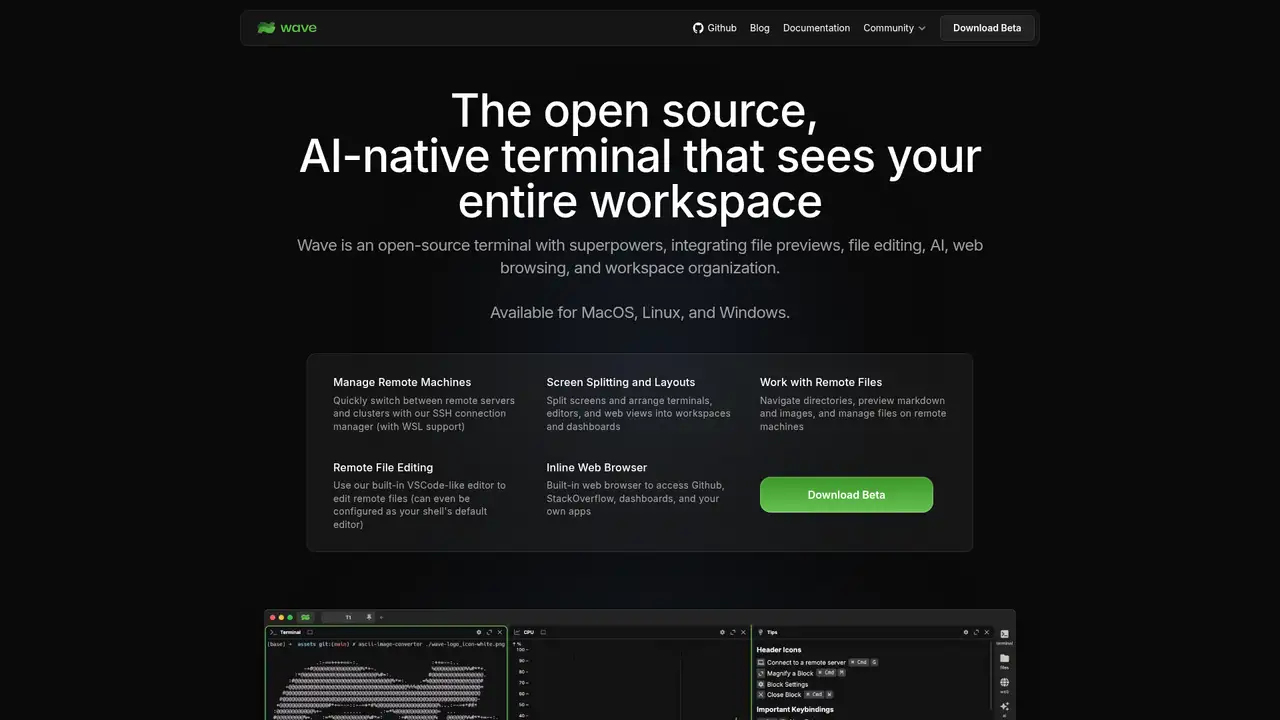
Wave Terminal is an open source desktop terminal from Command Line Inc., created on GitHub on June 8, 2022, under Apache License 2.0. It targets developers who combine local shells, remote machines, file work, previews, and AI assistance in one workspace. Support covers macOS 11 or later, Windows 10 version 1809 or later, and Linux distributions based on glibc 2.28 or later, making its minimum requirements relevant when standardizing developer machines. Electron supplies the desktop interface, while a local Go backend handles networking. The repository includes TypeScript, JavaScript, Go, CSS, HTML, Shell, SCSS, and Go Template, indicating a multi-layered application suitable for modification under its license. Wave publishes no funding, employee count, or user count, so buyers cannot assess company scale from disclosed organizational metrics.
Wave combines terminal blocks with graphical widgets in tabs and workspaces, so a session can keep local shells, SSH connections, previews, and editors together. Users can arrange blocks, preview Markdown, images, video, PDFs, CSV files, or directories, and edit local or remote files without changing applications. Durable SSH sessions preserve shell state, running programs, and terminal history through network changes, sleep, and Wave restarts, reducing recovery work during intermittent connections. Command Blocks isolate individual commands for monitoring. Wave AI can read terminal output and scrollback, inspect files, and write files after approval, while command execution remains unavailable. The wsh system can pipe output or attach files to AI chats and manage workspace data. This workflow suits developers consolidating remote administration, file review, and AI-assisted troubleshooting in one desktop workspace.
Wave’s provider configuration covers OpenAI, Claude, Gemini, Azure, Perplexity, Groq, NanoGPT, OpenAI-compatible endpoints, Ollama, and LM Studio, allowing teams to change services without replacing the terminal. Version 0.13.0, released December 8, 2025, introduced local models, bring-your-own-key support, Gemini integration, provider presets, and multiple AI modes. Version 0.14.0, released February 10, 2026, added durable SSH sessions and improved connection monitoring, making interrupted remote work easier to resume. Version 0.14.4 upgraded xterm.js to version 6 and added vertical tabs, while version 0.14.5, released April 16, 2026, added Process Viewer, Quake Mode, file drag and drop, and related fixes. Buyers should verify provider billing, local hardware, and compatibility before standardizing configurations across a team.
Wave’s desktop application is free, and its repository uses the Apache 2.0 license, allowing commercial use subject to its conditions. The README describes Wave AI as a free beta with included credits, while also supporting BYOK and local models. Wave publishes no paid seat plan, per-token Wave price, or fixed hosted-service rate, so budgeting depends on the selected model arrangement. OpenAI, Anthropic, Google, Azure, Perplexity, Groq, NanoGPT, and other connected providers may impose separate usage charges. Local models avoid provider billing, but require compatible software and hardware, shifting costs toward setup and maintenance. The launch announcement says features using a user’s own computer and resources are intended to remain free, while server-based features may become paid. Teams therefore need to verify provider terms before standardizing deployment.
Wave is a broad desktop workspace rather than a minimal terminal emulator, and its Electron foundation may consume more resources than a native application, which matters on constrained developer machines or alongside multiple editors and browsers. Its cross platform support covers macOS, Linux, and Windows, while durable SSH can preserve remote sessions through interruptions, network changes, sleep, and restarts. Inline previews, remote editing, file transfer, and graphical blocks can reduce context switching when handling logs, documentation, media, or server files. The README still lists Wave AI command execution as coming soon, so teams should plan for assisted analysis and approved file operations, not autonomous shell workflows. BYOK and local model support also shift billing and hardware decisions to the user. Wave suits developers needing graphical terminal blocks, durable SSH, previews, editing, and provider choice.
Who is Wave Terminal best for?
- Developers managing local and remote sessions through a graphical workspace.
- SSH users who need sessions to survive interruptions and restarts.
- Users previewing and editing remote files beside terminal blocks.
- People choosing between provider keys, compatible endpoints, and local models.
Wave Terminal Pricing (2026)
Pricing model: Freemium. All prices in USD.
| Plan | Price | What you get |
|---|---|---|
| Wave Terminal | $0 | The desktop application and open source core are free, and no account is required. |
Pros and Cons
Pros
- Durable SSH sessions preserve remote work through interruptions and restarts.
- Inline previews cover Markdown, images, video, PDFs, CSV files, and directories.
- Apache 2.0 licensing permits modification and commercial use under its conditions.
- BYOK and local model support reduce dependence on one AI provider.
Cons
- Electron may consume more resources than a native terminal emulator.
- Wave publishes no paid seat plan or fixed hosted usage rates.
- AI command execution remains listed as coming soon.
Who should look elsewhere?
- Users seeking a minimal native terminal with few graphical features.
- Teams requiring published enterprise pricing or hosted service rates.
- Users expecting Wave AI to execute shell commands autonomously.
Technical Details
Frequently Asked Questions
How much does Wave Terminal cost?
Wave Terminal's desktop application and open source core cost $0. Wave does not publish a paid seat plan or fixed hosted-service rate. Wave AI is described as a free beta with included credits. If you connect OpenAI, Anthropic, Google, Azure, or another provider, that provider may charge for model usage under its own terms.
Does Wave Terminal have a free plan?
Yes. Wave Terminal is available without an account, email address, or payment. The README describes Wave AI as a free beta with included credits. You can also use BYOK configurations or local models through services such as Ollama and LM Studio. Local model software and the computer running it can have separate costs.
How does Wave Terminal compare with Warp?
Wave and Warp both target developers who want AI features alongside terminal work. Wave emphasizes Apache 2.0 source, durable SSH sessions, inline file previews, remote editing, BYOK, and local models. Warp is a managed AI terminal product. Wave does not publish a paid seat plan, while the two products differ in their licensing and service arrangements.
Does Wave Terminal train on user data?
Wave's privacy policy says Wave AI conversations are not stored on its servers. Prompts and responses are sent to OpenAI when OpenAI powers the feature, so OpenAI's handling rules apply. Wave may collect anonymous telemetry containing usage statistics and performance metrics, and its policy says users can opt out in the software settings.
Can businesses use Wave Terminal commercially?
The repository lists Apache License 2.0, which permits commercial use subject to its license conditions. Businesses must separately review the terms of each connected AI provider, including model usage, billing, and data handling rules. Wave's privacy policy states that prompts and responses may be sent to OpenAI when that provider powers Wave AI.
Best Wave Terminal Alternatives in 2026
These tools do the same job as Wave Terminal, with different pricing, limits and trade-offs.