
InVideo AI Review, Pricing & Alternatives (2026)
Prompt-based video creation with models, agents, editing, and stock media
Last updated: October 22, 2026
What is InVideo AI?
InVideo AI is a web video creation platform for marketers, creators, and teams. It turns prompts into edited videos with AI models, stock media, voice, music, captions, agents, and timeline tools. Current paid plans start at $10 per seat monthly when billed annually, while current official pricing does not show a Free plan.
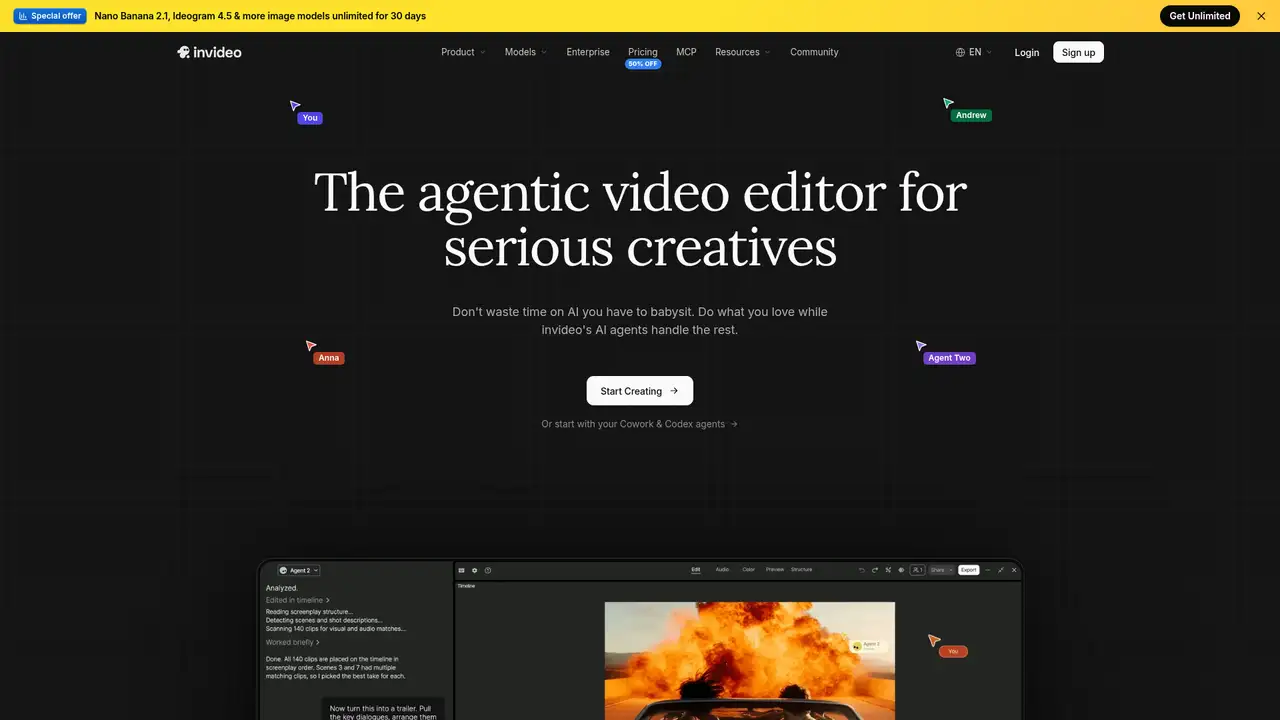
InVideo AI is a web video platform from InVideo, founded in 2017 by Sanket Shah, Anshul Khandelwal, Panket Shah, and Harsh Vakharia. The company launched its AI product around August 2023. A March 2025 report placed it at about $70 million in annual recurring revenue and $53 million in funding. In June 2025, InVideo reported 50 million users, 100 million videos created overall, and 8 million videos created monthly. These are company-reported figures, not audited usage. The product targets marketers, creators, social teams, and small businesses that need prompt-based production, stock media, narration, music, captions, AI models, agents, and timeline editing in a browser. It remains an active service with web, editing, and API-related offerings.
A typical project begins with a prompt describing the subject, audience, format, tone, and duration. InVideo AI can assemble scenes with generated media, stock footage, narration, music, captions, and structure. Users revise drafts through conversational instructions or the timeline editor. Current plans include multiplayer editing, professional color and audio tools, 3D tools, and shared seats. AI credits pay for generation, images, video, voice, music, and agents, but exporting or downloading does not consume credits. Starter supports up to five seats, Plus supports ten, and Max supports twenty. Agent Two offers Lite access on Starter, while Plus and Max add Pro and Ultra access. The workflow suits narrated explainers, advertisements, product videos, social content, and localized campaigns.
InVideo combines its own software with external models. An OpenAI case study says the production system uses GPT-4.1, o3, gpt-image-1, OpenAI text-to-speech, and moderation. InVideo announced Sora 2 integration in October 2025 and Google Veo 3.1 integration later that month. Its June 2025 v4.0 release introduced AI Twins, including personal clones, product and brand twins, an AI actor library, and support for more than 50 languages. Current pricing also lists Seedance 2 and 2.5 and Nano Banana Pro. Model access depends on the subscription. Model costs may change without prior notice. Sora was retired from the web and app in September 2024 and from the API in April 2026, with no current plans for its return.
Current paid pricing starts with Starter at $10 per seat monthly when billed annually, displayed against a $20 regular figure. It includes 400 credits, 160 Nano Banana Pro generations, 15 Seedance 2 Fast videos, five seats, 100 premium stock clips, and 200 GB of storage. Plus costs $30 per seat monthly annually and includes 2,000 credits, 800 Nano Banana Pro generations, ten seats, and 52 Seedance 2 videos. Max costs $75 per seat monthly annually and shows 5,000, 10,000, or 15,000 credit configurations, twenty seats, 500 premium stock clips, and 2,000 GB of storage. Credits do not roll over. Extra credits expire after twelve months or subscription termination. Current official pricing does not show a Free plan.
The main weakness is cost uncertainty because credit use varies by model, and Starter excludes leading models. Standard privacy terms permit user data to train, fine-tune, or adjust AI models, while enterprise materials promise no training on enterprise data. Canva and Adobe Express are narrower template and design comparisons. HeyGen and Synthesia are closer for avatar-led videos. Runway is closer for generative visual experimentation. InVideo AI is best for marketers, social teams, and creators who want prompt-based production, stock media, multiple models, narration, and manual timeline editing in one web application. It is less suitable for teams needing fixed per-video costs, stronger standard privacy guarantees, or dedicated desktop post-production controls.
Who is InVideo AI best for?
- Social teams that need prompt-based drafts and timeline editing in one browser application.
- Marketers producing narrated explainers, advertisements, product videos, and localized content.
- Creators who want multiple image and video models through one interface.
- Small teams needing shared seats, stock media, captions, voice, music, and export tools.
InVideo AI Pricing (2026)
Pricing model: Paid. All prices in USD.
| Plan | Price | What you get |
|---|---|---|
| Starter | $10 per seat monthly billed annually | Includes 400 credits per seat monthly, 160 Nano Banana Pro generations, 15 Seedance 2 Fast videos, five seats, 100 premium stock clips, and 200 GB storage. |
| Plus | $30 per seat monthly billed annually | Includes 2,000 credits per seat monthly, 800 Nano Banana Pro generations, 52 Seedance 2 videos, ten seats, and Seedance 2.5 and 2.0 access. |
| Max | $75 per seat monthly billed annually | Shows 5,000, 10,000, and 15,000 credit configurations, twenty seats, all listed models, 500 premium stock clips, and 2,000 GB storage. |
Pros and Cons
Pros
- The platform combines prompt-based generation, stock media, AI models, and timeline editing.
- Plus and Max include Seedance 2.5 and Seedance 2.0 access.
- Exports do not consume credits according to the pricing page.
- Enterprise materials advertise isolated environments and no training on enterprise data.
Cons
- Credit costs vary by model and can change without prior notice.
- Unused subscription credits do not roll over to the next month.
- Standard privacy terms permit user data to train or adjust AI models.
Who should look elsewhere?
- Teams requiring predictable per-video costs when model credit usage varies.
- Organizations needing standard-tier guarantees that user data will never train models.
- Editors seeking a dedicated desktop suite with frame-level professional post-production controls.
Technical Details
Frequently Asked Questions
How much does InVideo AI cost?
Paid plans currently start at $10 per seat monthly when billed annually for Starter, which includes 400 credits. Plus costs $30 per seat monthly billed annually, and Max costs $75 per seat monthly billed annually. Monthly checkout prices and promotions may differ, so buyers should check the official pricing page before purchasing.
Does InVideo AI have a free plan?
Current official pricing lists Starter, Plus, and Max, and does not show a Free plan. An older Help Center page describes limited weekly credits, but its information may not match current pricing. Buyers should rely on the current pricing page and account checkout rather than assume that older free-tier terms still apply.
How does InVideo AI compare with HeyGen?
InVideo AI is broader as a prompt-based production and editing workspace, combining generated media, stock footage, narration, music, AI agents, and a timeline editor. HeyGen is more closely associated with avatar-led videos and translated presenter content. Choose InVideo for mixed-media production, and consider HeyGen when a synthetic presenter is the central format.
Does InVideo AI train on user data?
The standard InVideo privacy policy permits user data to be used to train, fine-tune, or adjust AI models, subject to its terms. Some providers cannot use content for their own training, while experimental providers may follow their own practices. Enterprise materials promise no training on enterprise data, so sensitive deployments should use the applicable enterprise agreement.
Can I use InVideo AI videos commercially?
InVideo's consumer terms grant users rights to use, reproduce, modify, distribute, perform, display, and commercialize generated outputs. Those rights do not override licenses covering stock footage, music, or other third-party material, and outputs are not exclusive. Enterprise materials advertise commercial-use indemnity and copyright-free commercial music, subject to the enterprise agreement.
Best InVideo AI Alternatives in 2026
These tools do the same job as InVideo AI, with different pricing, limits and trade-offs.
A visual suite for design, documents, video, and brand work

Browser video editing with captions, AI creation, avatars, and team collaboration.
AI avatars, translation, and prompt-based video production
Generative media tools for video, images, audio, and production workflows