
Spline Review, Pricing & Alternatives (2026)
Collaborative 3D design and interactive experiences in the browser
Last updated: October 26, 2026
What is Spline?
Spline is a browser-based 3D and interactive design tool from Spline, Inc. It serves designers, agencies, developers, educators, and creators building web, mobile, and spatial experiences. A free plan is available, while paid access starts at $15 per seat monthly or $12 per seat monthly with annual billing.
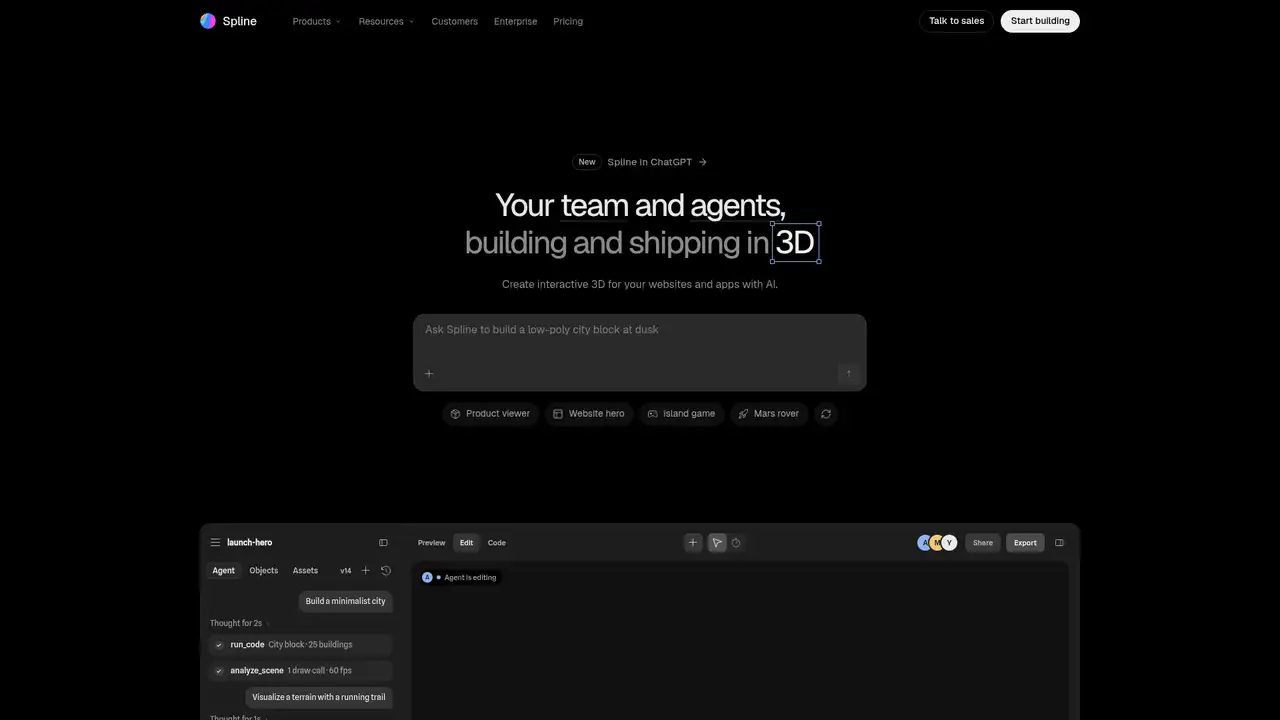
Spline is a browser-based 3D design platform founded in 2020 by Alejandro Leon and accepted into Y Combinator’s Winter 2021 batch. The company says its community created more than 7 million scenes by August 2024, when it announced a $10 million Series A led by Third Point Ventures. TechCrunch reported a $15 million 2023 seed round and total funding of $16 million at that point. Spline puts modeling, materials, animation, physics, interaction design, collaboration, and publishing in one editor. That scope lets teams move from an idea to a shareable interactive scene without adopting a traditional game engine. Product designers, brand teams, agencies, developers, educators, and creators can therefore use the same browser workflow for concepts, reviews, and published experiences.
A typical project begins in Spline’s 3D editor, where a designer creates or imports geometry, assigns materials and lighting, and then adds animation, events, states, variables, physics, or code. Templates and the Spline Library shorten setup, while shared editing and comments keep review inside one workspace. Publishing can produce web experiences, images, or video, and eligible paid plans add Apple and Android exports. Real-time APIs and webhooks allow scene variables to connect with external data, which can make a finished scene more than a static presentation. Hana provides a separate 2D canvas for interface and motion work. Spline’s AI agents create or modify editable objects, so generated results can remain part of the project rather than existing only as flattened images.
Spline V2, released on August 21, 2026, uses a WebGPU renderer with WebGL fallback and adds a TSL-based rendering backend, PBR materials, image-based lighting, screen-space and planar reflections, physical and HDRI skies, height fog, GPU instancing, faster booleans, GPU hair, and improved physics. These additions affect both visual quality and scene performance, while preserving browser access through the fallback renderer. Its AI Agent edits scenes, materials, lights, animation, interactivity, and code. Claude Code and Cursor can drive the editor through MCP. Hana V2, released on August 28, 2026, adds MCP, WebGPU, GLB and GLTF import, SVG and PDF export, Illustrator import, accessibility contrast checking, and improved collaboration. January 2026 updates included faster Hana 3D-shape performance.
Spline’s Free plan costs $0 and includes limited personal files, unlimited viewers, Spline Library access, watermarked web exports, and 20 MCP tool calls daily. Hobby costs $15 per seat monthly or $12 annually, Pro costs $30 monthly or $25 annually, and Max costs $70 monthly or $60 annually. Paid plans include 2,000, 3,000, or 10,000 AI credits per seat each month, so team size directly affects recurring cost. Extra credits cost $5 monthly per additional 1,000, subject to each plan’s maximum, and unused credits do not roll over. Credits cover AI Agent, AI 3D Generation, AI Textures, and Hana generation. Enterprise uses annual custom pricing with custom credits, security, SSO, self-hosted or code exports, version history, and priority support.
Spline’s main limitation is the cost of combining per-seat subscriptions with credit-based AI usage. Free web exports carry a watermark, and demanding 3D work can require more performance than lightweight design tools. Blender offers deeper modeling and simulation with no subscription, but requires more expertise and a different workflow. Vectary focuses on browser-based 3D modeling and product visualization, while Womp targets accessible 3D creation and animation. Dora focuses on interactive web experiences with 3D support. These alternatives matter when offline control, specialized asset production, or a different interaction workflow outweighs browser collaboration. Pick Spline for browser-based interactive 3D, web publishing, shared review, and AI-assisted scene building, especially when a team values an integrated design-to-delivery workflow.
Who is Spline best for?
- Brand and product teams building interactive 3D web experiences.
- Designers who want AI-assisted modeling with editable scene control.
- Agencies publishing 3D work across web, Apple, and Android.
- Collaborative teams needing browser-based 3D review and handoff.
Spline Pricing (2026)
Pricing model: Freemium. All prices in USD.
| Plan | Price | What you get |
|---|---|---|
| Free | $0/month | Limited personal files, unlimited viewers, watermarked web exports, Spline Library, and 20 MCP tool calls per day. |
| Hobby | $15/seat/month or $12/seat/month billed yearly | 2,000 AI credits per seat monthly, 100 MCP calls daily, unlimited 2D and 3D files, video uploads, and watermark-free web exports. |
| Pro | $30/seat/month or $25/seat/month billed yearly | 3,000 AI credits per seat monthly, 200 MCP calls daily, video export, Apple and Android exports, unlimited scenes, variables, APIs, and webhooks. |
| Max | $70/seat/month or $60/seat/month billed yearly | 10,000 AI credits per seat monthly, 400 MCP calls daily, five times more media generation weekly, and 100MB maximum video size. |
| Enterprise | Custom | Annual billing with custom AI credits, SAML SSO, team privacy, self-hosted or code exports, version history, priority support, and security onboarding. |
| AI credit add-on | $5/month per additional 1,000 credits | Available in 1,000-credit increments above the included allowance, subject to each plan’s maximum. |
Pros and Cons
Pros
- WebGPU, WebGL fallback, and browser editing reduce setup requirements.
- Interactive scenes connect to APIs, webhooks, variables, and code.
- Paid plans include credits for AI scene and texture features.
- Eligible plans support web, video, Apple, Android, USDZ, and STL exports.
Cons
- Free web exports include a Spline watermark.
- AI operations use one non-rolling monthly credit pool.
- Advanced native, code, and self-hosted exports need paid access.
Who should look elsewhere?
- Teams requiring a fully offline or self-hosted editor on standard plans.
- Specialists needing Blender-level mesh, rigging, and simulation depth.
- Projects unable to absorb per-seat subscriptions and AI credits.
Technical Details
Frequently Asked Questions
How much does Spline cost?
Spline has a $0 Free plan. Hobby costs $15 per seat monthly or $12 per seat monthly with annual billing. Pro costs $30 monthly or $25 annually, and Max costs $70 monthly or $60 annually. Enterprise uses annual custom pricing. Prices are in USD, and paid plans include monthly AI credits.
Does Spline have a free plan?
Yes. Free includes limited personal files, unlimited viewers, the Spline Library, watermarked web exports, and 20 MCP tool calls daily. Hobby removes the web watermark and adds unlimited 2D and 3D files, video uploads, and 2,000 monthly AI credits per seat. Free does not include paid-plan AI credits.
Spline or Blender: which is better?
Spline is better suited to browser collaboration, interactive web publishing, and no-code scene behavior. Blender is free and open source, with deeper modeling, sculpting, rigging, rendering, and simulation tools. Choose Spline for interactive product or brand experiences. Choose Blender when asset production depth and offline control matter more than shared browser workflow.
Does Spline train AI models on user content?
Spline’s Content training setting is on by default, and users can turn it off in Personal Settings. The company says de-identified prompts and generated content may improve its AI models when enabled. Account details and payment information are not used for training. Enterprise content training is disabled by default.
Can Spline projects be used commercially?
Spline supports publishing production interactive experiences, and paid plans remove major export restrictions while adding native and code-related options. Commercial permissions depend on the applicable Spline terms, imported assets, fonts, and Library licenses. Teams should review those terms and third-party asset licenses before shipping client or resale work.
Sources
- Spline pricing and plan comparison
- Spline documentation pricing and AI credits
- What is Spline documentation
- Spline AI Agent documentation
- Spline content training controls
- Spline AI 3D Generation documentation
- Y Combinator company profile
- Spline Series A announcement
- TechCrunch funding report
- Spline V2 release notes