
Speechify Review, Pricing & Alternatives (2026)
Reads any document aloud, takes dictation and answers questions across every device
Last updated: October 19, 2026
What is Speechify?
Speechify is a text-to-speech reader that turns PDFs, web pages, emails and scanned pages into audio, with dictation and an AI assistant added on top. It suits students, people with dyslexia and anyone who prefers listening to reading. The free tier uses 10 basic voices; Premium costs $29 a month or less on a yearly plan.
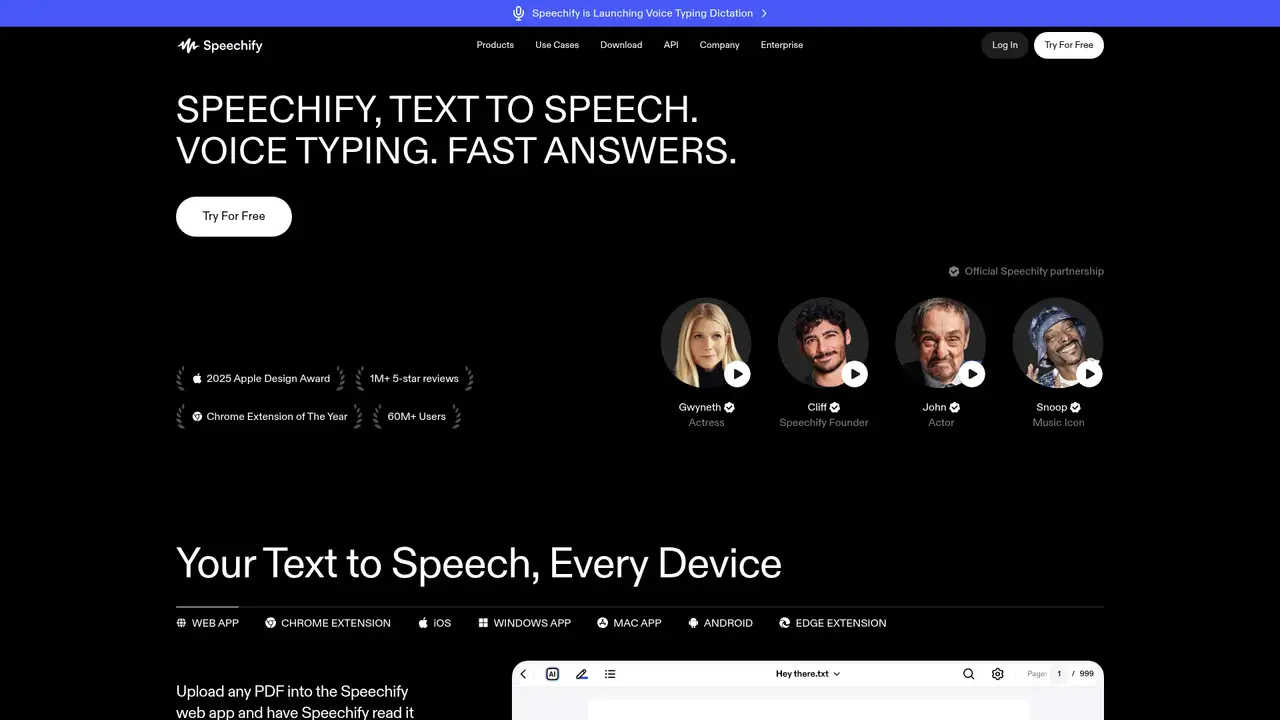
Speechify was started by Cliff Weitzman, who built the first version to get through school with dyslexia, and it has grown into one of the most downloaded text-to-speech apps. The company says it has more than 60 million users, and in July 2026 it passed 500,000 five-star ratings on the iOS App Store. It won a 2025 Apple Design Award and was named Chrome Extension of the Year. There are three separate products under the brand: the Speechify reader for consumers, Speechify Studio for voiceovers and dubbing, and a developer API now sold at speechify.ai. Each has its own subscription, which confuses buyers. In June 2026 the company also launched Speechify Work, a set of AI agents that carry out tasks for knowledge workers, which Satya Nadella showed at Microsoft Build that month.
The reader is the core product. You open a PDF, Google Doc, ebook, email or web page in the app or browser extension, press play and Speechify reads it with word-by-word highlighting at up to 4.5 times normal speed. Scan and Listen photographs a printed page and reads it back using text recognition. The app runs on iOS, Android, Mac, Windows, Chrome and Edge, and syncs your library and position through Google Drive, Dropbox and OneDrive integrations. Premium adds AI summaries, a chat that answers questions about whatever you are listening to, and AI Podcasts that turn a document into a two-voice audio episode. Voice Typing lets you dictate into any app on Mac, Windows and iOS, and the company made unlimited dictation free on iOS and Mac in June 2026.
Speechify trains its own speech models, branded Simba. Simba 3.0 broke into the top 10 of the Artificial Analysis text-to-speech leaderboard in May 2026, and Simba 3.2, an English model, reached the top of that leaderboard in July 2026 according to the company. Simba 3.5 is now the recommended API model and covers 48 languages under a single model ID, with streaming output and voice cloning on paid plans. The reader offers more than 1,000 voices in 60-plus languages, including licensed celebrity voices such as Snoop Dogg and Gwyneth Paltrow. The API launched in March 2025 with SSML support, speech marks for highlighting and JavaScript and Python SDKs, and Speechify also sells enterprise voice agents for phone calls, such as its June 2026 lending partnership with Fundwell.
The free reader limits you to 10 robotic voices and 1.5x speed, which works for testing but not for daily listening. Premium costs $29 a month billed monthly and adds the natural voices, 5x speed, scanning, AI summaries, podcasts and the assistant; the yearly plan is advertised at 60% off the monthly rate. Studio is billed separately in credits: a free plan with 600 credits and no commercial rights, Starter at $100 a year for 86,400 credits, and a larger plan at $300 a year for 345,600 credits. Voiceover uses one credit per second, dubbing three and avatars 30. The developer API has a free tier, then Starter at $10, Pro at $99 and Scale at $499 a month, each including a usage balance at roughly $10 per million characters.
Speechify's weak points are billing and focus. Reviews often complain about the annual renewal, and the reader, Studio and API subscriptions do not include each other, so a Premium subscriber who wants to publish a voiceover pays again. As a voiceover tool, Studio trails ElevenLabs and Murf AI on editing control and voice cloning. As a pure reader, NaturalReader and Apple's built-in Spoken Content are cheaper, and Microsoft Edge's Read Aloud is free with decent neural voices. Speechify's advantage is breadth: the same library and position follow you from phone to browser to desktop, with scanning, dictation and summaries in one app. Pick it if you listen to hours of reading a week, especially for study or accessibility. Pick ElevenLabs if you mainly need to create audio for others.
Who is Speechify best for?
- Students and readers with dyslexia who listen to textbooks, PDFs and articles daily.
- Commuters who want web articles and documents read aloud at high speed.
- People who want one app for listening, dictation and document summaries across devices.
- Developers who want a low-cost streaming text-to-speech API with voice cloning.
Speechify Pricing (2026)
Pricing model: Freemium. All prices in USD.
| Plan | Price | What you get |
|---|---|---|
| Free | $0/month | 10 basic voices, listening up to 1.5x speed, text-to-speech only. |
| Premium | $29/month | 1,000+ voices in 60+ languages, 5x speed, Scan and Listen, AI summaries, chat, podcasts and voice typing. Yearly billing advertised at 60% off. |
| Studio Free | $0 | 600 Studio credits for voiceover, dubbing and voice changer. No commercial rights. |
| Studio Starter | $100/year | 86,400 Studio credits a year (one credit per second of voiceover), stock media and commercial rights. |
| API Starter to Scale | $10-$499/month | Self-serve API plans include a USD usage balance drawn down per character. Free tier available; Enterprise is custom. |
Pros and Cons
Pros
- Runs on iOS, Android, Mac, Windows, Chrome and Edge with synced libraries and progress.
- Scan and Listen reads printed pages from a phone photo.
- Simba models rank near the top of independent TTS leaderboards at low API prices.
- Free unlimited dictation on iOS and Mac since June 2026.
Cons
- Reader, Studio and API are separate subscriptions with no overlap.
- The free reader's 10 robotic voices give a poor sense of the paid product.
- Premium at $29 a month is expensive compared with Edge Read Aloud or NaturalReader.
Who should look elsewhere?
- Users who only need occasional read-aloud that free browser and OS tools already cover.
- Voiceover producers who need detailed timing and emphasis control in an editor.
- Anyone who dislikes annual subscriptions, which reviewers often cite as hard to cancel.
Technical Details
Frequently Asked Questions
How much does Speechify cost?
Speechify Premium costs $29 a month billed monthly, and the yearly plan is advertised at 60% off that rate. Studio, for making voiceovers, is a separate subscription starting at $100 a year. The developer API has its own plans from a free tier through $10, $99 and $499 a month. A Premium reader subscription does not include Studio or API usage.
Is Speechify free?
Yes, Speechify has a free plan. It reads text aloud with 10 basic voices at up to 1.5x speed on every supported device. Natural-sounding voices, faster speeds, scanning, AI summaries and podcasts require Premium. Since June 2026 voice typing dictation is free and unlimited on iOS and Mac, separate from the reader subscription.
Speechify vs NaturalReader: which is better?
Both read documents and web pages aloud. Speechify has more polished mobile apps, phone scanning, synced libraries, AI summaries, dictation and celebrity voices, but costs more. NaturalReader is cheaper, offers a lifetime license option and suits people who mainly listen on a desktop. Heavy daily listeners who switch between phone and laptop tend to prefer Speechify.
Is Speechify safe for private documents?
Speechify says its products are SOC 2 certified and that Studio users own the audio they create. Files you listen to are uploaded to its servers for processing, so check your employer's policy before loading confidential documents. The API offers enterprise terms with DPAs, SLAs and on-premise deployment for organisations with stricter data requirements.
Can I use Speechify audio commercially?
Not from the reader app or the free Studio plan. Commercial rights come with paid Speechify Studio plans, where the company says you own the output and can use it in your own projects in perpetuity. Apps built on the Speechify API can serve generated speech to their users under the API terms, with voice cloning available on paid API plans.
Best Speechify Alternatives in 2026
These tools do the same job as Speechify, with different pricing, limits and trade-offs.
Expressive speech, dubbing, music and realtime voice agents
Cloud text-to-speech, dubbing, voice conversion, and voice-agent APIs
Text-to-speech with ultra-realistic voice cloning at scale

Cloud AI dictation that turns natural speech into polished text across apps.

Source-grounded research, study aids, and multimedia summaries