
remove.bg Review, Pricing & Alternatives (2026)
Automatic background removal for people, products, and objects
Last updated: October 26, 2026
What is remove.bg?
remove.bg is an AI background-removal service for individuals, photographers, ecommerce teams, marketplaces, and developers. Free previews provide a no-cost starting point, while paid credit packages, subscriptions, and custom enterprise arrangements support larger workloads. The API documentation says the first 50 API calls each month are free previews, and current self-serve prices are shown at checkout.
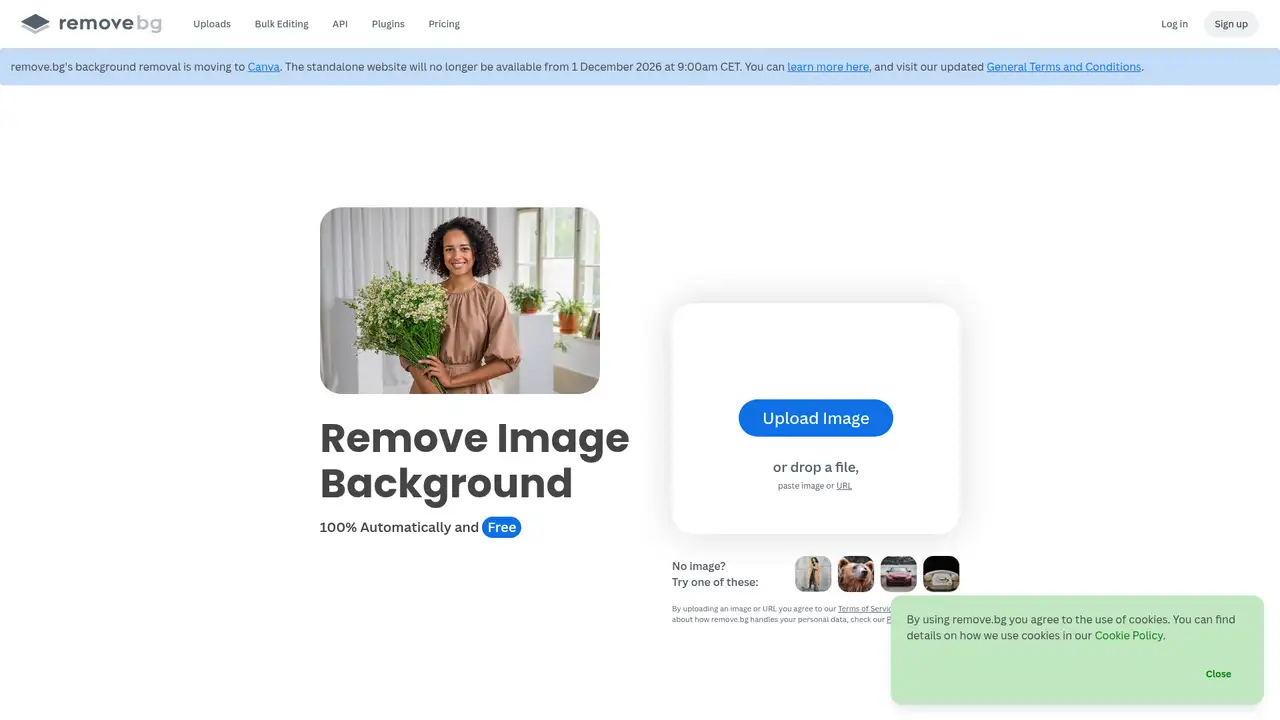
remove.bg is an AI background-removal service launched in 2018 and operated by Canva Austria GmbH, formerly Kaleido AI GmbH, within the Canva group. Canva welcomed Kaleido into the company in 2021, and remove.bg continues under its own name. The service isolates people, products, animals, cars, and other foreground objects through a website, desktop applications for Windows, Mac, and Linux, a Photoshop extension, integrations, and an HTTP API. Kaleido says remove.bg reached 30 million active monthly users in 2022. Canva reported that Kaleido technology processed more than 150 million photo and video backgrounds each month in 2021. Its audience spans individuals, photographers, app developers, marketplaces, and ecommerce teams.
A typical job starts with a JPG or PNG upload, followed by automatic foreground detection and a downloadable cutout. Supported files can reach 22 MB. The company recommends good lighting, strong contrast, a sharp foreground, correct orientation, and plain backgrounds. Users can request transparent output or apply a replacement background through supported tools and API options. The API accepts parameters for output format, size, crop, subject scaling, background color, and background image. Desktop applications handle batch background removal, while the Photoshop extension and integrations keep the operation inside existing software. Results are more predictable with one clear subject than with groups, reflections, hard shadows, decorations, or partially hidden objects.
remove.bg describes the service as visual AI and does not identify a public model name. Its API uses a simple HTTP interface: create an API key, send an image, and adjust documented parameters for the returned result. The current offering emphasizes the established web, desktop, Photoshop, integration, and API workflow rather than a named 2025 or 2026 model release. Users can choose whether an image contributes to the Quality Improvement Program when rating results. Enterprise customers can submit images for model training through that program. The privacy policy also says uploaded content and related account data may be analyzed to train algorithms, models, and AI products, so organizational users should review controls and contractual terms before processing sensitive images.
The free option provides previews, and the API documentation says the first 50 API calls each month are free previews. Pay-as-you-go credits and recurring subscriptions are also offered. Current self-serve dollar amounts are shown at checkout, so buyers should confirm the charge before purchase. Pay-as-you-go credits do not expire, while unused subscription credits expire at the end of the billing period. Enterprise pricing is custom and can include flexible API, credit, and rate limits, overdraft protection, white labeling, multiple API keys, dedicated support, and EU image processing. The service's help center also lists full-resolution images, desktop batch processing, plugins, integrations, and API usage as plan-related workflows.
remove.bg is a focused cutout service, not a complete design editor or generative product studio. Its own guidance identifies large groups, hard shadows, reflections, decorations, blur, and obstructed subjects as conditions that can reduce results. Photoroom combines background removal with product layouts, generated backgrounds, video, and commerce tools. Canva offers background removal inside a much broader design editor with templates and other media tools. Adobe Photoshop provides more manual masking and compositing control. remove.bg is the better fit for a dedicated removal endpoint, batch workflow, or Photoshop add-on, while Photoroom suits product-content creation and Canva suits broader design work. Pick remove.bg for automated cutouts at scale.
Who is remove.bg best for?
- Developers adding automated cutouts to software.
- Marketplaces processing seller catalog images.
- Photographers batching background removal.
- Teams using Photoshop, desktop tools, or an API.
remove.bg Pricing (2026)
Pricing model: Usage-based. All prices in USD.
| Plan | Price | What you get |
|---|---|---|
| Free | $0/month | Free previews are included; the API documentation says the first 50 API calls each month are free previews. |
| Pay-as-you-go credits | Price shown at checkout | One-time credits are offered for full-resolution processing, and unused pay-as-you-go credits do not expire. |
| Subscriptions | Price shown at checkout | Recurring plans provide a monthly credit budget; unused subscription credits expire at the end of the billing period. |
| Enterprise | Custom | Custom API, credit, and rate limits can include overdraft protection, white labeling, multiple API keys, dedicated support, and EU processing. |
Pros and Cons
Pros
- The API uses a straightforward HTTP workflow.
- Desktop and Photoshop tools fit existing production processes.
- Enterprise plans support custom limits and white labeling.
- JPG and PNG uploads can reach 22 MB.
Cons
- Complex edges and clutter can require manual review.
- Current self-serve amounts are shown at checkout.
- It has fewer layout features than broader creative suites.
Who should look elsewhere?
- Designers seeking a complete campaign editor.
- Images containing many overlapping foreground subjects.
- Buyers requiring a fixed public self-serve price list.
Technical Details
Frequently Asked Questions
How much does remove.bg cost?
remove.bg offers free previews, pay-as-you-go credits, recurring subscriptions, and custom enterprise arrangements. Current self-serve amounts are shown at checkout rather than stated here. The API documentation says the first 50 API calls each month are free previews. Pay-as-you-go credits do not expire, while unused subscription credits expire at the end of the billing period.
Is remove.bg free?
Yes, limited use is free. The service offers previews, and its API documentation says the first 50 API calls each month are free previews. Full-resolution output and higher volumes use credits or a subscription. The free option is therefore suitable for testing and occasional preview work, not unlimited full-resolution production processing.
Is remove.bg better than Photoroom?
remove.bg is narrower and focuses on automated cutouts through web, desktop, Photoshop, integration, and API workflows. Photoroom adds product layouts, generated backgrounds, video, and commerce editing. Choose remove.bg for a dedicated removal service or production endpoint. Choose Photoroom when the same project also needs product-content composition and broader editing tools.
Does remove.bg train on uploaded images?
remove.bg lets users choose whether an image contributes to its Quality Improvement Program when rating results. Its privacy policy also says content, media uploads, and related account data may be analyzed to train algorithms, models, and AI products. Teams handling sensitive images should review the current consent controls, privacy policy, and enterprise terms before uploading.
Can I use remove.bg images commercially?
remove.bg supports commercial workflows for ecommerce, marketplaces, enterprise software, and API integrations. Commercial use still depends on having the necessary rights to the uploaded image and following the service terms. Enterprise materials describe white labeling and integrations, but users remain responsible for source content, permissions, and how they use the resulting cutouts.
Best remove.bg Alternatives in 2026
These tools do the same job as remove.bg, with different pricing, limits and trade-offs.