
Napkin AI Review, Pricing & Alternatives (2026)
Turn written explanations into editable business visuals
Last updated: October 26, 2026
What is Napkin AI?
Napkin AI turns text into editable diagrams and other business visuals for presentations and documents. It suits people who have the explanation written but need a clearer visual format. Free includes 500 weekly AI credits and branded exports. The pricing page lists Plus at $9 per person monthly and Pro at $22.
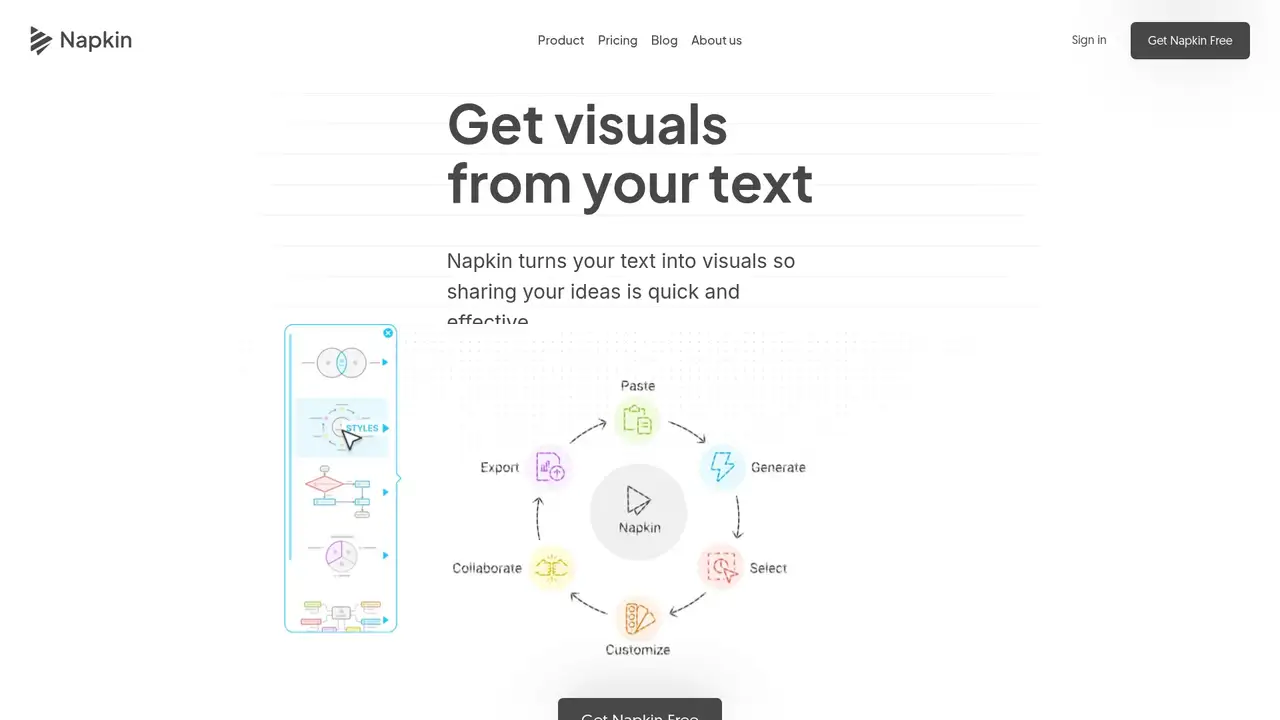
Napkin AI makes text-to-visual software for business communication. TechCrunch covered its launch in August 2024. Its purpose is narrower than a general image generator: converting written concepts into visual explanations that can be edited and reused in documents or presentations.
Users import a document or paste text, select the passage they want illustrated, and generate visual options. They can then change layouts, colors, labels, and other design elements. The free plan exports PNG and PDF files; paid subscriptions add PowerPoint and SVG exports.
Napkin's current documentation includes Slides and a developer API. The pricing page lists premium AI image models on Plus without specifying one permanent model across every feature. Credit consumption is approximately one credit per selected word, although the company says complex outputs may change that calculation.
Free includes 500 credits weekly, unlimited editing, supported file imports, and branded PNG or PDF exports. Plus lists $9 per person monthly with 10,000 monthly credits. Pro lists $22 with 30,000 credits, additional branding controls, and optional credit top-ups. Annual billing advertises a 25% discount.
Napkin's appeal is text-led visual explanation, not a replacement for every diagramming or presentation task. Canva covers a broader design workflow, while Gamma emphasizes generated presentations and Lucidchart targets diagramming. Pick Napkin when an existing written argument needs editable visuals rather than a complete presentation redesign.
Who is Napkin AI best for?
- Writers can turn explanations into editable visuals.
- Presenters can export visuals into PowerPoint.
- Teams can apply shared brand styles.
- Developers can explore the documented API.
Napkin AI Pricing (2026)
Pricing model: Freemium. All prices in USD.
| Plan | Price | What you get |
|---|---|---|
| Free | $0 | 500 AI credits weekly, unlimited editing and file imports, and PNG/PDF export. Visuals retain Napkin branding. |
| Plus | $9/person/month | 10,000 monthly AI credits, premium AI image models, PowerPoint/SVG exports, three brand styles, and branding removal. |
| Pro | $22/person/month | 30,000 monthly AI credits, exclusive designs, unlimited custom branding, font uploads, and optional credit top-ups. |
| Enterprise | Custom | Contact sales for organizational pricing. |
Pros and Cons
Pros
- Free credits refresh weekly.
- Visual editing is unlimited on Free.
- Paid plans support SVG export.
- Pro supports custom font uploads.
Cons
- Credit consumption depends on selected text length.
- Free exports omit SVG and PowerPoint formats.
- Additional credit top-ups are a Pro feature.
Who should look elsewhere?
- Free exports retain Napkin branding.
- PowerPoint and SVG exports require payment.
- High-volume generation consumes word-based credits.
Technical Details
Frequently Asked Questions
How much does Napkin AI cost?
Napkin has a $0 Free plan. Its pricing page lists Plus at $9 per person monthly and Pro at $22 per person monthly. Enterprise uses custom pricing. The page advertises a 25% discount for annual subscriptions. Pro also supports optional credit top-ups when the included allowance is insufficient.
What does Napkin AI Free include?
Free includes 500 AI credits each week, unlimited visual editing, supported file imports, and PNG or PDF exports. Exports retain Napkin branding. Credits are approximately tied to the number of selected words used for generation. PowerPoint and SVG exports, premium image models, and branding removal require Plus or Pro.
Is Napkin AI better than Canva?
Napkin focuses on turning text into editable explanatory visuals. Canva is a broader visual-design alternative. Napkin is the more targeted choice when the text already exists and the task is illustrating it. Canva merits consideration when the project also needs varied marketing assets, page design, or a wider presentation workflow.
Does Napkin AI use my content for training?
Napkin's pricing page says it will not use customer data to train AI models without permission. The company also publishes a data processing agreement and a dedicated AI data-use article. Organizations handling confidential documents should review those contractual terms alongside the access and export controls of their chosen subscription.
Does Napkin AI offer an API?
Yes. Napkin publishes API documentation and an API availability help article. That makes it relevant to teams generating visuals inside an existing content workflow, rather than only through the website. Its public application subscriptions describe visual credits and exports; API users should follow the separate developer documentation for implementation and billing details.
Best Napkin AI Alternatives in 2026
These tools do the same job as Napkin AI, with different pricing, limits and trade-offs.