
Mistral Code Review, Pricing & Alternatives (2026)
Enterprise coding assistance with Mistral models and controlled deployment
rebranded: Mistral Code is a legacy Enterprise coding assistant entitlement while Vibe Code covers current coding workflows.
Last updated: October 26, 2026
What is Mistral Code?
Mistral Code is Mistral AI's enterprise coding assistant, launched in 2025 for engineering teams needing IDE support and controlled deployment. Current access starts with Free Vibe coding sessions, while Pro costs $14.99 monthly; verified students can receive Pro for $5.99 monthly. Legacy Mistral Code Enterprise seats remain separately managed during migration to Vibe Code.
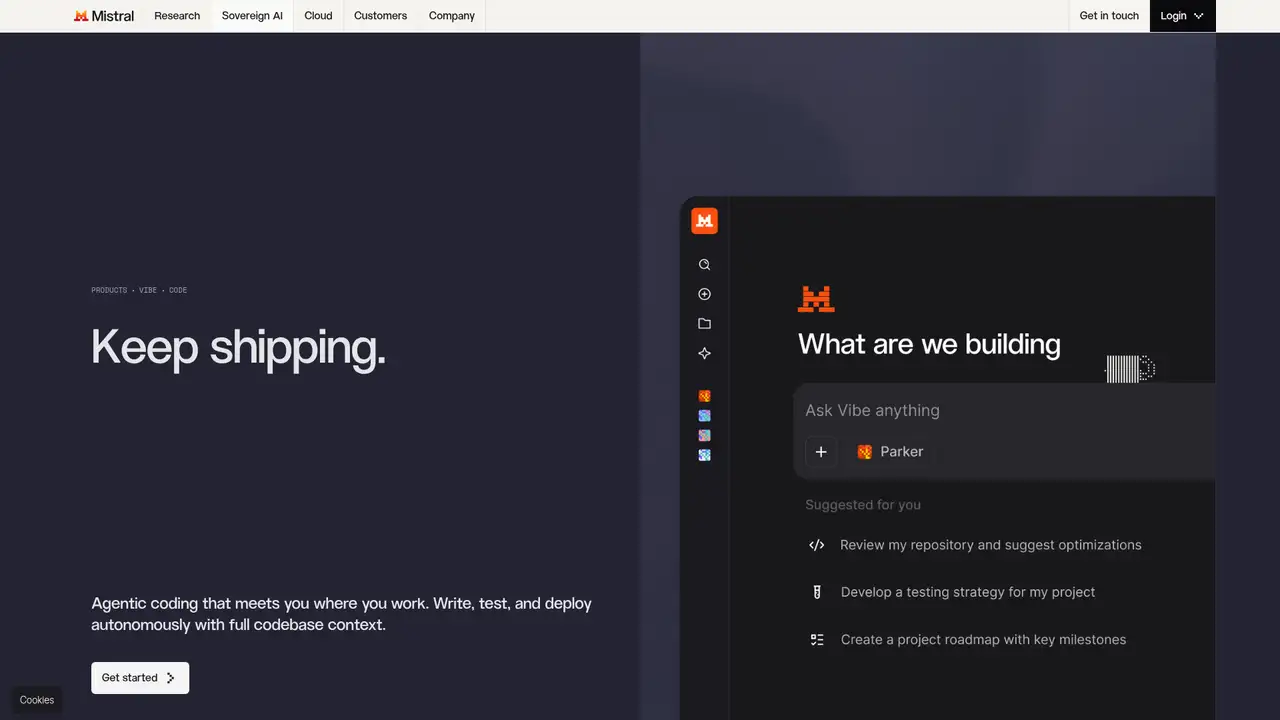
Mistral Code launched on June 4, 2025, as Mistral AI’s enterprise coding assistant, initially offered in private beta for VS Code and JetBrains. Built on Continue, it combined an IDE assistant with administration, observability, RBAC, audit logging, seat and usage analytics, 24x7 support, and deployment options spanning serverless, cloud, reserved capacity, air-gapped environments, and on-premises GPUs. Its original model stack included Codestral for fill-in-the-middle autocomplete, Codestral Embed for code retrieval, Devstral for agentic coding, and Mistral Medium for chat. It targeted more than 80 programming languages and supported files, diffs, terminal output, issues, multi-file edits, tests, and approved shell commands. Current billing documentation identifies its seats as legacy Enterprise entitlements, while Vibe Code covers current CLI, editor, web, and coding workflows. Mistral AI raised €600 million in June 2024 and approximately €1.7 billion in September 2025.
Mistral Code was designed for work beyond inline completion. Its original workflow could reason over files, Git diffs, terminal output, and issues, while supporting multi-file edits, test generation, documentation changes, and shell commands subject to configurable approvals. Its enterprise package added seat management, usage analytics, audit logging, role-based administration, and issue-resolution metrics. The product also supported deployment options including cloud, serverless, reserved-capacity, air-gapped, and on-premises environments. Vibe Code extends this direction through a terminal-native agent, VS Code, JetBrains, Zed, web sessions, and background work. Current Vibe capabilities include code generation, refactoring, repository-aware context, pull request review, debugging, test generation, dependency updates, legacy migration, smart file references, custom skills, GitHub, GitLab, and Jira connectors, plus asynchronous agents. Mistral Code remains a legacy Enterprise entitlement, and both products can coexist during migration.
The original model stack assigned Codestral to fill-in-the-middle completion, Codestral Embed to code search and retrieval, Devstral to agentic coding, and Mistral Medium to chat. Mistral Code supported more than 80 programming languages and offered customer fine-tuning or distillation. Migration documentation describes Vibe as replacing that specialized collection with one agent and model. Current Vibe documentation lists Mistral Medium, Devstral 2, and Codestral across its workflow, while local-use guidance recommends Devstral Small 2, a 24B model, or Mistral Small 4. For local execution, Mistral documents H100 or A100 hardware for FP8 long-context workloads and a 24GB GPU for shorter 4-bit use. Observed Codestral API pricing is $0.30 per million input tokens, $0.03 per million cached input tokens, and $0.90 per million output tokens.
Mistral's public plans are Free, Pro, Education, Team, and Enterprise, with usage shared across Vibe Code, Studio, and the API. Free offers limited coding access. Pro costs $14.99 per month and includes all-day coding, higher usage, and $15 in monthly API credits. Verified students can receive Pro for $5.99 per month through the student discount. Education is listed at $14.99 per month and highlights $25.50 in monthly API credits. Team costs $24.99 per user per month and adds higher limits, faster responses, up to 30 GB of storage per user, domain verification, and data export. Enterprise uses custom pricing and adds private deployments, custom models, agents, workflows, audit logs, SAML SSO, white-labeling, custom SLAs, and dedicated support. Exact session quotas vary, while pay-as-you-go uses prepaid credits after included usage ends.
Mistral Code suits enterprises that require deployment control, customization, and one provider for coding software, models, and support. The legacy Enterprise entitlement can coexist with Vibe Code, which covers current CLI, editor, web, and remote workflows, though settings and session history do not transfer automatically. Vibe connects to local OpenAI-compatible endpoints including vLLM, llama.cpp, LM Studio, and Ollama, while Mistral states that Vibe does not include a local model. Telemetry and update checks can be disabled for offline operation. Zero Data Retention may cover stateless API endpoints, but excludes stateful Agents, Conversations, Files, Libraries, and Vibe Work or Chat. Alternatives include GitHub Copilot, Cursor, Windsurf, Claude Code, Amazon Q Developer, and Google Gemini Code Assist. Regulated teams prioritizing controlled deployment and Mistral model access should choose Mistral Code or Vibe.
Who is Mistral Code best for?
- Regulated engineering organizations
- Teams needing private deployment
- Developers using Mistral coding models
- Organizations migrating from legacy Mistral Code
Mistral Code Pricing (2026)
Pricing model: Freemium. All prices in USD.
| Plan | Price | What you get |
|---|---|---|
| Free | $0 | Limited messages, web searches, and Vibe coding sessions; access to Mistral Studio. |
| Pro | $14.99/month | All-day coding in CLI, IDE, or web; higher usage; $15 monthly API credits; chat and email support. |
| Education | $5.99/month | Pro discount for verified students; eligibility is confirmed through Mistral's student discount process. |
| Team | $24.99/user/month | Higher limits, faster responses, up to 30GB storage per user, domain verification, and data export. |
| Enterprise | Custom | Private deployments, custom models, agents, workflows, audit logs, SAML SSO, white-labeling, custom SLAs, and dedicated support. |
| Mistral Code Enterprise legacy seats | Custom | Legacy coding-assistant seats managed through Mistral account teams; separate from current Vibe Code plans. |
| API pay-as-you-go | Prepaid usage | Shared monthly usage applies across Vibe, Studio, and API; prepaid credits extend usage after included allowance ends. |
Pros and Cons
Pros
- Supports enterprise deployment options
- Offers repository-aware agentic workflows
- Provides current free and paid access
- Includes model customization options
Cons
- Legacy and current products can confuse buyers
- Exact coding quotas are dynamic
- Privacy coverage differs by feature
Who should look elsewhere?
- Teams wanting fixed coding quotas
- Users needing a fully local bundled model
- Small projects seeking broad plugin choice
Technical Details
Frequently Asked Questions
How much does Mistral Code cost?
Current Mistral plans begin with Free access and limited Vibe coding sessions. Pro costs $14.99 monthly, verified students can receive Pro for $5.99 monthly, Team costs $24.99 per user monthly, and Enterprise uses custom pricing. Legacy Mistral Code Enterprise seats are separately managed. API usage uses shared allowances and prepaid credits.
Can I use Mistral Code for free?
Yes. Mistral's Free plan includes limited access to Vibe for code and Mistral Studio. Free access applies to current Vibe coding workflows rather than a newly provisioned legacy Mistral Code Enterprise seat. Coding-session quotas are dynamic, and Mistral does not publish one fixed number on the current pricing page.
What is the closest competitor to Mistral Code?
GitHub Copilot is the closest broad coding-assistant comparison for IDE help and repository workflows. Cursor, Windsurf, Claude Code, Amazon Q Developer, and Google Gemini Code Assist also compete directly. Mistral's distinction is its emphasis on controlled deployment, Mistral models, and enterprise support rather than ordinary hosted autocomplete.
Does Mistral use my code for training?
Mistral documents Zero Data Retention for certain stateless API endpoints, including chat, FIM, and embeddings. The policy excludes stateful Agents, Conversations, Files, Libraries, and Vibe Work or Chat. Vibe can use local endpoints, and telemetry or update checks can be disabled for offline operation. Coverage depends on the surface used.
Can I use Mistral Code commercially?
Enterprise and supported coding products are commercial services. Underlying Mistral models have model-specific licenses, and Mistral states that commercial deployment of some open-weight models requires a separate license. Commercial service access does not guarantee ownership of generated code, so organizations should review the applicable product and model terms.
Best Mistral Code Alternatives in 2026
These tools do the same job as Mistral Code, with different pricing, limits and trade-offs.
AI coding assistance across editors, terminals, and GitHub
AI coding workspace with repository context and software agents
An agent-native code editor unified with Cognition's Devin platform
An agentic coding assistant for terminal, IDE, desktop, and web

AWS-integrated coding help for IDEs, terminals, and cloud operations