
Microsoft Copilot in Excel Review, Pricing & Alternatives (2026)
Prompt-driven analysis and editing inside Microsoft Excel
Last updated: October 26, 2026
What is Microsoft Copilot in Excel?
Microsoft Copilot in Excel is an AI assistant inside Excel for formulas, tables, formatting, charts, and workbook analysis. It suits Microsoft 365 users who want conversational help without leaving spreadsheets. Excel for the web is free, while Microsoft 365 Personal starts at $9.99 per month or $99.99 per year in the United States. Business access requires an eligible license.
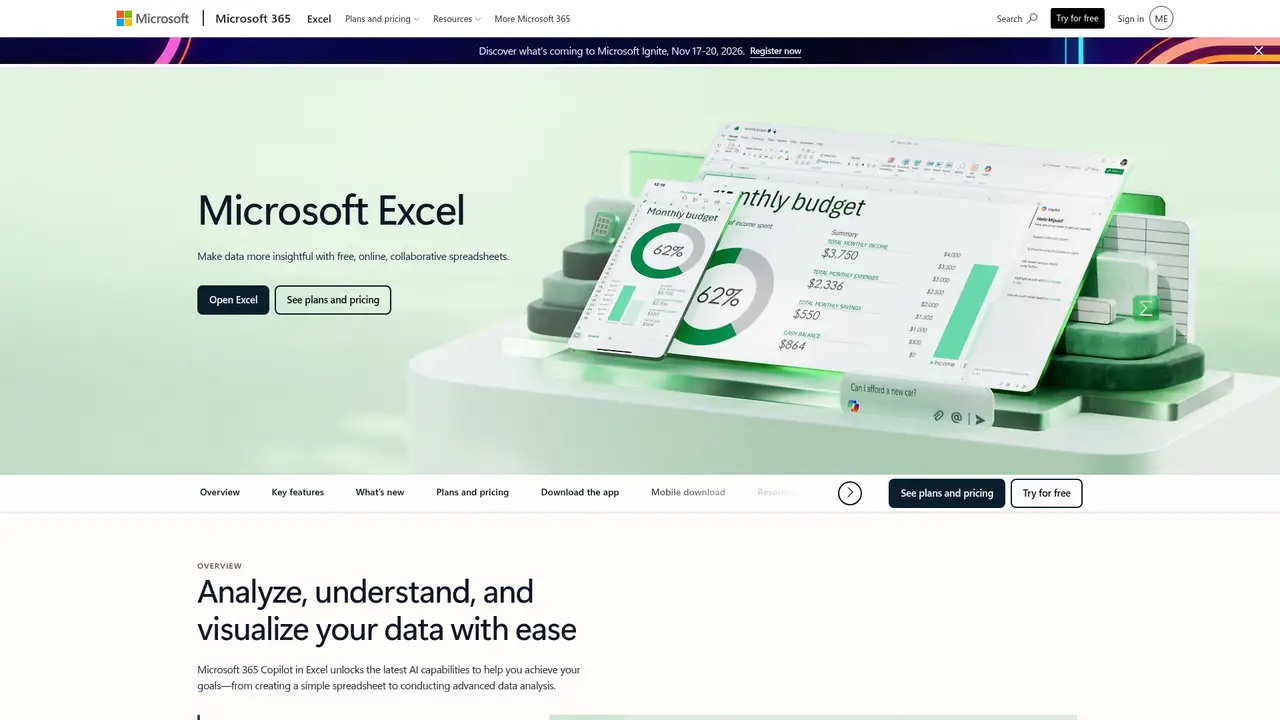
Microsoft Copilot in Excel is a natural language assistant embedded in Excel for building, editing, and interpreting workbooks. It serves office workers, analysts, finance teams, and other spreadsheet users seeking help with formulas, tables, formatting, charts, PivotTables, and data insights. Excel for the web is available free with a Microsoft account, while Copilot requires an eligible Microsoft 365 or commercial license. Qualifying routes include Personal or Family with an AI credits plan, Premium, commercial Copilot, and certain business or enterprise subscriptions. The feature is available across Windows, Mac, web, iPad, iPhone, and Android, although supported modes differ. Availability also depends on app version, network access, privacy settings, AutoSave, and organizational tenant configuration.
A typical session uses an existing workbook saved to OneDrive or SharePoint with AutoSave enabled. From Excel’s Home tab, the user opens Copilot, selects a suggested prompt, or writes a request. Edit mode changes the workbook directly, plan mode proposes steps before editing, and chat mode keeps responses in the conversation pane. Requests can generate or transform data, formulas, sorting, filtering, formatting, charts, PivotTables, summaries, and insights. Copilot can search the web, approved work resources, or external services through permitted federated connectors. It can also locate information in Word, Excel, PowerPoint, and PDF files. Power Query can import tables from supported OneDrive or SharePoint workbooks as refreshable connections, so later source updates can flow into the destination table.
Copilot in Excel supports GPT models from OpenAI and Claude models from Anthropic for workbook editing. Model switching or automatic selection requires commercial Microsoft Copilot or Microsoft 365 Premium, and enterprise Claude access requires administrator approval. In February 2025, Microsoft announced search and import across Word, Excel, PowerPoint, and PDF files, plus refreshable Excel imports powered by Power Query for supported tables. In September 2025, Agent Mode entered Frontier preview for the web, using OpenAI reasoning models to generate, evaluate, repair, and repeat modeling steps. The same update introduced the COPILOT worksheet function for Insider and Frontier users, and formula completion that uses headers, nearby cells, formulas, and tables. Rollout remains platform and program dependent.
Excel for the web is free, but full Copilot access requires an eligible license. In the United States, Microsoft 365 Personal costs $9.99 monthly or $99.99 yearly for one person, five simultaneous device sign-ins, desktop apps, Copilot, and 1 TB of OneDrive storage. Family costs $12.99 monthly or $129.99 yearly for one to six people and 2 TB of shared storage, while AI benefits remain with the subscription owner. Microsoft 365 Premium includes extensive AI usage, but Microsoft’s Copilot pricing page does not list its price. Business and enterprise costs vary by license and region. Microsoft describes usage as higher, extensive, or limited rather than giving universal request quotas. AI limits, credits, platform availability, and feature access vary by plan.
Copilot can produce inaccurate formulas, tables, interpretations, or recommendations, so users must review results before relying on them, especially for financial, legal, or medical decisions. It requires supported files, automatic calculation, connected experiences, suitable storage, and an internet connection. Direct edits are visible to people with workbook access, and unsupported formats or SharePoint checkout states can prevent use. Google Gemini in Google Sheets is the closest alternative for Google Workspace teams. Zoho Sheet offers spreadsheet collaboration and automation, while Airtable AI is oriented toward structured databases rather than cell-based modeling. Excel is the better fit when files, permissions, and collaboration already center on Microsoft 365, but it is not a replacement for checking calculations or a business intelligence platform. Microsoft 365 teams should pick Copilot in Excel.
Who is Microsoft Copilot in Excel best for?
- Microsoft 365 users who want formula help inside existing workbooks.
- Analysts preparing tables, summaries, charts, and recurring reports.
- Teams storing structured Excel files in OneDrive or SharePoint.
- Finance and operations staff needing conversational spreadsheet assistance.
Microsoft Copilot in Excel Pricing (2026)
Pricing model: Freemium. All prices in USD.
| Plan | Price | What you get |
|---|---|---|
| Excel for the web | $0 | Free online Excel with collaboration. Copilot access requires an eligible license and remains subject to feature and usage limits. |
| Microsoft 365 Personal | $9.99/month or $99.99/year | One person, 1 TB of storage, desktop Office apps, and Copilot. AI usage limits apply to the subscription owner. |
| Microsoft 365 Family | $12.99/month or $129.99/year | One to six people and 2 TB of shared storage. AI benefits are limited to the subscription owner. |
| Microsoft 365 Premium | Not published | Includes extensive Copilot usage and additional AI features. Microsoft’s Copilot pricing page does not list a US price. |
| Microsoft 365 business and enterprise | Custom | Requires an eligible Microsoft 365 or commercial Copilot license, supported tenant settings, and administrator configuration. |
Pros and Cons
Pros
- Copilot works inside Excel instead of requiring a separate analysis tool.
- It can generate formulas, format tables, and summarize structured data.
- Commercial connectors can retrieve permitted external data with cited sources.
- Microsoft says prompts and file contents are not used to train foundation models.
Cons
- Access depends on licensing, app version, privacy settings, and tenant configuration.
- Generated formulas and analyses can be inaccurate and require review.
- Usage descriptions vary by plan, feature, and system conditions.
Who should look elsewhere?
- Users needing deterministic answers without checking generated formulas.
- Teams unable to use approved cloud storage or connected data sources.
- Analysts seeking a standalone business-intelligence platform.
Technical Details
Frequently Asked Questions
How much does Copilot in Excel cost?
Excel for the web is free, but Copilot requires an eligible Microsoft 365 or commercial Copilot license. In the United States, Microsoft lists Microsoft 365 Personal at $9.99 per month or $99.99 per year, including desktop Office apps and Copilot. Family costs $12.99 per month or $129.99 per year. Business pricing depends on the license and region.
Can I use Copilot in Excel for free?
You can use Excel for the web without paying, but Microsoft does not promise the full Copilot experience on that tier. Copilot requires a qualifying Personal, Family, Premium, commercial, or eligible business subscription. AI limits also vary by plan and system conditions. A missing Copilot button can indicate an ineligible license, app version, privacy setting, or administrator control.
Is Copilot in Excel better than Gemini in Google Sheets?
Copilot is a stronger fit when a team already stores workbooks in Microsoft 365 and uses Excel, OneDrive, SharePoint, and Microsoft controls. Gemini in Sheets suits teams centered on Google Workspace. Both can produce inaccurate results, so neither removes calculation review. The practical choice usually follows the organization’s existing spreadsheet platform and approved data locations.
Does Microsoft train AI models on my Excel files?
Microsoft says prompts, responses, and file contents used with Copilot in Microsoft 365 apps are not used to train foundation models. Copilot uses content from the active workbook or sources the user approves for a request. Optional customer feedback can help improve the service, but Microsoft says that feedback is not used to train the foundation models used by Copilot in Microsoft 365 apps.
Can businesses use Copilot in Excel for commercial work?
Yes. Businesses can use Copilot in Excel with an eligible commercial license, supported tenant configuration, and required administrator settings. Commercial features can use permitted work resources and federated connectors, subject to user permissions and explicit approval. Microsoft warns that generated results can contain errors, so organizations should review formulas, imported data, and conclusions before distributing reports or making decisions.
Best Microsoft Copilot in Excel Alternatives in 2026
These tools do the same job as Microsoft Copilot in Excel, with different pricing, limits and trade-offs.