
LLM CLI Review, Pricing & Alternatives (2026)
Scriptable terminal and Python access to hosted and local language models
Last updated: October 22, 2026
What is LLM CLI?
LLM CLI is an open source terminal client and Python library for developers who need repeatable prompts, model logs, embeddings, schemas, and provider plugins. It suits shell pipelines and automation rather than turnkey chat or repository editing. The client costs $0 under Apache 2.0; hosted inference is usage-based, while local models require compatible hardware and licensing.
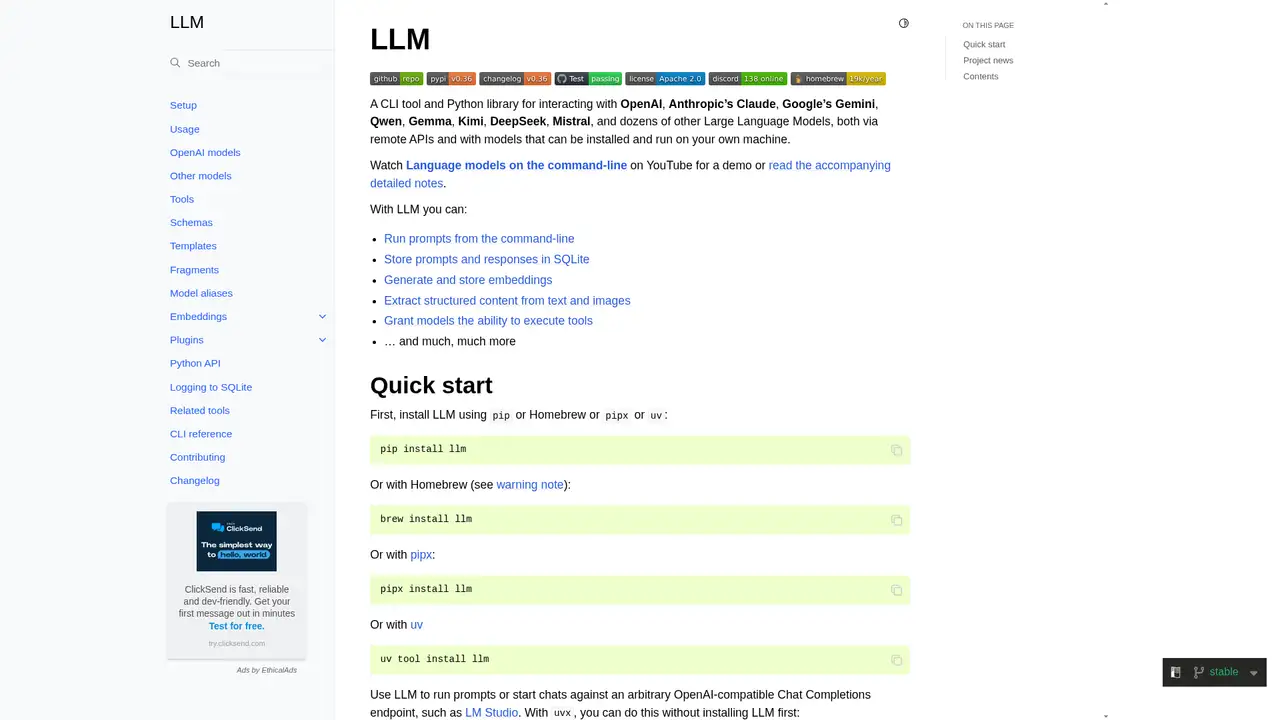
LLM CLI is a command line tool and Python library created by Simon Willison and maintained in the Datasette project. The repository was created in April 2023, and its documentation lists OpenAI, Anthropic, Gemini, Qwen, Gemma, Kimi, DeepSeek, Mistral, and other model providers. GitHub identifies an Apache License 2.0. The installed client sends requests to a selected hosted provider or to a local model through a compatible plugin. It is not a hosted model service and has no paid software subscription. Developers working in terminals, Python programs, scheduled jobs, and text processing pipelines get the clearest fit. The software gives those workflows one command line and library interface, while model access remains a separate provider decision.
A typical workflow starts by installing the Python package with pip, pipx, uv, or Homebrew, then storing a provider key with the command line interface. Users can send one shot prompts, start an interactive chat, pipe text into a prompt, select a model, and set provider options. Responses can be recorded in SQLite and reused through templates, aliases, fragments, and schemas. Plugins add providers, local backends, tools, and embedding models. Structured output turns documents, images, or other unstructured inputs into defined fields. Python access brings the same model calls into scripts and applications. This combination makes LLM CLI practical for repeatable extraction, batch processing, prompt experiments, and small utilities that need model output without adopting a separate chat application.
LLM CLI is an extensible provider interface rather than a model of its own. Built in OpenAI support covers documented OpenAI APIs, while plugins connect other hosted services, local runtimes, and embedding systems. The documentation covers command line prompting, model aliases, conversations, attachments, tool use, schemas, and SQLite storage. The changelog records LLM 0.32 in August 2026 with structured messages and parts, a content addressed SQLite logging schema, reasoning output on standard error, and more controllable tool loops. The changelog also records version 0.36 on September 22, 2026, adding GPT 6 Sol, GPT 6 Luna, and single turn plugin declarations. Those releases show active interface development, but each plugin still determines its own model features and limits.
The client costs $0, and its Apache 2.0 license is separate from inference charges. There is no paid LLM CLI subscription or universal monthly allowance. Running a local model can avoid API charges, but it requires suitable hardware and a model license that permits the intended use. Hosted requests are priced and limited by the selected provider, including token, image, embedding, tool, quota, and service tier charges. The original draft documents GPT 5 nano at $0.05 per million input tokens and $0.40 per million output tokens, GPT 4o mini at $0.15 and $0.60, and GPT 5.6 Luna at $0.20 and $1.20. These examples describe provider pricing, not LLM CLI tiers, and current charges can change.
The main limitation is operational: users configure keys, choose providers, install plugins, and monitor external billing. SQLite logs are local when enabled, but hosted requests remain subject to the selected provider's privacy and retention terms. Aider is more focused on editing software repositories, OpenCode on coding agent workflows, and Ollama on local model serving. LLM CLI covers broader prompting, extraction, logging, embeddings, and Python automation while connecting local and hosted backends. LiteLLM is a stronger fit for teams building a provider gateway. Pick LLM CLI for repeatable terminal and Python model work, especially extraction and logging, rather than a turnkey chat subscription or coding agent.
Who is LLM CLI best for?
- It suits shell pipelines that need repeatable prompts and captured model output.
- It suits developers building Python integrations around hosted or local models.
- It suits structured extraction workflows using schemas, embeddings, and SQLite logs.
- It suits users combining provider APIs with local backends through plugins.
LLM CLI Pricing (2026)
Pricing model: Free. All prices in USD.
| Plan | Price | What you get |
|---|---|---|
| Software | $0 | Apache licensed client with no software subscription. Hosted inference, embeddings, hardware, and provider charges remain separate. |
Pros and Cons
Pros
- It supports many hosted and local providers through its client and plugins.
- SQLite logging makes prompts and responses inspectable.
- Schemas and embeddings support repeatable automation.
- Apache licensing permits commercial modification of the client.
Cons
- Hosted usage requires separate provider accounts and billing.
- Plugin capabilities vary by backend and provider.
- It is less specialized for repository code editing.
Who should look elsewhere?
- It is not an all inclusive hosted chat subscription.
- It is not a turnkey repository coding agent.
- It is not suitable for users unwilling to manage keys and provider billing.
Technical Details
Frequently Asked Questions
How much does LLM CLI cost?
The software costs $0 and is released under Apache 2.0. There is no paid subscription. You pay the selected hosted provider for tokens, images, embeddings, tools, or premium processing. Local models avoid API charges, but compatible hardware and any applicable model license remain your responsibility.
Does LLM CLI have a free plan?
LLM CLI provides free software rather than unlimited hosted inference. You can run compatible local models or use an allowance offered by a provider. After an allowance ends, that provider's prices and quotas apply. The client does not define one universal monthly message limit for all models.
How does LLM CLI compare with Aider?
LLM CLI is a general terminal and Python interface for prompts, logs, embeddings, schemas, and provider plugins. Aider centers on coding conversations and changes to software repositories. Choose LLM CLI for scripts, extraction, and model experiments. Choose Aider when repository context and code editing are the primary tasks.
Does LLM CLI train on prompts?
LLM CLI can store conversations and responses in local SQLite logs when logging is enabled, and its documentation describes an unlogged direct endpoint command. Requests sent to hosted providers remain subject to those providers' data retention and training terms. Local inference keeps processing on the machine running the model.
Can I use LLM CLI commercially?
The client is licensed under Apache 2.0, which permits commercial use, modification, and redistribution subject to license conditions and notices. Model and provider terms are separate. Before commercial deployment, check the selected model's license, provider usage rules, output provisions, privacy terms, and charges.
Best LLM CLI Alternatives in 2026
These tools do the same job as LLM CLI, with different pricing, limits and trade-offs.