
Kiro Review, Pricing & Alternatives (2026)
Structured agent coding for teams that want plans before patches
Last updated: October 22, 2026
What is Kiro?
Kiro is an AWS agentic development platform for professional developers who want requirements, designs, tasks, and code changes in one workflow. It runs through an IDE, CLI, web app, Crew, and CI/CD automation. The perpetual Free tier costs $0 and includes 50 credits, while paid plans start at $20 per user per month.
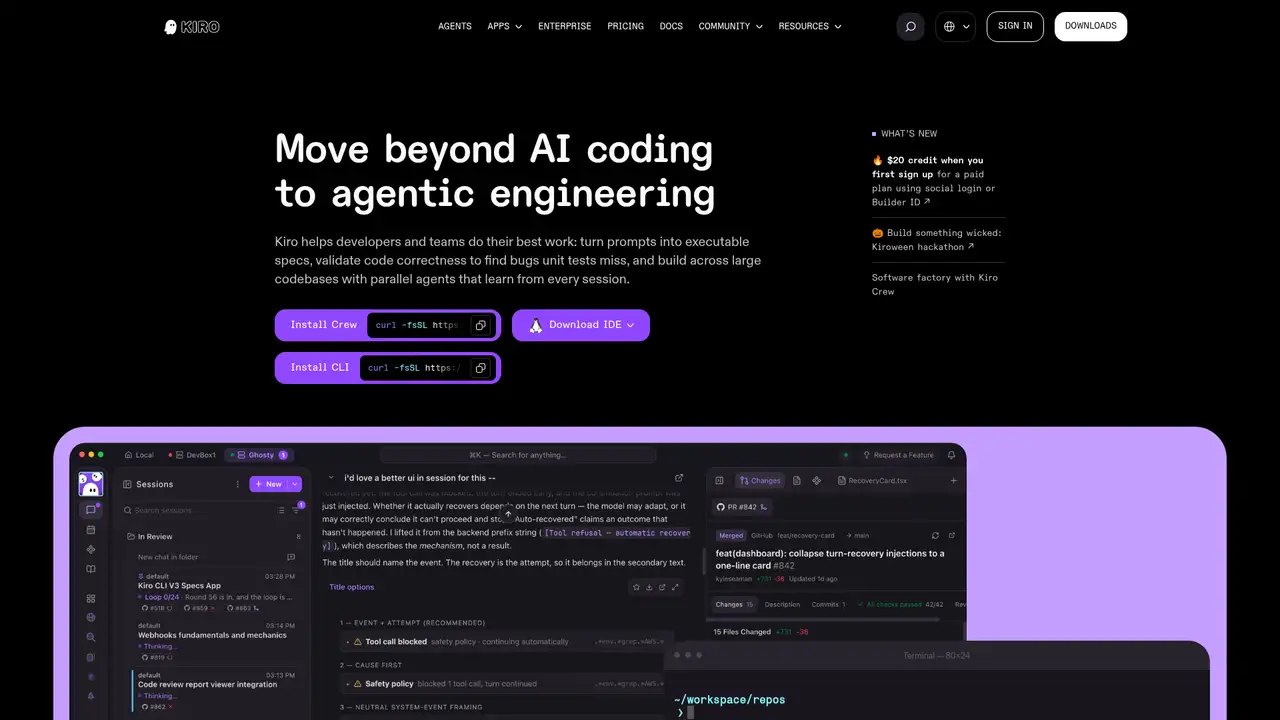
Kiro is an AWS application that launched publicly on July 14, 2025. Built on Code OSS, it combines an AI coding environment with a spec-driven workflow for moving from a feature request to documented requirements, technical design, implementation tasks, and code review. The product supports macOS, Windows, and Linux, plus CLI, web, Crew, and automation interfaces. Kiro is hosted software rather than an open-source project or self-hosted model. AWS positions it for professional developers, businesses, and enterprises. Enterprise features include centralized billing, SSO, usage reporting, regional profiles, customer-managed KMS keys, and optional prompt logging. Kiro says its first year expanded the product from an IDE into a broader agentic development platform spanning IDE, CLI, and Web. This positioning makes planning a visible part of implementation instead of leaving decisions only inside chat history or code diffs.
Kiro’s central workflow turns a prompt into EARS-style acceptance criteria, a design document, and an ordered task list linked to the requirements. The design step can produce data-flow diagrams, TypeScript interfaces, database schemas, and API endpoints after examining the codebase. Developers can execute tasks individually, inspect diffs and agent history, and update the spec as the implementation changes. Hooks run agent actions after events such as saving or creating files, while steering rules, URL and documentation context, and Model Context Protocol support add project-specific guidance. Autopilot applies changes without a review step; Supervised mode presents file changes for approval, but both modes can read and modify files and run commands. Kiro also supports CI/CD automation and API keys for Kiro CLI scripts. The workflow favors traceability and staged review, although each additional artifact and agent action can consume credits and time.
Kiro routes requests through Amazon Bedrock and offers a changing selection of proprietary and open-weight models. The pricing page lists Auto, OpenAI GPT-5.6 Sol, Terra, and Luna, Anthropic Claude models including Opus 5.5 and Sonnet 5.5, and models such as DeepSeek 3.2, MiniMax M2.5, GLM-5, Qwen3 Coder Next, and Kimi K3. Recent releases include GPT-5.6 on July 14, 2026, GPT-5.6’s 1-million-token context update on September 14, Claude Opus 5.5 on September 28, Claude Sonnet 5.5 on October 2, and Kimi K3 on October 15. Kimi K3 is listed with 2.8 trillion parameters, a 1-million-token context window, and a 2.4x credit multiplier. Availability depends on plan, geography, and model lifecycle. Because models have different multipliers and availability, users trade model choice against predictable capacity and budget control.
Kiro Free costs $0 per month and includes 50 credits, limited model access, and no add-on credits. Pro costs $20 per user per month for 1,000 credits, Pro+ costs $40 for 2,000, Pro Max costs $100 for 5,000, and Power costs $200 for 10,000. Kiro does not publish annual discounts for these individual plans. Credits reset at the next billing cycle and unused monthly credits do not roll over. Paid users can buy add-on credits at $0.04 each, with packs from $5 for 125 credits to $100; purchased credits expire after 12 months. Enterprise pricing is Custom, with optional overages billed at $0.04 per credit. GovCloud pricing is approximately 20 percent higher and has no Free tier. Fractional usage can make small requests efficient, but complex prompts, spec refinement, task execution, hooks, and higher-priced models can consume capacity faster than simple edits.
Kiro’s main tradeoff is cloud processing with metered capacity. Free and individual subscribers’ content may be used for service improvement unless they opt out, and individual content is stored in US East; enterprise content is excluded from service improvement and can use a customer-selected region. Cursor is the closest editor comparison for general agent coding, GitHub Copilot fits teams centered on GitHub and supported development tools, and Devin focuses more on delegated cloud software tasks. Kiro is the better pick for teams that want requirements, design artifacts, approval gates, and AWS administrative controls tied to agent work. It is a weaker fit for local inference, self-hosting, or fixed unlimited usage. Supervised mode improves review visibility but does not create isolation, so teams still need protected paths, trusted command settings, workspace isolation, and carefully scoped credentials. That combination makes governance configuration part of adopting the product safely.
Who is Kiro best for?
- Teams that want requirements linked to implementation tasks.
- AWS organizations needing SSO and regional administration.
- Developers who prefer structured agent work in a Code OSS editor.
- CI/CD teams running Kiro CLI automation.
Kiro Pricing (2026)
Pricing model: Freemium. All prices in USD.
| Plan | Price | What you get |
|---|---|---|
| Free | $0/month | 50 credits, limited model access, and no add-on credits. Monthly usage resets and unused credits do not roll over. |
| Pro | $20/month | 1,000 credits per user. Add-on credits are available at $0.04 each. |
| Pro+ | $40/month | 2,000 credits per user. Add-on credits are available at $0.04 each. |
| Pro Max | $100/month | 5,000 credits per user. Add-on credits are available at $0.04 each. |
| Power | $200/month | 10,000 credits per user. Add-on credits are available at $0.04 each. |
| Enterprise | Custom | Centralized billing, SSO, usage reporting, enterprise controls, and optional overages. Enterprise overages cost $0.04 per credit. |
Pros and Cons
Pros
- Specs connect acceptance criteria, designs, tasks, and code changes.
- Hooks automate checks after file events.
- Kiro supports IDE, CLI, Web, Crew, and CI/CD workflows.
- Enterprise plans offer regional controls and customer-managed KMS keys.
Cons
- Credit multipliers make model capacity difficult to predict.
- Individual content may be used for service improvement by default.
- Supervised mode reviews changes but is not a security boundary.
Who should look elsewhere?
- Users requiring local or self-hosted model execution.
- Developers who need unlimited usage at a fixed price.
- Teams unwilling to configure cloud content controls.
Technical Details
Frequently Asked Questions
How much does Kiro cost?
Kiro Free costs $0 and includes 50 credits. Pro costs $20 per user per month, Pro+ costs $40, Pro Max costs $100, and Power costs $200. Kiro does not publish annual pricing for these plans. Paid users can buy add-on credits at $0.04 each, while Enterprise overages use the same per-credit price.
Is Kiro free?
Yes. Kiro Free is perpetual and includes 50 credits with limited model access. Monthly credits reset at the next billing cycle and unused credits do not roll over. Add-on credits are unavailable on Free. Paid plans provide larger allocations, broader model access, and the ability to buy additional credits.
How does Kiro compare with Cursor?
Kiro and Cursor are both editor-oriented AI coding products, but Kiro puts more emphasis on specifications, acceptance criteria, designs, task dependencies, and hooks. Cursor is the more direct choice for general agent coding inside an AI editor. Kiro suits teams that value structured planning and AWS administration around agent changes.
Does Kiro train on my code?
Free users and individual subscribers may have questions, inputs, responses, and generated code used for service improvement, including model training, unless they opt out. Enterprise content is not used for service improvement. Free and individual content is stored in US East, while enterprise administrators can configure the profile region.
Can Kiro be used commercially and through an API?
Kiro is intended for professional and commercial software development. Its API-key feature supports Kiro CLI automation scripts in local or remote environments, including CI/CD, and administrators must enable user-generated keys. This is developer access to Kiro workflows, not access to an external model endpoint or a self-hosted coding model.
Best Kiro Alternatives in 2026
These tools do the same job as Kiro, with different pricing, limits and trade-offs.
AI coding workspace with repository context and software agents
AI coding assistance across editors, terminals, and GitHub

AWS-integrated coding help for IDEs, terminals, and cloud operations

A hosted software engineer for delegated repository work
An agent-native code editor unified with Cognition's Devin platform