
Juro Review, Pricing & Alternatives (2026)
A browser based workspace for contract drafting, approval, signing, and tracking
Last updated: October 26, 2026
What is Juro?
Juro is a cloud contract lifecycle management workspace for legal, sales, procurement, and operations teams. Founded in 2016, it combines drafting, approvals, negotiation, electronic signing, storage, analytics, and AI features. Juro publishes no dollar plans or self serve free tier, so the entry price is Custom and depends on contract volume, integrations, support, and implementation.
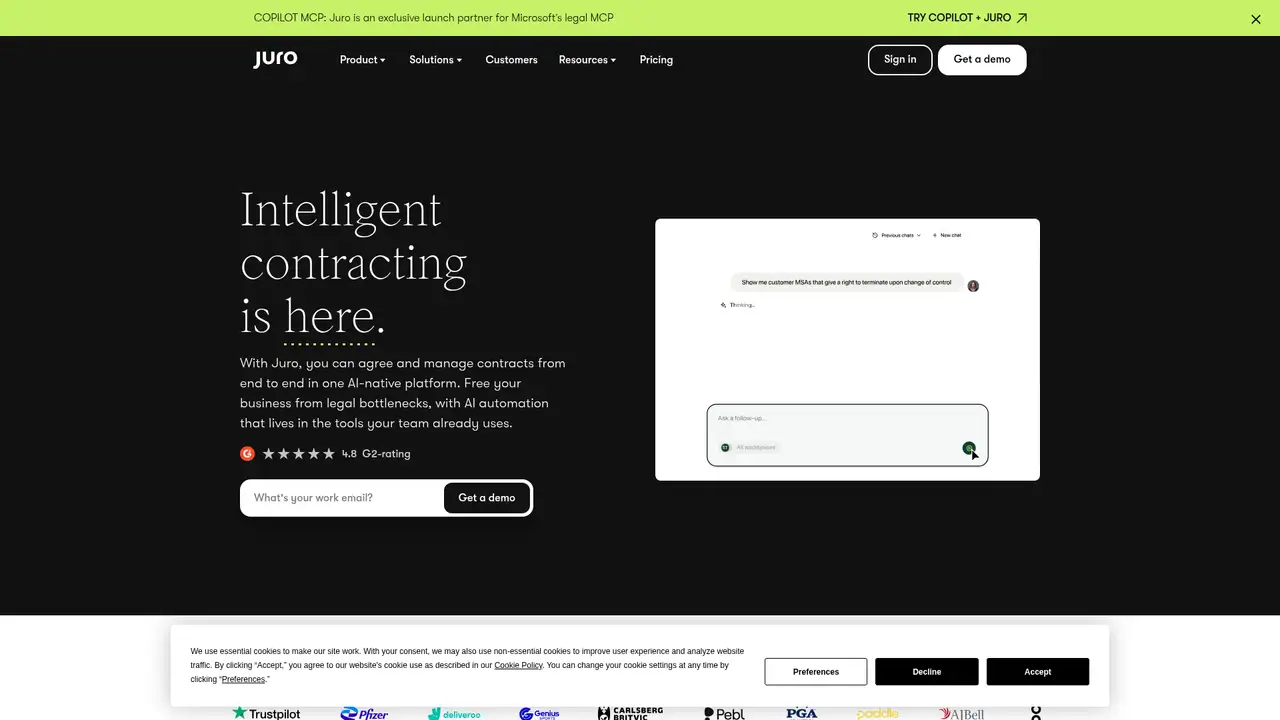
Juro is a London based contract lifecycle management company founded in 2016 by Richard Mabey and Pavel Kovalevich. The product launched in June 2016 after a private beta, using a browser workspace for contract work that commonly spans Word, email, and separate signing tools. Juro’s company page reports more than 3 million contracts and $38.5 million in tier one venture funding. Reported financing includes a $750,000 seed round in 2017, a $5 million Series A led by Union Square Ventures in 2020, and a $23 million Series B in 2022. The product is aimed at legal, sales, procurement, and operations teams managing recurring agreements. That positioning puts Juro between document drafting software and larger contract lifecycle management suites.
Juro covers the main stages of a contract workflow. Teams can start from templates and smartfields, edit collaboratively, comment, apply approval rules, negotiate in a shared workspace, collect electronic signatures, and store completed agreements in a searchable repository. Reminders and renewal tracking support work after signature, while extraction and analytics turn contract fields into reportable data. A typical process begins with a template or draft, routes the document to internal approvers, supports revisions with counterparties, and ends with signed storage and follow up. Integrations include Salesforce, HubSpot, Slack, and DocuSign. The Word add in supports drafting in Microsoft Word. This breadth is useful for teams trying to keep authoring, approval, signing, and renewal work in one browser based process.
Juro’s current technology work centers on Operator, AI Review, and connected drafting tools. The company does not identify a named foundation model for the core product. Its AI functions can draft, extract data, review language, redline documents, and answer contract questions through Operator, with citations in supported responses. In April 2026, Operator entered open beta, AI Review became generally available, and DocuSign PDF and Word support arrived. A June 2026 release added Claude MCP support and redesigned the Word add in. September 2026 updates added drafting through Operator, Claude, and ChatGPT connectors, contract status summaries, and tighter signatory controls. Juro also documents a REST API, webhooks, and a sandbox. API access is listed for Enterprise, with support for initiating contracts, transferring signed PDFs and data, and tracking more than 12 events.
Juro has no public dollar plans and no published self serve free tier. Its pricing page describes a sales consultation, with package scope shaped by contract volume and types, AI, integrations, support, and implementation. The company says every plan includes unlimited users, workflows, and templates. Premium integrations, security features, and support options depend on the selected package. In practical terms, the entry price is Custom rather than a defensible monthly figure. Costs are likely to rise when a buyer needs enterprise integrations, API access, enhanced security, implementation, or higher touch support. The published pricing guidance does not provide a standard per user or per contract rate. Buyers comparing annual budgets should request a quote that separates subscription scope from implementation and support charges.
Sales led pricing is Juro’s clearest buying limitation because it makes direct budget comparison harder than products with public tiers. Juro offers a browser based workspace, documented REST API, and webhooks. Contractbook is positioned toward smaller teams with explicit public plans, while Ironclad is an enterprise CLM product known for extensive configuration and custom pricing. DocuSign CLM is a closer fit for organizations already centered on DocuSign electronic signatures. Lexis Create+ differs more sharply because it focuses on Microsoft 365 drafting, LexisNexis content, and permission aware firm precedent. Juro suits teams that want one process from drafting through renewal tracking and can accept a sales quote. Contractbook suits buyers prioritizing published plans, Ironclad suits configuration heavy enterprise programs, and DocuSign CLM suits DocuSign centered organizations. Pick Juro for connected end to end contract operations.
Who is Juro best for?
- Legal and operations teams managing contracts from draft through renewal.
- Companies replacing Word, email, and separate signing workflows.
- Teams needing Salesforce, HubSpot, Slack, or DocuSign integrations.
- Organizations requiring REST API and webhook access for contract processes.
Juro Pricing (2026)
Pricing model: Paid. All prices in USD.
| Plan | Price | What you get |
|---|---|---|
| Custom contract | Custom | Pricing varies by contract volume and types, AI, integrations, support, and implementation. Users, workflows, and templates are unlimited on all plans. |
Pros and Cons
Pros
- Juro covers authoring, approvals, negotiation, signing, storage, and reporting in one workspace.
- All plans include unlimited users, workflows, and templates, according to Juro.
- Its REST API, webhooks, and sandbox support connected contract workflows.
- Operator and AI Review add drafting, extraction, review, and cited contract questions.
Cons
- Juro does not publish standard dollar pricing or named public plans.
- Premium integrations, security, support, and implementation depend on the package.
- The product may exceed the needs of teams seeking only Word based drafting.
Who should look elsewhere?
- Small teams seeking a published self serve monthly price.
- Organizations wanting only a Microsoft Word drafting add in.
- Buyers needing a free tier for ongoing production use.
Technical Details
Frequently Asked Questions
How much does Juro cost?
Juro does not publish dollar plans. Its pricing page says quotes reflect contract volume and types, AI features, integrations, support, and implementation. The company says users, workflows, and templates are unlimited on all plans, while premium capabilities vary by package. The practical entry price is therefore Custom rather than a published monthly amount.
Does Juro have a free plan?
Juro does not publish a self serve free tier. Its public pricing information describes sales consultation and custom packages instead. Prospective customers should expect a tailored contract based on requirements such as contract volume, integrations, AI features, security, support, and implementation. Juro’s published pricing information does not provide a free production plan.
How does Juro compare with Ironclad?
Both products provide contract lifecycle management with drafting, approvals, storage, and workflow automation. Juro emphasizes a browser based workspace, integrations, a REST API, and webhooks. Ironclad is an enterprise CLM product with extensive configuration and custom pricing. Juro fits teams prioritizing an integrated workspace and documented connected workflows, while Ironclad suits configuration heavy enterprise programs.
Does Juro train AI models on customer data?
Juro publishes AI terms and data protection terms. Its data protection terms describe Juro as processor and the customer as controller, with customer controlled deletion and deletion after termination following a recovery period of up to 60 days. The published terms do not make a blanket promise that customer data is never used to train foundation models. Buyers should review the applicable agreement and AI terms.
Can businesses use Juro commercially?
Juro is designed for commercial legal, sales, procurement, and operations workflows, with enterprise API, integration, support, and implementation options. Commercial use is governed by the customer’s agreement with Juro, including applicable terms, fair use limits, AI terms, and data processing provisions. The public pricing page does not publish a separate commercial use surcharge.
Best Juro Alternatives in 2026
These tools do the same job as Juro, with different pricing, limits and trade-offs.