Docker Model Runner Review, Pricing & Alternatives (2026)
Run local AI models through Docker tooling
Last updated: October 26, 2026
What is Docker Model Runner?
Docker Model Runner is Docker’s local runtime for developers who pull, serve, package, and integrate AI models through Docker workflows. It suits application teams using Compose, registries, or compatible client libraries. The runner is free, while Docker Desktop subscription rules can apply to some organizations and model licenses remain separate.
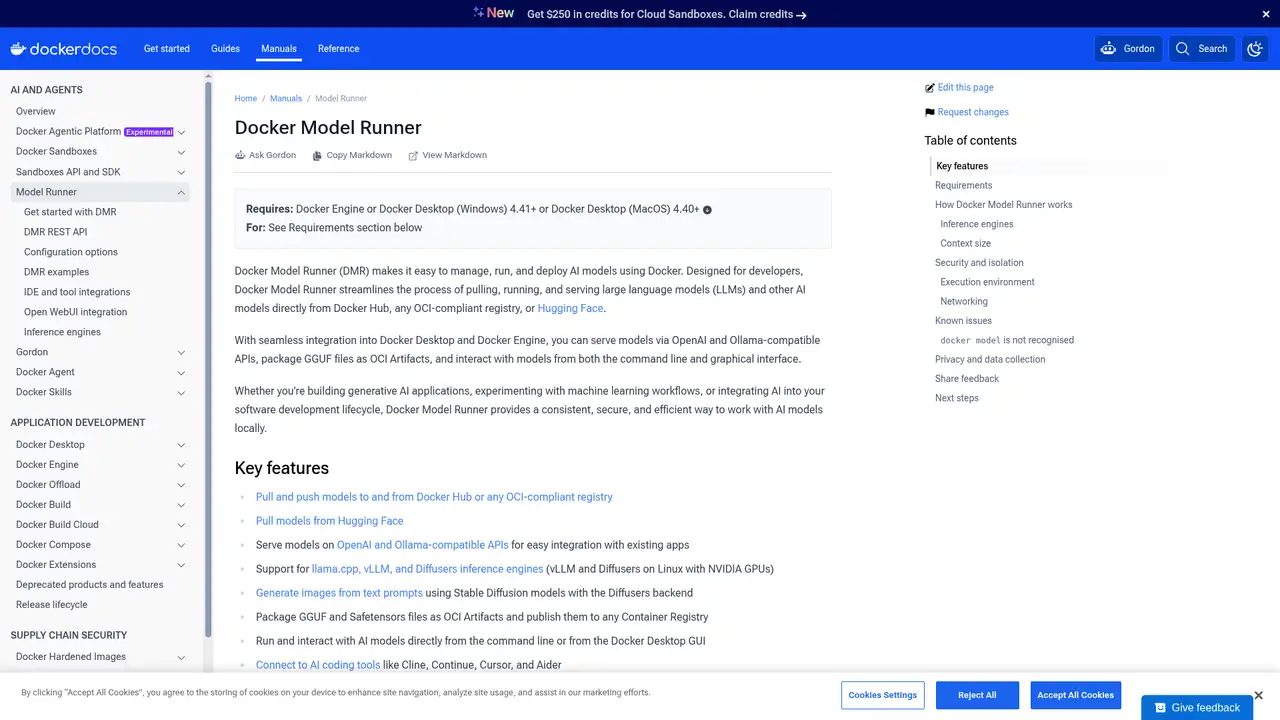
Docker Model Runner is a local runtime for managing, running, and serving AI models through Docker. Docker introduced it in April 2025 as a beta feature, extending Docker Desktop and Docker Engine with model workflows alongside existing container tooling. Models can be obtained from Docker Hub, Hugging Face, or OCI compliant registries, so teams can use familiar distribution and versioning mechanisms rather than treating model files as an entirely separate asset. The project is maintained by Docker and is available in Docker Desktop, Docker Engine, and as a standalone binary. Its GitHub repository was created in March 2025 and listed 658 stars and 156 forks as of October 2026. The documents provide no company valuation, investment total, revenue figure, or other funding amount for the project or Docker.
Core operation is available through Docker Desktop’s Models view or the Docker CLI. After enabling the runner, a user pulls a model from Docker Hub, an OCI registry, or Hugging Face, then runs it interactively or exposes it to an application. Pulled models are cached locally, loaded into memory when requests arrive, and unloaded when idle. The CLI also supports tagging, pushing, packaging GGUF files as OCI artifacts, configuring context and other model parameters, and viewing logs. Applications can use OpenAI-compatible chat, completion, and embedding endpoints, as well as Anthropic, Ollama, or image-generation APIs. Containers address the service through Docker’s model-runner host, while host applications use TCP when enabled. This makes model selection, application testing, and model distribution part of the same development workflow.
Its engine choice determines both model format and hardware requirements. llama.cpp is the default and accepts GGUF models across macOS, Windows, and Linux, including CPU operation and GPU backends for Apple Silicon, NVIDIA, AMD, Vulkan, and supported Qualcomm hardware. Quantized GGUF variants can therefore fit machines that cannot accommodate full-precision weights, although the chosen quantization affects memory use and model fidelity. vLLM instead targets Safetensors or Hugging Face models and requires an NVIDIA CUDA GPU on Linux x86_64 or Windows with WSL2, with Docker Desktop 4.54 or later for the latter. Diffusers handles image generation from supported Safetensors or DDUF models and requires NVIDIA GPUs on Linux. This separation means portability depends on packaging the model for the corresponding backend, not merely installing the runner.
Docker Model Runner itself has no metered inference charge, but “free” depends on the surrounding setup. Docker Desktop is free for personal use, education, non-commercial open-source work, and qualifying small businesses; organizations outside those categories may require a paid subscription. Docker Engine and the standalone runner avoid a Desktop subscription, although they still require installation and administration. Local execution shifts spending to the user’s machine: compatible CPU, GPU, memory, electricity, and possible driver or platform requirements remain the user’s responsibility. Downloading models also consumes bandwidth and local storage, while pushing or retaining them in registries can involve registry charges or plan limits. The runner is Apache 2.0 software, but each model and its weights retain separate license terms, which may restrict commercial use, redistribution, or modification.
Docker Model Runner’s limitations are most apparent outside Docker-centered workflows. Its API has no authentication, so enabling host or network access requires care, and platform support varies by engine: vLLM and Diffusers require NVIDIA GPUs, while macOS is limited to llama.cpp. Ollama remains the more direct choice for lightweight local model use and its established client tooling. LM Studio is preferable for users who want a desktop-first interface and less command-line configuration. llama.cpp is better suited to people who need direct control over the inference server and build options. Model Runner instead adds OCI packaging, registry distribution, Compose integration, and several compatible API formats, but those benefits also bring Docker setup and model-management concepts that casual users may not need. Pick it if your applications already use Docker and require reproducible local model integration.
Who is Docker Model Runner best for?
- Developers building AI features into Compose projects.
- Teams distributing model artifacts through OCI registries.
- Engineers needing local OpenAI-compatible endpoints.
- Organizations standardizing local AI around Docker.
Docker Model Runner Pricing (2026)
Pricing model: Free. All prices in USD.
| Plan | Price | What you get |
|---|---|---|
| Docker Engine runner | Free | Install the runner package and supply compatible models and hardware. |
| Docker Desktop | Free or paid | Personal and qualifying small-business use can be free; larger organizations may require a subscription. |
Pros and Cons
Pros
- Models use OCI registry workflows.
- The API supports common client formats.
- Compose can declare model dependencies.
- Docker Engine avoids requiring Desktop.
Cons
- Desktop licensing can add cost.
- Performance depends on local hardware.
- It is not a hosted model service.
Who should look elsewhere?
- Users wanting one-click desktop chat.
- Teams needing hosted elastic inference.
- Hardware unable to run local models.
Technical Details
Frequently Asked Questions
Is Docker Model Runner free?
Docker Model Runner has no separate inference fee and can run with Docker Engine. Docker Desktop subscription rules still apply to the Desktop application, with free use limited to eligible personal, educational, open-source, and small-business cases. You may also incur costs for downloading models, registry storage, computer hardware, external inference providers, or licenses associated with model weights.
Does it require Docker Desktop?
No. Docker Model Runner can run with Docker Engine through the docker-model-plugin package, so Docker Desktop is not required. Desktop provides the easiest installation and graphical management experience, while Engine users install and manage the runner from the command line. You still need compatible local hardware, models, and any required registry access.
Docker Model Runner or Ollama?
Ollama is generally simpler for individuals who want quick local model downloads and inference. Docker Model Runner is a stronger choice for application development and team workflows built around Docker. It supports OCI model artifacts, registries, Docker Compose dependencies, Docker Engine, and OpenAI-compatible APIs. Both require suitable local hardware, and model licenses remain separate from the runtime.
Does it send prompts to Docker?
No. Docker states that Docker Model Runner does not collect prompt content, generated responses, or personally identifiable information. In a Docker Engine setup, however, the runner may make HEAD requests to Docker Hub using the model name. These requests support model lookup and are distinct from sending your prompts or inference results to Docker.
Can businesses use it commercially?
Yes. Businesses can use Docker Model Runner commercially, but Docker Desktop subscription requirements may apply, especially for larger organizations. The runner itself has no metered inference fee, and Docker Engine provides an alternative installation path. Each model’s weights are licensed separately, so businesses must review those terms for commercial use, redistribution, attribution, and other restrictions.
Best Docker Model Runner Alternatives in 2026
These tools do the same job as Docker Model Runner, with different pricing, limits and trade-offs.