
Auggie CLI Review, Pricing & Alternatives (2026)
Terminal coding agent with indexed repository context
Last updated: October 26, 2026
What is Auggie CLI?
Auggie CLI is Augment Computing's terminal coding agent for developers working in repositories and automated workflows. It analyzes code, edits files, executes tools, and supports automated workflows through Node.js. The Standard plan costs $20 per month for up to 50 seats and includes $20 of shared usage, with additional usage billed separately.
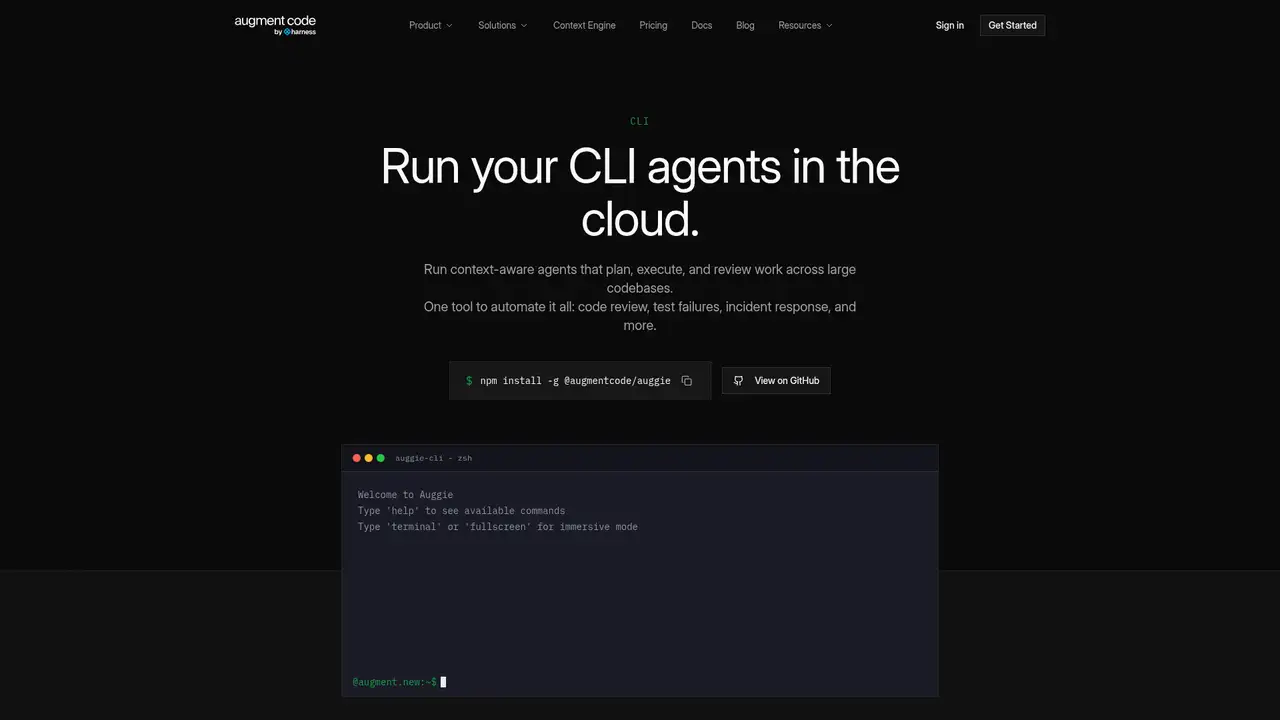
Auggie CLI is Augment Computing’s terminal coding agent, became available to everyone on August 28, 2025, after a private beta the company said attracted thousands of developers. Its GitHub repository was created on September 8, 2025. Installation uses npm, with documentation requiring Node.js 20 or later, while the repository README currently specifies Node.js 22 or later, so teams should verify their runtime before standardizing setup scripts. Auggie supports interactive sessions, printed output, shell pipelines, and automation, making it usable for manual debugging as well as CI tasks. It requires an Augment account, an Augment subscription, internet access, and hosted services rather than local model execution. Augment publishes no current Auggie user count or CLI-specific funding figure, limiting independent assessment of adoption and financial backing.
A typical setup installs the npm package, changes into a project directory, and runs Auggie login before starting a session. Augment says the project is indexed automatically when Auggie starts in that directory, with related repositories available to the Context Engine. Users can ask it to analyze code, make changes, and execute tools. Interactive mode provides streaming responses, tool calls, and progress indicators. Print mode runs one instruction and writes the response to standard output, while quiet mode returns only the final output. The repository also documents custom slash commands stored under.augment/commands. Official GitHub Actions cover pull request review and pull request descriptions, extending the same agent into repository automation.
Augment describes the Context Engine as a hosted service that dynamically indexes a codebase and supplies relevant material to agent requests. This means setup involves logging in, running Auggie from the project directory, and accepting remote repository processing rather than local-only inference. Auggie CLI supports model selection, while Augment documents token billing by model instead of one fixed inference price. Its published pricing document lists Claude Opus 4.8, Claude Sonnet 4.6, Gemini 3.1 Pro, DeepSeek V4.1 Flash, and GPT-5.5, alongside additional entries that may change. Augment announced custom commands, model selection, task lists, prompt enhancement, tool permissions, and GitHub Actions in August 2025. Pricing documentation also describes Cosmos hosted compute within paid plans, so automated workloads can incur compute usage. Benchmark claims remain vendor claims and warrant independent validation.
The Standard plan costs $20 per month and provides $20 in pooled usage for up to 50 seats, without a per-seat charge. Business costs $100 monthly and provides $100 in pooled usage for the same seat limit. Because usage is shared, a team can allocate the allowance across heavy and occasional users, but one user’s activity can reduce the balance available to others. Both plans include CLI access, MCP and native tools, Context Engine access, Cosmos, and pay-as-you-go top-ups. Enterprise pricing is custom, with unlimited users, custom usage, and custom compute terms. Billing combines model tokens, a 40 percent LLM service fee, and Cosmos compute at $0.19 per hour in five-minute increments. Included usage resets monthly, while purchased top-ups remain valid for 12 months.
Auggie requires an active subscription, hosted Augment access, and an internet connection, making offline inference unavailable. Its proprietary CLI license prohibits redistribution and modification, restricts embedding in commercially sold software without permission, and states that commercial use requires a separate licensing agreement. In practice, teams should verify these terms before incorporating Auggie into products, internal platforms distributed across entities, or customer-facing automation. Standard costs $20 monthly and Business $100, each including usage across up to 50 seats, but model, service, and Cosmos compute charges can exceed the included allowance. An independent review described the tool as single-process, without sub-agents, and criticized early diff visualization and absent image support, although these observations may change. Claude Code adds subagents, Cursor focuses on an editor, and Aider provides an open-source terminal alternative. Pick Auggie for repository-aware terminal work and hosted automation.
Who is Auggie CLI best for?
- Developers debugging across large repositories with hosted code indexing.
- Teams adding coding agents to GitHub Actions workflows.
- Terminal users who need model selection and MCP support.
- Organizations that can accept subscription-based hosted execution.
Auggie CLI Pricing (2026)
Pricing model: Paid. All prices in USD.
| Plan | Price | What you get |
|---|---|---|
| Standard | $20/month | Up to 50 seats and $20 of pooled monthly usage. Additional usage is pay as you go. |
| Business | $100/month | Up to 50 seats and $100 of pooled monthly usage. Additional usage is pay as you go. |
| Enterprise | Custom | Custom usage, unlimited users, and custom compute and support terms. |
Pros and Cons
Pros
- The Context Engine indexes project code automatically.
- Print and quiet modes support scripts and CI workflows.
- Custom commands, MCP, and tool permissions support repeatable automation.
- Standard and Business plans pool usage across up to 50 seats.
Cons
- The CLI requires an active subscription and Augment service access.
- The proprietary license restricts redistribution, modification, and some commercial use.
- The CLI does not provide documented sub-agent execution.
Who should look elsewhere?
- Users who require fully offline model execution.
- Teams requiring a documented free plan for ongoing use.
- Developers needing built-in parallel sub-agents in the CLI.
Technical Details
Frequently Asked Questions
How much does Auggie CLI cost?
Standard costs $20 per month and includes $20 of pooled usage for up to 50 seats. Business costs $100 per month and includes $100 of pooled usage for up to 50 seats. Enterprise pricing is custom. Additional usage combines provider model rates, a 40 percent LLM service fee, and Cosmos compute at $0.19 per hour in five-minute billing increments.
Does Auggie CLI have a free plan?
Augment's current pricing page lists Standard, Business, and Enterprise plans. Standard starts at $20 per month, and the CLI license requires an active subscription. Augment does not describe a permanent free plan with a recurring allowance. Temporary trials or access arrangements may have different terms, so buyers should check the applicable subscription terms.
How does Auggie CLI compare with Claude Code?
Both tools provide terminal-based coding agents. Auggie emphasizes Augment's hosted Context Engine, which indexes a project and retrieves related code. Claude Code is Anthropic's terminal agent and supports subagents according to Anthropic's documentation. Auggie's license and pricing depend on Augment subscriptions, while Claude Code has separate Anthropic terms and pricing. The better choice depends on repository retrieval, model preference, and delegation needs.
Does Augment train on data sent through Auggie CLI?
Augment's pricing page states that paid plans do not permit AI training on customer data. Auggie sends work to Augment services, including the hosted Context Engine, so it is not an offline tool. Organizations should also review Augment's current commercial terms, privacy documentation, security controls, and any applicable enterprise agreement before indexing proprietary repositories.
Can companies use Auggie CLI commercially?
The CLI license permits use while an Augment subscription remains active, but it prohibits redistribution and modification. It also says that embedding or integrating the CLI into commercially sold or distributed software requires permission, and that commercial use requires a separate licensing agreement. Internal scripting and automation are permitted under the license. Companies should obtain the required agreement before deployment.
Best Auggie CLI Alternatives in 2026
These tools do the same job as Auggie CLI, with different pricing, limits and trade-offs.
An agentic coding assistant for terminal, IDE, desktop, and web
AI coding workspace with repository context and software agents
An agent-native code editor unified with Cognition's Devin platform

Terminal coding agent with sandbox controls and OpenAI model access
Open-source AI pair programming in a Git-aware terminal