
AnythingLLM Review, Pricing & Alternatives (2026)
A local-first workspace for documents, agents, and many model providers.
Last updated: October 22, 2026
What is AnythingLLM?
AnythingLLM is Mintplex Labs’ open-source workspace for document chat, RAG, agents, and local or hosted models. It suits individuals, self-hosters, and teams that need control over data and model choice. Desktop and self-hosted software are free, Cloud Basic starts at $50/month, and model API costs are separate.
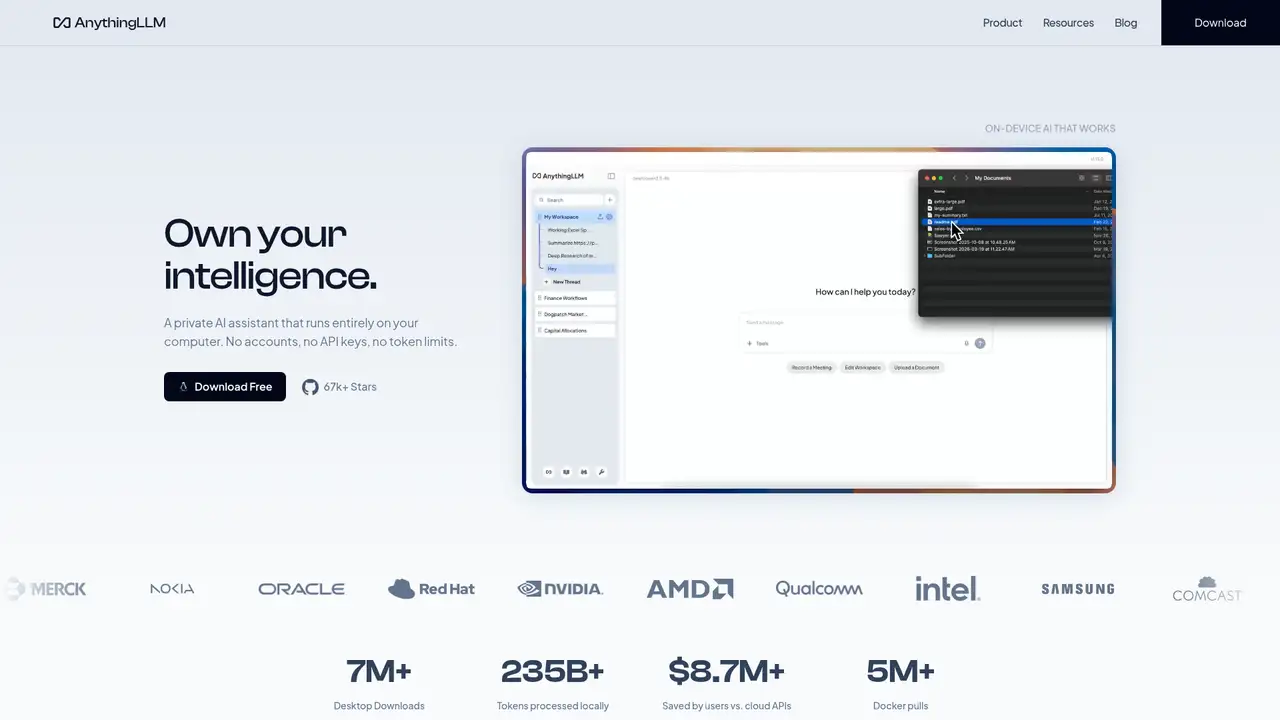
AnythingLLM is an AI workspace built by Mintplex Labs for document chat, retrieval-augmented generation, agents, embeddings, vector databases, permissions, and a developer API. Desktop runs on macOS, Windows, and Linux, while Docker supports servers and organizational deployments. The company presents it as local-first, with support for local inference and hosted model providers. The core repository is MIT licensed. Its audience includes people who want private document work, developers connecting several model services, and teams that need multi-user workspaces on owned infrastructure. The product is broader than a chat interface because it combines document collections, model configuration, agent tools, administration, and deployment options in one application rather than requiring separate services for each function.
A typical workflow starts with installing the desktop application or deploying Docker, selecting a local model or external provider, creating a workspace, and uploading documents. Users then ask questions against indexed content and receive answers with citations when retrieval finds relevant passages. Workspaces keep collections, instructions, and conversations separate. Agents can use tools, browse the web, call configured services, and run task-oriented workflows. Administrators can manage users, permissions, providers, widgets, and the developer API. The setup is flexible, although that flexibility shifts responsibility to the operator. Model selection, embedding configuration, vector storage, hardware, provider accounts, latency, retention, and token billing can all affect the result. Hosted services also introduce their own terms and data handling practices.
AnythingLLM does not require one underlying model. Documentation describes integrations for local and hosted language models, embeddings, vector databases, reranking, speech, and multimodal use. Local deployments can connect to tools such as Ollama, while hosted deployments require the relevant provider credentials. The application supports RAG, agents, memories, scheduled tasks, routing, and MCP-related workflows according to its product documentation. Its main technical distinction is the deployment choice: inference can run on the user’s machine or through a remote provider. That choice changes privacy, speed, hardware requirements, and cost. AnythingLLM publishes no single model benchmark or performance level. Results depend heavily on the selected model, retrieval setup, and available compute.
Desktop core use and self-hosted software have a $0 software cost. Users supply infrastructure and pay separately for any external model or service. Cloud Basic costs $50/month and includes a private instance, custom subdomain, RAG, agents, and workspaces, but requires the customer to bring an LLM API key. Cloud Pro costs $99/month and adds priority resources plus a 72-hour support SLA. Enterprise pricing is custom and includes on-premise deployment, custom integrations, SSO, RBAC, and a custom SLA. Cloud instances do not include a built-in LLM or GPU. Published cloud guidance also gives file guidance of 10,000 words for Starter and 50,000 for Professional, so document capacity is not unlimited.
AnythingLLM’s main limitation is operational choice: performance and cost vary with hardware, model, embeddings, vectors, and external providers. Cloud users must supply an LLM API key, and hosted instances lack a GPU, which can affect CPU-bound embedding work. ChatGPT is a managed hosted assistant, Open WebUI centers on a configurable interface for local and remote models, and Dify focuses on visual application and workflow building. AnythingLLM is the better pick for document workspaces with local inference, self-hosting, and provider choice. Choose a managed assistant for faster setup, or a workflow builder when application orchestration matters more than document-centric deployment.
Who is AnythingLLM best for?
- People wanting private document chat with local models.
- Teams deploying a multi-user RAG workspace on owned infrastructure.
- Developers connecting multiple model, embedding, and vector providers.
- Users wanting agents without assembling separate services.
AnythingLLM Pricing (2026)
Pricing model: Freemium. All prices in USD.
| Plan | Price | What you get |
|---|---|---|
| Desktop | $0 software cost | Desktop core features are free; users supply hardware and model or provider costs. |
| Self-hosted | $0 software cost | Download and self-host with Docker for free; users supply infrastructure and model or provider costs. |
| Cloud Basic | $50/month | Private instance, custom subdomain, RAG, agents, and workspaces; bring an LLM API key. |
| Cloud Pro | $99/month | Private instance with priority resources, RAG, agents, workspaces, and a 72-hour support SLA; bring an LLM API key. |
| Cloud Enterprise | Custom | On-premise deployment, custom SLA, custom integrations, SSO, RBAC, and enterprise support. |
Pros and Cons
Pros
- The MIT-licensed core supports desktop, Docker, and self-hosted deployment.
- Local inference can avoid provider token fees and cloud document transfer.
- Workspaces combine RAG, agents, tools, citations, and permissions.
- Provider choice covers local, commercial, embedding, vector, and reranking services.
Cons
- Provider and hardware choices make performance and cost variable.
- Cloud instances require customers to bring an LLM API key.
- Cloud instances lack GPUs for embedding workloads.
Who should look elsewhere?
- Teams seeking a managed service with included model access.
- Users without suitable local hardware or a hosted model budget.
- People wanting one fixed model, interface, and billing provider.
Technical Details
Frequently Asked Questions
How much does AnythingLLM cost?
Desktop core and self-hosted software have a $0 software cost. Cloud Basic costs $50 monthly, Cloud Pro costs $99 monthly, and Enterprise is custom. AnythingLLM Cloud does not include a built-in LLM, so customers bring an API key and pay model providers separately. Infrastructure and storage costs also apply to self-hosting.
Is AnythingLLM free to use?
Yes. Desktop core and the self-hosted software are free to download and operate without a software charge. Users still pay for hardware or hosting, storage, and any external model, embedding, vector, search, or speech provider. Local inference can avoid API usage fees when compatible models run on the user’s own machine.
How does AnythingLLM compare with ChatGPT?
ChatGPT is a managed hosted assistant with one vendor handling the service and subscription. AnythingLLM is a configurable workspace that can run locally or on a server, connect to multiple providers, and organize document collections with RAG and permissions. ChatGPT favors turnkey access, while AnythingLLM favors deployment control and model choice.
Does AnythingLLM send chats or documents to Mintplex Labs?
AnythingLLM’s desktop privacy documentation says messages, histories, and documents are not transmitted from the device by default. Optional anonymous telemetry can be disabled. If a hosted model, embedding, vector, search, or other service is connected, selected data goes to that provider under its terms. Self-hosted operators control their storage environment.
Can I use AnythingLLM commercially?
The core repository uses the MIT license, and self-hosted deployment supports organizational and commercial operation. Review the repository license, bundled components, model licenses, and provider terms before redistribution, resale, or inclusion in a commercial product. Cloud subscriptions have service terms, while Enterprise adds commercial support and identity controls.
Best AnythingLLM Alternatives in 2026
These tools do the same job as AnythingLLM, with different pricing, limits and trade-offs.