
Tempo Review, Pricing & Alternatives (2026)
A desktop IDE for AI agents, visual code, Git and local projects
Last updated: October 26, 2026
What is Tempo?
Tempo is a desktop IDE and software factory for teams building on real codebases. It combines visual canvases, specifications, Git worktrees, pull requests and AI coding agents, with local execution and optional hosted inference. The Free plan costs $0 per month, while paid plans start at $50 per month for Pro.
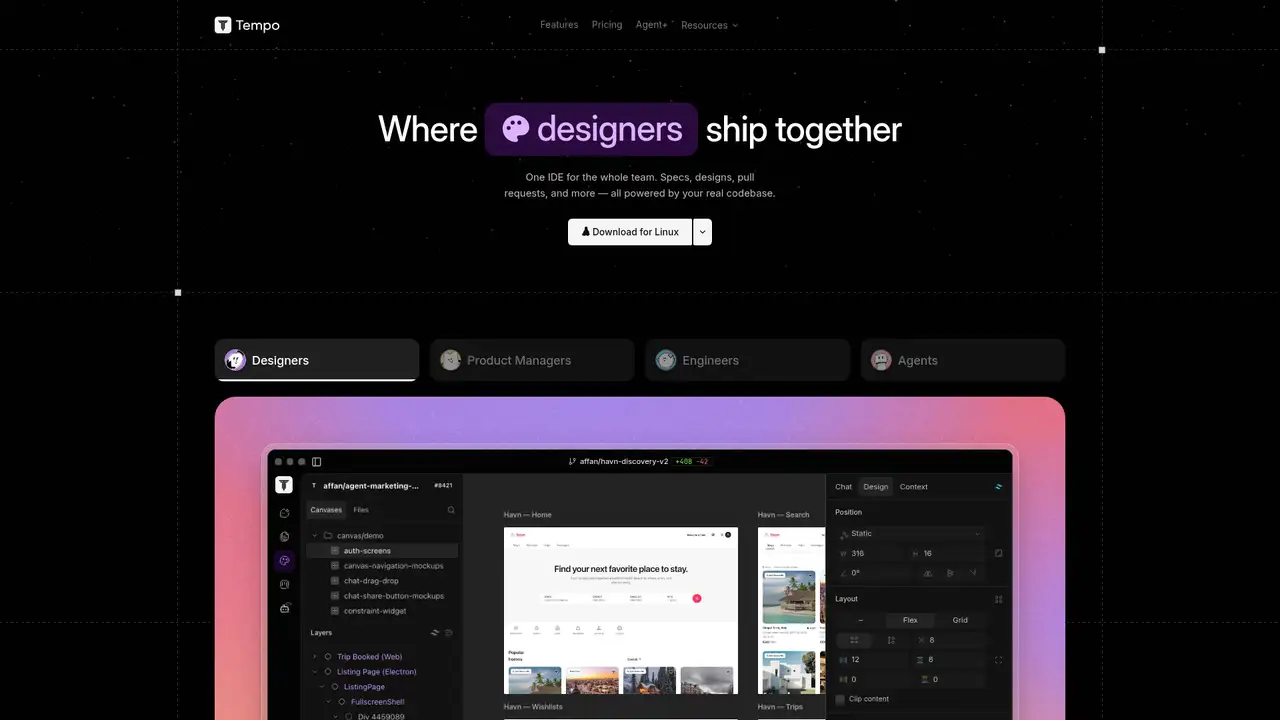
Tempo is a Toronto based coding company founded by Kevin Michael and Peter Gokhshteyn, who previously worked at Microsoft, Google and Perpetua. Y Combinator lists Tempo in its Summer 2023 batch and describes its original product as a visual React editor powered by AI, optimized for Vite and Tailwind. A company press release reported a $5 million seed round on October 22, 2025, from Y Combinator, Golden Ventures, Box Group, Webflow Ventures, iNovia, General Catalyst and angels. Tempo has since shifted from its browser builder to a desktop IDE and software factory. The current product targets teams working on real codebases, combining specifications, designs, visual canvases, Git, pull requests and AI agents in one workspace.
Tempo’s current workflow starts with a local project and an existing codebase rather than a browser-only prompt. Teams can work from specifications and designs, edit visual canvases as code, inspect Git and CI status, and assign agents to separate Git worktrees for parallel changes. Supported agent paths include Claude Code, Codex, OpenCode and Tempo Inference, with local execution and direct provider tokens available through migration documentation. Git and Node are required for normal setup, along with desktop installation and operating system permissions. Tempo retains its React and design roots through visual editing, design panels and component libraries, but places those capabilities inside a broader desktop workflow for product and engineering teams managing ongoing software work.
Tempo combines local execution with user-selected coding agents and an optional hosted inference service. Its March 2025 V2 release added a Figma plugin, a fine-grained design panel, enhanced reasoning, Gemini Search, SaaS templates and Expo or React Native support. The October 25, 2026 desktop changelog records fixes for Canvas Share, canvas responsiveness, Astro saves, import recovery, multiline drafts and GitHub access errors. It also describes a bounded metadata cache intended to reduce memory use. Agents can run in separate Git worktrees, creating local boundaries for parallel tasks. Tempo does not publish a stable standalone API specification or an open source license, so teams should treat those capabilities as unavailable unless the company provides separate access.
Tempo’s current desktop pricing uses four tiers. Free costs $0 per month and includes 250 issues, 100 documents, 500 local tests monthly and seven-day history. Pro costs $50 monthly, with unlimited issues and documents, 5,000 tests, 90-day history and $4.50 per 1,000 additional tests. Team costs $200 monthly and includes five users, 35,000 tests and 365-day history. Enterprise is custom priced with custom users and test volume, bring-your-own infrastructure, unlimited history and audit. The pricing page also displays a $40 monthly line item alongside Pro and Team, so buyers should inspect the checkout presentation. Legacy browser subscriptions and unused prompt credits follow separate migration billing rules and should not be confused with desktop tiers.
Tempo's move from a browser editor to a desktop application changes the buying decision. Setup requires Git, Node and operating system permissions, while the migration documentation emphasizes local code execution and user-selected agent backends. Cursor and Windsurf are closer rivals for AI-native desktop editing and agent workflows. Replit offers the browser collaboration and deployment approach that former web-builder customers may prefer. Tempo combines local projects, visual code work, Git worktrees and several agent backends in one desktop product. Local execution does not remove the separate data policies of connected hosted models. Teams that want visual coordination around an existing local codebase and parallel coding agents should pick Tempo.
Who is Tempo best for?
- It suits teams maintaining local React or other codebases with AI agents.
- It suits design and engineering groups that want visual canvases as code.
- It suits organizations using Git worktrees for parallel agent tasks.
- It suits enterprise teams needing custom infrastructure and audit history.
Tempo Pricing (2026)
Pricing model: Freemium. All prices in USD.
| Plan | Price | What you get |
|---|---|---|
| Free | $0/month | 250 issues, 100 documents, 500 local tests per month and seven day history. |
| Pro | $50/month | Unlimited issues and documents, 5,000 tests per month, $4.50 per 1,000 additional tests and 90 day history. The pricing page also displays a $40 per month line item. |
| Team | $200/month | Five included users, 35,000 tests per month and 365 day history. The pricing page also displays a $40 per month line item. |
| Enterprise | Custom | Custom users and test volume, bring your own infrastructure, unlimited history and audit. |
Pros and Cons
Pros
- Tempo supports local projects, Git worktrees and multiple agent backends.
- Tempo combines visual editing with specifications, code and Git workflows.
- It enterprise includes bring your own infrastructure and audit history.
- The Free plan includes 500 local tests each month.
Cons
- The product transition makes legacy web pricing and desktop pricing easy to confuse.
- It desktop setup requires Git, Node and operating system permissions.
- Tempo does not publish a complete current model training policy.
Who should look elsewhere?
- It is a poor fit for users seeking a browser only coding environment.
- It is a poor fit for teams wanting a published standalone API.
- It is a poor fit for developers who prefer fully open source coding tools.
Technical Details
Frequently Asked Questions
How much does Tempo cost?
Tempo’s current desktop Free plan costs $0 per month. Pro costs $50 per month, Team costs $200 per month, and Enterprise uses custom pricing. Pro includes 5,000 tests monthly, with additional tests priced at $4.50 per 1,000. The pricing page also displays a $40 monthly line item alongside Pro and Team.
Does Tempo have a free plan?
Yes. Tempo Free includes 250 issues, 100 documents, 500 local tests per month and seven day history. The free tier belongs to the current desktop product. Older browser prompt plans are legacy offerings, while imported subscriptions and unused prompt balances convert into dollar denominated inference usage.
How does Tempo compare with Cursor?
Tempo and Cursor both target desktop developers using AI agents and local code. Tempo adds visual canvases, design workflows, specifications and a broader team workspace, while Cursor is positioned more directly as an AI native code editor. Tempo also supports Claude Code, Codex, OpenCode and its own inference route, with agents running in Git worktrees.
Does Tempo train models on user code?
Tempo’s published migration material emphasizes local execution and lets users select Claude Code, Codex, OpenCode or their own provider keys. It also offers Tempo Inference and enterprise bring your own infrastructure. Tempo does not publish a complete current statement covering model training on user code, so teams should review provider and enterprise terms before sending sensitive repositories.
Can teams use Tempo commercially?
Tempo’s pricing supports professional and enterprise teams, with Team providing five included users and Enterprise adding custom users, custom test volume, bring your own infrastructure, unlimited history and audit. The company positions the product around shipping work from real codebases. Commercial users should review their agreement and the terms of any external model provider they connect.
Best Tempo Alternatives in 2026
These tools do the same job as Tempo, with different pricing, limits and trade-offs.
AI coding workspace with repository context and software agents
An agent-native code editor unified with Cognition's Devin platform
A hosted workspace for building, deploying, and sharing software with AI
Prompt-driven web UI and application generation from Vercel
Turn text into working web apps in the browser.