
Superhuman Review, Pricing & Alternatives (2026)
An AI-native inbox for people who treat email as their work queue
acquired: Grammarly announced its intent to acquire Superhuman on July 1, 2025. In October 2025, the parent company adopted the Superhuman name, and the email product became Superhuman Mail.
Last updated: October 22, 2026
What is Superhuman?
Superhuman is a paid email and AI productivity suite for professionals and teams that need faster triage, drafting, scheduling, and collaboration. The suite includes Grammarly, Coda, and Superhuman Go after Grammarly acquired the company in 2025. The free suite tier costs $0, while Superhuman Mail starts at $25 per member monthly when billed annually.
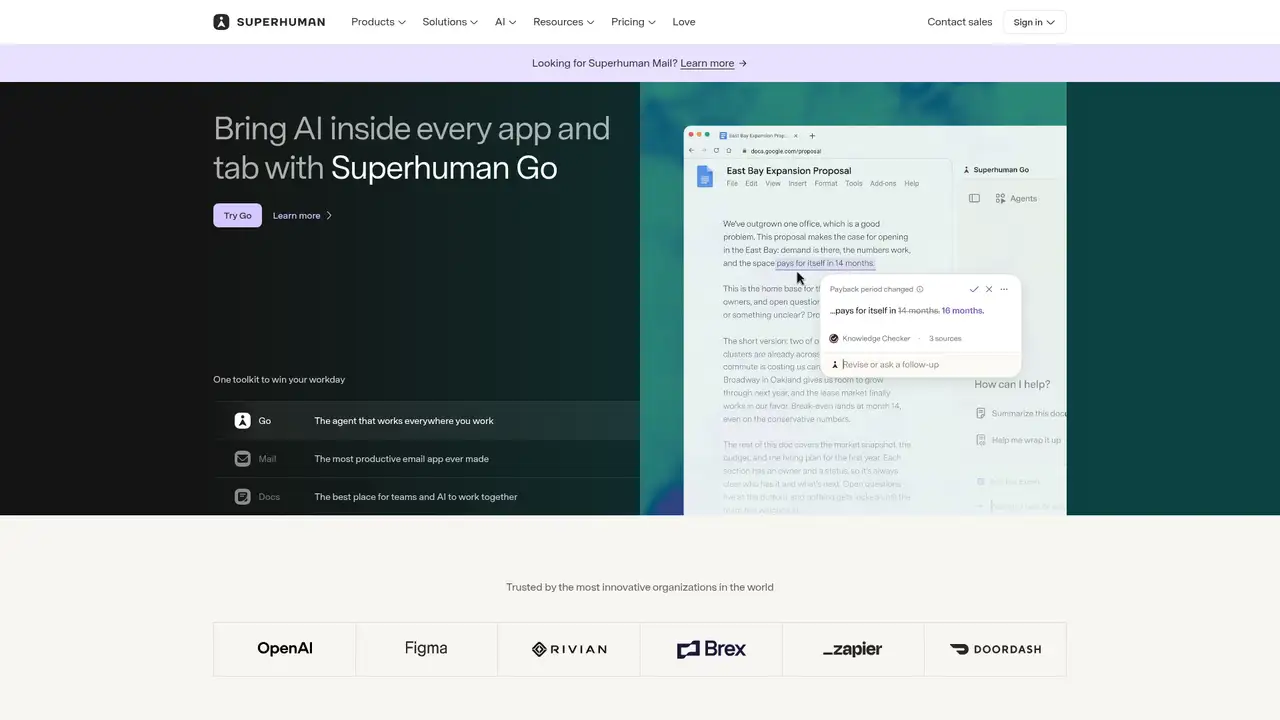
Superhuman is an AI-focused productivity suite built around email, documents, writing assistance, and an assistant that works across applications. Rahul Vohra founded the email company with Vivek Sodera and Conrad Irwin, and the product launched publicly in 2016 after a long invite period. Grammarly announced its acquisition in July 2025, with financial terms undisclosed. The parent company adopted the Superhuman name in October 2025, while the email application became Superhuman Mail. Grammarly said at the acquisition that more than 40 million people used Grammarly and 50,000 organizations relied on it, while Superhuman reported more than 500 million messages sent and more than two billion conversations triaged. Those figures are company claims, not independent usage audits. The result is a broader suite whose identity still centers on fast, high-volume communication.
The core workflow starts in the inbox. Keyboard shortcuts, split inboxes, labels, search, snippets, calendar integration, scheduling, reminders, and collaborative email handling reduce the number of separate screens needed for routine correspondence. Superhuman Mail adds Auto Labels for incoming categories, Auto Archive for lower-priority messages, Auto Reminders for unanswered mail, and Auto Drafts for follow-ups. Ask AI can search email and calendar context, answer questions, draft messages, and schedule events. Outside Mail, Coda supplies collaborative documents, tables, forms, automations, and databases; Grammarly supplies writing suggestions; Go brings AI chat, inline help, and connected-app context to desktop, browser, and mobile surfaces. These components suit teams that want communication, writing, documents, and assistance within one commercial account.
The most important recent change is a shift from a premium email client toward an agent-oriented suite. In February 2025, Superhuman introduced automatic labels, archiving, reminders, drafts, and workflow automation. Its December 2025 announcement said agentic writing could use inbox, calendar, and web information, resolve ambiguities, and research before drafting; it also announced Android availability for Write with AI. The company’s August 2025 Ask AI update expanded search from one year of email toward five years and combined inbox, calendar, and web information. The exact underlying foundation models vary by feature and are not presented as a single named model. Superhuman describes its AI as able to use tools and connected context rather than as one proprietary language model. This makes feature scope more important than model branding for prospective buyers.
The current suite has Free at $0, Pro at $12 per member per month billed annually or $15 monthly, Business at $33 billed annually or $40 monthly, and Enterprise at Custom pricing. Free includes limited AI chat and writing assistance, collaborative docs, and trials of some paid features. Pro adds unlimited paragraph rewrites and translations, brand controls, plagiarism and AI-text checks, and Docs and Go access. Business adds Superhuman Mail, inbox organization, personalized email drafting, CRM connections, and broader automations. Mail is also sold separately at $25 per member per month annually for Starter, $33 annually for Business, and Custom for Enterprise. Editors and viewers in Docs can be free; paid workspaces charge for Doc Makers. Buyers should compare the suite and standalone Mail plans before choosing.
The main drawback is price and product sprawl. A professional who wants only a fast Gmail replacement may find the Mail subscription harder to justify than Gmail, Outlook, Shortwave, or Front, while Coda and Grammarly make the suite broader than a conventional mail client. Superhuman Mail’s strongest automation is concentrated in higher tiers, and AI features require trust in connected email and calendar data. Its privacy policy lets users control whether content trains Superhuman models, while Mail’s AI help says Mail and vendors do not train on customer data. Pick it if email is the center of your workday and proactive triage saves more than the subscription costs; choose Shortwave for a lighter AI inbox, Front for shared support workflows, or Gmail for low cost. The acquisition also means product direction may continue changing.
Who is Superhuman best for?
- Email-heavy executives who value keyboard-driven triage and proactive follow-up automation.
- Teams already using Grammarly or Coda that want one commercial productivity subscription.
- Professionals willing to connect calendars, documents, and inbox context to AI tools.
- Organizations needing enterprise controls around writing, documents, and email workflows.
Superhuman Pricing (2026)
Pricing model: Freemium. All prices in USD.
| Plan | Price | What you get |
|---|---|---|
| Free | $0 | Limited AI chat, writing assistance, collaborative Docs, and trials of selected Go, Grammarly, and Docs features. |
| Pro | $12/member/month billed annually; $15/member/month billed monthly | Adds Grammarly Pro access on annual billing, unlimited paragraph rewrites and translations, brand controls, and Go and Docs access. |
| Business | $33/member/month billed annually; $40/member/month billed monthly | Adds Superhuman Mail, inbox AI, CRM connections, personalized drafting, broader connectors, and unlimited automations in Docs. |
| Enterprise | Custom | Adds advanced security and administration, SAML SSO, data loss prevention, custom roles, BYOK encryption, and dedicated support. |
| Mail Starter | $25/member/month billed annually | Includes email productivity, Superhuman AI, collaboration, calendar and scheduling, administration, and group coaching. |
| Mail Business | $33/member/month billed annually | Adds advanced AI, Auto Drafts, Ask AI, Mail MCP, custom Auto Labels, CRM integrations, and recent-opens information. |
| Mail Enterprise | Custom | Adds advanced controls, SSO, customer success, analytics, priority support, and VIP coaching. |
Pros and Cons
Pros
- Auto Labels, Auto Archive, reminders, and drafts target concrete inbox failure points.
- Keyboard shortcuts and scheduling keep frequent email work inside one focused client.
- The suite combines Mail, Grammarly, Coda, and Go under a shared subscription.
- Enterprise plans include SSO, data loss prevention, roles, and BYOK encryption.
Cons
- The best Mail automation is reserved for Business and Enterprise customers.
- Separate Mail pricing makes the suite difficult to compare with ordinary email clients.
- The acquisition and rebrand have expanded the product beyond its original focused inbox.
Who should look elsewhere?
- Users who need a capable free email client without recurring per-seat fees.
- People uncomfortable granting an AI assistant access to inbox and calendar context.
- Teams seeking a narrow shared-support inbox rather than a broad productivity suite.
Technical Details
Frequently Asked Questions
How much does Superhuman cost?
The suite has a Free tier, Pro at $12 per member monthly billed annually or $15 monthly, Business at $33 annually or $40 monthly, and Enterprise at custom pricing. Standalone Superhuman Mail starts at $25 per member monthly billed annually. Mail Business costs $33 annually, while Mail Enterprise is custom.
Does Superhuman have a free plan?
Yes. The suite Free plan costs $0 and includes limited AI chat and writing assistance, collaborative documents, tables, charts, Kanban boards, forms, and trials of selected paid capabilities. It is not the full Superhuman Mail experience. Mail is separately priced, with Starter beginning at $25 per member monthly on annual billing.
Superhuman or Gmail: which is better?
Gmail is the lower-cost general-purpose choice with a broad Google workspace. Superhuman is aimed at people who value keyboard shortcuts, split inboxes, scheduling, proactive labels, reminders, and AI drafting enough to pay per seat. Gmail is better for occasional email and budget-sensitive teams; Superhuman fits high-volume professionals who can measure time saved.
Does Superhuman train on user emails?
Superhuman’s privacy policy says users can control whether user content is used to train its AI models. Its Mail AI overview says Mail and its vendors do not train on customer data, and its providers are restricted from training on customer content. The policy also says content can be processed by the Superhuman corporate family and service providers to operate and improve products.
Can businesses use Superhuman commercially?
Yes. Superhuman sells Business and Enterprise plans for organizations. Business adds CRM connections, inbox automation, personalized drafting, and team-oriented capabilities. Enterprise adds SAML SSO, data loss prevention, roles, BYOK encryption, analytics, and dedicated support. Commercial terms and custom Enterprise pricing require contacting sales.