
Granola Review, Pricing & Alternatives (2026)
Meeting notes and shared context without a meeting bot
Last updated: October 22, 2026
What is Granola?
Granola is an AI meeting notetaker that combines device audio, transcription, and user notes into structured summaries, decisions, and follow-ups. Basic costs $0 per user per month, Business costs $14 per user per month, and Enterprise costs $35 per user per month. Basic and Business use monthly billing, while Enterprise supports monthly or annual contracts. It suits meeting-first teams that need searchable context, collaboration, integrations, and enterprise controls.
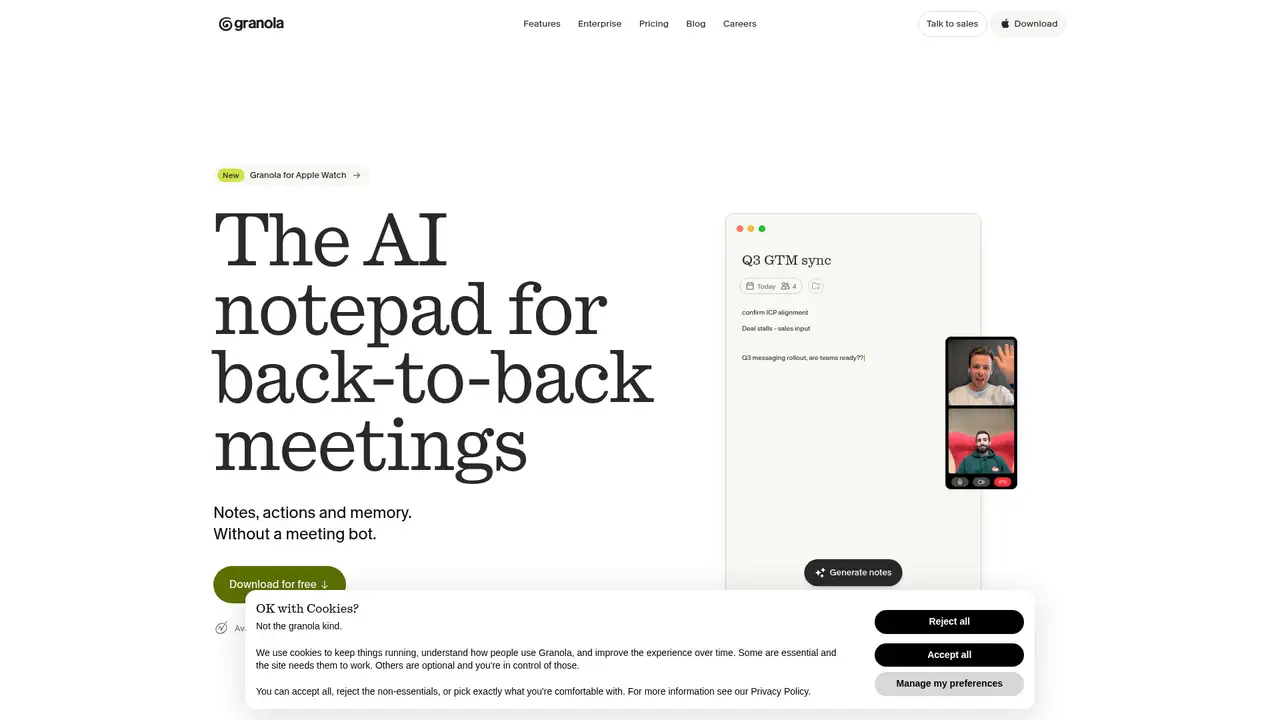
Granola is designed around meetings rather than a general project database. Its desktop and mobile apps capture device audio and produce transcripts, summaries, decisions, action items, and reusable note formats. It can work without a conspicuous bot joining a video call, supporting local notetaking, though organizations still need consent and recording practices. Features include AI chat across meetings, shared folders, custom templates, multilingual support, recipes, pre-meeting briefs, follow-up emails, and integrations. Basic costs $0 per user per month, Business costs $14, and Enterprise costs $35. Business adds advanced models, collaboration and CRM integrations, MCP, and API access. Enterprise adds SSO, administration, retention, analytics, support, audit API, SCIM, HIPAA-compliant workspaces, and organization-wide controls. Granola suits meeting-focused teams needing searchable notes and shared context.
Granola offers Basic, Business, and Enterprise plans. Basic is free at $0 per user per month and includes AI meeting notes, 30 days of history, AI chat, shared folders, templates, multilingual support, Slack integration, and per-user training opt-out. Business costs $14 per user per month with monthly billing, adding unlimited history, advanced AI models and features, pre-meeting briefs, follow-up emails, a workspace dictionary, integrations with Notion, Zapier, HubSpot, Affinity, and Attio, centralized billing, MCP, and API access. Enterprise costs $35 per user per month through a monthly or annual contract and adds SSO, security and administration, priority support, analytics, retention policies, sharing controls, audit API, SCIM, HIPAA-compliant workspaces, and organization-wide training opt-out. Choose it if you need meeting-focused notes, collaboration, integrations, or enterprise controls.
Basic has 30 days of meeting history, while Business and Enterprise offer unlimited history. Granola charges per user and workspace, not by meeting or transcription minute. Basic costs $0 per user per month, Business costs $14 per user per month with monthly billing, and Enterprise costs $35 per user per month with monthly or annual contracts. Granola does not publish a separate annual Enterprise rate or standard annual discount. Desktop, iOS, Android, and Apple Watch applications are identified across plans. A workspace cannot combine different plan entitlements, so organizations with varying access needs may require separate workspaces or an Enterprise arrangement. Buyers should confirm seats, billing, contract terms, retention, support, and security provisions before procurement. Choose Basic for limited history, Business for collaboration and integrations, or Enterprise for administrative and compliance controls.
Granola states that personal data is stored on AWS servers in the United States and encrypted in transit and at rest. OpenAI, Anthropic, and similar providers cannot train their models on customer personal data. Granola may use aggregated, de-identified information to train or improve its models when users opt in. Enterprise workspaces are opted out by default and can apply an organization-wide setting. The pricing page states that audio is deleted after transcription. Enterprise offers SOC 2 Type II certification, a DPA, and HIPAA-compliant workspaces. Organizations should review consent, retention, transfer, and regulated-data requirements before recording meetings. Granola is best suited to meeting-focused teams needing shared notes and enterprise controls, while organizations requiring self-hosting or non-US storage should choose another product.
Granola was founded in March 2023 by Chris Pedregal and Sam Stephenson. Announcements identify a $4.25 million seed round in 2023, a $20 million Series A in October 2024, and a $43 million Series B in May 2025 led by Nat Friedman and Daniel Gross's NFDG. Reported funding reached $67 million, with a $250 million valuation reported at the Series B. Granola's 2.0 announcement described a collaborative team workspace direction. Compared with ClickUp Brain, Granola is narrower and more meeting-focused. Otter.ai and Fireflies.ai provide comparable transcription and meeting intelligence, while Notion AI begins within a broader workspace. Granola's bot-free capture and editable notepad distinguish its workflow, making it a fit for professionals and teams that need searchable meeting notes, shared context, and integrations.
Who is Granola best for?
- Professionals with frequent meetings who need searchable notes.
- Sales and customer teams connecting meeting context to CRM tools.
- Teams wanting shared folders, templates, and cross-meeting chat.
- Organizations requiring SSO, retention policy, and training controls.
Granola Pricing (2026)
Pricing model: Freemium. All prices in USD.
| Plan | Price | What you get |
|---|---|---|
| Basic | $0 per user per month; free | AI notes, 30 days of meeting history, AI chat, shared folders, templates, multilingual support, Slack integration, and per-user training opt-out. |
| Business | $14 per user per month; monthly billing | Unlimited history, advanced models and features, pre-meeting briefs, follow-up emails, integrations, centralized billing, MCP, API access, and per-user controls. |
| Enterprise | $35 per user per month; monthly or annual contract | Business features plus SSO, security and admin controls, analytics, priority support, retention policies, audit API, SCIM, HIPAA-compliant workspaces, and organization-wide training opt-out. |
Pros and Cons
Pros
- Bot-free meeting capture and editable AI notes.
- Clear Basic, Business, and Enterprise plan structure.
- Strong integrations, API, and MCP availability on Business.
- Enterprise includes identity, retention, and training controls.
Cons
- Basic history is limited to 30 days.
- Annual billing is available only through Enterprise contracts.
- Cloud processing and US storage may not fit every policy.
Who should look elsewhere?
- Teams needing full project planning and task dependencies.
- Organizations requiring self-hosted or non-US data storage.
- Users who need unlimited historical notes on a free plan.
Technical Details
Frequently Asked Questions
What does Granola cost?
Granola Basic is free at $0 per user per month. Business is $14 per active user per month with monthly billing. Enterprise is $35 per active user per month with monthly or annual contract billing. Granola prices by workspace and user rather than by meeting or transcription minute. The published rates are list prices, while Enterprise contract terms may vary.
Does Granola offer annual billing?
Basic has no paid billing. Business is billed monthly according to Granola's billing information. Enterprise can use monthly or annual contracts, but Granola does not publish a separate annual Enterprise price or standard annual discount. Organizations planning a yearly budget should request the annual contract terms directly and confirm seat, retention, support, and security provisions.
Does Granola train AI models on meeting data?
Granola says OpenAI, Anthropic, and similar third-party providers cannot train their models on customer personal data. Granola may use aggregated and de-identified information for its own model improvement when users are opted in. Enterprise workspaces are opted out by default and can apply organization-wide controls. Account administrators should review current settings before recording sensitive meetings.
What is Granola's closest competitor?
Otter.ai and Fireflies.ai are close competitors for automated meeting transcription, summaries, and searchable conversation records. Granola differs through device-audio capture, a bot-free workflow, editable notes, and a collaborative workspace orientation. ClickUp Brain is closer for teams that want meeting information connected to project execution, tasks, documents, search, and automation.
Can Granola be used commercially?
Yes. Granola offers Business and Enterprise subscriptions, a DPA, API access on Business, and enterprise security controls. Commercial deployment still requires participant notice, lawful recording practices, and review of storage, subprocessors, retention, and cross-border processing. Organizations handling regulated content should assess Enterprise features and contractual terms before adopting the product.
Best Granola Alternatives in 2026
These tools do the same job as Granola, with different pricing, limits and trade-offs.
Automatic meeting transcription, summaries, and searchable conversation memory

Transcribe, search, and analyze every team conversation

Meeting notes, summaries, and follow-up without the busywork

AI assistance across tasks, docs, projects, search, and meetings