
Coursera Coach Review, Pricing & Alternatives (2026)
An AI study and career guide inside Coursera courses.
rebranded: Coursera currently refers to the assistant as Coursera AI in its learner materials. The date of this naming change is not publicly specified.
Last updated: October 26, 2026
What is Coursera Coach?
Coursera Coach, now presented in some Coursera materials as Coursera AI, is an in-course tutor for learners using Coursera programs. It explains lessons, summarizes content, creates practice, offers feedback, and supports career questions. Access starts with eligible free course previews or paid learning plans, while full catalog access costs $59 monthly or $399 annually.
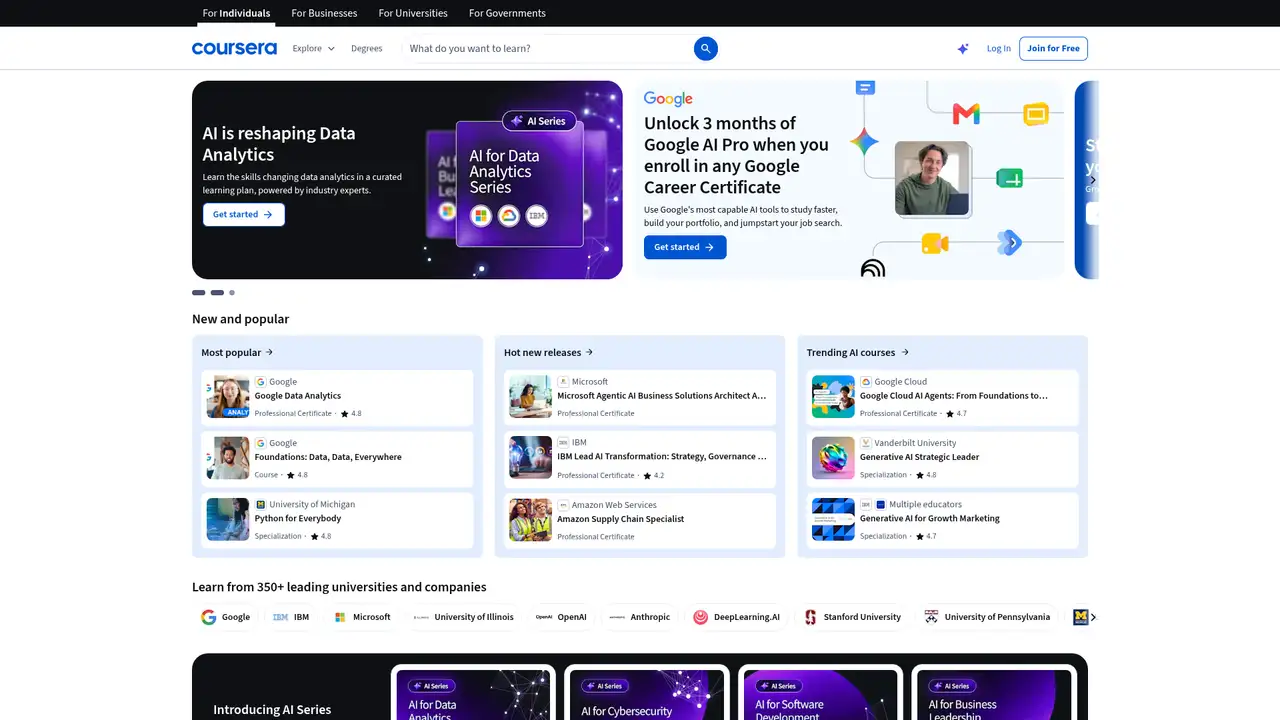
Coursera introduced Coach in April 2023 as a generative AI tutor for its online learning platform. Coursera, Inc. operates the service from Mountain View, California, and serves learners, universities, employers, and governments through a large catalog of courses and credentials. Coursera reported more than 2.6 million Coach learners and 36 million exchanged messages by July 2025. The company also reported more than 10 million generative AI course enrollments during 2025. Coach is not a standalone application or separate company product. It is embedded within eligible Coursera learning experiences, where it connects assistance to course material and learner progress. Current Coursera articles use both Coursera AI and Coach terminology, with the newer naming appearing in learner-facing content.
The assistant supports study before, during, and after lessons. Learners can ask questions about a topic, request simpler explanations, recap readings or lectures, and receive practice questions before quizzes. Coursera describes guided practice with spaced repetition, pre-assessment reviews, feedback, and professional scenario discussions. Its newer capabilities include career advice and immersive, instructor-led instruction. Course availability matters because the assistant appears only where Coursera enables it. Free course previews can include Coach when available within the course, while paid subscriptions provide wider access. The tool is designed for course-specific help rather than open-ended research. Learners can use it alongside videos, readings, assessments, projects, and certificates, but answers should still be checked against course instructions and instructor guidance.
Coursera says Coach is powered by large language models and grounded in its course material. Coursera does not publish the underlying model name or version. Its original 2023 feature set covered questions, personalized feedback, video summaries, and recommended resources. In 2024, Coursera described quiz preparation, prior-learning recaps, guided practice, and spaced repetition, while some academic integrity features remained pilots for selected customers. By 2025, Coursera said Coach could provide career advice and support immersive instruction. Coursera also reported usage across 26 languages in its product archive. The company reported that Coach users were 9.5% more likely to pass quizzes on their first attempt and completed 11.6% more items per learning hour, based on Coursera's analysis rather than an independent evaluation.
Coach is not sold as a separate subscription. A free first-module preview is available on most courses, and Coursera says Coach may be included when available in that preview. Coursera Plus costs $59 per month, with a seven-day monthly trial, or $399 per year with a 14-day refund period. Individual courses and programs cost $49 to $79 per month, while Coursera for Teams has per-user annual billing without a public price. Plus includes more than 10,000 courses, Projects, Specializations, and Professional Certificates, but excludes degrees, MasterTrack certificates, and some offerings. Access can vary by course, certificate, organization, region, and trial status. Certificates earned during an annual refund period may be revoked after a refund.
Coursera Coach suits learners who want contextual help while completing structured courses, especially people pursuing professional certificates or career changes. Khanmigo is a stronger fit for broad school tutoring, Udemy AI Assistant is tied to Udemy courses, and ChatGPT is more flexible outside a course catalog. Coursera offers the clearest connection between assistance, readings, quizzes, projects, and credentials, but it provides less control over models and general-purpose conversations. Learners seeking a standalone tutor, local deployment, an open model, or a documented developer interface should consider alternatives. Choose Coursera Coach when the priority is guided study inside Coursera and access to its credentials, rather than independent tutoring across personal files and unrelated subjects.
Who is Coursera Coach best for?
- Learners completing Coursera courses or Professional Certificates.
- Career changers who want explanations tied to course lessons.
- Subscribers studying several subjects during the year.
- Organizations adding contextual AI help to Coursera training.
Coursera Coach Pricing (2026)
Pricing model: Freemium. All prices in USD.
| Plan | Price | What you get |
|---|---|---|
| Free course preview | $0 | First module of most courses; Coach appears when available; no general catalog access. |
| Individual course or program | $49-$79/month | Access follows the selected course, Specialization, or Professional Certificate; certificate after completion. |
| Coursera Plus monthly | $59/month | More than 10,000 courses and eligible programs; seven-day free trial; exclusions apply. |
| Coursera Plus annual | $399/year | Same broad Plus catalog; 14-day refund period; degrees and MasterTrack certificates excluded. |
| Coursera for Teams | Per user for 12 months | Up to 125 employees; catalog access, analytics, reporting, and AI program builder; price not published. |
Pros and Cons
Pros
- Answers are grounded in eligible Coursera course material.
- It combines explanations, summaries, practice, and career guidance.
- Free previews can include Coach when a course enables it.
- Plus connects AI assistance with courses, projects, and credentials.
Cons
- Access varies by course, plan, region, and learner type.
- Coursera does not publish the underlying model name or version.
- Degrees and MasterTrack certificates are excluded from Coursera Plus.
Who should look elsewhere?
- Users seeking a standalone tutor outside Coursera.
- Teams requiring a documented developer API or local deployment.
- Learners needing guaranteed access across every Coursera offering.
Technical Details
Frequently Asked Questions
How much does Coursera Coach cost?
Coursera Coach is not sold separately. It can appear in free first-module previews when enabled, and broader access is included with eligible paid learning plans. Coursera Plus costs $59 per month or $399 per year. Individual courses and programs cost $49 to $79 per month. Availability can differ by course, certificate, organization, and region.
Is Coursera Coach free?
A free preview of the first module is available on most Coursera courses, and Coursera says Coach may be included when available within that preview. Full access is not a separate free product. Monthly Coursera Plus includes a seven-day trial, while annual Plus has a 14-day refund period. Trial and preview access may have course-specific restrictions.
How does Coursera Coach compare with ChatGPT?
Coursera Coach is designed around Coursera lessons, readings, quizzes, projects, and credentials. ChatGPT is broader and can work across many subjects, files, and general tasks. Coach is preferable when contextual course assistance matters, while ChatGPT offers more flexibility outside a course catalog. Neither option removes the need to verify educational or professional guidance.
How does Coursera handle privacy for Coach conversations?
Coursera says it may collect account details, course activity, communications, education and career information, device data, and submitted learning content. Its privacy notice explains purposes such as delivering services, security, research, analytics, and sharing with content providers or suppliers. Users should avoid entering unnecessary sensitive information into free-text chat, assignments, or forums.
Can businesses use Coursera Coach commercially?
Yes, organizations can access Coursera learning through business offerings, including Coursera for Teams and other organization programs. Coursera lists catalog access, analytics, custom benchmark reporting, and an AI-powered program builder for Teams. Coach availability depends on the organization’s purchased content and configuration. Coursera lists Teams billing per user for twelve months without publishing a price.
Best Coursera Coach Alternatives in 2026
These tools do the same job as Coursera Coach, with different pricing, limits and trade-offs.