
ComfyUI Review, Pricing & Alternatives (2026)
Node-based generation with local control and production APIs
Last updated: October 26, 2026
What is ComfyUI?
ComfyUI is an open-source, node-based interface, API and backend for image, video, audio, 3D and text workflows. It targets technical creators, developers and teams that need local inference, inspectable graphs or production deployment. Local ComfyUI costs $0, while Comfy Cloud starts at $20/month monthly or $16/month with annual billing.
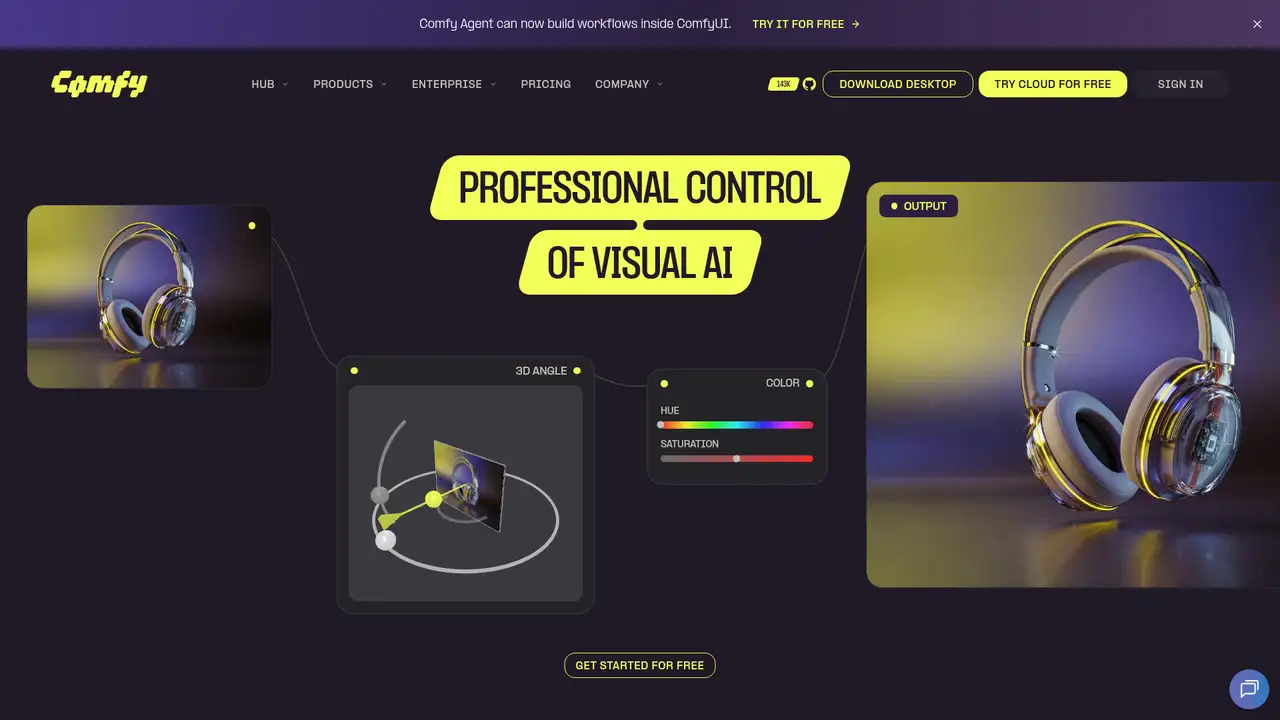
ComfyUI is a modular node and graph-based diffusion interface, API and backend maintained by Comfy. The repository dates to January 2023, and the company identifies the initial commit as January 16, 2023. The software supports local inference, offline operation, workflow JSON, custom nodes, App Mode and partner nodes for closed models. Its documented scope includes image, video, audio, 3D and text workflows. Comfy reported $17 million in funding in September 2025 and another $30 million financing at a $500 million valuation in April 2026. The company reported 4 million users, more than 60,000 contributor-built nodes and more than 150,000 daily downloads. Those scale figures are company claims, while the GPL-3.0 code and local operation are visible product characteristics.
A typical workflow begins with nodes that load a checkpoint, encode prompts, set sampling and image parameters, decode the result and save it. Users can inspect or replace individual steps, export workflow JSON, install custom nodes and connect local models or partner services. The local application includes an API and can operate without an internet connection. Comfy Cloud runs the same workflow style on hosted infrastructure, while Comfy API turns workflows into production endpoints. This design gives technical users detailed control, but it also requires familiarity with graphs, dependencies and model-specific settings. The repository lists Windows, Linux and macOS support, so ComfyUI is not limited to a browser. Local performance still depends on the user’s hardware, model size and workflow complexity.
The current repository lists Flux.2, Qwen Image, Z-Image, Wan 2.2, LTX-Video 2.3, HunyuanVideo 1.5, Hunyuan3D 2.1, SAM 3 and 3.1, Qwen3.5 and other models across image, video, audio, 3D and text. Partner nodes add access to proprietary services without making the core application a closed model catalog. Comfy Cloud left private beta on March 4, 2026, with broad custom-node availability and Blackwell RTX 6000 Pro hardware. The company’s April 2026 financing announcement says it plans major model integrations on release day and intends to keep an open system. Local users must check each downloaded model’s license. Comfy Cloud says models it hosts are commercially cleared, which applies to that hosted selection rather than every local model.
Comfy Cloud Standard costs $20/month monthly or $16/month with annual billing, billed as $192 yearly, and includes 4,200 monthly credits or 50,400 credits granted annually. Creator costs $35 monthly or $28/month annually, with 7,400 monthly credits, own-model import and up to one-hour runtime. Pro costs $100 monthly or $80/month annually, with 21,100 monthly credits and up to one-hour runtime. Credits cover active GPU runtime and partner nodes, not idle editing time. Standard, Creator and Pro include five, five and ten API builds respectively. Team uses variable credit-commitment pricing, and Enterprise is sales-led. The pricing page describes a five-second Wan 2.2 video as a reference estimate, not a guaranteed output count.
Graph complexity is ComfyUI’s main drawback. Local users maintain custom nodes, supply suitable hardware and check model licenses themselves. Midjourney is more browser-first and guided, while ComfyUI offers deeper graph inspection, parameter control and offline execution. Adobe Firefly is a hosted creative suite, whereas ComfyUI supports local deployment and user-selected models. InvokeAI is a closer local competitor with a more canvas-oriented studio workflow, but its hosted service ended in October 2025 and its current project is self-hosted. Comfy Cloud reduces installation work but adds subscriptions, credits and runtime limits. Pick ComfyUI if local control, extensibility or deployable workflows matter more than a beginner-first interface.
Who is ComfyUI best for?
- Technical artists who need inspectable generation graphs.
- Developers deploying repeatable image and video workflows.
- Teams running models locally for privacy and control.
- Creators working across many models and custom nodes.
ComfyUI Pricing (2026)
Pricing model: Freemium. All prices in USD.
| Plan | Price | What you get |
|---|---|---|
| Local ComfyUI | $0 | Free and open source under GPL-3.0, with local and offline operation. Hardware and model costs are separate. |
| Standard | $20/month or $16/month annual | 4,200 monthly credits, 30-minute workflow maximum, no own-model import, five API builds, two deployments and one concurrent API workflow. |
| Creator | $35/month or $28/month annual | 7,400 monthly credits, own-model import, up to one-hour runtime, five API builds, two deployments and three concurrent API workflows. |
| Pro | $100/month or $80/month annual | 21,100 monthly credits, up to one-hour runtime, ten API builds, five deployments and five concurrent API workflows. |
| Team | Variable | Pricing uses a credit-commitment flow rather than a fixed public dollar tier. |
| Enterprise | Custom | Sales-led plan with no fixed public price listed. |
Pros and Cons
Pros
- Local execution supports offline workflows and direct data control.
- Graph-based editing exposes models, parameters and processing steps.
- Custom nodes and workflow JSON support repeatable production pipelines.
- The platform covers image, video, audio, 3D and text workflows.
Cons
- Graph complexity creates a steeper learning curve than browser-first tools.
- Local users must manage hardware, custom nodes and model licenses.
- Cloud usage adds subscriptions, credits and workflow runtime limits.
Who should look elsewhere?
- Beginners wanting a guided, one-click image generator.
- Users without suitable local hardware or cloud budget.
- Teams unwilling to maintain custom nodes and model licenses.
Technical Details
Frequently Asked Questions
How much does ComfyUI cost?
Local ComfyUI costs $0 and is open source under GPL-3.0. Comfy Cloud Standard costs $20/month monthly or $16/month with annual billing. Creator costs $35 monthly or $28/month annually, and Pro costs $100 monthly or $80/month annually. Team uses variable credit-commitment pricing, while Enterprise is sales-led.
Does ComfyUI have a free plan?
Yes. The local application costs $0, is open source and supports Windows, Linux and macOS, including offline operation. Comfy Cloud is a separate hosted service with paid public plans. Local users provide their own hardware and must check the license for each model they download.
How does ComfyUI compare with Midjourney?
Midjourney is a browser-first hosted generator, while ComfyUI provides inspectable node graphs, local execution, model and parameter control, custom nodes and workflow JSON. ComfyUI requires more setup and technical understanding. Midjourney suits guided generation, while ComfyUI suits repeatable workflows and users who need local control.
Does ComfyUI train on user data?
Core ComfyUI runs locally and offline, so local processing does not require sending inputs to Comfy’s service. Comfy Cloud says inputs, outputs and workflows are private by default. Hosted users still rely on Comfy’s service and security terms, while local users control the software and services they choose.
Can ComfyUI be used commercially?
Comfy Cloud says the models it hosts are commercially cleared, including listed open and partner models. That claim does not license every model used with local ComfyUI. Local users must check each model’s terms. The ComfyUI code is GPL-3.0, while output rights can depend on the selected model.
Best ComfyUI Alternatives in 2026
These tools do the same job as ComfyUI, with different pricing, limits and trade-offs.